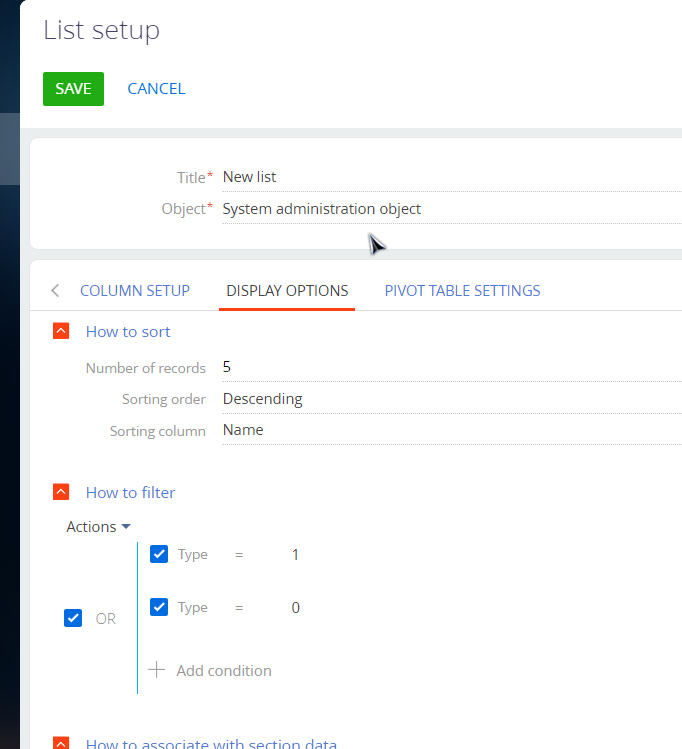
I am trying to create a new section in a different workplace with an existing object. The Package is from my "Invoices" object, which has all the material I need; however, anytime I try to access this via the New: Section wizard, "SELECT EXISTING OBJECT", I get the error, "Section for this object already exists."


I am having an increasingly hard time maneuvering through the customization of Creatio no-code, without being directed to use schemas, SQL, or outdated object-relational mapping.

Like 1

Like

1 comments

Hello,


Indeed, in Creatio, creating multiple sections for one object is impossible. You either need to remove existing sections or create a new object for the new section.

Show all comments
#merge_#Business_Process_#deduplication
Studio_Creatio
8.0

I have a need to intercept record merging events (deduplication).

In the case of merging records, store information about the ID of the deleted record (which was merged and deleted) in the registry of deleted objects, which has already been created, but only deleted records are written there, and not those that were a duplicate and were simply merged and, accordingly, deleted.

Implement a mechanism that will store information about the user who performed the merge and the exact time of the operation. Is this even possible?

Like 1

Like

1 comments
Best reply

Theoretically it's possible. When triggering the merge the MergeEntityDuplicatesAsync method from the DeduplicationService is triggered. This is a public method that can be overridden. The body of the request is a JSON like below (in this case I was merging two documents):

{"schemaName":"Document","groupId":1,"deduplicateRecordIds":["054ac2b7-6840-4cc8-881e-b268b0891459","c467e547-cbff-4ae7-b146-93eff47f1ce6"],"mergeConfig":"{\"Number\":\"c467e547-cbff-4ae7-b146-93eff47f1ce6\",\"Date\":\"c467e547-cbff-4ae7-b146-93eff47f1ce6\",\"Account\":\"c467e547-cbff-4ae7-b146-93eff47f1ce6\"}"}

deduplicateRecordIds is an array with Ids of two records that I selected before triggering the merge.

In the mergeConfig body we have \"Number\":\"c467e547-cbff-4ae7-b146-93eff47f1ce6\ - this is an Id of the record that was left in the app after the merge. So we have


"054ac2b7-6840-4cc8-881e-b268b0891459","c467e547-cbff-4ae7-b146-93eff47f1ce6


in the deduplicateRecordIds array and 467e547-cbff-4ae7-b146-93eff47f1ce6 is left in the app. This means that 054ac2b7-6840-4cc8-881e-b268b0891459 was removed. So this Id should be added to the log table (for example using InsertQuery class). As for the user that performs merge - we can try retrieving this information using UserConnection.


Alternatively you can dig into the possibility of overriding the base merge button click (that will also trigger the "DeduplicationActionProcess" business process (see the process log after the merge is triggered)) and bind calling your custom business process that will do the same operation as the base process (create a copy of the process and trigger it instead of the base process) and using it you will also be able to log deleted record and user who performed the merge.

Theoretically it's possible. When triggering the merge the MergeEntityDuplicatesAsync method from the DeduplicationService is triggered. This is a public method that can be overridden. The body of the request is a JSON like below (in this case I was merging two documents):

{"schemaName":"Document","groupId":1,"deduplicateRecordIds":["054ac2b7-6840-4cc8-881e-b268b0891459","c467e547-cbff-4ae7-b146-93eff47f1ce6"],"mergeConfig":"{\"Number\":\"c467e547-cbff-4ae7-b146-93eff47f1ce6\",\"Date\":\"c467e547-cbff-4ae7-b146-93eff47f1ce6\",\"Account\":\"c467e547-cbff-4ae7-b146-93eff47f1ce6\"}"}

deduplicateRecordIds is an array with Ids of two records that I selected before triggering the merge.

In the mergeConfig body we have \"Number\":\"c467e547-cbff-4ae7-b146-93eff47f1ce6\ - this is an Id of the record that was left in the app after the merge. So we have


"054ac2b7-6840-4cc8-881e-b268b0891459","c467e547-cbff-4ae7-b146-93eff47f1ce6


in the deduplicateRecordIds array and 467e547-cbff-4ae7-b146-93eff47f1ce6 is left in the app. This means that 054ac2b7-6840-4cc8-881e-b268b0891459 was removed. So this Id should be added to the log table (for example using InsertQuery class). As for the user that performs merge - we can try retrieving this information using UserConnection.


Alternatively you can dig into the possibility of overriding the base merge button click (that will also trigger the "DeduplicationActionProcess" business process (see the process log after the merge is triggered)) and bind calling your custom business process that will do the same operation as the base process (create a copy of the process and trigger it instead of the base process) and using it you will also be able to log deleted record and user who performed the merge.

Show all comments
FreedomUI
Studio_Creatio
8.0

Hello Everyone,

I have implemented saving functionality in Freedom Ui.

const saveRecordRequest = {

    type: "crt.SaveRecordRequest",

    preventCardClose: true,

    $context: request.$context

};


// now execute the save request and check if it was successful

if ((await request.$context.executeRequest(saveRecordRequest))) {

    // save was successful, continue with something else here

}

else {

    // save was not successful (maybe due to required fields not being filled in)

}

I have followed this link

https://customerfx.com/article/saving-a-page-before-some-action-on-a-cr…;

it is saving  the record but after saving record it is  not automatically coming to list page as save button functionality is working.

Can anyone Please guide me here, How I can get that

Like 0

Like

2 comments

What is the behavior you're expecting? Can you outline the scenario you're trying to accomplish? 

In the code you're including preventCardClose: true which specifically tells the page to not close after saving. If you want the page to close after the save, you need to remove that part (or change to false). However, there could be other factors of what a page does after saving (you could force the navigation back to the list using some code if wanted)

Ryan

preventCardClose:false , this works for me .Thank you  @Ryan for guiding me

Show all comments

Greetings,


I was curious as to whether there was a way to setup a BPM filter to pull customers that are about to become 18 years of age and send them a message about product opportunities available to them. Thanks in advance for any assistance.


Best,


Lucas

Like 0

Like

4 comments

Hi Lucac,


You can create a dynamic folder based on needed conditions.


And add the campaign audience from a dynamic folder, as well as from a custom filter. 

Bogdan,

Yes, however how would we set up the automation to pull a member who is a about to turn 18 for example, in the next 6 months?

Lucas Centeno,

I didn't test this out, but it would likely work to use: 

  • Age = 17
  • Birth date Within Previous 6387 Days (which is 17 1/2 years in days)

Ryan

Ryan Farley,

Thank you for the guidance, Ryan. Unfortunately, the filtration provided did not work. It would be nice to have a "Within" or "Between" filtration feature in Creatio in addition to "=" ">" "<", etc.

Show all comments

CAN ANY HELP ME ON Triggering a Client-Side Event When a Field is Changed on a Page in Creatio in Freedom UI?

Like 0

Like

4 comments

I have an article showing how to do this here: 

https://customerfx.com/article/responding-to-an-event-when-a-field-is-c…

Ryan

@Ryan I have to call a method inside field is changed .I have  used this approach but I am getting issue in this. Can you please help how we can call a function inside field value

 handler: async (request, next) => {

        if (request.attributeName === "BooleanAttribute_ddmdb1n") {

              await cfx.fieldChecked(); // 

        }

        return next?.handle(request);

    }

},

            {

                request: "cfx.fieldChecked",               

                handler: async (request, next) => {

                    const okBtn = {

                        key: "OK",

                        config: {

                            color: "primary",

                            caption: "YES"

                        }

                    };

                    const cancelBtn = {

                        key: "CANCEL",

                        config: {

                            color: "default",

                            caption: "Cancel"

                        }

                    };

                    const result = await request.$context.executeRequest({

                        type: "crt.ShowDialogRequest",

                        $context: request.$context,

                        dialogConfig: {

                            data: {

                                message: "Are you sure you would like to proceed? It will wipe out all the information!!!!",

                                actions: [cancelBtn, okBtn]

                            }

                        }

                    });

                    if (result === "OK") {

          request.$context.StringAttribute_uo3a61k = "";

                    }

You cannot put methods inside a Freedom UI page. Either move the code from cfx.fieldChecked into the change request handler, or you can move it to a module

Ryan

okay got it .Thank you for help

Show all comments
FreedomUI
Studio_Creatio
8.0

Can anyone knows HOW TO ADD POP CONFIRMATION MESSAGE for selecting Yes or No in Freedom UI

Like 0

Like

2 comments
FreedomUI
Studio_Creatio
8.0

Can anyone tell how I can Navigate to a Page by clicking on button in Freedom UI  by using (customcode)

Like 0

Like

3 comments

You can do that with no code using the actions: 

  • Open new record (to open a page in add mode)
  • Open existing record (to open a page in edit mode)
  • Open specific page (to choose a specific page. This could be a section list page, or a specific page for a record if a record has multiple pages defined for it)

If you want to do this in code, these articles will help: 

Ryan

Thank you @Ryan for answering my question ,Do you have exact example where we are Navigating to Page by clicking on button.

Hello,


Please note that this can be set up without custom code using basic functionality of Freedom UI components. You can find the instructions on it in this Academy article. And here are the instructions for the Classic UI.

Show all comments
Export_Package
Studio_Creatio
8.0

Hi I would like to export my custom package with all elements in it to deploy to another instance of Creatio. How can I tell if the package I have has all the elements of my custom application.

Like 0

Like

2 comments

Hi Waseem


First, create a new package and all the dependencies from custom to this new package.

Then move all schema elements from Custom to the new package.

Compile and make sure everything works as expected.

At this point, you should have everything in the package except for Data values from lookups.

Identify the missing data binding and add them to the new package.

Install the new package in a new Creatio instance, and test it.

Add/Update databinding if you miss anything in the new instance.


Hope this helps!


Thank you

Mohamed

Show all comments

There is a requirement in which I have to make printable visible on the basis of data in the connected object. I followed this article https://customerfx.com/article/showing-or-hiding-printables-based-on-a-value-for-the-selected-record-in-creatio/.


It is working fine on the combined mode in edit page and only showing printable which is matching with the condition, but the same is not reflecting on the separate mode in edit page and showing the complete list of printable.


Is there something which I am missing or any other workaround ?

Methods which I have added on section is :

initQueryColumns: function(esq) {

                                                          this.callParent(arguments);


                                                          if (!esq.columns.contains("Id")) {

                                                                        esq.addColumn("Id");

                                                          }

                                           },


                                           GetDocumentCollection: function() {

                                                                        var recObj = [];


                                                                        var id =  this.get("GridData").get(this.get("ActiveRow")).get("Id");

                                                                        var esq = Ext.create("Terrasoft.EntitySchemaQuery", { rootSchemaName: "Document" });

                                                                        esq.addColumn("UsrDocumentName.Name");

                                                                        esq.filters.add("UsrTransactions", Terrasoft.createColumnFilterWithParameter(

                                                                                      Terrasoft.ComparisonType.EQUAL, "UsrTransaction", id));

                                                                        esq.getEntityCollection(function(result) {

                                                                                      var response = result.collection;

                                                                                      var hasRecord = (response.collection.length !== 0);

                                                                                      if(hasRecord) {

                                                                                      result.collection.each(function(item) {

                                                                                                    recObj.push(item.get("UsrDocumentName.Name"));

                                                                                      });

                                                                                      }

                                                                        this.set("DocumentCollection",recObj);


                                                                        }, this);


                                           },

                                           initCardPrintForms: function() {

                                                          this.callParent(arguments);

                                                          var printMenuItems = this.get(this.moduleCardPrintFormsCollectionName);

                                                          if (Ext.isEmpty(printMenuItems)) return;


                                                          printMenuItems.each(function(item) {

                                                                        item.set("Visible", {bindTo: "getPrintMenuItemVisible"});

                                                          }, this);

                                           },

                                           getPrintMenuItemVisible: function(reportId) {

                                                          if (Ext.isEmpty(this.get("ActiveRow"))) return true;

                                                          var Id = this.get("GridData").get(this.get("ActiveRow")).get("Id"),

                                                                        printMenuItems = this.get(this.moduleCardPrintFormsCollectionName),

                                                                        item = printMenuItems.find(reportId);

                                                          this.GetDocumentCollection();

                                                          if (Ext.isEmpty(item)) return;

                                                          var ReportName = item.get("Caption");

                                                          var DocCollection = this.get("DocumentCollection");

                                                          if(DocCollection === undefined){

                                                                        return false;

                                                          }

                                                          else{

                                                                        if(DocCollection.includes(ReportName)){return true;}

                                                                        else{return false;}


                                                          }


                                           }

Methods which I have added on edit page is :

                                                         GetDocumentCollection: function() {


                                                                        var recObj = [];

                                                                        var id =  this.get("Id");

                                                                        var esq = Ext.create("Terrasoft.EntitySchemaQuery", { rootSchemaName: "Document" });

                                                                        esq.addColumn("UsrDocumentName.Name");

                                                                        esq.filters.add("UsrTransactions", Terrasoft.createColumnFilterWithParameter(

                                                                                      Terrasoft.ComparisonType.EQUAL, "UsrTransaction", id));

                                                                        esq.getEntityCollection(function(result) {

                                                                                      var response = result.collection;

                                                                                      var hasRecord = (response.collection.length !== 0);

                                                                                      if(hasRecord) {

                                                                                      result.collection.each(function(item) {

                                                                                                    recObj.push(item.get("UsrDocumentName.Name"));

                                                                                      });

                                                                                      }


                                                                        this.set("DocumentCollection",recObj);


                                                                        }, this);


                                           },

                                           initCardPrintForms: function() {

                                                          this.callParent(arguments);


                                                          var printMenuItems = this.get(this.moduleCardPrintFormsCollectionName);

                                                          if (Ext.isEmpty(printMenuItems)) return;


                                                          printMenuItems.each(function(item) {

                                                                        item.set("Visible", {bindTo: "getPrintMenuItemVisible"});

                                                          }, this);

                                           },

                                                                                      getPrintMenuItemVisible: function(reportId) {

                                                          //this.GetDocumentCollection();

                                                          var Id = this.get("Id"),

                                                                        printMenuItems = this.get(this.moduleCardPrintFormsCollectionName),

                                                                        item = printMenuItems.find(reportId);

                                                          if (Ext.isEmpty(item)) return;

                                                          this.GetDocumentCollection();

                                                          var ReportName = item.get("Caption");

                                                          var DocCollection = this.get("DocumentCollection");

                                                          if(DocCollection === undefined){

                                                                        return false;

                                                          }

                                                          else{

                                                                        if(DocCollection.includes(ReportName)){return true;}

                                                                        else{return false;}


                                                          }


                                           }

Like 0

Like

1 comments

Hello,


In order to filter printables in edit mode, both in your page and section replacing schemas, you need to replace a method preparePrintFormsMenuCollection. Inside this method, you should leave base method as is (the code before and after comments below), and only change the code between the comments to create the logic that fits your business needs:


preparePrintFormsMenuCollection: function(printForms) {
    printForms.eachKey(function (key, item) {
        if (!item.get("Caption")) {
            item.set("Caption", item.get("NonLocalizedCaption"));
        }
        item.set("Tag", key);
        if (item.get("TypeColumnValue")) {
            item.set("Visible", { bindTo: "getPrintMenuItemVisible" });
        }
        //Here is your logic for filtering of printables
        /*************************************************************************/
        /* YOUR CODE, for example 
        var currentState = this.get("State");
        var currentStateDisplayValue = currentState.displayValue;
        var currentStateDisplayValueToLower = currentStateDisplayValue?.toLowerCase();
        var isStateEmpty = Ext.isEmpty(currentState);
        if (!isStateEmpty &amp;&amp; currentStateDisplayValue &amp;&amp; item.get("Caption").includes(currentStateDisplayValueToLower)) {
        item.set("Visible", true);
        }
        else {
        item.set("Visible", false);
        }
        */
        /*************************************************************************/
    }, this);
}


Show all comments
#8.1
#event
Studio_Creatio

I would like a button that I placed on a page to perform a custom action (something outside of the options in the button's dropdown menu). 


Can anyone point me in the direction of documentation or an academy page that explains how to do this?


Thanks!

Like 0

Like

4 comments
Best reply

Hello,

I have an article that outlines how to execute custom code from a button on a Freedom UI page here: https://customerfx.com/article/adding-a-button-to-execute-custom-code-o…

Ryan

Hello,

I have an article that outlines how to execute custom code from a button on a Freedom UI page here: https://customerfx.com/article/adding-a-button-to-execute-custom-code-o…

Ryan

Ryan Farley,

Thanks for the article, this worked for me. So I will need be comfortable with Ext.js and Terrasoft to do more advanced customizations? 

Joe Brunet,

In Creatio there are two types of pages. Classic pages and Freedom UI pages. Freedom UI pages are the newer types, the application is slowly getting converted to Freedom UI (Classic pages are now considered legacy, the future of the application is Freedom UI).

Classic pages are based on Extjs, although you don't really need much, or any, Extjs knowledge. That's really just the framework that the pages themselves use. When you add code on the page, you don't really need to use any Extjs functionality. For Freedom UI pages things are different. The article I mentioned is for how to do this on a Freedom UI page. These pages are based on Angular, although you don't really need any Angular knowledge unless you are creating new components/remote modules. The Terrasoft usage is mainly for working in Classic UI pages, much of the functionality there is being replaced by the new Creatio DevKit SDK. The Terrasoft library is one created by Creatio (the company name used to be Terrasoft).

However, in either case, all the page code is using Javascript, so knowing Javascript is helpful. I do find, however, that using Freedom UI pages there is less and less need to add page code (Javascript) to do many types of customizations which required page code in Classic pages.

Ryan

Ryan Farley,


Thank you for that explanation; it was incredibly helpful! 

Show all comments