Have you tried to hide them using business rules? I suggest to set your condition to a situation that will never happen. For example, IF Integer [1] = Integer [2], THEN Show element [Detail "Invoices"] on the page
I guess you've faced an out-of-the-box problem that was fixed in 7.17.3. The problem is that the section wizard created a section incorrectly in some cases till 7.17.3 - the ObjectInFolder column had the value of "BaseFolder" in the "FolderId" column in case the object represents a section created via a section wizard. The correct value should be "ObjectFolder". In other words if the object for the section is UsrExam then the value for the UsrExamInFolder FolderId column should be UsrExamFolder.
To fix the problem the metadata of the ObjectInFolder object should be modified. Please open the metadata, go to "Modifications package" and find the 37's row. Add this line there:
and replace the 2d8dd6bd-d45e-4518-a52d-88edfbefb8c4 with an actual UId of the ObjectFolder (can be found either in the SysSchema table or in the object properties from configurations). Once done save the metadata, reopen the object and publish it. As a result correct value will be specified in the "FolderId" lookup.
to skip the problem I runned manually the ALTER TABLE CONSTRAINT and I forced the system to ignore the changes SysSchema.ModfiedOn = SysSchema.StructuredOn
I checked in the Postgres log file what happened in the database, an error occurred during the changes table when adding a constraint with the * search folder.
I followed the Oscar's instructions
I manually executed the alter table command which raises the error (obtained in 1) by writing the right constraint FK on the right table
I ran an update command on the "SysSchema" table for my entity to force the SysSchema.ModfiedOn field to equal SysSchema.StructuredOn so the system will not attempt to install
Thank You for update. I went through Your instruction but still faced the same result. I'm sure that is correct but to not waste a time i decided to went through different approach:
Just i have deleted incorrect object, created new one with the same name based on BaseEntity, then added column Folder.
It's seems that it's work (i may sucessfully install package on local environment as well as on cloud). To be completely safe any time when i'm deleting object schema i have a copy on SVN as well and local metadata export.
There are many use cases where we need to change the data type of a column. We have observed the following behavior wrt data type changes and want to understand why this happens.
DB - MS SQL
Behavior #1
Say a column has been created as String(250) and published. Changing it to String(50) via the Object designer and re-publishing it does not change the data type at the data base level - even though it reflects correctly in the Package (We also verified that there is no data in the DB which exceeds 50 characters. So technically, it can be downgraded to 50 characters without loss of data). We are forced to alter the column at the database level to actually downgrade it to String(50).
Behavior #2
On the flipside, a data type change from String to Int does work. Additionally, it downgrades the column from NOT NULL to NULLable type in the Database when the String to Int conversion happens.
Can someone string together the above 2 behaviors and why one happens and the other doesn't?
Is there knowledge within the community as to what data type changes work and what do not? If yes, Pls share your experiences.
Note - I am aware that the earlier column can be dropped and a new column with the new data type be created. But this is not practical, if we want to retain the same name.
We tried to reproduce the behavior you have described for different types of DB (PostgreSQL and MSSQL) in two ways:
1. Create a column via Page Designer.
2. Create the column in Object Designer.
At first, we have set the string length 250 for the 1st column, then changed it to 50 in the Object Designer and published the object:
As a result we could see that the data type has been changed from varchar(250) to varchar(50):
Then we have repeated the same actions for another test column (added via Object designer) and result was the same:
That's why it would be really helpful if you could confirm if we were doing the reproducing correctly (maybe we should use another version or another product). Also, we can provide you with a fresh installation files so you can try to re-check it from your side once again (for that just contact our support team via this email: support@creatio.com).
About the second question: in general, we do not recommend to change field types. The system can transfer data type from one char to another when you need to change the length of the field. But it may behave unpredictably when the type is changed from one object to another.
Alos you can find some addtional information about data types in the links below:
Hi Roman, Appreciate your effort in trying to reproduce this.
Your steps does look right -
1. Create as 250 in Object designer. Publish and check if the DB shows nvarchar(250).
2. Change to 50 in Object designer. Publish and check if the DB has changed to nvarchar(50).
I have verified this on 2 Creatio versions - 7.15.2 Studio and 7.16.3 CustomerCenter (Both MS SQL). Is is possible that this got fixed/changed in the latest 7.17 release?? Il also reach out to Creatio support ato replicate this in the latest release.
Hi Roman. Checked this use case once again. The behavior I have stated in my question is correct. I have used a on-premises Creatio sales v7.17 on MSSQL. The datatype does change if you increase the length (Eg 50 to 250) but not from 250 to 50.
Have you checked this on an on-premises or trial instance??
Lets say, I have a Business process which is triggered when an Email Template record is modified, and that Email template is updated via a Package installation, the logical expectation is that the 'Modified' event is triggered and the Business process runs. We however notice that the event is not triggered, and the business process does not run.
Do Package installations and changes through that trigger entity events? Do Package installations effect object changes to the DB via the ORM or does that mechanism work differently?
If I wrote a business process which had a trigger to the SysPackage object and looked for modifications to a specific package, will it get triggered when I install that package??
Our application doesn't support designing business processes that are triggered after modifying system objects. The core of business process mechanisms works on low-level API which doesn't support start signals functionality. This is done in order to avoid any kind of accidents with business process mechanisms and also for performance maintaining reasons.
I am not sure I understood this - "The core of business process mechanisms works on low-level API which doesn't support start signals functionality". Are you saying that the start signal functionality does not work in Business processes?
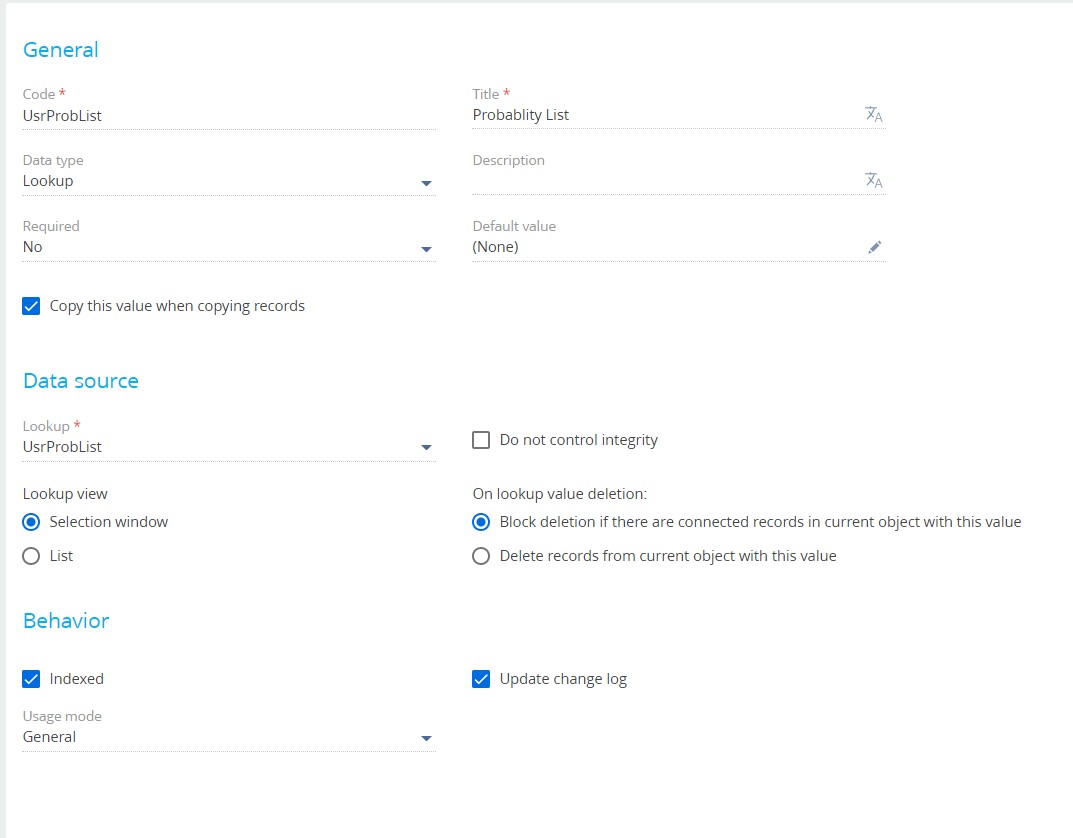
I binded data from the Lookup table, and now i'm able to see my newly created lookups in the "LOOKUP" section, however, if i click on one of these new lookups, it doesn't open the content, instead an error appears in the browser console saying 'all-combined.js:41 cann't find entity'
This only means that the lookup object wasn't transferred between systems. Please also check if the lookup object was transferred to the target website.
I suggest to investigate the issue in terms of support ticket since it is hard to tell the reason for this behavior. It's better to have a closer look to the website.
On my application I've used the Aspose.PDF connector plugin for Creatio! Then, I created a new printable and set the "Convert to PDF" property true, as you can see in the image below.
After that, I create a new process in which I am using the plugin process element (Save printable) and in that element I set the parameter "Conver to PDF" to true but the attachment is always saved as a .docx file, regardless of setting of the parameter "Convert to PDF" be true or false.
Can you help me solving this issue and explain me why the document saved in the attachments is always in .docx format?
I apologize for the delay. The [Save printable] element was developed when both .docx and .pdf formats were available out-of-the-box. As such, the "Convert to PDF" parameter is not compatible with the Aspose connector for Creatio. The team in charge does not plan to update this feature in the add-on.
However, note that Creatio released the [Process file] business process element to generate custom MS Word or Fast Report reports in version 7.17.2.
In order to enable Anonymous service for .Net Core edition of Creatio all you need to do is to add information about this service to "AnonymousRoutes" block of ..\Terrasoft.WebHost\appsettings.json file.
The documentation clearly says that there is way to create a configuration service with Anonymous authentication. Hope you went through the Academy link I pasted in the question.
My question was -
The documentation only lists out the steps for the WCF based configuration services (Used by .Net Framework on Windows). How does one go about creating an anonymous service on a Linux installation of Creatio using .Net Core?
In order to enable Anonymous service for .Net Core edition of Creatio all you need to do is to add information about this service to "AnonymousRoutes" block of ..\Terrasoft.WebHost\appsettings.json file.
2) You can use document.getElementById("OpportunityPageV2MoodContainerContainer").style.pointerEvents = 'none'; and trigger it each time the page is loaded with the additional check of the system user role (OpportunityPageV2MoodContainerContainer should be replaced with your element code (can be received from the page inspector in the "Elements" tab of the console)).
3) This additional check on the system user role is the most difficult part: you need to retrieve a user session from the client using Terrasoft.sessionId, then form a ESQ to the SysUserSession table to find a record related to the value received from Terrasoft.sessionId (for a request as follows
select SysUserId from SysUserSession
where SessionId = 'ez5u2gsrczplpz4b13s31g0b'
). Then you need to run another ESQ to check if the SysUserId belongs has a record in the SysUserInRole table related to some role.
This is quite a difficult task that requires a separate project and cannot be solved in terms of a community post. Please reach your account manager in case you need additional help with the implementation of emoticons click restriction for some users.