

Passing Input Parameters to a Custom Angular Component in Creatio

Hello Community,
I am developing a custom Angular component to be used in a Creatio instance. As shown in the screenshot, it directly prompts for “Open source code.” Instead, I want to pass inputs to the component in the same way standard components handle input parameters.
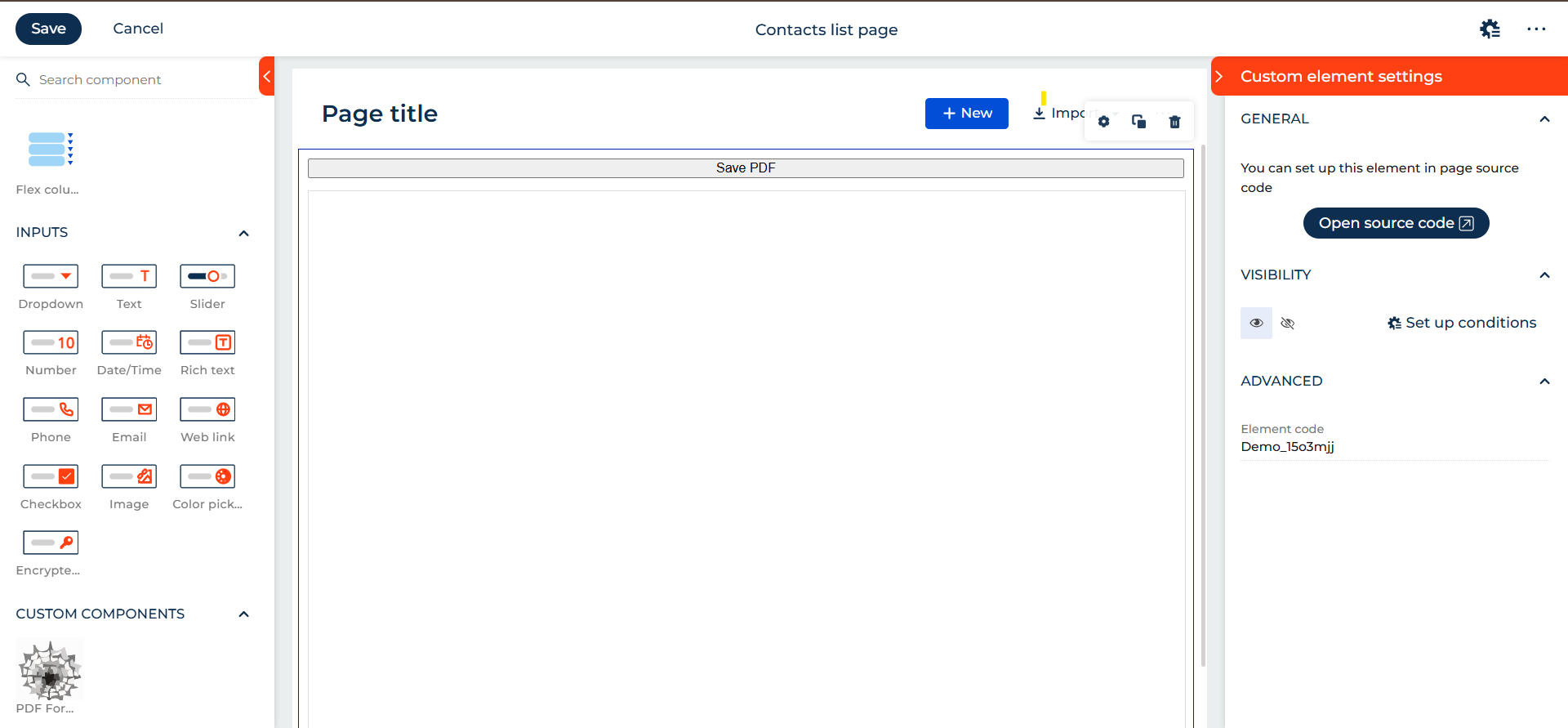
Currently, in the Angular code, the input is being passed as shown below:
@Input()
@CrtInput()
url: string = "";
Questions:
- What other approaches are available for passing input parameters to custom Angular components?
- Also, which JavaScript library would you recommend for working with fillable PDFs?
Regards,
Ajay Kuthe
(Creatio Developer)
Like

Hello Ajay,
In the current Freedom UI architecture, values defined inside an Angular custom component are never visible in the Freedom UI designer and cannot appear as configurable fields in the right-side settings panel(feature is under development). Freedom UI does not analyze Angular component metadata at design time, so decorators such as @Input() and @CrtInput() only enable runtime data binding, not visual configuration. As a result, the “Open source code” option is the expected and correct behavior for custom components. Input values can be passed only through page attributes and explicitly bound in the page schema (viewConfigDiff), where they are then delivered to the Angular component at runtime. Creating a custom settings panel or exposing Angular inputs visually, like standard components, is not supported at this time and is a known platform limitation.
For working with fillable PDF files in Angular within Creatio, the recommended library is pdf-lib, as it supports form filling, runs in the browser, and integrates well with Angular-based Freedom UI components.
Jakub Wieczorek,
Thank you for the valuable information. Using pdf-lib, is it possible to save the modified, fillable PDF back into the Creatio database? Is there any documentation available for this?