For the data received from Microsoft Power Automate, such as the following example: {"Q1":"1","Q2":"[\"Option 1\",\"Option 3\",\"Another Information\"]","EntityName":"UsrInfo"}, how should I record the information so that the values in Q2 are registered in separate columns?

Example:
Q1 – 1
Q2 – Option 1
Q2 – Option 3
Q2 – Other Information

Like 0

Like

4 comments

I don't think the OOTB webhooks will handle that structure. You'll probably have to have it go to a text field, which will store the array as a text string, then use a process on record added to parse it to put in the correct places.

Ryan

Thank you. Based on my research, this seems to be the most suitable solution. Do you have any example of a process that performs this transformation?

Hello!


OOTB webhooks will not handle such a structure. 

You can use Business Processes with Custom Script Tasks. You would need:

  1.  -Parse the JSON data using a Script Task.
     -Loop through the Q2 values and save them using a Data ScriptTask.
     -Trigger the Process
     -Integrate the process with the incoming data from Microsoft Power  -Automate via:
     -Webhooks: Call a Creatio web service with the JSON payload.
     -Integration Process: Use the Creatio API to receive the data directly.
     

Kyrylo Atamanenko,

Hello! 

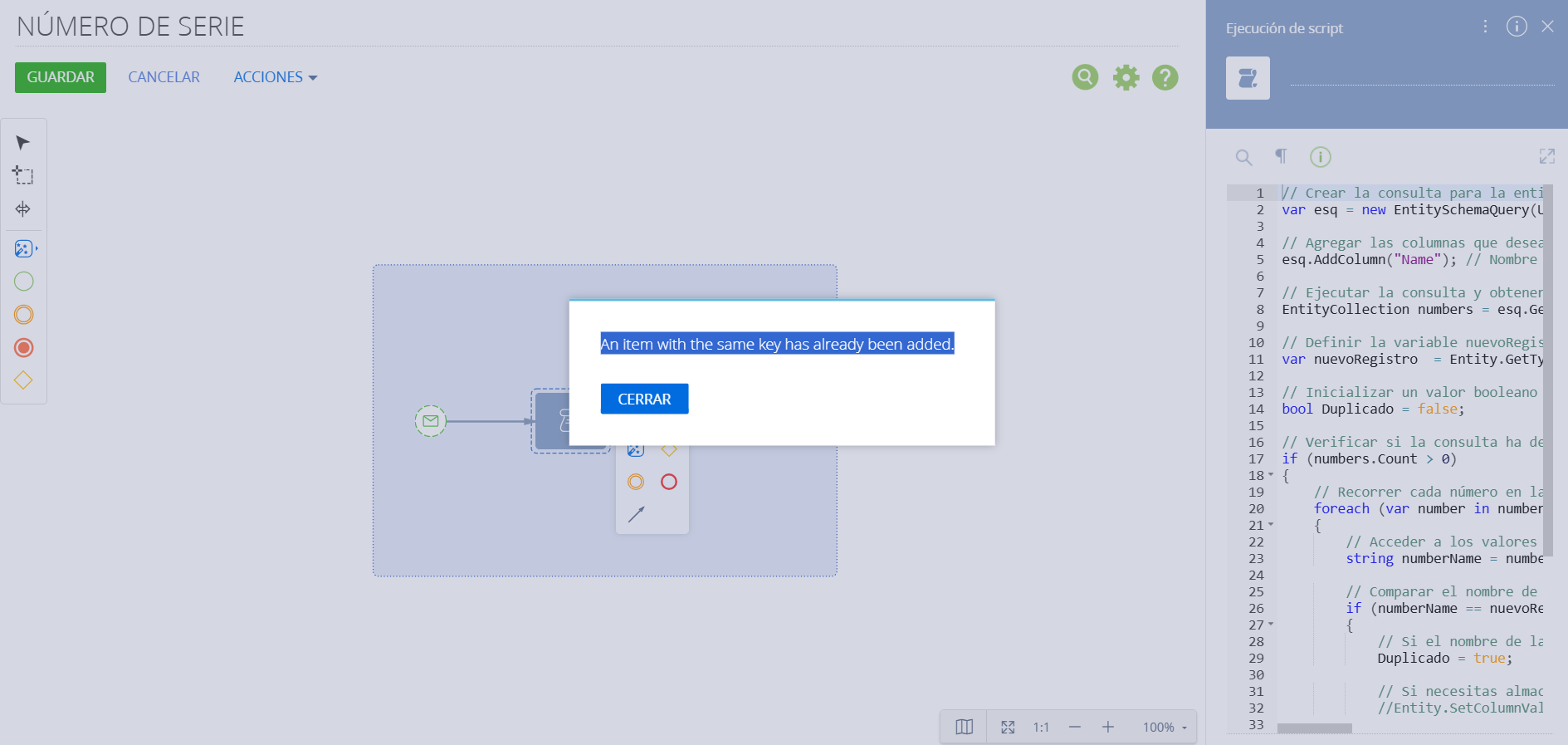
Do you have any example of a script to convert the data ["Option 1", "Option 3", "Another Information"] into an object and insert it into the database?

Thank you. 

Show all comments
login
shell
pop up
Studio_Creatio
8.0

Hey Community, i'm trying to write a piece of code which will show a popup to the user on login. Thinking of overriding the shell page for the same,but unable to find the sourcecode.Has any one tried it before.I'm specifically trying to show the pop up on this page.

Like 1

Like

1 comments
Best reply

Hey community, 
I found the client module it is called BaseShell

Hey community, 
I found the client module it is called BaseShell

Show all comments
cases
Studio_Creatio
8.0

We've been building out API data flows into Creatio including automated order/invoice creation from cart data and webinar registrations from our website. We are now creating a support request form on a website that should create a case linked to a matching contact in the CRM. 


Retrieving the contact ID isn't a problem, but we're stuck trying to figure out how to create the new Case. We can query the /Case endpoint and see existing case data. How do we POST a new case?


And will we be able to take  file uploads from the webform and submit them into the /CaseFile object? Or will it have to a linked reference like a URL?

Thanks in advance!

Like 0

Like

3 comments

You would just POST to https://mycreatiourl/0/odata/Case with a payload that is structured using Case columns, something that looks like what you get when you GET an existing case. You only need to include the columns you're setting in the new case, not all columns that you see in that payload.

Ryan

As for adding a CaseFile, I use the FileApiService endpoints for that, which is what the Creatio client uses as well. If you look at the network request in the dev tools when you add an attachment to a case, you'll see it uses FileApiService - you can use this externally as well to mimic the same request as it does internally.

Ryan Farley,

Thanks for your help on this Ryan. It worked like a charm.

Show all comments

Hi,

I’m wondering if it’s possible to configure Creatio to save previously entered values in a field (similar to how browsers remember login credentials).

For example, I’d like users to see a list of their most recently used values when they focus on a specific field, so they can reuse them without re-entering manually.

Does Creatio have a built-in feature for this, or would it require customization?
If customization is needed, I’d appreciate any guidance or examples.

Thank you in advance!

Like 0

Like

1 comments

Hello,


Creatio does not have a built-in feature to save previously entered values in a field, similar to how browsers save login credentials.
 

Best regards,
Ivan

Show all comments
Studio_Creatio
8.0

Hi All, 


I've got an incoming webhook where the application on the other side is unable to conform to the request body that Creatio would like. 

Is there any straight forward way to parse a webhook in a different way?  My other solution is some middleware code which ideally I don't want to do. 

Anyone encountered this before? 

Thanks in advance. 

Like 0

Like

3 comments

Hi Harry,


We've created our custom process, that reads our webooks filtered by API Key:


And then custom processing written by code


Kind regards,

Vladimir

We do this via Script task. It is the only way I have seen for it to work.

Thank you both. Vladimir - will try that approach!

Show all comments
formulas
Business Process
dates
calculate
Studio_Creatio
8.0

Hi all, 

I'm trying to calculate 60 days before a date captured by the user to create a reminder. I'm using the Formula in the Business Process but I cannot make it work, I see the following error: Formula value error: Cannot convert type "Int32" to "Entity"


Any suggestion?

Thank you

Like 0

Like

2 comments

It looks like it's an issue with trying to set the parameter you've selected to the value of the formula - what is the type of the parameter? It should be an integer based on the formula shown, which will be returning the day of the month 60 days before the Fecha de Lanzamiento date.

Hello,
 

We tried to check the behavior. It looks like the problem lies in expression because you are using .Day at the end.
We were able to successfully subtract -60 days simply by using the .AddDays(-60) method. [#read contact.First item of resulting collection.Birth date#].AddDays(-60)

AddDays(-60)

AddDays(-60)


Show all comments
Hello everyone,
I have set up and configured Identity Service in IIS and now I am trying to test it in postman (https://identityservice_url/connect/token).
 
I am getting the following exception in identity service log:
 
IdentityServer4.Hosting.IdentityServerMiddleware[0]
     Unhandled exception: The system cannot find the file specified.
     Internal.Cryptography.CryptoThrowHelper+WindowsCryptographicException: The system cannot find the file specified.
        at System.Security.Cryptography.CngKey.Open(String keyName, CngProvider provider, CngKeyOpenOptions openOptions)
        at System.Security.Cryptography.CngKey.Open(String keyName, CngProvider provider)
        at Internal.Cryptography.Pal.CertificatePal.GetPrivateKey[T](Func`2 createCsp, Func`2 createCng)
        at Internal.Cryptography.Pal.CertificatePal.GetRSAPrivateKey()
        at Internal.Cryptography.Pal.CertificateExtensionsCommon.GetPrivateKey[T](X509Certificate2 certificate, Predicate`1 matchesConstraints)
        at System.Security.Cryptography.X509Certificates.RSACertificateExtensions.GetRSAPrivateKey(X509Certificate2 certificate)
        at Microsoft.IdentityModel.Tokens.X509SecurityKey.get_PrivateKey()
        at Microsoft.IdentityModel.Tokens.X509SecurityKey.get_PrivateKeyStatus()
        at Microsoft.IdentityModel.Tokens.AsymmetricSignatureProvider.FoundPrivateKey(SecurityKey key)
        at Microsoft.IdentityModel.Tokens.AsymmetricSignatureProvider..ctor(SecurityKey key, String algorithm, Boolean willCreateSignatures)
        at Microsoft.IdentityModel.Tokens.AsymmetricSignatureProvider..ctor(SecurityKey key, String algorithm, Boolean willCreateSignatures, CryptoProviderFactory cryptoProviderFactory)
        at Microsoft.IdentityModel.Tokens.CryptoProviderFactory.CreateSignatureProvider(SecurityKey key, String algorithm, Boolean willCreateSignatures, Boolean cacheProvider)
        at Microsoft.IdentityModel.Tokens.CryptoProviderFactory.CreateForSigning(SecurityKey key, String algorithm, Boolean cacheProvider)
        at Microsoft.IdentityModel.Tokens.CryptoProviderFactory.CreateForSigning(SecurityKey key, String algorithm)
        at Microsoft.IdentityModel.JsonWebTokens.JwtTokenUtilities.CreateEncodedSignature(String input, SigningCredentials signingCredentials)
        at Microsoft.IdentityModel.JsonWebTokens.JsonWebTokenHandler.CreateTokenPrivate(String payload, SigningCredentials signingCredentials, EncryptingCredentials encryptingCredentials, String compressionAlgorithm, IDictionary`2 additionalHeaderClaims, IDictionary`2 additionalInnerHeaderClaims, String tokenType)
        at Microsoft.IdentityModel.JsonWebTokens.JsonWebTokenHandler.CreateToken(String payload, SigningCredentials signingCredentials, IDictionary`2 additionalHeaderClaims)
        at IdentityServer4.Services.DefaultTokenCreationService.CreateJwtAsync(Token token, String payload, Dictionary`2 headerElements)
        at IdentityServer4.Services.DefaultTokenCreationService.CreateTokenAsync(Token token)
        at IdentityServer4.Services.DefaultTokenService.CreateSecurityTokenAsync(Token token)
        at IdentityServer4.ResponseHandling.TokenResponseGenerator.CreateAccessTokenAsync(ValidatedTokenRequest request)
        at IdentityServer4.ResponseHandling.TokenResponseGenerator.ProcessTokenRequestAsync(TokenRequestValidationResult validationResult)
        at IdentityServer4.ResponseHandling.TokenResponseGenerator.ProcessAsync(TokenRequestValidationResult request)
        at IdentityServer4.Endpoints.TokenEndpoint.ProcessTokenRequestAsync(HttpContext context)
        at IdentityServer4.Endpoints.TokenEndpoint.ProcessAsync(HttpContext context)
        at IdentityServer4.Hosting.IdentityServerMiddleware.Invoke(HttpContext context, IEndpointRouter router, IUserSession session, IEventService events, IBackChannelLogoutService backChannelLogoutService)
fail: Microsoft.AspNetCore.Diagnostics.ExceptionHandlerMiddleware[1]
     An unhandled exception has occurred while executing the request.
     Internal.Cryptography.CryptoThrowHelper+WindowsCryptographicException: The system cannot find the file specified.
        at System.Security.Cryptography.CngKey.Open(String keyName, CngProvider provider, CngKeyOpenOptions openOptions)
        at System.Security.Cryptography.CngKey.Open(String keyName, CngProvider provider)
        at Internal.Cryptography.Pal.CertificatePal.GetPrivateKey[T](Func`2 createCsp, Func`2 createCng)
        at Internal.Cryptography.Pal.CertificatePal.GetRSAPrivateKey()
        at Internal.Cryptography.Pal.CertificateExtensionsCommon.GetPrivateKey[T](X509Certificate2 certificate, Predicate`1 matchesConstraints)
        at System.Security.Cryptography.X509Certificates.RSACertificateExtensions.GetRSAPrivateKey(X509Certificate2 certificate)
        at Microsoft.IdentityModel.Tokens.X509SecurityKey.get_PrivateKey()
        at Microsoft.IdentityModel.Tokens.X509SecurityKey.get_PrivateKeyStatus()
        at Microsoft.IdentityModel.Tokens.AsymmetricSignatureProvider.FoundPrivateKey(SecurityKey key)
        at Microsoft.IdentityModel.Tokens.AsymmetricSignatureProvider..ctor(SecurityKey key, String algorithm, Boolean willCreateSignatures)
        at Microsoft.IdentityModel.Tokens.AsymmetricSignatureProvider..ctor(SecurityKey key, String algorithm, Boolean willCreateSignatures, CryptoProviderFactory cryptoProviderFactory)
        at 
 
Does someone knows why might this be happening?
 
I am attaching a screenshot of the appsettings.json file
Like 0

Like

2 comments

Screenshot of appsettings.json

Hello!


To test the identity service run it and try to test by http://[path-to-dentity]/.well-known/openid-configuration


This is mentioned here in the documentation. Regularly to fix this issue help next:

for the IdentityService application pool, the pool setting ProcessModel->Load User Profile = true must be specified.

Show all comments
Freedom
FreedomUI
Studio_Creatio
Filtering
lookup
8.0

Hi Creatio Community,


I am developing a client side filter for a lookup in a section page (Freedom UI). I want to reload (re-filter) the lookup when the stage of the current record is updated (when GlbReloadEntityPage message is received).

Base logic for lookup loading:

{
	request: "crt.LoadDataRequest",
	handler: async (request, next) => {
		if(request.dataSourceName == "PDS_LookupCol") {
 
			request = await ModFunctions.filterAssignTo(request);
		}
		return await next?.handle(request);
	}
}

Reload function (Re-triggered ModFunctions.filterAssignTo(request);)

{
	request: "crt.HandleViewModelInitRequest",
	handler: async (request, next) => {
 
		request.$context.ServerMessageReceivedFunc = async function(event, message) {
			if (message.Header.Sender === "GlbReloadEntityPage") {
				await OPGlbReloadEntity.refreshScreen(request, message);
				ModFunctions.filterAssignTo(request);
			}
		};
		Terrasoft.ServerChannel.on(Terrasoft.EventName.ON_MESSAGE, (await request.$context.ServerMessageReceivedFunc), request.$context);
		return next?.handle(request);
	}
},

Filtering function 

		filterAssignTo: async function(request){
		    .... Custom logic .......
			const newFilter = Object.assign({}, filter);				
			newFilter.items = filter.items;
 
			if(request.parameters){
				request.parameters.push({
					type: "filter",
					value: newFilter
				});
			}
			return request;
		},

Even if the function is triggered when "GlbReloadEntityPage" is called the lookup is not reloaded with the new filtering rules. 

How can i reload lookup options from freedom ui client side?


Like 0

Like

2 comments

Any updates about this topic?

Hello,
Try to reload the data using the following code:

const handlerChain = sdk.HandlerChainService.instance;
await handlerChain.process({
      type: 'crt.LoadDataRequest',
      $context: request.$context,
      config: {
             loadType: 'reload'
      },
      dataSourceName: '{YOUR LOOKUP DATA SOURCE}'
});

Show all comments
#dashboard
Studio_Creatio
8.0

Hi Community,


We made changes to existing tabs under "Dashboard" section in dev environment. Then we data bound the tabs data in SysDashboard Object and migrated to Pre environment. But the changes we made to the existing tabs such as Campaign Totals, Email Total etc. are not reflecting in the pre environment. How can we resolve it? Attached are the two screenshots from the 2 environments - we have an additional chart "Campaign by status" in the dev environment but is missing in pre even after data migration. Thanks!

Like 0

Like

1 comments

Hi,


When dashboards are added to an edit page, the corresponding records are created in SysWidgetDashboard and SysWidgetDashboardLcz tables.

If a dashboard is added not to an edit page but to the "Dashboards" tab, then records will be added in the SysDashboard and SysDashboardLcz tables, respectively.
.
Also, these data are correspondingly bound to the package that was set as the current package when the dashboards were created.

The thing is that dashboards are localizable system objects. When a dashboard is created, records are created in two tables:
- a record about a dashboard created in the localization, which corresponds to the base culture of the system, is created in the [SysWidgetDashboard]/[SysDashboard] table;
-records about dashboards of all other localizations are created in the [SysWidgetDashboardLcz]/[SysDashboardLcz] table and are linked to a record in the [SysWidgetDashboard]/[SysDashboard] table by the [RecordId] column.

So, basically, all you need to do is prepare a package that contains all the needed data bindings and SQL scenarios to perform the records' entry into the tables mentioned above.

More information on data binding is available at our academy.
Also, knowledge of SQL might be needed to find the needed dashboard in the database, although you can always create a lookup and search via UI. 

Show all comments
Business Process
Triggers
Signal
Studio_Creatio
8.0

Hi Community!


We are trying to find an elegant way of preventing the execution of business processes from create, update and delete elements within other business processes.

Think of it as Outlook's 'Stop processing more rules' flag.


We could set a certain flag and add it to the other processes' signal conditions, but this leads to a high coupling of business processes, more complexity, and over the lifetime of a Creatio instance inevitably to errors as everyone needs to know this 'magic' behavior.


Ideally, signals in Creatio would have the option to distinguish between different triggering options, like 'user', 'business process', 'import', 'odata', 'event handler', etc. but unfortunately, this is a missing feature.


Any thoughts would be more than welcome!


Thanks,

Robert

Like 1

Like

3 comments

Hi Community,
any ideas on this?


Thanks,

Robert

Hello,
 

At the moment, such functionality is not available in Creatio's OOTB solution for triggering the addition/modification of records. 
Indeed, a workaround in this situation can be to create additional columns at the level of the object model that will be filled in depending on which method the record was created/modified (for example, a special column for OData).
We will register this development idea with our R&D team so that they can consider implementing such functionality in future versions of the Creatio product.
 

Thank you.

Hello Cris,

The approach you previously employed makes sense, but as you’ve noticed, it might not be reliable. One possible reason could be that the 'Modified by' field is being set differently depending on execution context. Additionally, if the Supervisor user manually edits records or if a business process runs under the Supervisor account, it could trigger other processes.

As my colleague mentioned, Creatio doesn’t currently offer a built-in flag to differentiate the source of record modifications. However, a practical workaround is to introduce a custom flag at the object level. For example:

  • A boolean field (IsModifiedByBP) that gets set when a business process modifies the record.
    A lookup field (ModificationSource) to track whether the change came from a user, a business process, OData, or other integrations.

You can then update your signal conditions to check this flag instead of relying on the 'Modified by' field. This approach ensures flexibility while reducing coupling between processes.

Show all comments