


I want to create an email using the classic UI, as I think there are features in it that are still missing in the new UI. I'm looking at this document and I didn't see an Email section so I used Workplace Setup and added the Email section. In the document I linked, it says to:
- Go to the Email section
- Click New and select Bulk email
In the email section I added I don't see a New button, just a button that says, "Email Sent Manually". I can create an email there, but when I click Design Content, it looks like it is the new designer.
Is there something I missing or misunderstanding?
Like

Hi Jeff!
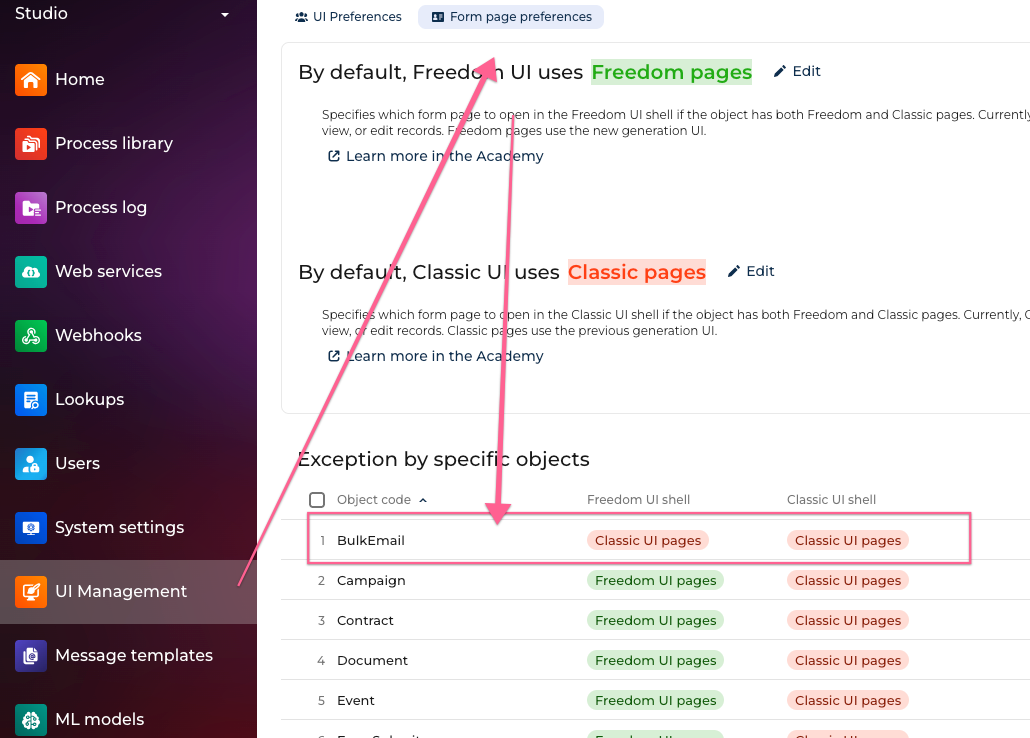
To use the classic screens for bulk email, go to the UI Management section, locate the area titled "Exception by specific objects" on the "Form page preferences" tab. Locate BulkEmail and change to use Classic (if BulkEmail is missing, just add a row for that). Then log out and back in again. Now it will work.
Ryan
Hi Jeff!
To use the classic screens for bulk email, go to the UI Management section, locate the area titled "Exception by specific objects" on the "Form page preferences" tab. Locate BulkEmail and change to use Classic (if BulkEmail is missing, just add a row for that). Then log out and back in again. Now it will work.
Ryan
Ryan Farley,
Hi, Ryan! Good to "see" you again. Thanks for the response. It got me going.
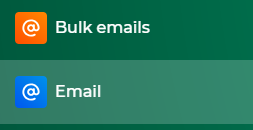
One note: things do seem to be tied to the section (Email vs Bulk Email). After adding the exception for the BulkEmail object (it was already there, but changed both to Classic UI), if I add the Emails section to my workspace (see below), I can create a new template from there using the old designer. The template then shows up under Emails and Bulk Emails. But, if I use the Bulk Emails section to create a template, it still seems to open in the new designer, even with the exception set. And if I create a template from Emails and subsequently edit it from Bulk Emails, and try to open it from Emails, it says it was created in the Freedom UI and tries to redirect me, and hitting cancel doesn't open it in the classic designer. So, using the "Emails" section is the way to go, and don't open it from the Bulk Emails section.
All that to say I got to where I needed to go. We can add this to the list of many thanks for the help you've offered over the years!

Point of attention - we noticed that bulk emails generated in Classic UI do not always render properly anymore in certain client versions of Outlook etc... Code behind the email has improved with the new designer
Damien Collot,
Thanks, Damien. That's good to know.
Frustrating, as things like custom fonts and custom merge tags aren't available in the new designer (unless I missed it, but I think I saw a thread of yours from April asking about custom merge tags, and it seems the answer was they're not available). It seems like the new designer was rolled out with less functionality than the original, although improved in some areas.
Jeff Ballard,
It does save in the metadata which designer created the bulk email itself. The two aren't compatible, so bulk emails created in the classic designer will only open in the classic designer, and the ones in the new only open in the new. The structure of what the designer saves is very different.
Ryan Farley,
I would completely expect that, and it makes sense as to why.
It would be nice to have the new designer include all the functionality the old one did so it wouldn't require going back to the classic. All in time, I suppose.
Thanks again.
Jeff Ballard writes:
It would be nice to have the new designer include all the functionality the old one did
I do agree. I am still using the classic one. None of my Creatio clients are using the new one yet either.