

Allow configuration of a Widget's popup list view columns in Page Designer

The popup list you get when clicking on widgets should be configurable in the Page Designer. Currently you get a default list based on the object and the metric you clicked on, which is a decent starting point, but most of the time is not the full picture you would want for users to see. Configuring this in Creatio currently is fairly tedious and has some shortcomings I would like to see improved.
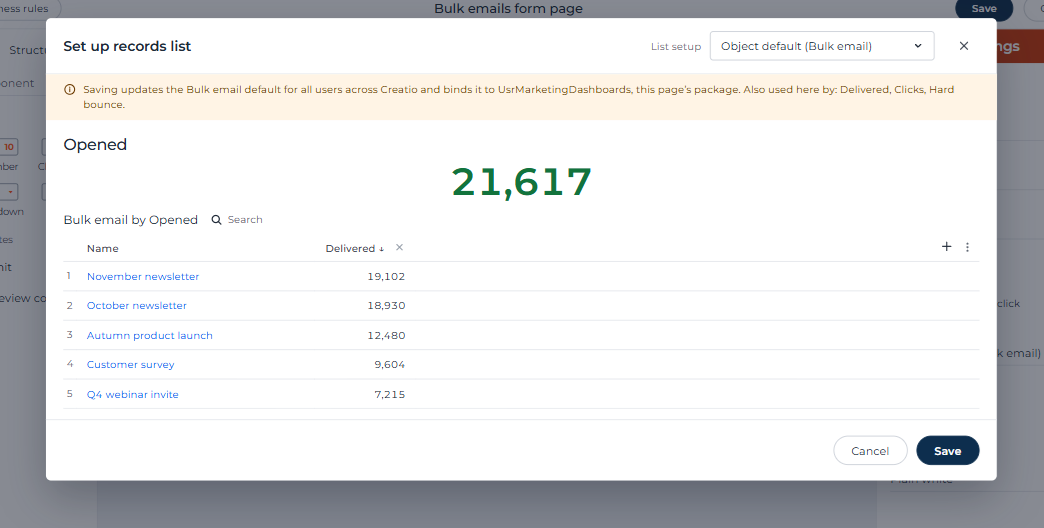
The list setup also becomes locked for all widgets based on the same object if a user even adjusts the column widths of that list; so the list for a metric widget based on Bulk Emails for a sum of Delivered (which would show the bulk email name and the individual Delivered counts by default) would show that same list for a metric widget based on Bulk Emails for a sum of Opened, which is not great for the user experience.
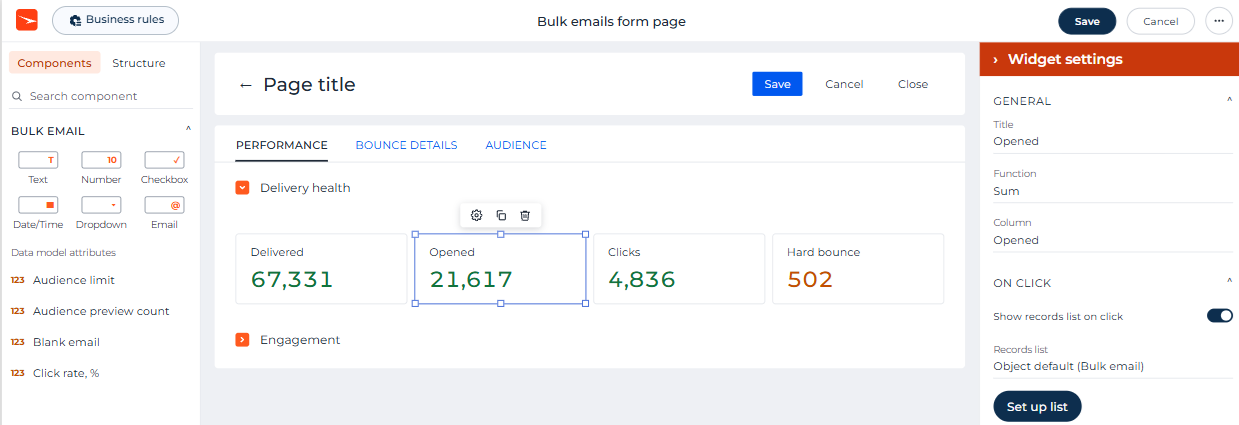
To address these shortcomings, I would like to see this list config be configurable within the Page Designer for the page they are on. I would picture this as a button in the right side config panel when selecting the widget, which pops up what you would see when a user clicks the widget and allows you to put the columns and sorting etc on it, somewhat similar to how you get a popup for the chart designer on a page where you can save or cancel changes. Adding this to the side panel would be a good opportunity to expose the option to disable clicking on the widget to get the list popup, which is currently only possible via page code.
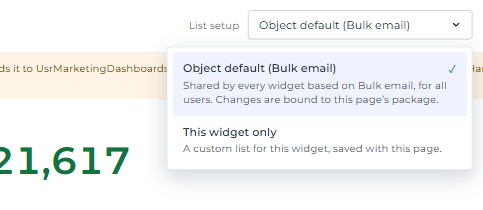
I would also like there to be new granularity of the widget list setup as part of this, so that you can specify that this widget list is just for one specific widget or make it the default for all widgets based on that object for all users (the latter being the way it currently is for users, since the SysProfileData Key is like "AnalyticsColumns_BulkEmail"). I would picture this as being a dropdown/similar on the popup in the Page Designer, allowing the developer to switch from using the object's default (which you could change and save in Page Designer, updating the default across Creatio and binding it to the same package as the page you're editing) to using a custom list setup specifically for that one widget on the page.
A quick AI mock up of what I was thinking of:
Do you like this idea?