system users
organizational roles
functional roles
Studio_Creatio
8.0

I have already created Organizational Roles and Functional Roles, and mapped them to multiple users.

Now I need to move this configuration to another sandbox environment.

My questions are:

  1. Is there a way to export Org Roles, Func Roles, and user mappings (include password, org role, and functional role together?
  2. Can the user–role mappings be directly imported into another sandbox, or do they need to be reconfigured manually?

I would appreciate any insights or best practices from anyone who has done this before. Thank you.

Like 0

Like

1 comments

Hello,

The transfer of organizational structure settings and access rights from one stand to another can be implemented using SQL scripts. To do this on the reference environment, you need to generate insert queries based on records from the following tables:

- SysAdminUnit (Administration object: users and roles)
- SysUserInRole (Direct user entries in roles)
- SysFuncRoleInOrgRole (Entry of a functional role into an organizational role)
- SysAdminOperation (System operations, if required)
- SysAdminOperationGrantee (Access to system operations, if required)
- SysEntitySchemaOperationRight (Access to objects)
- SysEntitySchemaRecordDefRight (Access to default records)
- SysEntitySchemaColumnRight (Access to object columns)
- SysAdminUnitGrantedRight (Delegation)
- SysWorkplace - (User Workplace)
- SysAdminUnitInWorkplace - (Users in Workplace)
- SysModuleInWorkplace - (Partition in Workplace)

You can use Microsoft SQL Server Database Publishing Wizard and similar tools to generate queries. The resulting SQL script must be attached to the package: "SQL script" type schema | Creatio Academy

Show all comments
organizational roles
functional roles
RBAC
Studio_Creatio
8.0

We have this senerio -

We have setup our Organization structure as below - 
 - All employees

  • Complaints
    • Complaints Investigator
      • Complaint Manager (Manager role of Complaint investigator)
    • Customer Care
      • Team Manager  (Manager role of Customer Care)
      • Area Manager (It is manager of Team manager but can't do that in creatio so added as a child role of Customer Care)
  1. If I give some permission to Complaints org group, will that be inherited by Team Manager / Complaint Manager ? ~ I am under assumption that Managers role will inherit the permissions of their subordinates, but if I give certain permission to Complaints then does that pass to Area Manger ? 

Creatio 8.3.x 

Like 0

Like

2 comments

Hello.

In this configuration, the Complaint Manager will obtain all access rights and permissions from the roles Complaints Investigator and Complaints. 

Best regards,
Antonii.

Hi Antonii Viazovskyi,

Thanks for the response, so can I say the same for the Area Manager? ( Area manager is not a manager role ~ just a child role of Customer Care)  

Show all comments
functional roles
organizational roles
Sales_Creatio
8.0

Hello,

How can a matrix organizational structure be implemented in Creatio?
For example, a Sales Manager may have two supervisors — the Branch Manager and the Head of Sales for the entire company. The same setup can apply to all positions.

Currently, organizational roles have a Management role, while functional roles do not. How can both lines be reflected in the system?
Or will it be necessary to configure business processes to assign permissions for all possible objects (from Opportunity to Task)?

Thank you

Like 2

Like

1 comments

Hello.

Currently, there are no management roles for functional roles. The logic to be implemented depends on the business need for establishing such a hierarchical structure.
If we consider the inheritance of access rights by a manager, there are two possible approaches from a technical perspective:
- Create functional roles as organizational roles (although this is likely not the best option), or
- Configure the required logic using object permissions and business processes.

For example, we could add a rule on the object level so that when an employee with a specific functional role creates a record, a designated person (manager) is automatically granted permissions. Alternatively, more complex logic for granting access rights under different conditions can be implemented through business processes.

Best regards,
Antonii.

Show all comments
organizational roles
functional roles
Access Rights
permissions
Sales_Creatio_enterprise_edition
8.0

Hello Community,

We want to achieve the following but cant find the right way to do it.

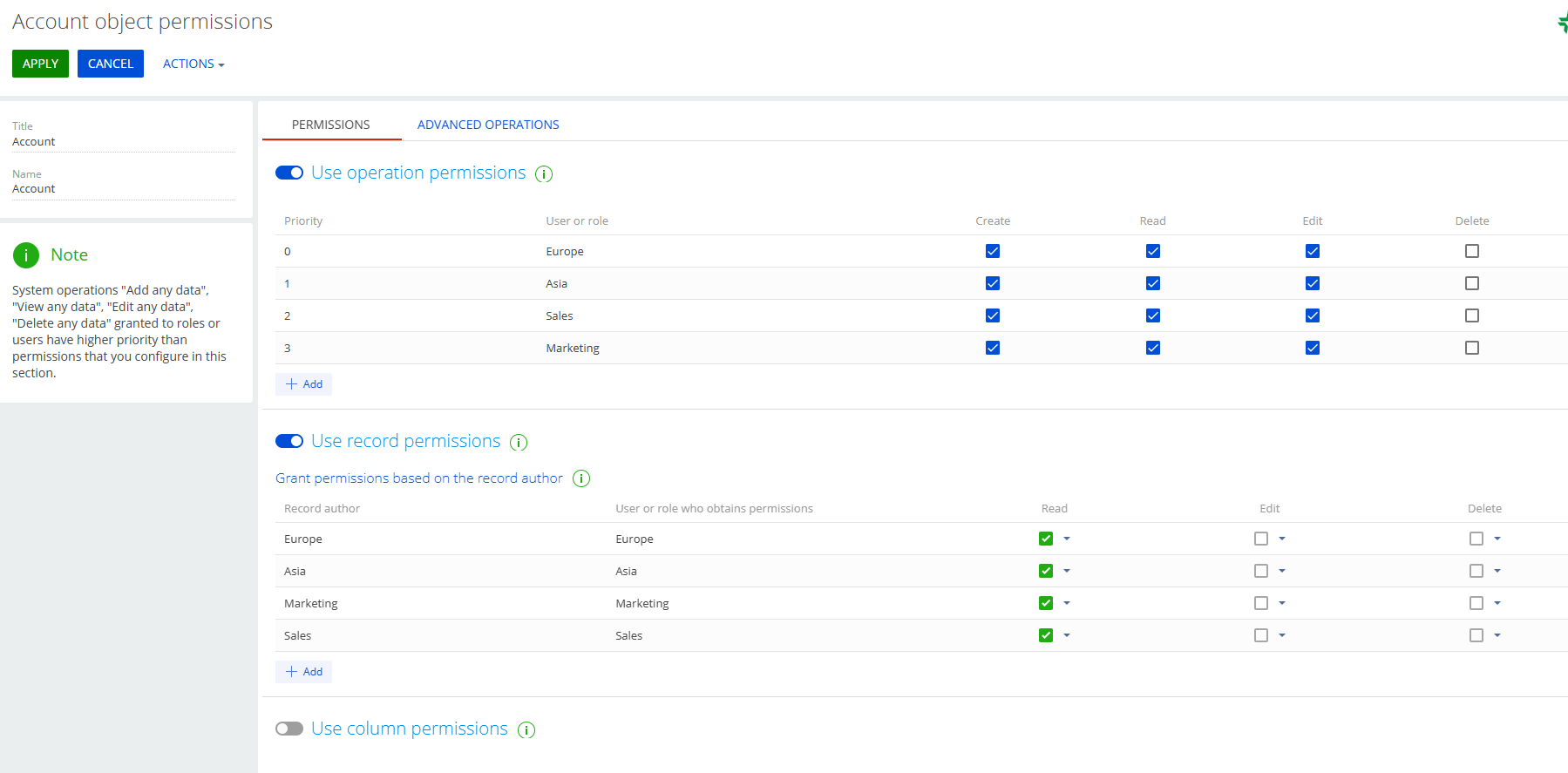
We have two Organizational Roles 

  • Europe
  • Asia

We have two functional roles 

  • Marketing
  • Sales

We want:

  • Europe/Marketing to see only Europe/Marketing records. 
  • Asia/ Marketing to see only Asia/ Marketing records. 


Same applies to Sales. 

  • Europe/Sales to see only Europe/Sales records,
  • Asia/Sales to see only Asia/Sales records.

Can this be achieved somehow?

Sasor

Like 0

Like

4 comments

++

Sasori Oshigaki,

Hello , this Code should work 
{
  request: "crt.LoadDataRequest",
  handler: async (request, next) => {
    // Check if this is your MultiSelect's data source
    if (request.dataSourceName !== "MultiSelect_lf952eo_List_Items_DS") {
      return await next?.handle(request);
    }
 
    try {
      // MAIN filter group for the lookup
      const filter = new sdk.FilterGroup();
      filter.logicalOperation = sdk.LogicalOperatorType.And;
 
      // Build a nested OR group for the 3 roles
      const roleOrGroup = new sdk.FilterGroup();
      roleOrGroup.logicalOperation = sdk.LogicalOperatorType.Or;
 
      // Role 1
      await roleOrGroup.addSchemaColumnFilterWithParameter(
        sdk.ComparisonType.Equal,
        "[SysAdminUnit:Contact:Id].[SysUserInRole:SysUser:Id].SysRole.Name",
        "Marketing"
      );
 
      // Role 2
      await roleOrGroup.addSchemaColumnFilterWithParameter(
        sdk.ComparisonType.Equal,
        "[SysAdminUnit:Contact:Id].[SysUserInRole:SysUser:Id].SysRole.Name",
        "Sales"
      );
 
 
      // Add the OR group to the main filter
      filter.add(roleOrGroup);
 
      // SDK workaround for versions < 8.1.1 (copy items)
      const newFilter = Object.assign({}, filter);
      newFilter.items = filter.items;
 
      // Push the filter into the request
      request.parameters.push({
        type: "filter",
        value: newFilter
      });
 
      return await next?.handle(request);
    } catch (error) {
      console.error("Error filtering contact list:", error);
      // Continue with original request if filtering fails
      return await next?.handle(request);
    }
  }
}

Hello Sasor,

To achieve the requirement where specific organizational and functional roles can only see records relevant to their combination (e.g., Europe/Marketing can only see Europe/Marketing records), you can configure access permissions in Creatio by following these steps:

1. Create Organizational Roles:
Ensure you have the organizational roles "Europe" and "Asia" set up in the system.
 

https://academy.creatio.com/docs/8.x/setup-and-administration/administration/user-and-access-management/user-management/organizational-roles


2. Create Functional Roles:
Ensure you have the functional roles "Marketing" and "Sales" set up.
 

https://academy.creatio.com/docs/8.x/setup-and-administration/administration/user-and-access-management/user-management/functional-roles


3. Assign Users to Roles:
Assign users to the appropriate combination of organizational and functional roles (e.g., users in Europe/Marketing should be assigned to both the "Europe" organizational role and the "Marketing" functional role).
 

https://academy.creatio.com/docs/8.x/setup-and-administration/administration/user-and-access-management/user-management/assign-a-user-role


4. Configure Record Permissions:
- Go to the System Designer and open the Object permissions section.
- Select the object for which you want to configure permissions (e.g., a specific entity or section).
- Set up record-level permissions to restrict visibility based on both organizational and functional roles.
This can be done by creating filters or conditions in the access settings that check for both role types assigned to the user.


https://academy.creatio.com/docs/8.x/setup-and-administration/administration/user-and-access-management/access-management/record-permissions


Let me know if you have any more questions - happy to help further.

Hello Valeriia,

Thank you for the answer. Are you suggesting that this combination might achieve what we need?

Thank you 

Sasor

Show all comments
Access Rights
roles
functional roles
organizational roles
Sales_Creatio
8.0

Hello Community,

We have some roles that have been established for a long time. As the company hierarchy structure is changing, we need to group some of these roles together.

Example:

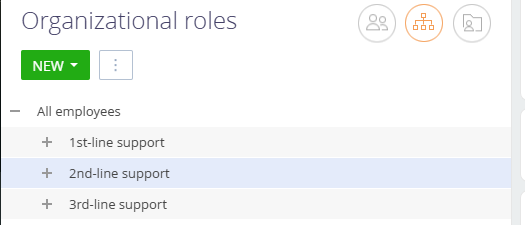
Group the existing 1st-Line Support, 2nd-Line Support, and 3rd-Line Support under a single group called SUPPORT. We want to do the same with some functional roles as well.

How can this be achieved?

Sasor


Like 0

Like

5 comments

+++

Hey Sasori, 

It is possible to create a hierarchy for organization and functional roles. While you have one highlighted/selected with your cursor, press "new" then select new division. 

Unfortunately, there is no way that I know of to re-arrange hierarchy so you would have to re-create 1st-line support, 2nd-line support, etc. 

I know these are tied to support functionality out of the box, so be careful if you delete them. May want to create the new ones first, then work on updating business processes, then delete the old ones. 

Example: In this image, to create 1st-line support within "support" select "Support" > New+ > Division.

Hi Joshua,

Thank you. I only mentioned the support groups as a reference. We have custom roles that we need to re-organize. I think the correct way to do it, is via scripts in SysAdminUnit table, but i need some confirmation prior to proceeding.

Sasor

+++

Hello,

There is no out-of-the-box functionality in the system to group user roles as described.

However, this can be achieved by updating the ParentId field of the user role records. You can implement this change either through a business process or directly via an SQL query.

Best regards,
Ivan

Show all comments
organizational roles
functional roles
hierarchical
Sales_Creatio
8.0

Hi, all!


Could anyone clarify, do user's access rights depend on the order in which organizational roles are added on the detail of the user's form? I mean is it important if I add organizational roles for one user in the order

Role1

Role2

Role 3

and for another user in the order 

Role 2

Role 1

Role 3


And give them the same functional role (only one)?


I'm asking because now those two users can see different amount of the records of the same object and the only difference in their rights is that order.

Like 0

Like

2 comments

Hello!


Please note that order of organizational roles in the details does not affect anything. So do not pay attention to it.

In case users see different amount of the records, please recheck object permissions and make sure that they are granted for both users.

Hi!

Please use the Prefix for object name (SchemaNamePrefix) system setting to set up the schema prefix:
https://academy.creatio.com/docs/8.x/no-code-customization/customizatio…

Show all comments
permissions
roles
organizational roles
functional roles

Hi 

When I log in as sales manager I can't see my accounts. But when I enter as a supervisor, I see that the owner of this account is exactly this owner

Like 0

Like

1 comments

Hello,

Please check the permission settings in the Object Permissions section.


Perhaps the manager role does not have permission to view records in the Accounts section

Show all comments
portal users
organizational roles
functional roles
roles
organizational
7.18

Hello community,

I am trying to understand the logic of why we can not add an organization (Account) to an organizational structure of the system. I have seen some of the documentation and tables that link to VwSysAdminUnit and VwSspAdminUnit but I can not find out why they are not displayed in the user interface the same as in the portal organizational structure.

Portal

System

Like 0

Like

1 comments

Hello,


Such logic was implemented only for portal users since the Self-service Portal was designed only for them and they could be from different companies (accounts).


Best regards,

Bogdan

Show all comments
organizational roles
functional roles
7.18

Hello community,


I am trying to get the organizational roles for a specific user. How to check if the role specified for that user is organizational? 

Like 0

Like

1 comments

You can check the SysAdminUnitTypeValue. 

  • Functional roles have a value of 6
  • Organizational units can have 0 (an organization) or 1 (a department/division in the organization)

If you need code to retrieve a user's roles they belong to, I have an article here with some code you can use https://customerfx.com/article/determining-if-a-user-has-a-specific-rol…

Ryan

Show all comments
organizational roles
functional roles
structure
Sales_Creatio
7.17


Hi Team,


We are trying to configure the organisational structure and need to understand how the hierarchy [access] will be passed on in the structure, whether the access/configured from higher level to lower level in the organisational structure or the opposite needs to be set up.


For example, consider the below structure for a bank from higher level to lower level.


GM’s

BM’s

HOPO’s

HOCO’s

RM’s

RO’s


We would like to understand on how the structure needs to be designed in the Organisation role page, so that the GM’s can view all the activity performed below his role and similarly the role below the GM’s can only get access to the role below them.


GM’s

         BM’s

                  HOPO’s

                               HOCO’s

                                            RM’s

                                                     RO’s


Do we design it in the above way, were GM division/organisation is created followed by the other division within the others.


For example,  we assigned one workspace to RO role and another workplace to RM. Ideally, the workplace associated to RO should be accessible to RM as they’re higher in level to RO’s but the opposite happens. The RO is able to view his/her workplace associated and also the work place associated to RM’s. Whereas the RM’s are able to view only their workplace but not the work place associated to the RO’s who are below in the organisational structure.


Or for example, say Ro’s have access to 10 contacts and RM’s have access to 10 different contacts but based on the above structure, RM’s should be able to see the 10 contacts associated to RO’s but it is not viewable but instead the RO’s are able to view the 10 contact associated to RM’s.


So, our confusion here is then the organisation structure design needs to be from lower level to higher level as 


RO’s

         RM’s

                  HOCO’s

                                HOPO’s

                                              BM’s

                                                       GM’s


By the above design, the GM’s will be ale to view all the values/access provided to the other roles and accordingly the other roles are able to view the respective roles above them.

Like 0

Like

0 comments
Show all comments