


Hi Team,
I’m currently working on the Case Rating / Feedback functionality in Creatio and came across the following condition in the OOTB service:
UserConnection.GetIsFeatureEnabled("UseOldFeedbackPage")
It controls whether the system opens the standard feedback page or the icons-based page.
I have a few quick questions:
- How to enabled it in Creatio?
- If not visible in Feature Management, should we create it manually?
- What is the recommended way to control feedback page behavior?
Thanks in advance!
Like

Good day,
Thank you for waiting. We have consulted our development team regarding the functionality of the UseOldFeedbackPage feature. Please find the details below.
I.
First and foremost, it is important to point out that the feature UseOldFeedbackPage works only when paired with another feature named EstimationWithNoSubmitting.
II.
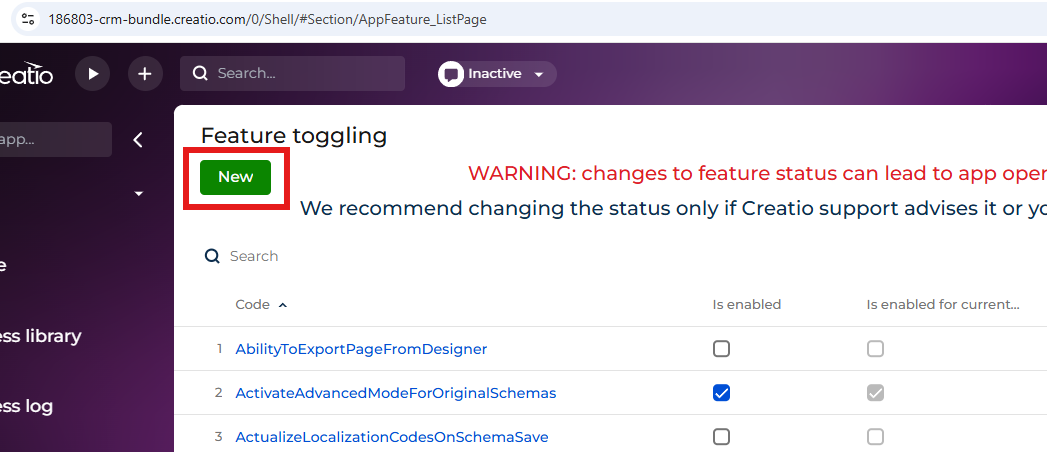
Both features are hidden by default and need to be manually added in the AppFeature_ListPage section (reachable by <siteaddress>.creatio.com/0/flags)
III.
The value of UseOldFeedbackPage is not taken into account unless EstimationWithNoSubmitting is added.
IV.
Examples of usage are as follows:
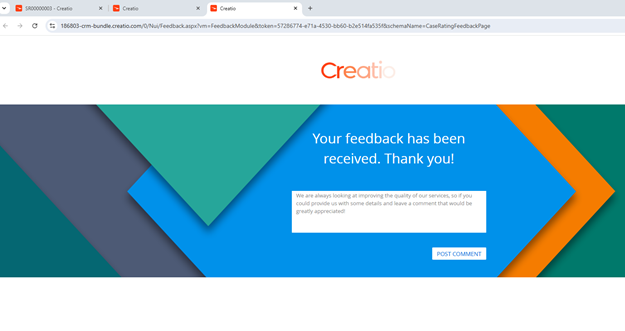
- When EsitmationWithNoSubmitting is turned off (and UseOldFeedbackPage is ignored), the feedback page the user gets directed to looks as below:
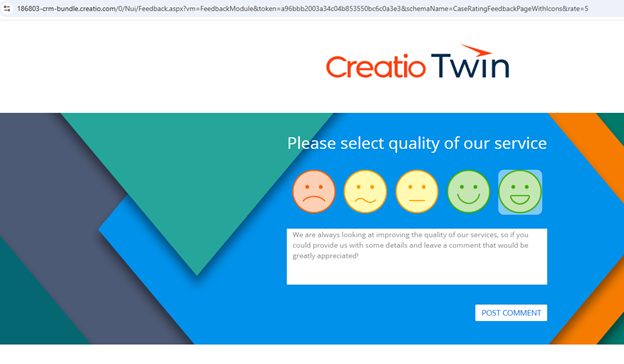
 2. When EsitmationWithNoSubmitting is turned on and UseOldFeedbackPage turned off, the feedback page will look as follows:
 V. Please keep in mind that
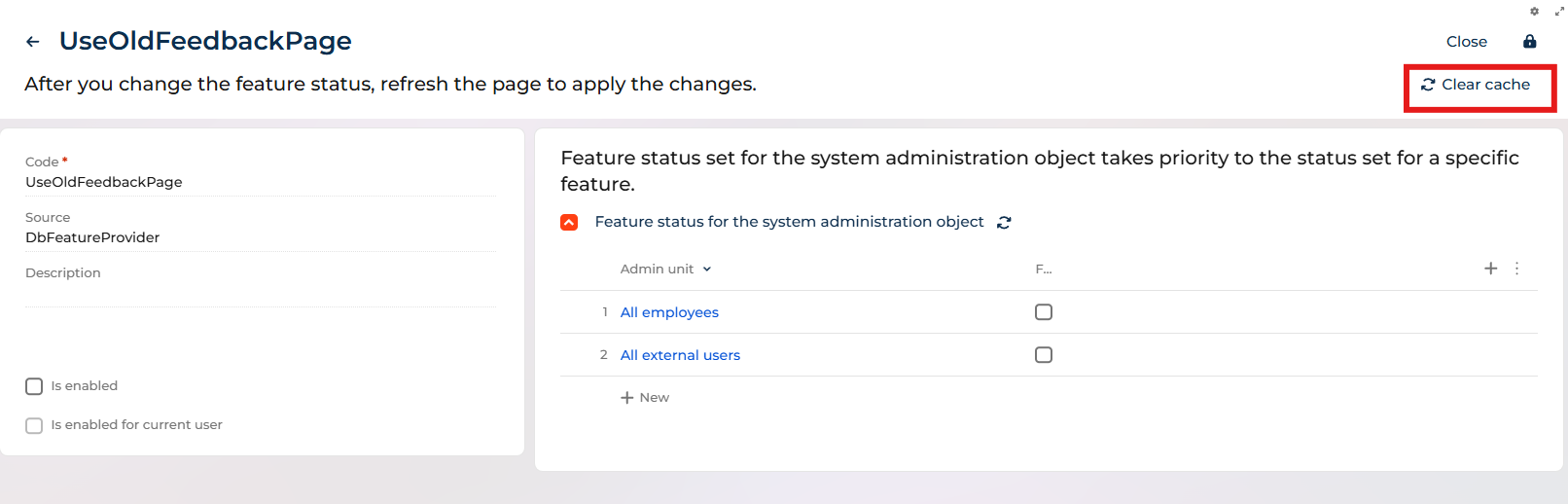
- When feature is altered (enabled/disabled, turned on/off for particular groups) - cache for it needs to be cleared
- Links sent in prior emails are not automatically redirected to a different version of the feedback page.
To make sure the page is shown correctly - a new email with [#@Invoke.EstimateLinksGenerator#] needs to be sent so that a new link is generated for the recipient.
This is a full extent of manipulations that can be achieved by adding and altering the features UseOldFeedbackPage and EstimationWithNoSubmitting.
Alterations to the either variant of the feedback page
CaseRatingFeedbackPageWithIcons
or CaseRatingFeedbackPage
requires additional customizations, alterations to CSS and development.
We hope this helps.
Thank you for contacting Creatio support!