Marketing_Creatio
bulk emails
email templates
7.16

Hi all,


When I add a template to be used in bulk email from 'Email templates' section, upon saving, I am receiving this error:

"The 'Static' replica's template size exceeds the limit" which described as "The template can not be added to the bulk email, it’s (2.69 MB) more than maximum allowed size (5 MB). Edit the template or select the other one."


Any guess what might cause this issue?

Like 0

Like

1 comments
Best reply

Dear Kavian,


It seems that the template could not be saved due to its total amount. The total amount of the template includes the template itself, the added pictures and the text.


To resolve the issue, you can compress the pictures or indicate them with a link. We can recommend the following online file compression services:

https://www.cloudpresso.com/

https://www.clipcompress.com/


In addition, if the online file compression services don`t work for you, you may take a screenshot of the picture, upload it to the cloud, and specify the resulting link in the appropriate field.


We are sorry to say but unfortunately, there is no way to view the total template weight in the application as of now. There is a task registered for our R&D team to resolve this issue in the future.


Thank you for your question!


Sincerely,

Danyil

Dear Kavian,


It seems that the template could not be saved due to its total amount. The total amount of the template includes the template itself, the added pictures and the text.


To resolve the issue, you can compress the pictures or indicate them with a link. We can recommend the following online file compression services:

https://www.cloudpresso.com/

https://www.clipcompress.com/


In addition, if the online file compression services don`t work for you, you may take a screenshot of the picture, upload it to the cloud, and specify the resulting link in the appropriate field.


We are sorry to say but unfortunately, there is no way to view the total template weight in the application as of now. There is a task registered for our R&D team to resolve this issue in the future.


Thank you for your question!


Sincerely,

Danyil

Show all comments
Discussion
Macros
email templates
template


It can be really great to have the possibilty to choose one field of one detail as a macro for one email template, currently we have to create a source code for any field for which we want to place in the email template.

4 comments

Dear Marvyn, 


Can you please provide us with more details on your idea? 

We would like to have a better understanding of functionality you would like to see in Creatio. 


Kind regards,

Roman

Roman Brown,

Of course, let's me explain the idea:

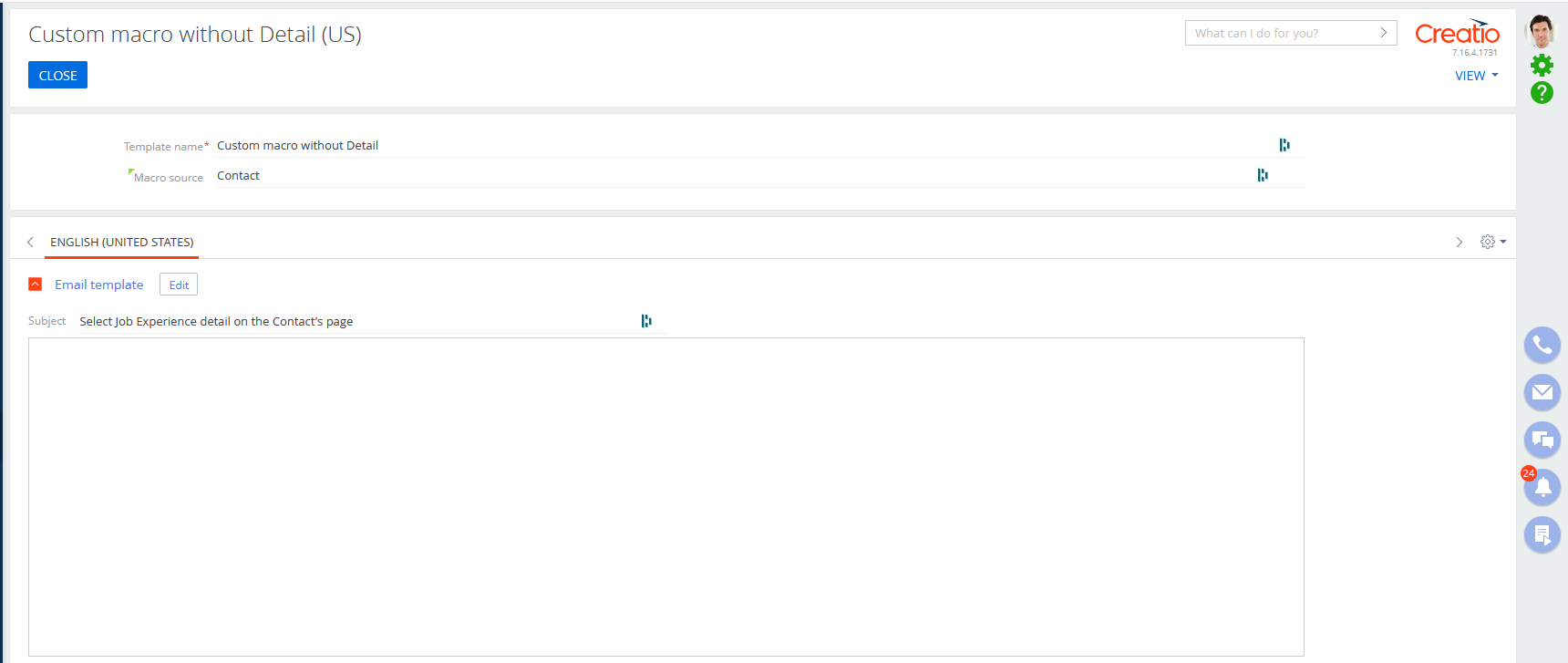
When we are creating an email template we have the possibilty to select basic or custom macro in order to personalize the email for each contact, but when we are selecting custom macro we don't have the possibility to select one detail (so one object) which is linked to the contact.

An example just below :


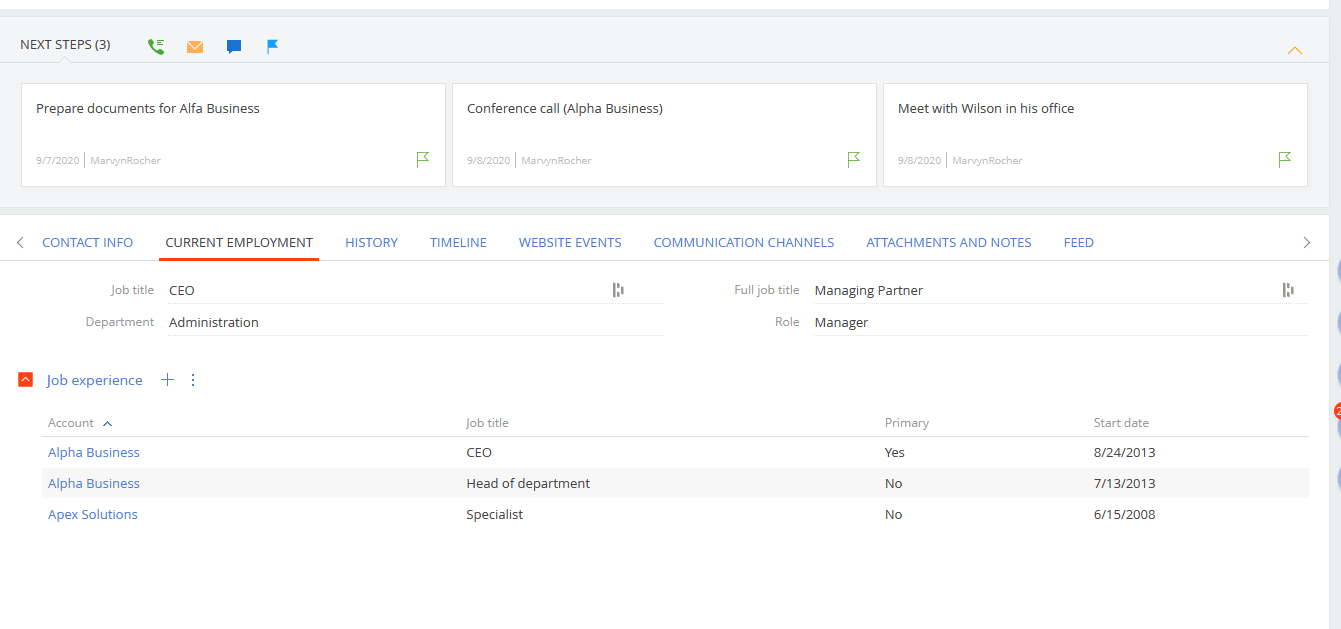
This is a free trial platform, and in this platform we have the contact in which we have some details like : Job Experience


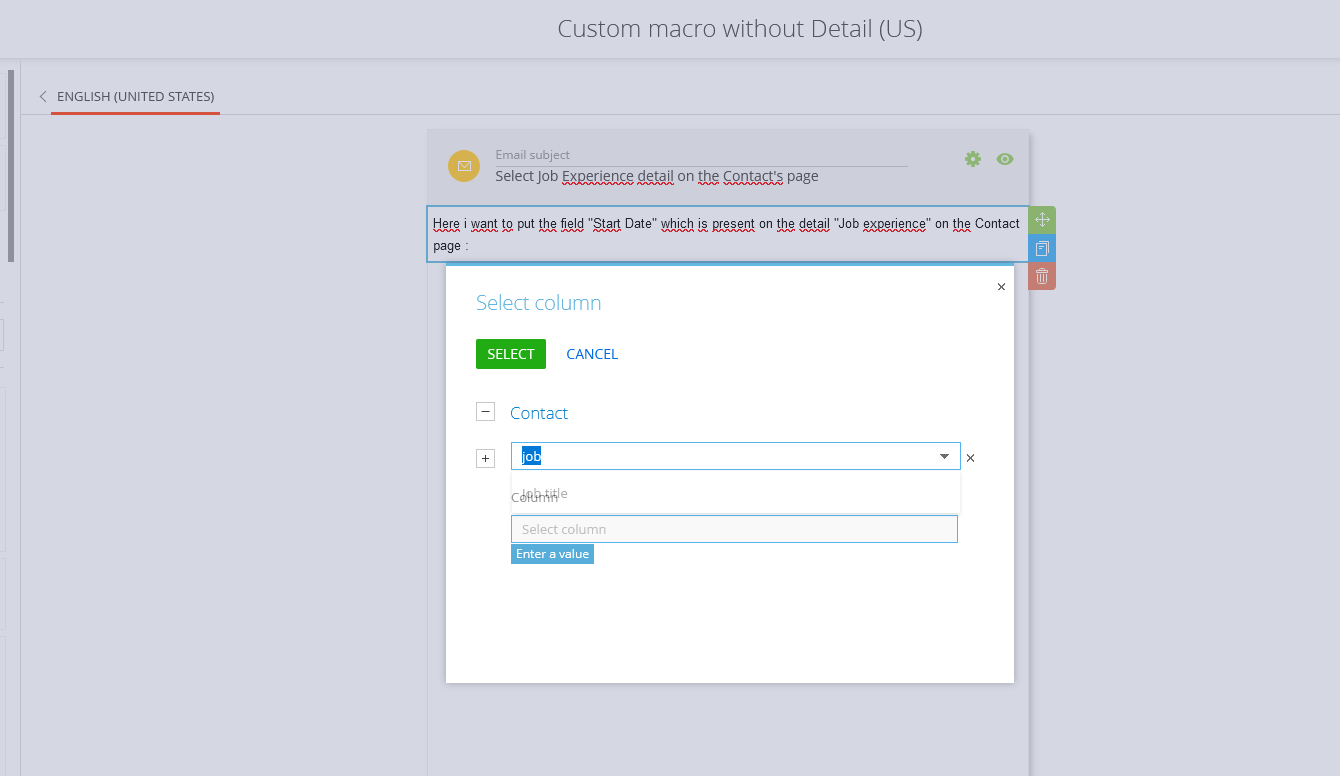
And when we are creating an email template, and choose custom macro we don't see the detail (so the object with which this detail was created) and we don't have the possibilty to choose one field of this detail.


As you can see there aren't any possibilities to choose "Job experience" so this is this idea which i want to put the light on.


Thanks a lot Roman.


Hello Marvyn, 


Thank you for proposing this idea. 

We already have a similar request for extending this functionality in Creatio registered for the responsible R&D team. 

We will add this idea to their backlog so to increase it's priority. 


Kind regards,

Roman


Martin Büchler,

Good afternoon,

Unfortunately, the idea is still under development, we do not set a time frame for its implementation and start from their priority.

I raised the priority of the idea by adding your appeal to it, so this feature may appear faster in future versions.

Show all comments
Email
email templates
attachments
cases
7.15
Service_Creatio

Is it possible to create an email template (email templates lookup) that has fixed attachments such as a ms word or ms excel file? For my use case this would be for emails being sent OUT of Creatio from a synced mailbox TO external customers who do not access Creatio, instead they just receive an email to their normal email service such as gmail or outlook. 

Like 0

Like

1 comments

Dear Mitch,


Unfortunately, it cannot be done since email templates do not have required architecture for storing attachments. As a workaround, you can use this application: https://marketplace.creatio.com/template/send-email-attachments


Best regards,

Angela 

Show all comments
bulk emails
csat
email templates
7.16
Marketing_Creatio

Hi all,


I have a use case to show CSAT measurements in a regular triggered email. Is this possible? I tried to add them to bulk email template but was not able to find the proper macro for doing that.


Thanks

Like 0

Like

3 comments

Hi Kavian,


You can create a bulk email template with marks in it (e.g. from 1 to 5) and bind a link to each button to track it.


When someone clicks on a mark, a specific campaign flow will be started.


You will be able to aggregate clicks analytics then.

Also, you can automate the aggregation process by creating a business process to analyze clicks.


Thank you for choosing Creatio!


Thanks for your explanation.


In order to add Marks in the email template, I have to use "Image"? Or is it any other way?


Thanks

Kavian Abhari,


Yes,

you can use images and bind a link to each button image.


Thank you.

Show all comments
Macros
email templates
newline
7.16
Sales_Creatio_enterprise_edition

I have some strings in email template, separated by Newlines:

Text1

Text3


Depending on a condition, Text2 could be added between:

Text1

Text2

Text3


To achieve this, I add [#UsrText2#] custom macros field of type string:

Text1

[#UsrText2#]Text3


But I can't can't make [#UsrText2#] contain NewLine. So result is:

Text1

Text2Text3


Email is sent with business process automatically.

How could I add a Newline? Neither Environment.NewLine nor \r\n, \n work.

Text1 and Text3 could also be dependent on conditions, so I don't want multiple templates for different combination of conditions.

Like 0

Like

5 comments
Best reply

Amazing!

Solved with <br/>


Yes. You make different Blocks.

Then you show the Block that matches the recipients information.

One block is

Text1   [#UsrText2#] Text3

Next block is

Text1   Text2 Text3

Then you just set them up so either one or the other is used with conditions.

Dear Yuriy,


If this email is sent via business process it will be easier to just create several conditional flows based on record conditions and create a template for each condition. Since there is no option to set up dynamic HTML in the template this will be the best option.


Best regards,

Angela

Angela Reyes,

This is what I'm afraid of. We have a minimum of 2 conditions. They will give 4 different templates. If one more condition is added, there will be 8 templates and 8 flows. But we really need these lines separated by newline. Each optional string needs to have 2 Newlines. This is the desired result:

Text1

Text2(optional)

Text3

Text4(optional)

Text5

What I get currently:

Text1

Text2Text3

Text4Text5


Julius,

Thank you Julius, I didn't say, email is sent automatically with a business process.

Amazing!

Solved with <br/>

Show all comments
Email
email templates
Business Process
attachments
7.16
Sales_Creatio

Hello all,


I am trying to create business process where the user is able to select an email template, decide whether or not they want to include the attachments from the object in the email (i.e. if they are sending from a document record, include the attachments from the document record), and then have the chance to customize the email before sending.


I have figured out a couple ways to include the attachments with the email but I can't figure out how to allow the user to select the template. Is there a way I can pass an email template into the "Send email" Process element? 

Like 0

Like

3 comments

Dear Kevin,


You can use Auto-generated page and show lookup with templates so the user could select them, or forward the user to Templates lookup. Process "Send email to case group" is a great example of how to fill macro values in the template and then send it as an email automatically. Check "Handle template for email with macros" element for more details. 


Best regards,

Angela

Hi Kevin,


I am curious what did you do to solve your problem?

I am experiencing a weird bug now actually. Every time i visit my business process it clears the templateId i set on advance mode.


Can you enlighten me?


Best Regards,

Solem

I have the exact same problem that Solem Khn describes. Has anybody been able to fix this or is there any workaround?

Show all comments
email templates
Macros
system settings
current

Good day folks, 


How is it possible to capture "Current Date" to use in an email template? does it require HTML or Creatio offers macro for that purpose?

Like 1

Like

1 comments

Hello,


You need to create a process parameter like on these screenshots https://prnt.sc/rqteet -> (here you need to specify "Formula" value) https://prnt.sc/rqtf1u and use this parameter as a macro in your email template https://prnt.sc/rqtfpg and https://prnt.sc/rqtfz1. As a result, email received will contain current date and time (at the moment of email sending).


Best regards,

Oscar

Show all comments
email templates
contacts
7.15_()
-Sales_Creatio
enterprise_edition_()

When in a list view, when a user hovers over a Contact name, they have shortcuts for call, email and task. When a user creates an email from the email shortcut, the Contact templates do not display.

What area is this for the macro so that we can copy the Contact templates and have them accessible when the Contact is open or when the user is viewing all Contacts in a list view.

Like 0

Like

3 comments

Dear Amy,

When clicking on this shortcut http://prntscr.com/qu37nj the new email designer has the option to select the template http://prntscr.com/qu3816http://prntscr.com/qu39b4

If for some reason you do not have this option or do not see the templates, we suggest you to contact our support team via support@creatio.com to look into the issue in your particular environment.

Best regards,

Dean


Dear Dean Parrett, this is exactly the section I'm referring to. We see the email icon, we see the template icon, but when we access it from this view the list is empty. How do I ensure the templates display here?


Thank you!

Amy

Dear Amy,

It is quite hard to say why you cannot see the records in the list. Therefore, it is better to approach the support team so that they could investigate the issue on your website.

Regards,

Dean

Show all comments
email templates
Macros
7.15_()
-Studio_Creatio
enterprise_edition_()

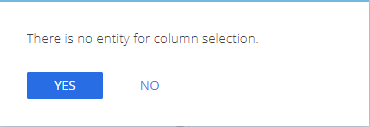
The functionality of custom messages in the Send email system action changed recently.  When I click in a text box and select Custom macro, I get the following error:

It used to just give me the same selections as for a function. I want to reference the process parameters, not an entity. How do I specify an entity for column selection or access the process parameters? Also, the Yes/No buttons make no sense here because it's not a question.

Like 0

Like

3 comments

Hello,

Our developers are currently working to resolve this problem in all applications. I'd suggest you to approach our support team via support@creatio.com to get this issue fixed on your website. 

Best regards,

Dean

Hi Dean is there a resolution to this issue in the last 2 years? I am trying to make a macro in a template and cannot


Dear Heather,


Thank you for your question!


The website needs to be recompiled in order for the changes to be applied.


Hope this helps!


Thank you!


Danyil

Show all comments
email templates
sales_enterprise
Macros
7.15_()

Hi!

We have problems using the (native) macros in email templates.

When parameters are inserted, the system displays them in yellow and reports that they can not be used / found.

Does anyone have any idea how we can solve this?

Thank you!

Like 0

Like

1 comments

Hello,

Can you please provide us with step by step description on how do you add this parameter, do you add it in a basic template or into your custom template, which object is a macro source for this template, and please send us screenshots of the template and the resulted email.

Thank you in advance!

Best regards,

Oscar

Show all comments