Hi, 

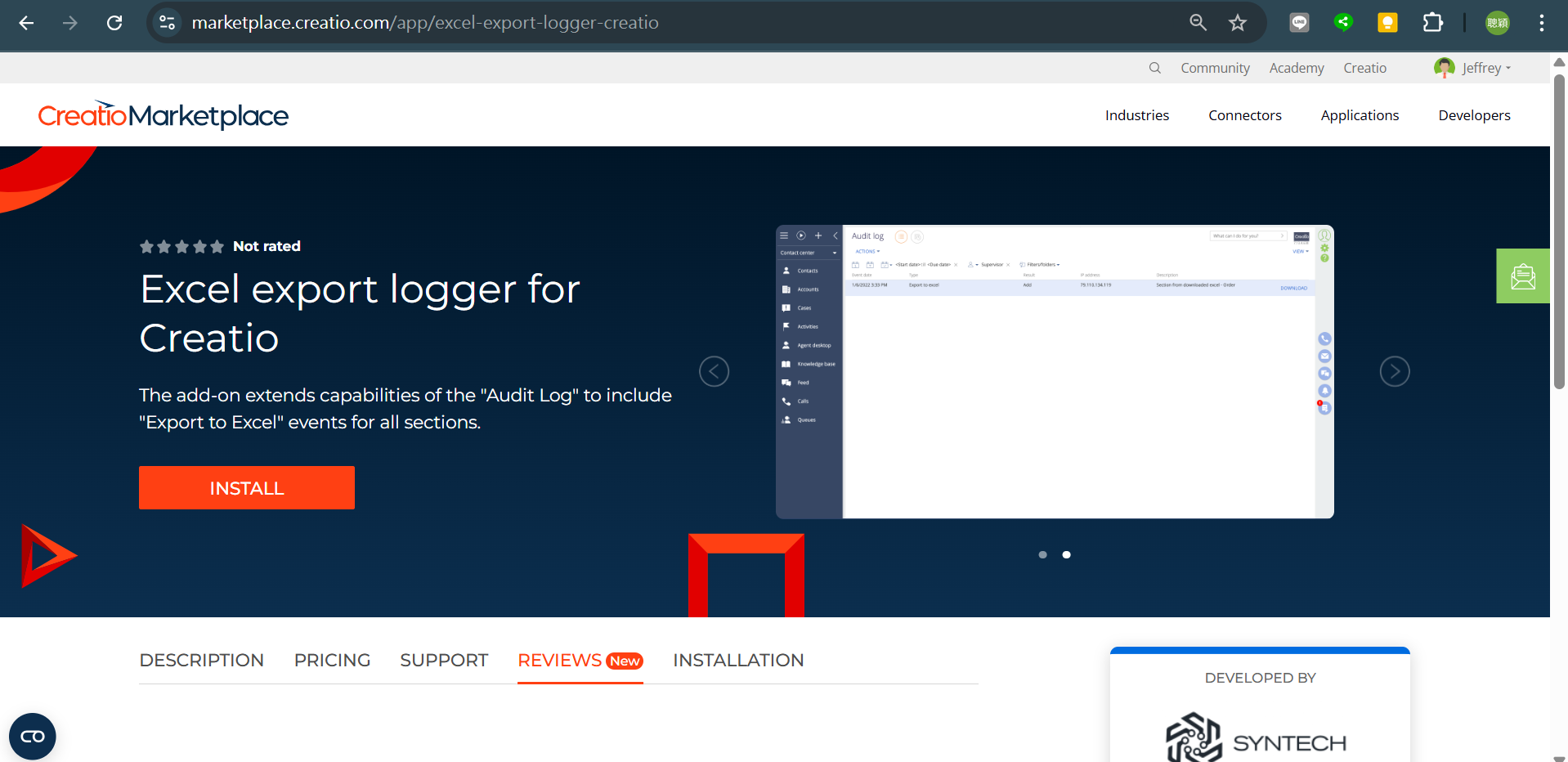
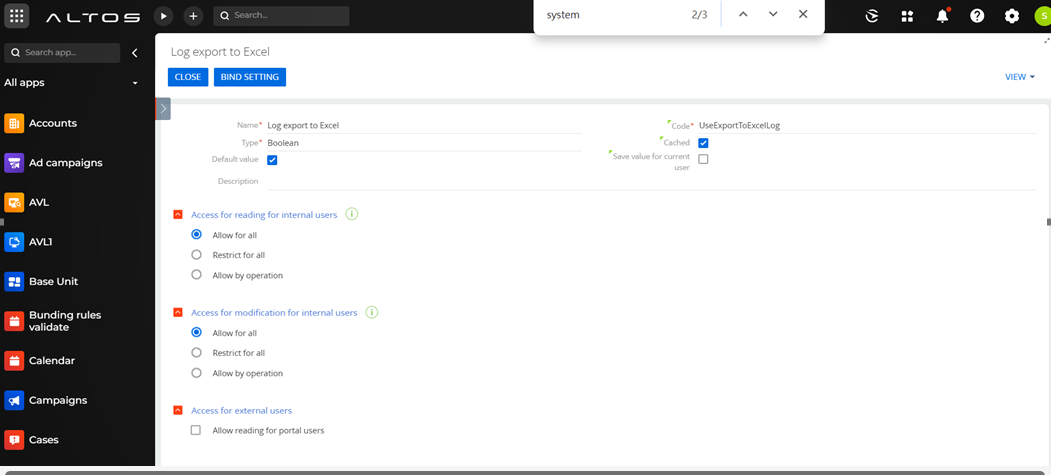
    I try to install the excel export logger, and the system setting is all correct, but can't see the excel export loger in audit logger, does anyone have related experience to share?

My cloud instance is version 8.2.1.5446. 


https://marketplace.creatio.com/app/excel-export-logger-creatio

Like 0

Like

0 comments
Show all comments
FreedomUI
Development
Client-side
marketplace
Studio_Creatio
8.0

Hello guys, I'm fairly new to Creatio, but I've seen there are a couple of functionalities that are missing. Some have never existed in Creatio and some others were in Classic but not available anymore. 

Right now I'm interested in calculated metrics, but for freedomUI. And maybe something similar for DataGrids

From what I see, It's seems possible for developers to make their own add-ons to provide certain functionalities and probably later put in on the marketplace.


I guess the normal procedure is reading the source code of the base packages of Creatio and seeing how you could edit them by importing/exporting/extending classes. Probably would help to downloa other marketplace freedomUI products and trying to see how did they do it


But well, I was wondering if someone that has had any experience in it maybe has some tips available before embarking into that journey

Like 1

Like

1 comments

Hello,


At this time, we don’t have a Calculated Metrics add-on that supports the Freedom UI. However, this functionality is on our development roadmap and is anticipated for release in versions 8.3-8.4, as it relies on advanced calculation features currently in progress for 8.2-8.3.

You can also take a look at the Custom Freedom UI page components article that provides instructions on developing your own components:

https://academy.creatio.com/docs/8.x/dev/development-on-creatio-platfor…

Show all comments
marketplace
map
Dashboard_widget
chart
dashboard
addon
Sales_Creatio_enterprise_edition
8.0

Hello! 

I'd like to ask for your advice please on how to use the Map widget for Creatio add-on. 
https://marketplace.creatio.com/app/map-widget-creatio

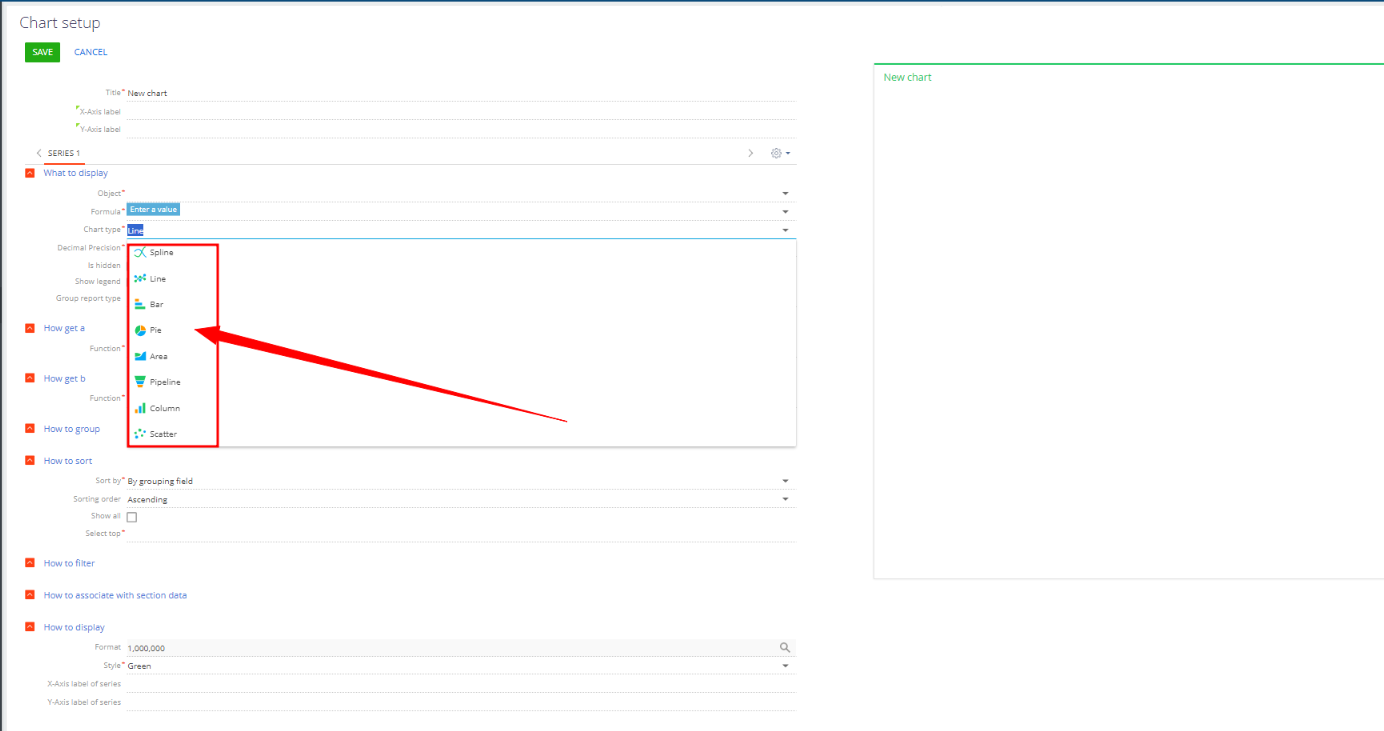
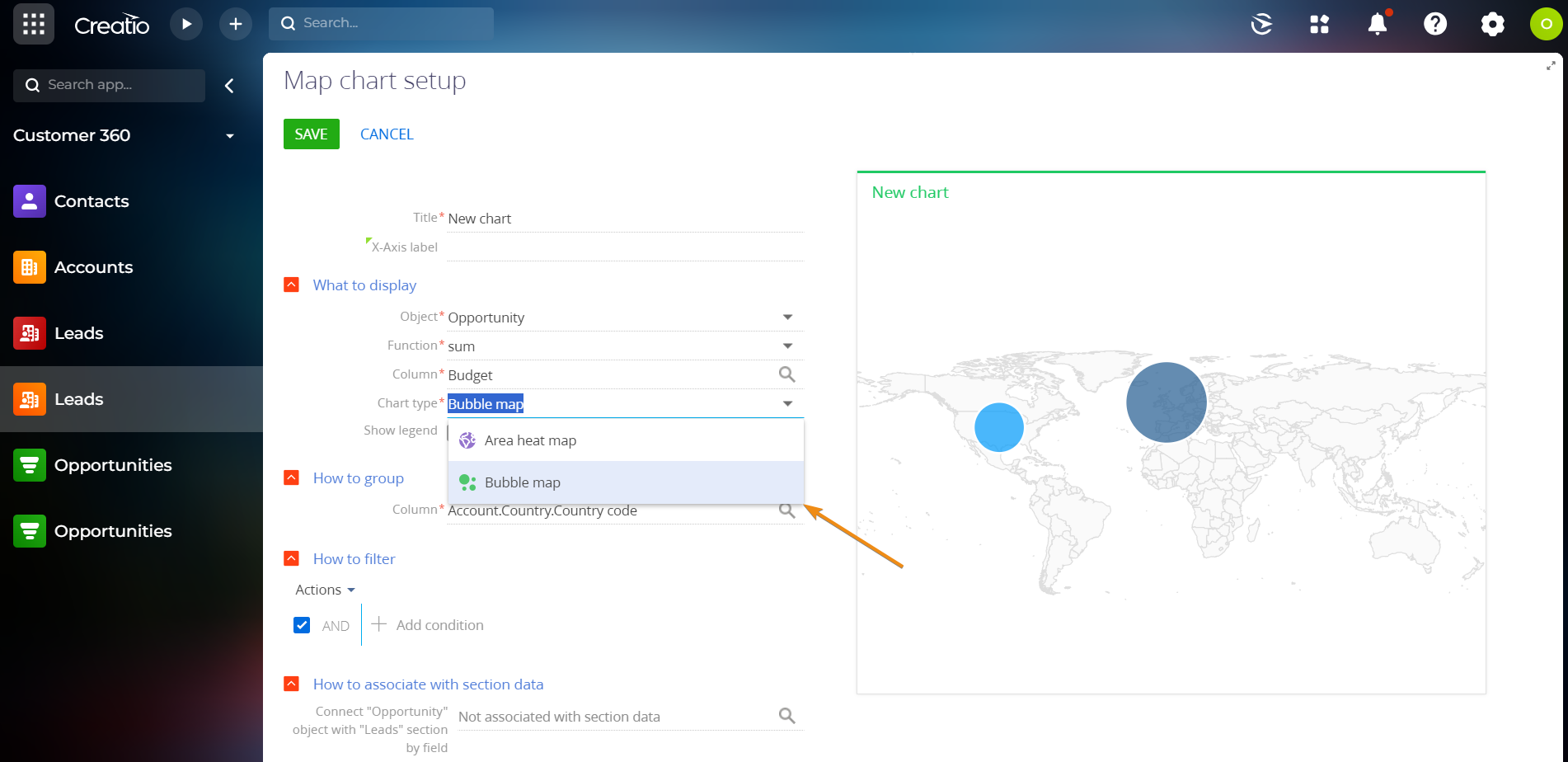
According to the add-on description it should appear in the chart dashboard type as 'Bubble map'. Please see the screenshot below. 

image.png

However, when I create a chart dashboard the 'Bubble map' is not there on the list. 


I have also checked the widget type and by default it's always like the one below, also on a new bundle. 


Could you please explain to me how can I built such bubble map dashboard?
I'd appreciate if you could share your expertise on this matter. 

Sales creatio, v. 8.1.4

Best Regards,
Jacek Harlejczyk

Like 1

Like

5 comments
Best reply

Jacek Harlejczyk,


Sorry for the delayed reply. The solution is now compatible with all Creatio products. Please install the updated version from the Marketplace and let me know if everything works as expected.

Have a good one!

Hi Jacek,


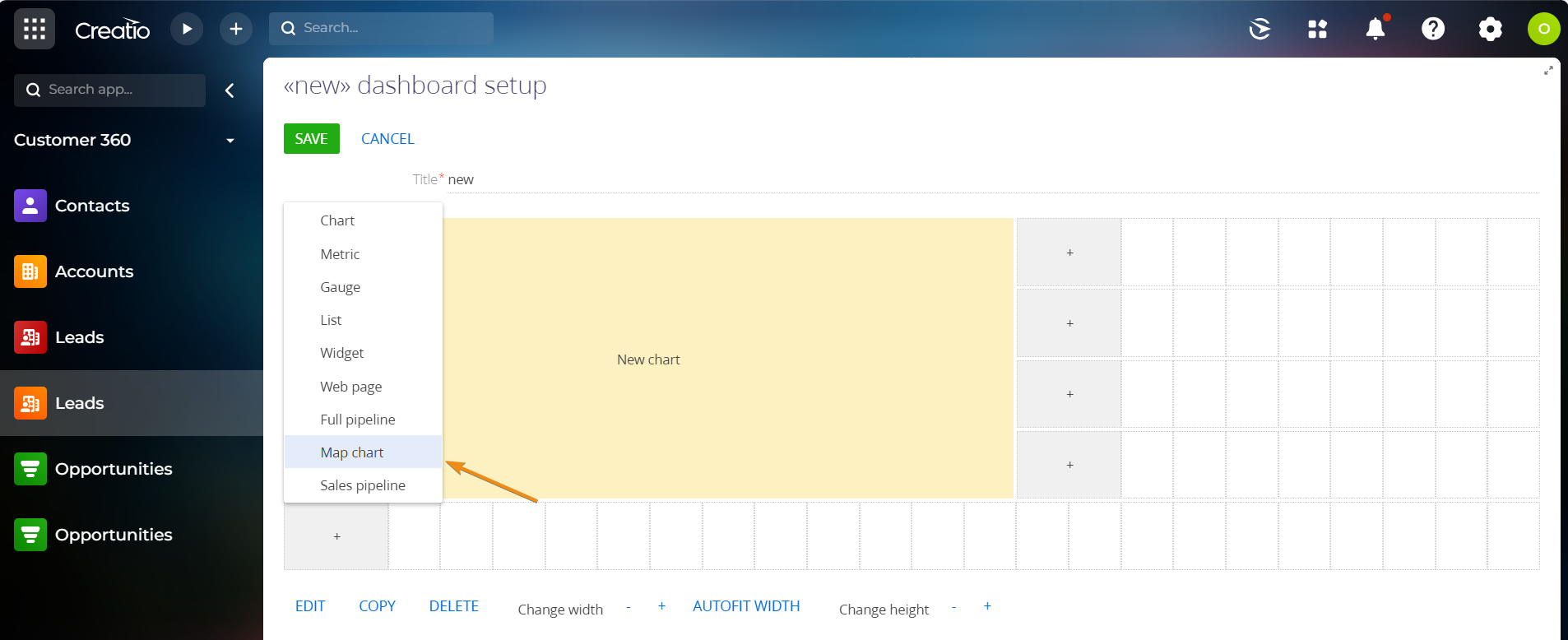
The "Bubble map" type is available for only the Map chart. We will add this note to the listing description.

Olena Sidko,


Hi Olena,


Thanks for getting back on this. 


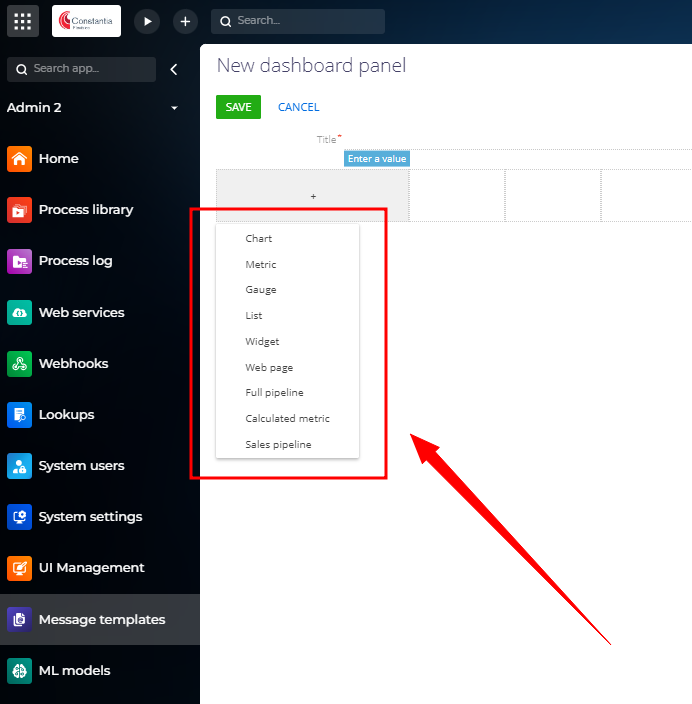
The thing is that when I add a new dashboard, I cannot see this 'Map chart' dashboard type. Would you know what could be causing this? 


All the nest in 2025! :-)
Jacek 

Hello! Would anyone have any idea why the 'Map chart' dashboard type is not listed? Thanks!


Jacek Harlejczyk,


Sorry for the delayed reply. The solution is now compatible with all Creatio products. Please install the updated version from the Marketplace and let me know if everything works as expected.

Have a good one!

Olena Sidko,

Thank you for your help. It's working now. 
Best!
Jacek

Show all comments
marketplace
marketplace_updates
MarketplaceUpdates

As part of our ongoing efforts to enhance the integrity and fairness of the Creatio Marketplace, we are implementing several updates to our review system. Historically, user feedback was submitted privately and influenced app ratings, although it was shared only with developers. Moving forward, to align with new regulations and ensure the authenticity of our reviews, this process will evolve into a more transparent and interactive system.


Starting in May 2024, we will require verification of users who are currently using the app or have used it within the past twelve months before they can submit reviews. This new system is designed to improve review visibility and enable direct interaction opportunities for developers, thereby enhancing transparency and building trust within our marketplace.

 
Key Changes:
 
  • Public Accessibility: All reviews will now be publicly accessible on the listing page, encouraging a robust exchange of insights and experiences.
  • Review Guidelines Update: Compliance with our updated guidelines will be necessary for review visibility.
  • Ratings: Only ratings from verified users will contribute to the app's overall rating, providing a more accurate reflection of recent user experiences and feedback.


We believe these changes will provide a fresh start and create a more equitable environment for both users and developers. For more details, please refer to our updated developer guidelines.

 
Engage Your Users:
 

We encourage you to actively invite your subscribers to rate and review your app when appropriate. This engagement is vital for increasing your app's visibility and obtaining valuable feedback.


We appreciate your cooperation and are excited about the positive impact these changes will bring. Should you have any questions or need assistance, please contact us at marketplace@creatio.com.

Like 12

Like

Share

0 comments
Show all comments
marketplace
MarketplaceUpdates
marketplace_updates

Dear Community,


We would like to inform you of significant updates in the development policies for Marketplace apps. These changes are part of our continuous efforts to enhance user experience and ensure a cohesive ecosystem across our platform.

Introduction of Freedom UI Requirements

Effective May 1, 2024, we are introducing a mandatory requirement for all new Marketplace apps to adopt the Freedom UI. Apps may still include a Classic UI for backward compatibility purposes. Learn more: Requirements for Freedom UI.

For partners who have started development with the Classic UI and wish to maintain the right to publish without incorporating Freedom UI, we encourage you to contact us directly.

Enhanced App Metadata Standards

Beginning April 1, 2024, we are setting new standards for app metadata. It is now required for all marketplace applications to include detailed metadata, specifically the 'Version' and 'Maintainer' properties.

For further details, please refer to our guidelines on Requirements for Metadata.

Package Requirements Update

Also starting from April 1, 2024, there will be an update to the package requirements. The ‘Maintainer’ package property must now reflect the Maintainer information as per the Public profile.

For a comprehensive understanding, please review Requirements for Packages.

We recognize that these updates may necessitate adjustments on your part. Our goal is to ensure a smooth transition and to provide ample preparation time for our valued partners. We encourage you to begin adapting your applications to comply with the new requirements at your earliest convenience.

We greatly value your partnership and contributions. These updates aim to enhance our Marketplace ecosystem, and we're here to support you through this transition. For questions or assistance, please contact us at marketplace@creatio.com.

Like 1

Like

Share

0 comments
Show all comments
marketplace
marketplace_updates

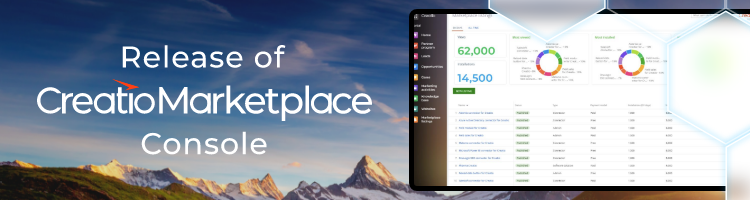
We are excited to introduce the Creatio Marketplace Console, a powerful and streamlined tool designed to enhance your experience in managing your Marketplace listings.

The Creatio Marketplace Console, now an integral part of the Success Portal, has been created with one main objective in mind - to offer you a more convenient and efficient way to manage the entire lifecycle of your Marketplace listings.

In the next few weeks, we will be seamlessly transitioning all applications. You can expect to receive a separate email notification providing you with all the necessary details about this transition.

For comprehensive guidelines on publishing and updating listings in the new Marketplace console, please refer to the article on Academy. If you encounter any questions or issues along the way, please do not hesitate to reach out to us at marketplace@creatio.com.

Like 6

Like

Share

5 comments

It's a good news. The new Marketplace console is really very convenient and functional.

This new addition is very nice. Also, I am glad to see it using Freedom UI (Creatio using it for production tasks will end up with it being better experience for all of us 🙂)

When when the Success portal switch to using the Freedom shell? There's currently some big gaps with using the Freedom shell for portals - I'd love to see Creatio using it for the Success portal since I assume those gaps would get addressed sooner!

Ryan

Lytvynchuk Vladyslav,

Thank you for your positive feedback!

Ryan Farley,

We appreciate your feedback🙂

We're actively working to speed up the transition process to the Freedom UI shell.

The new marketplace console is very well done and really shows off Freedom UI's capabilities. It was a fantastic experience using it to submit an update to one of my marketplace add-ons. Please give my props to the team involved for a job very well done.

It would be great to take Freedom UI areas such as this to do a case study and review the working parts and how it was put together. 

Ryan

Show all comments

We are pleased to inform you about the latest updates concerning our transition to the new Composable architecture.

New Composable Apps

We are actively expanding our range of Composable Apps, and we are excited to announce the addition of two new apps that replace sections previously found in the Classic UI: Lead and Opportunity Management and Productivity.

Transform your apps to Freedom UI

We strongly recommend that you begin the process of adapting your solutions to work with Freedom UI sections and migrate to the Composable Architecture. This step is crucial to ensure maximum compatibility and to leverage the new features to their fullest extent, enabling you to unlock the complete potential of the new Composable Apps.

You can find detailed instructions in the following articles:

Backward compatibility during the transition period

On new websites, using pages for records in both Classic UI and Freedom UI simultaneously is no longer possible. Here are the key details:

  • The Freedom UI Shell is now enabled by default on all new websites.

  • OOTB Classic UI sections that have been converted to Freedom UI are no longer visible in workspaces, but they will remain accessible for a limited time.

As a result, during this transitional period, in order to demonstrate or utilize your solutions that extend OOTB sections in Classic UI, please follow these steps:

We look forward to your updates, and we are always ready to provide assistance. If you have any questions, please feel free to contact us at marketplace@creatio.com.

Like 1

Like

Share

0 comments
Show all comments
excel
sectionreport
section
marketplace
generatebuilder
apps
Studio_Creatio
8.0

Hi!

I have install the Excel reports builder from the Marketplace (https://marketplace.creatio.com/app/excel-reports-builder-creatio) and I have the following problem, when I want to generate a new section report for one of the new sections that I created it doesn't show the button that allows me to download the report. I have this problem with the sections that I created using the Application Hub and with the Accounts and Contacts section because I try with other sections like Activity and it shows the button to generate the report. 

Any help greatly appreciated here. 

Thanks you. 

Like 0

Like

1 comments

Hi Laura!

The app does not support report download in Freedom UI sections. I have sent your feedback to the responsible team.

As a workaround, you can set up reports that have "Custom report" report type. That way you can generate a report in the Excel reports section.

Show all comments
marketplace

Hi,


I have just tried to install a marketplace package, which in this case was the Purchase Request application template, however this failed to install.


The following is the error log:


2023-02-24 12:02:02,667 Loading file: BpmPurchaseRequests_2.zip 100%
2023-02-24 12:02:03,042 Configuration backup started.
2023-02-24 12:02:03,089 Loading packages from archive
2023-02-24 12:02:03,635 Package "BpmPurchaseRequests" loaded
2023-02-24 12:02:03,635 Package "BpmRequests" loaded
2023-02-24 12:02:03,650 Loading packages from database
2023-02-24 12:02:05,942 Loading packages from database
2023-02-24 12:02:11,508 Configuration backup successfully created.
2023-02-24 12:02:11,649 Application install from file started. Application name: BpmPurchaseRequests_2. Code: BpmPurchaseRequests_2.
2023-02-24 12:02:11,649 Preparing packages for installation
2023-02-24 12:02:13,072 Loading packages from archive
2023-02-24 12:02:13,510 Package "BpmPurchaseRequests" loaded
2023-02-24 12:02:13,510 Package "BpmRequests" loaded
2023-02-24 12:02:13,510 Loading packages from database
2023-02-24 12:02:15,284 Composing packages
2023-02-24 12:02:16,081 Package "BpmPurchaseRequests" saved
2023-02-24 12:02:16,342 Schema "Activity" saved in package "BpmRequests"
2023-02-24 12:02:16,463 Schema "BpmProductsForInternalUse" saved in package "BpmRequests"
2023-02-24 12:02:16,550 Schema "BpmProductsInRequest" saved in package "BpmRequests"
2023-02-24 12:02:16,644 Schema "BpmRequest" saved in package "BpmRequests"
2023-02-24 12:02:16,707 Schema "BpmRequestFile" saved in package "BpmRequests"
2023-02-24 12:02:16,785 Schema "BpmRequestFolder" saved in package "BpmRequests"
2023-02-24 12:02:16,832 Schema "BpmRequestInFolder" saved in package "BpmRequests"
2023-02-24 12:02:16,894 Schema "BpmRequestInTag" saved in package "BpmRequests"
2023-02-24 12:02:16,957 Schema "BpmRequestStatus" saved in package "BpmRequests"
2023-02-24 12:02:17,019 Schema "BpmRequestTag" saved in package "BpmRequests"
2023-02-24 12:02:17,066 Schema "BpmRequestType" saved in package "BpmRequests"
2023-02-24 12:02:17,129 Schema "BpmRequestVisa" saved in package "BpmRequests"
2023-02-24 12:02:17,129 Error occured while performing operation on "BpmSchema1Detail" item, UId = 206c0d9f-a681-46c9-b413-ab46bcc36f95.
2023-02-24 12:02:17,144 Terrasoft.Common.InvalidNameException: Item with name "BpmSchema1Detail" already exists in the following package(s): "BpmRequests", "BpmGDPR"
   at Terrasoft.Core.Configuration.SysWorkspace.CheckDuplicateSchemaNameExists(SchemaDescriptor schema, IEnumerable`1 schemas)
   at Terrasoft.Core.Packages.PackageDBStorage.<>c__DisplayClass482_1.b__0()
   at Terrasoft.Core.Packages.PackageStorage.SafeItemOperation(Descriptor descriptor, Action action)
2023-02-24 12:02:17,207 Schema "BpmTransportType" saved in package "BpmRequests"
2023-02-24 12:02:17,238 Schema "BpmVacationType" saved in package "BpmRequests"
2023-02-24 12:02:17,286 Schema "EmployeeJob" saved in package "BpmRequests"
2023-02-24 12:02:17,286 Package "BpmRequests" saved
2023-02-24 12:02:17,348 Modified - resources in package "BpmPurchaseRequests"
2023-02-24 12:02:17,520 Modified - resources in package "BpmRequests"
2023-02-24 12:02:17,536 Modified - dependencies of package "BpmPurchaseRequests"
2023-02-24 12:02:17,598 Terrasoft.Common.ItemNotFoundException: Schema with unique identifier "206c0d9f-a681-46c9-b413-ab46bcc36f95" not found
   at Terrasoft.Core.Packages.PackageDBStorage.GetSchemaIdByUId(Guid schemaUId)
   at Terrasoft.Core.Packages.PackageDBStorage.SaveSchemaParent(SchemaDescriptor schema)
   at Terrasoft.Core.Packages.PackageDBStorage.SaveSchemasParent(Package package)
   at Terrasoft.Core.Packages.PackageDBStorage.SaveDependencies()
   at Terrasoft.Core.Packages.PackageDBStorage.Save(IPackageContentProvider packageContentProvider)
   at Terrasoft.Core.Applications.Packages.Operations.SystemPackageOperations.PackageDBStorageInternal.Save(IPackageContentProvider packageContentProvider)
   at Terrasoft.Core.Applications.Packages.Operations.SystemPackageOperations.Save(IEnumerable`1 packages, PackageInstallOptions options)
   at Terrasoft.Core.Applications.Packages.SystemPackageManager.Save(PackageInstallOptions installOptions)
   at Terrasoft.Core.Applications.Installation.AppInstaller.Install(String sourcePath, String destinationPath, PackageInstallOptions installOptions, IInstalledAppInfo installedAppInfo)
   at Terrasoft.Core.ServiceModelContract.PackageInstaller.AppInstallerServiceInternal.<>c__DisplayClass14_0.b__0()
   at Terrasoft.Core.ServiceModelContract.PackageInstaller.BaseInstallerServiceInternal.InvokeWithLogging[TResult](Func`1 action)

I am thinking this is related to this package not being compatible with v8.04, but I am not aware of why that Schema may be missing in our cloud version instance.


thanks


Mark


Like 0

Like

4 comments

Hi, I am assuming this package is not compatible to the 8.x releases, as I have had a couple of marketplace extensions recently be in this position?

Hi Mark,

I have installed this template on CRM Creatio 8.0.6 in the cloud successfully. Please, specify your Creatio product so we can review this issue further.

Irina Lazorenko,

Hi, Our version I am installing it against (our dev instance) is running 

Version 8.0.6.3522, which I have just tried installing once again and got the same error as above.


Thanks for any help you can provide.

Hi Mark,

This package is indeed not compatible with the 8.x releases. As it stands, the team in charge doesn't have plans to adjust it to suit the current releases. Because of this, I've removed it from Creatio Marketplace.

Show all comments
Email
marketplace

Hi All,


Im trying a poc for the below add on where it send approve or reject options in email and  user approve .


https://marketplace.creatio.com/sites/en/files/app-guide/Setup%20guide_…


Issues : 


1 . When i click approve , it just times out and do not do any thing , does that mean the user who approves needs a valid license ? or User ?


Regards,

Sethuraghav N

Like 1

Like

4 comments

Hi Sethu Raghav,

This add-on is free. Therefore, no license is required. Please verify that the anonymous service is set up according to the user guide.

Dear, the problem is that the approver MUST be a Creatio User, cannot be "any contact" like a customer, for example

Hi, can anyone help with this,


From what I have discovered and it is not documented, actually this addon is oriented to Creatio users, when they are not connected to Creatio, so they can make an approval.


Any idea how to extend this app to be able to send an approval request to a customer, for a quote, for example?


Thanks

Julio

Hi Julio,


It is a limitation (approver MUST be a Creatio User) not of this app, but the Creatio approval functionality.

Therefore, the responsible team can't extend the app to overcome this limitation.

Note that a Creatio user is a user of any type. You can consider additional user types for this task as well.

Show all comments