Components_Pack
syntech
Pack
marketplace
automation
release

Syntech Components Pack for Creatio Is Now Available on Creatio Marketplace

We are excited to announce the release of Syntech Components Pack for Creatio, now available on the Creatio Marketplace.

The package brings together 9 powerful Freedom UI components designed to enhance visualization, planning, analytics, and productivity directly within Creatio.

Included in the package:
- Kanban View
- Gantt View
- Scheduler
- Pivot Tables
- Interactive Maps
- To Do Lists
- Hierarchy View
- Relation Diagram
- Slider Component

Instead of searching for multiple solutions, organizations can now access a comprehensive set of ready-to-use components in a single package, helping teams accelerate implementation, improve user experience, and extend Creatio capabilities without additional development.

Whether you're managing projects, analyzing data, planning resources, visualizing business processes, or building more intuitive applications, Syntech Components Pack provides the tools to do it faster and more efficiently.

Explore the application on Creatio Marketplace: https://marketplace.creatio.com/app/syntech-components-pack-creatio

Like 0

Like

Share

0 comments
Show all comments
marketplace
no-code_CRM
Hierarchy_List
syntech

Hi everyone!
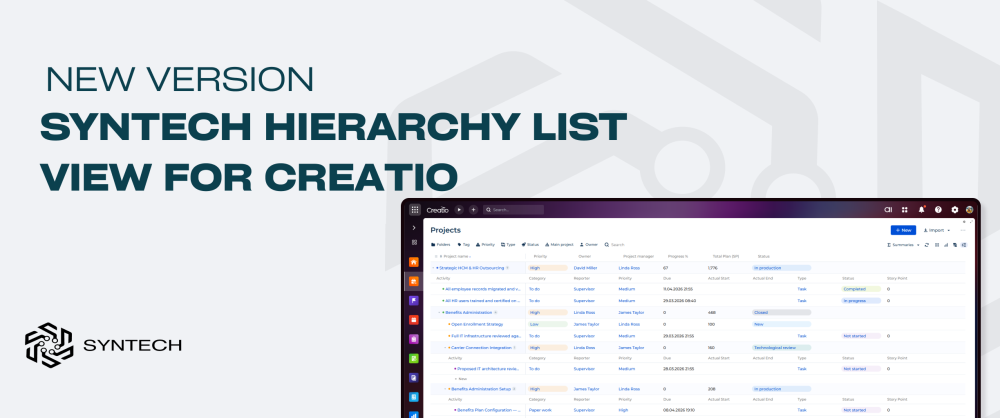
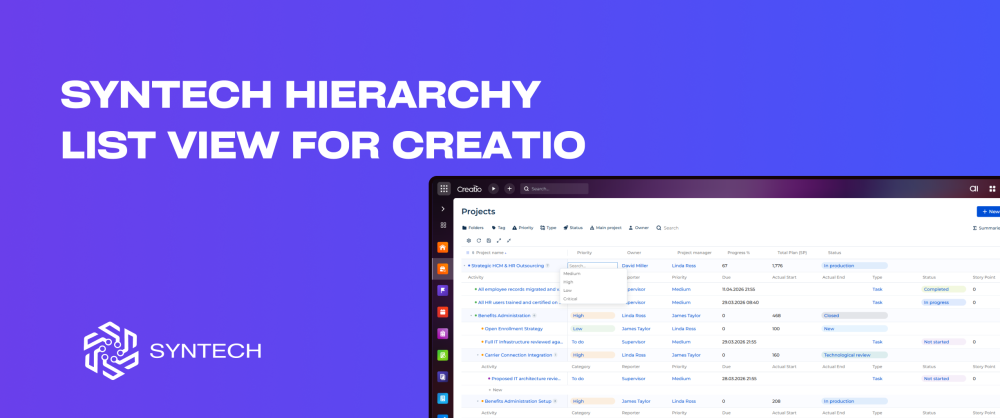
We're excited to share that Syntech Hierarchy List View for Creatio is now available on the Creatio Marketplace.
It's a configurable tree-view component for Freedom UI that visualizes parent-child relationships across multiple Creatio objects.

What it does
Syntech Hierarchy List View transforms how you navigate complex data. Build interactive multi-level tree views on any Freedom UI page - visualize account structures with nested contacts, project hierarchies with tasks, or any parent-child relationships across your Creatio objects.

Key Features
- Unlimited nesting
Build hierarchies with unlimited levels across multiple Creatio objects. Accounts contain contacts, projects nest sub-projects and activities - all in one expandable tree. Self-referential and cross-schema joins load at any depth automatically.
- Simple setup
Select objects from a dropdown, pick columns, set parent fields — the hierarchy is ready. Drag to resize columns, pin important ones, add filters. All settings are saved automatically. Visual config panel - no scripting or deployment required.
- Inline editing
Edit any cell directly in the grid - text, numbers, dates, and lookups with live search. Enable or disable editing with a single checkbox in settings.
Details

Compatible with Creatio: 8.3.0 and up

Check it out on the Marketplace → https://marketplace.creatio.com/app/syntech-hierarchy-list-view-creatio
 

Like 2

Like

Share

0 comments
Show all comments
Manufacturing
crm
MES
marketplace
You’re not losing efficiency. You’re losing money — every day.

Spreadsheets instead of systems.
Disconnected tools instead of processes.
Manual planning instead of control.

And all of it turns into:
delays, errors, missed deadlines, lost margin.

This isn’t a team problem.
It’s a system problem.

That’s exactly why we built a new product — and now we’re launching it. 

Introducing Syntech Manufacturing for Creatio
A full-scale MES module that turns Creatio into a complete production management platform — from order to execution.

Built for both discrete and process manufacturing.

What makes it different

This is not another add-on.
It’s a unified production system that connects:
Sales orders → Production planning
MRP → Procurement
Shop floor → Real-time execution
Inventory → Finished goods tracking
👉 No gaps. No manual syncing. No blind spots.

Plan smarter. Execute faster.
Interactive Gantt with drag-and-drop scheduling
6 auto-scheduling strategies
Multi-level BOM & MRP with auto purchase requests
👉 Your plan adapts to reality — not the other way around

Control your shop floor in real time
Operator workstation (start / pause / complete in one tap)
Material backflushing & batch traceability
Live work center monitoring
👉 Every operation. Every machine. Fully visible.

Know your numbers — instantly
OEE tracking (availability / performance / quality)
Cost breakdown per order (materials, labor, machine time, tooling)
Production dashboard with KPIs, trends, and downtime analysis
👉 No assumptions. Only real data.

Why it matters
Most companies don’t lose money in production because of strategy.

They lose it because:
- they don’t see bottlenecks
- they react too late
- they rely on fragmented systems

This product fixes that.

Syntech Manufacturing is not just MES.
It’s:

  • full production visibility
  • controlled execution
  • predictable costs
  • scalable operations

See it in action
Request a demo and see how your production looks
when everything finally works as one system

https://marketplace.creatio.com/app/syntech-manufacturing-creatio

Like 1

Like

Share

0 comments
Show all comments
marketplace
marketplace_updates

We’re excited to announce the launch of a new section on the Creatio Marketplace — Blog.

This new space is designed to keep our ecosystem informed, inspired, and connected. Visitors can now explore the latest Marketplace news in one place, including:

  Updates on new features and product enhancements

  Announcements of new partners joining the ecosystem

  Customer success stories showcasing real business impact

Gain practical guidance

The Blog is also a new opportunity for you

We invite our partners to share exclusive insights on how your solutions help customers solve real challenges and achieve measurable results. Whether it’s a compelling use case, a unique implementation story, or a best practice worth highlighting — your expertise can bring value to the entire community.


Have an idea for a story?

Pitch your story to the Marketplace team  >>

Creatio 8.3 Twin Release


Let’s grow the Marketplace together — by sharing knowledge, celebrating success, and highlighting innovation across our ecosystem.

EXPLORE INSIGHTS

Like 7

Like

Share

4 comments

This is great, thanks for this. I would prefer more details about the new and updated add-ons in the marketplace in the blog, rather than marketplace news and announcements. I go to the marketplace often, just to see what is new. I do hope this blog will be used for that type of info. 

Also, it doesn't appear that there is an RSS feed for the blog yet. Is that something that will be coming? Maybe also a separate RSS feed for the "what's new/updated" in the marketplace, like what we now have for the Academy articles?

Hi Ryan Farley,

Thank you so much for the quick feedback on our new initiative — we really appreciate it.

It’s especially valuable for us right now, since we’re actively gathering feedback from the ecosystem to understand better what kind of content would be most useful. 
Your suggestion to include more details on new and updated Marketplace add-ons is very helpful, and we can definitely see how such updates would add more value for frequent Marketplace visitors like you.

As for the RSS feed, it’s not available at the moment. That said, your feedback is important and will help us better prioritize this need in our backlog, including the idea of a dedicated feed for new and updated Marketplace items.

Thanks again for taking the time to share this with us.


This blog is great addition indeed! 

I also agree with Ryan, some more specific functionalities allowing to more easily search / get / receive information for new addons and updated addons will be great ! (Quite a manual process digging regularly in the marketplace to figure out what's new and updated and the moment). 

Damien Collot,

Thank you so much for calling this out — I truly appreciate your interest and thoughtful attention!

It’s really exciting to see it resonate with the community. 
Feedback like yours means a lot and motivates us even more.

Show all comments
Marketing_Creatio
marketplace
marketplace_updates
CreatioAI
agents
AIAgents

First AI Agents hit the Marketplace 🚀

We’re excited to share the first successful results of our AI Agent Pilot Program cohort. As part of Creatio’s vision for the AI-native era of Enterprise automation, we launched this pilot at the end of autumn to help partners accelerate the adoption of our new Agentic Framework.

Just a few weeks later, the results are already outstanding - three new AI Agents have been successfully published on the Creatio Marketplace.

Want more? ➡ Browse all Agents
 

Build your own AI Agent with us 🤖

If you're looking to turn AI-driven automation ideas into revenue, join the next wave and build your Agent in just a few weeks.

Partner benefits 🤝

   Dedicated development support

   Peer community & expert-led training

   Go-to-market support & early-adopter visibility

Build your AI Agent
Like 6

Like

Share

0 comments
Show all comments

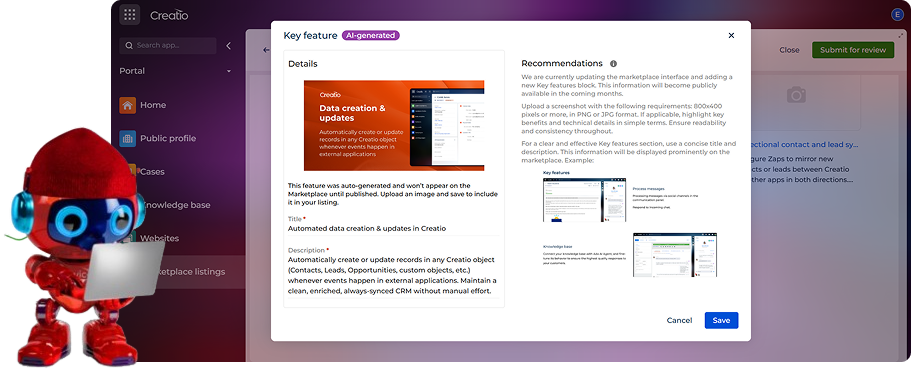
We’re excited to introduce a new enhancement designed to help partners gain more visibility and deliver better user experiences on the Creatio Marketplace. Many listings today lack Key Features, which makes it harder for our search engine to accurately match users with the most relevant solutions. To address this, we’re rolling out AI-generated key features for listings that currently don’t have them.

How to Boost Your Listing’s Visibility

1.   Review the AI-generated key features in your Marketplace Console.

2.   Refine the text — adjust descriptions so they better reflect your solution.

3.   Add a screenshot to complete the key feature.

4.   Publish the feature to make it visible to customers and strengthen your app’s presentation.

Review AI-generated Key Features

Take 2 minutes now — this directly impacts how often your solution appears in customer searches.

Marketplace updates: AI-Generated Key Features to Improve Marketplace Search

Additionally, we’re introducing a manual key feature generation tool in the Marketplace Console. This capability will be available soon for all partners, giving you full control to craft or regenerate key features based on your listing data.

Let’s work together to make the Creatio Marketplace a more searchable, discoverable, and high-performing ecosystem.

If you encounter any questions or issues along the way, please do not hesitate to reach out to us at marketplace@creatio.com.

Like 9

Like

Share

0 comments
Show all comments
marketplace
MarketplaceUpdates

We’re rolling out updates that make your apps easier to install and easier to discover. One quick action is required.

Update App Properties by November 1st

To ensure smooth installation and compatibility, we’ve introduced new application properties. Please update these app properties in Marketplace Console:

  • Set Required dependencies
  • Set the “Required Creatio version”

This change is required to prevent user from installing incompatible apps on their Creatio environments. 

Learn how to set them up on Creatio Academy:

What’s New in Marketplace

Automatic “Creatio Features” detection
Automatic “Creatio Features” detection. If your package includes features like AI Agent, AI Workflow, AI Skill, Business process element, Campaign element, Home page, or Printables, they’ll now appear on your listing. Users can also filter catalog by “Creatio Features”.

Why it helps: Better discoverability for your app.


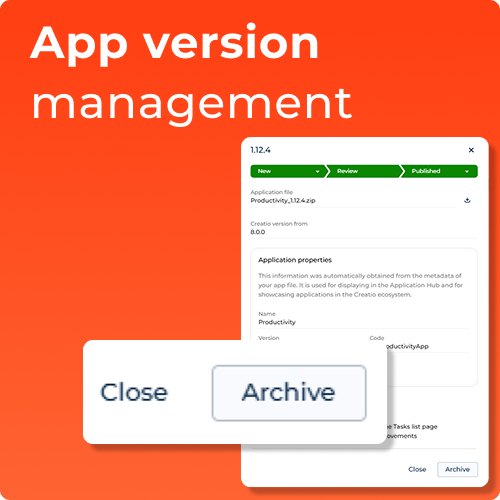
App version management
App version management. You can archive or republish existing versions directly from your listing in Marketplace Console. You can also set “Creatio version from” per package. Republishing without package changes does not require a new review.

Why it helps: Faster control over which versions customers see; no review queue.

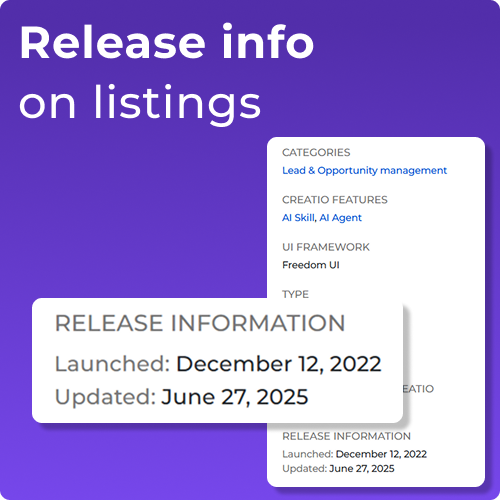
 Release info on listings
Release info on listings. Your Launch date and Last updated are shown on the listing page.

Why it helps: Shows customers your app is actively maintained, boosting confidence and making recent improvements easier to find.


Please complete these updates by November 1 to avoid verification delays and app installation issues.


Thank you for your partnership!

Like 8

Like

Share

0 comments
Show all comments
marketplace
price

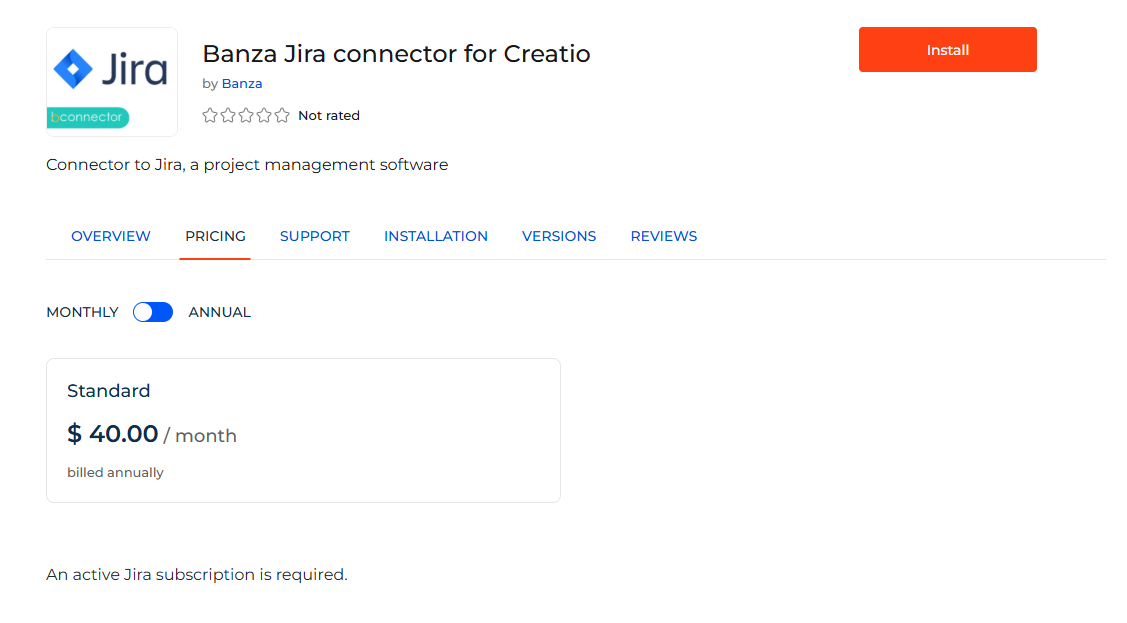
I want to use this connector Banza Jira connector for Creatio | Creatio Marketplace to our creatio -on-prem-

Does the mentioned price include unlimited number of users on creatio? or the license is limited?

Like 0

Like

2 comments
Best reply

Hello,

This is a server license and works for all users.

Hello,

This is a server license and works for all users.

Dymytriy Vykhodets,

Appreciated!

Show all comments
Add-on
marketplace
FUI
FreedomUI
Studio_Creatio
8.0

Dear All,

Would you know when the add-on Advanced list setup for Creatio is going to be redeveloped for Freedom UI? 

The use case is to customize section list view for a specific folder in FUI for an individual user. 

https://marketplace.creatio.com/app/advanced-list-setup-creatio

Best Regards,
Jacek 

Like 0

Like

2 comments
Best reply

There is already some of the functionality mentioned in that marketplace addon built into Freedom UI - the ability to set up the lists for specific folders is possible OOTB. All you need to do is go into a folder, click the 3 dot menu on the list selecting `Save list settings for "Folder Name"`, and then you can change the column setup to how you want it to be for that folder:

Just as a note, you have to do the "Save list settings for X" step before you start making changes to the column setup, as any changes made before clicking that button would be made for the "base" column setup until a specific list settings is saved for that folder.

There is already some of the functionality mentioned in that marketplace addon built into Freedom UI - the ability to set up the lists for specific folders is possible OOTB. All you need to do is go into a folder, click the 3 dot menu on the list selecting `Save list settings for "Folder Name"`, and then you can change the column setup to how you want it to be for that folder:

Just as a note, you have to do the "Save list settings for X" step before you start making changes to the column setup, as any changes made before clicking that button would be made for the "base" column setup until a specific list settings is saved for that folder.

Harvey Adcock,

Thank you Harvey. Appreciate your time and helping out with this topic! Have a great day!

Show all comments
marketplace
Screenshots


To assist you in highlighting the value of your solution on the Creatio Marketplace, we’ve prepared a set of best practices for creating advertising screenshots. These recommendations are designed to guide you in presenting your product in a clear, compelling, and professional way that instantly communicates its value to potential customers. Well-designed screenshots not only improve the visual appeal of your listing but also increase trust and engagement — ultimately leading to more installs and conversions.

General recommendations for advertising screenshots: 


Use branded visuals

  • Apply the branded background color or style of your solution for visual consistency.
  • Incorporate your company logo to reinforce brand identity.

Showcase real Creatio UI


  • Use a real fragment of the Creatio interface with your solution integrated.
  • Show how your app works within the actual product environment.
  • Keep screenshots clean by removing any non-essential UI elements that do not support the main message.

Communicate value instantly

  • Use icons or visual symbols to strengthen the message metaphorically.


Highlighted screenshots: 

Target: Highlighted screenshots are the first visual users see when they explore your app listing — they play a crucial role in capturing attention and quickly communicating what your app does and why it matters.

  • Deliver the main value proposition in under 3 seconds.
    • Example: “Instantly Enrich Your Data with Apollo.io
  • Add a short, clear description that communicates the benefit or unique selling point.
    • Example: “Accurate, complete contact and company insights — automatically, in one platform.”
  • Include impactful, quantified value.
    • Example: “250 million contacts & 60 million companies”
  • Use icons or visual symbols to strengthen the message metaphorically.
  • If possible, showcase the UI in action: clicks, flows, or user interactions.


For any connectors and other applications that use third-party software, you should have all the necessary permissions to use and publish such third-party trademarks, names, interfaces, and other IP (together “third-party IP”). You’re solely responsible for receiving and keeping up to date with such permissions. Absence of legal grounds to use third-party IP may lead to the suspension and/or deletion of publishing your application on Creatio Marketplace.


Key Features screenshots

Target: Key Feature screenshots are essential for helping users understand the specific use cases your app supports — directly within the Creatio interface.

  • Highlight key feature use cases through targeted visuals.
  • Add a short, clear caption to explain the value of each use case at a glance


Enrich your existing contacts

Feature description: Enrich your existing contacts in Creatio from Apollo.


Enrich your existing contacts

Feature description: Enrich your existing contacts in Creatio from Apollo.


Contact Import

Uncover the power to effortlessly discover and import contacts from Apollo   or elevate your existing contacts with enriched information.


Guidelines for designers: 

  • Use vector graphics for clarity and scalability
  • Apply a consistent layout grid to align elements cleanly
  • Maintain uniform margins across all visuals
  • Use rounded corners for screenshots to match Creatio’s design aesthetic

Like 3

Like

Share

0 comments
Show all comments