synchronization
Outlook
contacts

I'm looking for a way to delete contacts from outlook by deleting a given contact from Creatio. 

Is there a quick way to purge contacts?  or can a business process be created; and if so so what object holds the contact records?


Thanks,

Kavian

Like 0

Like

4 comments
Best reply

Kavian Abhari,


You can try to use this add-on to achieve your business task, but by default there is not such option.


Regards,

Dean

Hi Kavian,


It is not possible to delete contacts from outlook through Creatio. If the contact is delete from Creatio, it will still remain in outlook.

It is specifically designed to prevent accidental contacts deletion from outlook after deleting contacts on the website.


Regards,

Dean

Dean Parrett,

Thanks for your response. I came across this Marketplace add-on.

https://marketplace.creatio.com/app/exchange-contacts-sync-creatio


One of the key features mentioned is the "deletion of a contact/contact group in Exchange based on the respective action in Creatio".


Have you ever happened to use this?


Thanks

Kavian Abhari,


You can try to use this add-on to achieve your business task, but by default there is not such option.


Regards,

Dean

Hello,


You can try this marketplace application to achieve your business task, I haven't used it before. But by default, it is not possible to delete the contacts from outlook by deleting the contact in Creatio.


Regards,

Dean

Show all comments
contacts
accountsection
custom button
page
7.16
Service_Creatio_customer_center_edition

Hello all,


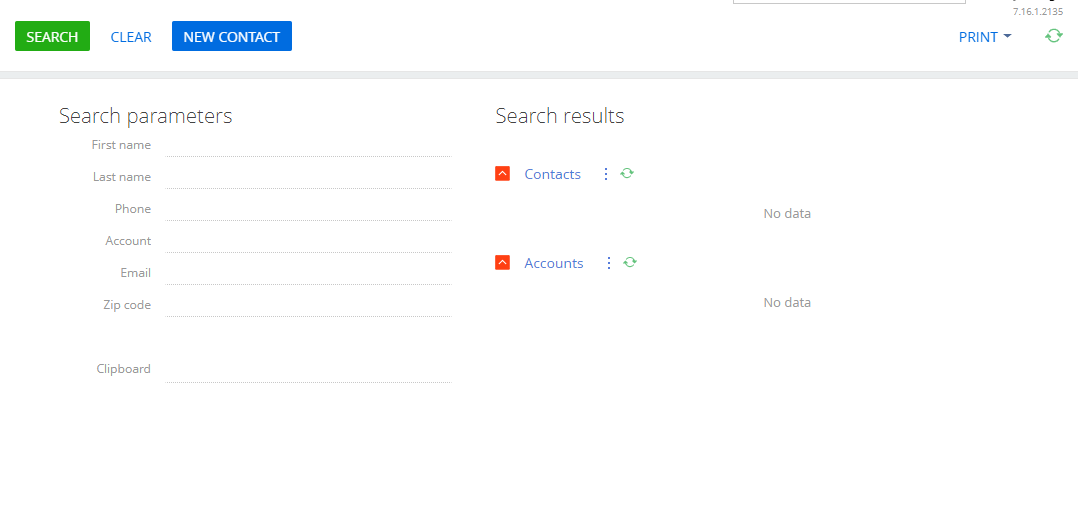
I am working on modifying the Search contact and accounts page to add a cancel button to the top of the page so that the user can exit the page and properly terminate the business process that opens it.

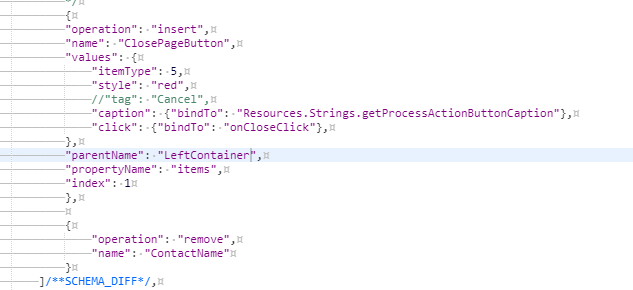
However, I've added the script for inserting a button but it won't show up on the page. Here is my script below. Is there something I could be doing wrong?

Like 0

Like

3 comments

Dear Kevin,


Could you please provide us with the information about how this page was created and how this page is called in a business process?


If this page is a pre-configured page, so you can easily add a button using page wizard and bind the “click” attribute to the appropriate method through a development.


 Best regards,

Norton

Norton Lingard,

It is the "Search page - Contacts and Accoutns" page that is used in the Identify contact by incoming call process. 


It is called like a pre-configured page in the process but when I try to modify it, it only opens right to the schema code instead of opening the page wizard. 

Dear Kevin,


I created the replacing client module for the “SearchAccountAndContactPage” schema and added the following code:


define("SearchAccountAndContactPage", [], function(){

    return {

        entitySchemaName: "Case",

        methods: {

            onCloseContactButton: function() {

                // business logic;

                alert("onCloseContactButton.click()");

            }

        },

        diff: [

                    {

                        "operation": "insert",

                        "parentName": "LeftContainer",

                        "propertyName": "items",

                        "name": "ClosePageButton",

                        "values": {

                            "itemType": this.Terrasoft.ViewItemType.BUTTON,

                            "caption": {"bindTo": "Resources.Strings.ClosePageButtonCaption"},

                            "click": {"bindTo": "onCloseContactButton"},

                            "style": "red"

                        }

                    }            

            ]

    };    

});


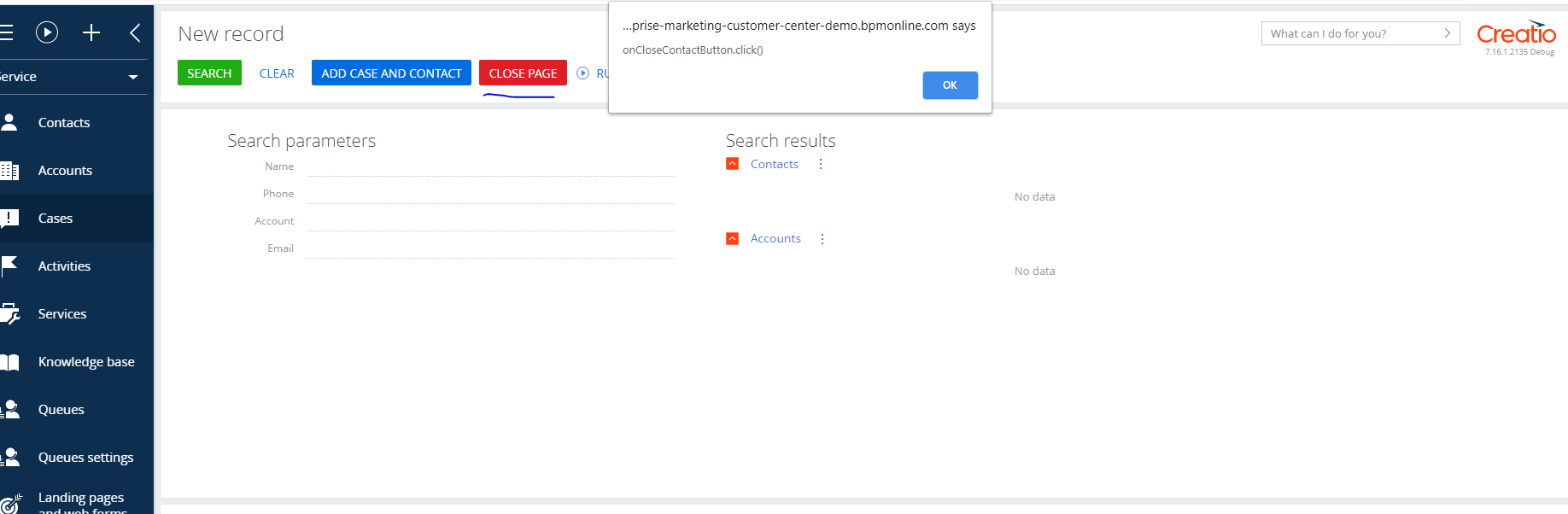
As a result, the button has successfully appeared in the page. Please see the screenshot below:


Please check you entered the correct value for the “caption” property. Since if this property has the wrong value, the button won’t be visible in the page.


Best regards,

Norton

Show all comments
Email
Business Process
contacts
7.15_()
-Service_Creatio
customer_center_edition_()

Hello,

I am trying to automatically send emails to a group of contacts in a business process. Is there a way that I can do so using the "send email" user action or with a system action?

I know that I can add multiple contacts to the "send email" but I need it to be able to adapt in each case. There isn't always going to be three people to send to, for example. 


Like 1

Like

4 comments

You can loop through the contacts and use the SendEmail task to each one, merging in fields for that contact. You can see how to loop through the records in this article: https://customerfx.com/article/how-to-loop-through-records-in-a-process-in-creatio-formerly-bpmonline/

The basic concept is to flag the records you want to loop through, then clear the flag in the loop so the next time you read the flagged records you have one less each time. Hope this helps.

Ryan

Hey Kevin!  Did you end up doing this?  I'm looking to do something similar and want to have multiple recipients on the same email.  I was thinking of creating a string parameter on the process, looping through the contacts read in like Ryan mentioned, and seeing if I can append the text parameter with an additional email address each time.  

Francine Braese,


Ryan's technique of looping the records and clearing the flag in each record as processed work great. The string parameter was how I handled the group send in the process I built, extending the string each time through until all records were process. Once I had the To string assembled I could insert the parameter into a send email element in the process.

Thanks Kevin!  It's great to hear this approach worked for you.  I started exploring tagging/untagging contacts instead of using a boolean field as slight variation of this.  That may be a way to loop through the contacts without the clutter of an extra field. 

Show all comments
email templates
contacts
7.15_()
-Sales_Creatio
enterprise_edition_()

When in a list view, when a user hovers over a Contact name, they have shortcuts for call, email and task. When a user creates an email from the email shortcut, the Contact templates do not display.

What area is this for the macro so that we can copy the Contact templates and have them accessible when the Contact is open or when the user is viewing all Contacts in a list view.

Like 0

Like

3 comments

Dear Amy,

When clicking on this shortcut http://prntscr.com/qu37nj the new email designer has the option to select the template http://prntscr.com/qu3816http://prntscr.com/qu39b4

If for some reason you do not have this option or do not see the templates, we suggest you to contact our support team via support@creatio.com to look into the issue in your particular environment.

Best regards,

Dean


Dear Dean Parrett, this is exactly the section I'm referring to. We see the email icon, we see the template icon, but when we access it from this view the list is empty. How do I ensure the templates display here?


Thank you!

Amy

Dear Amy,

It is quite hard to say why you cannot see the records in the list. Therefore, it is better to approach the support team so that they could investigate the issue on your website.

Regards,

Dean

Show all comments
contacts
preferred_language_field
7.15_()

Hi Community,

What is the purpose of OOB field Preferred Language in Contacts? Is it affecting the language of email being triggered to the contacts? Is there any other OOB functionality which depends on this?

Like 0

Like

1 comments

Dear Fulgen,

Currently this field only determines what language will be used when automatic template is sent to contact. 

Best regards,

Angela

Show all comments
account
structure
detail
contacts
7.15_()
-Service_Creatio
customer_center_edition_()

I am trying to create divisions in the Structure detail on the Accounts section page and I would like to be able to add contacts to each division to display who works for each division. Is there a way to add more than one contact within the Structure detail? All I can find is the ability to chose a manager.

Like 0

Like

1 comments

Hi Kevin,


In this case you need to create a new detail and show this detail inside organizational structure detail.


This article  describes how you can setup a detail to add multiple records. Your object structure will be pretty simple: lookup column to an 'Account organizational structure' and lookup column to 'Contact' table (and base fields: CreatedOn, CreatedBy, etc.).


Then you should add this detail to a 'AccountOrganizationChartPageV2' page in the configuration.


Regards,

Dmytro

Show all comments
Contact
contacts
Lead
Leads
account

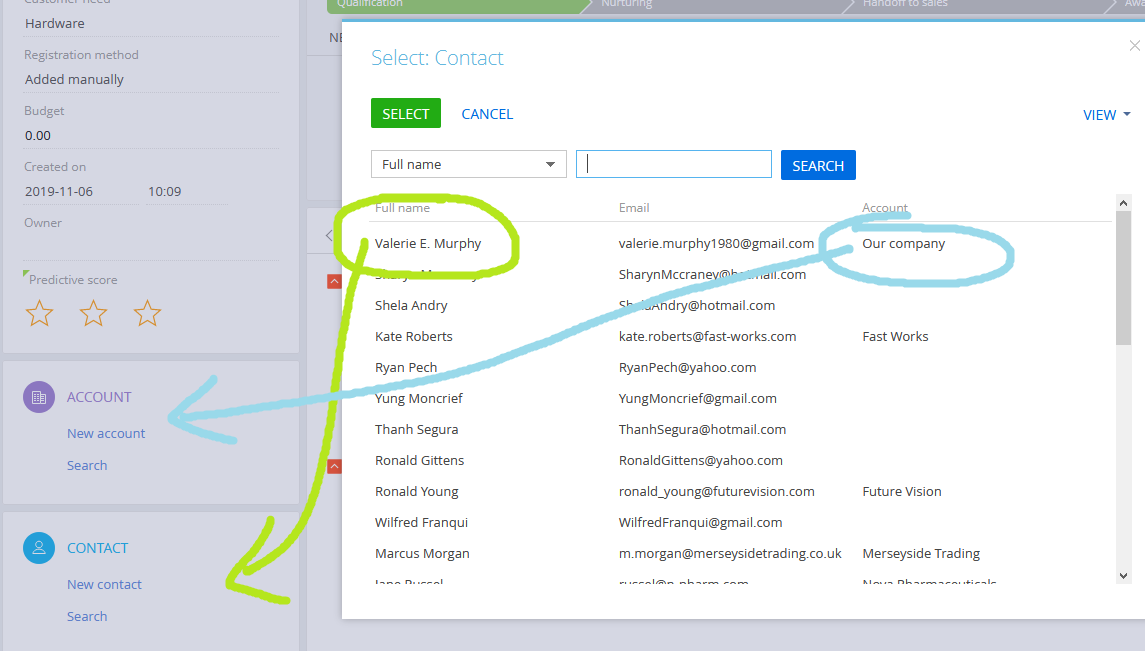
It used to be when I select a Contact on the Lead page, the Contacts Account is automatically set as the Account of the Lead.

This function has been removed. What happened to it?

Best regards,

Like 0

Like

1 comments

Dear Julius,

Thank you for reporting this issue. Our R&D team has fixed and this feature will be available again starting from 7.15.2 version.

Best regards,

Dean

Show all comments
contacts
image
Import

How can I do a mass import of image files for Contact records?

Like 0

Like

5 comments

Dear Lisa,

Unfortunately, there is no option import images since they are stored in different table, not in Contact 

Theoretically, you can upload the images encoded to base64 format into the SysImage table and then populate the pictureid column of the product with the id of the corresponding image. This process might be time consuming and not convenient, since it should be done on the database level.

We will register the idea for our R&D team to develop such a functionality that would allow to upload images in more convenient and faster way.

Best regards,

Dean

Dean Parrett,

Any news about this feature?

Dear Daniel,


The mentioned development request was considered by the responsible R&D team but it's implementation was postponed due to the fact there are requests and plans with higher priority. 

I will add your comment to the created request so they could take a look on it again and consider the possibility of implementing it in the next upcoming releases. 


Kind regards,

Roman

Roman Brown,

Hi Roman. We have a similar use case where we need to migrate photos and going via the Database is not an option for us.


I was looking into the 0/ImageAPIService/upload which is used by the platform internally when a Contact photo is uploaded. Can we use this API to upload an image into the SysImage table?? Few related questions below - 


1. I notice a few query parameters - fileapi, totalFileLength, fileId and mimeType. If we were to replicate this request via code, Which of these are mandatory and which are optional? 

2. What does the query parameter "fileapi16123676529964" refer to? And what is that number??

3. Believe the unique Guid() for the SysImage record is generated on the client side and gets stored in the Id column in the SysImage table. Is this right?

M Shrikanth,


Hello,


Let's discuss this question in a separate community thread you've created here https://community.creatio.com/questions/import-photo-image-imageapiserv…


Best regards,

Oscar 

Show all comments
merge
duplicates
contacts
7.13_()
studio


Hi,


Does anyone know if there's a way to unmerge the merged contacts?


Regards,

AK

Like 0

Like

2 comments

Hi,

Basically, merge deletes all duplicate records from DB, so after records are merged they cannot be restored. You can create a backup before merging records to use it later for restoring data. 

Best regards,

Angela

Ah Alright. No worries.

Thanks :)

Show all comments
relationship
contacts
7.11
sales_enterprise

Hello community I'm trying show a Contact.Type in a custom profile. But i have a error when put the diff:

	{
		"operation": "insert",
		"name": "ContactType",
		"values": {
			"layout": {
				"colSpan": 24,
				"rowSpan": 1,
				"column": 0,
				"row": 1,
				"layoutName": "UsrLeftContainer"
			},
			"bindTo": "Contact.Type",
			"enabled": true,
			"contentType": 5
		},
		"parentName": "UsrLeftContainer",
		"propertyName": "items",
		"index": 0
	},

And the console return me:

Heading for label Contact.Type not found.


Is something worn in the code?


Regards,



Like 0

Like

1 comments

Unfortunately, the out-of-the-box system doesn't allow displaying linked fields. If you want to do this, you need to create a custom control that will process the linked field. If you want only show the value without a modification option, please consider creating a new field linked to an attribute (virtual column). This way you'll need to fill the attribute in with the needed value with a method. Please search the "dependencies" keyword in an out-of-the-box js code for more information. 

Show all comments