


Hi all, i have an issue. Please advise.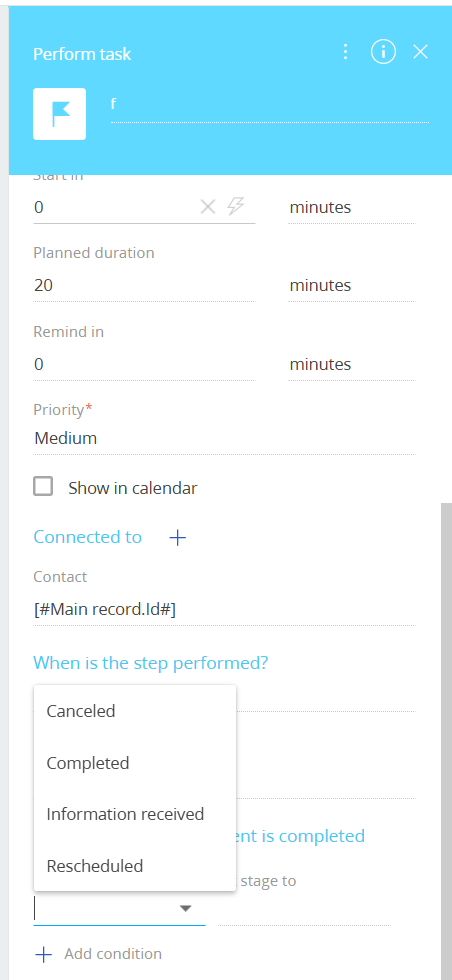
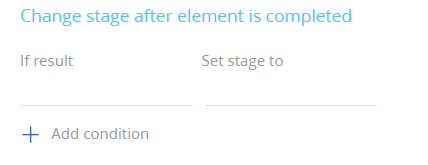
I want to add or remove options in the “If result” section when performing a task. I already added a new activity result value in the system settings, but the options still show the default list. How can I configure the list of results for the “Perform Task” action?
And why is the list of Result options in the Perform Task element different from the Next Step options, and how can I properly configure the Result list in Creatio?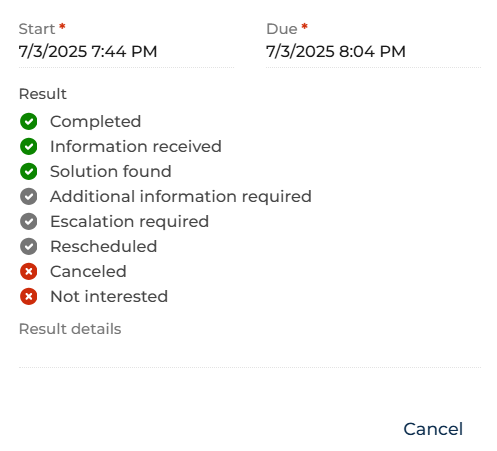
Thanks.
Like

Hi!
To change the list of available “Result” values in a task, you need to edit the lookup that controls them. Open the System Designer, go to Lookups, and find the lookup usually called “Activity results.” Open it and add or remove the values you need. The values you enter here are exactly the ones that will appear in the “If result” field when you complete a task.
The important part is that Activity Results and Next Step options are managed in completely different places. The Result field is controlled only by the Activity result lookup. The Next Step options, on the other hand, are configured separately in the business process or case designer. This means that changing Activity Results does not affect Next Step, and changing Next Step does not affect Activity Results.
Hi Anastasiia,
So why does “if result” display fewer options than the result in the lookup activity result?
Hi Anastasiia Zhmud,
So why does “if result” display fewer options than the result in the lookup activity result?
If Result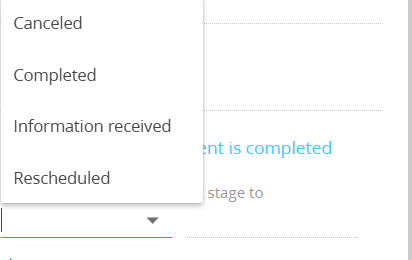
Lookup Activity Result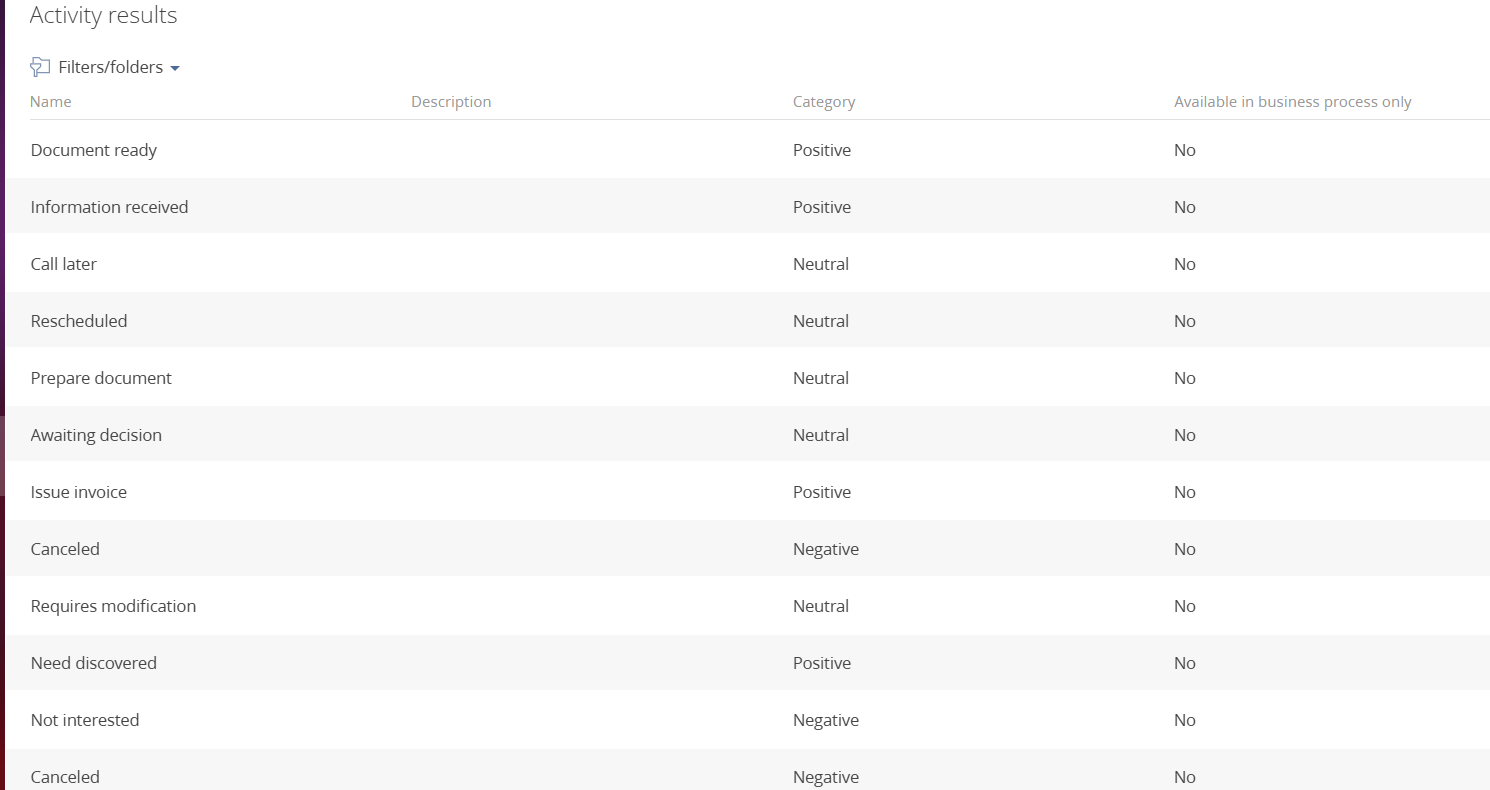
How can i display all the option?
Hello,
In order for this options to appear, the Task Category selected in the Perform Task element must also be added to the category list of the lookup record you would like to make available for this type of task.
Please see the screenshots below for reference:
1. Task Category selected in the Perform Task element: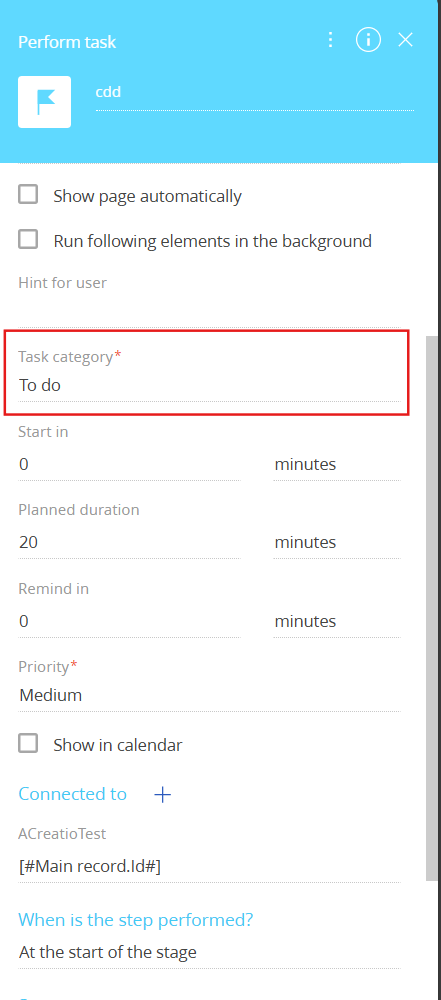
2. Corresponding category added to the lookup record: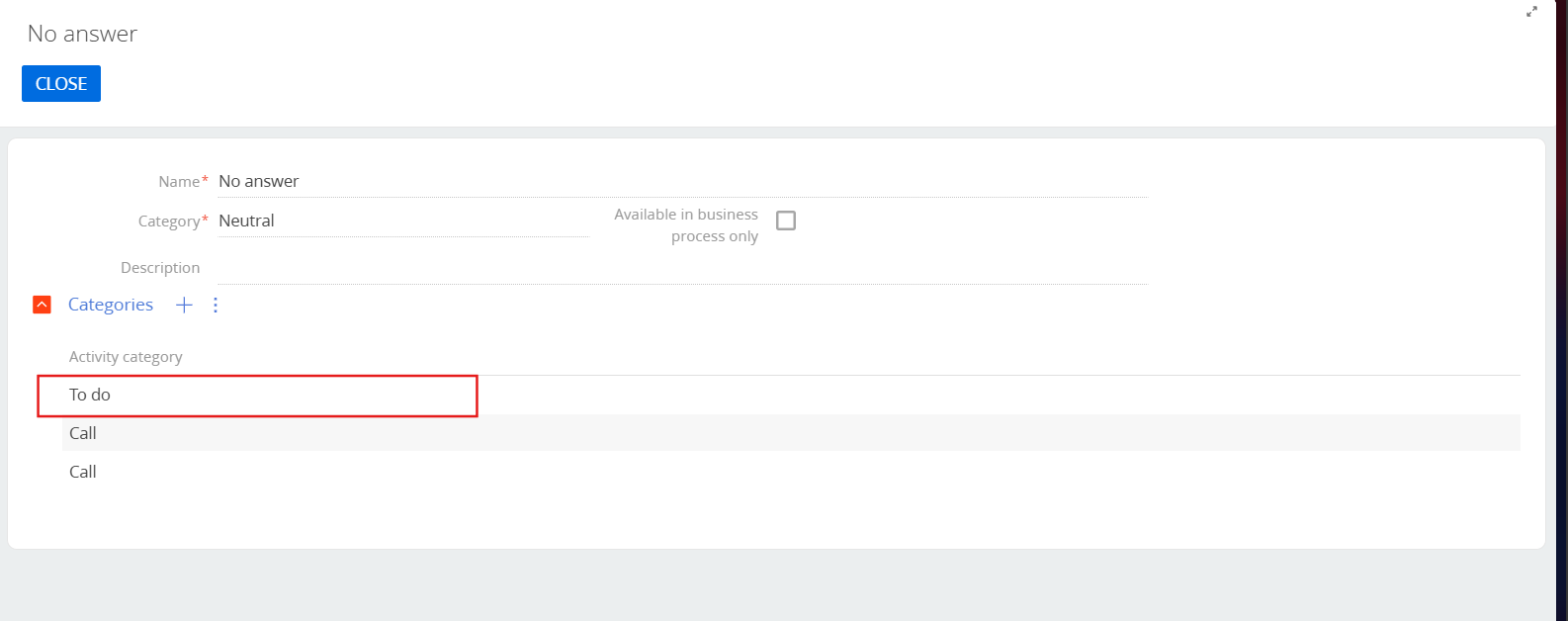
Once these categories are aligned, the option will become available as expected.