

How to use a page as a parent page and customize on top of it?

Hi All,
I want to use Case Management Form Page to configure it for different use cases (multiple different type of cases with different UI), I wanted to utilize the UI of Case Management Form Page. This will insure base UI remains same and all the different cases development will be done on different form page. Just like when you create a Freedom UI the skeleton structure is same as its parent is PageWithTabsAndProgressBarTemplate (CrtUIPlatform), I want to do the same with case management form page as right now parent icon appears locked to me.
Let me know if this is possible or require more clarification, thanks for the help and support!
Rishav
Like

Hi Dmitry S,
I’m trying to achieve the following:
My goal is to use the base Case Management features and extend them. There are different case types, and based on the type, both the UI and data models will vary significantly. One option is to create a replacing object, add all 300 different fields to it, and then perform all the customization in a single page, but that approach would not be maintainable.
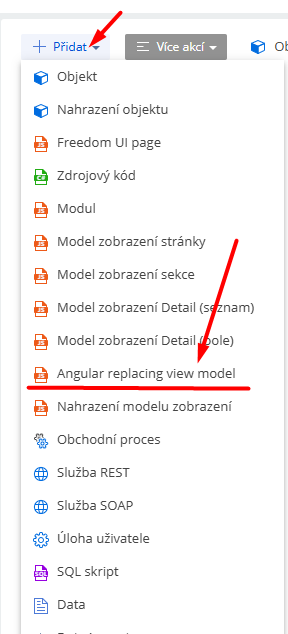
So, I want to inherit case management page and utilize it for different types of cases. Suppose There are 10 different types of case, base UI for these pages should be similar to what default Case Management Form UI, for each pages I will have different fields (different data sources for each Case). When I use Angular Replacing View Model, it completely replaces the original Case form page, which is not the behavior I want.
I am not sure if i am doing something wrong here, but I assume there must be a way to inherit the structure ("skeleton") of a form page and customize it accordingly.
Also another option is to just create new form pages, but for every case I have to develop a new one from scratch. I would like to avoid that :)
Thanks
Rishav

Rishav Kumar,
The Cases_FormPage is built upon the PageWithTabsFreedomTemplate and includes additional elements layered on top of that base structure.
For your requirements, I recommend creating a new Freedom UI page using one of the pre-existing templates as a starting point.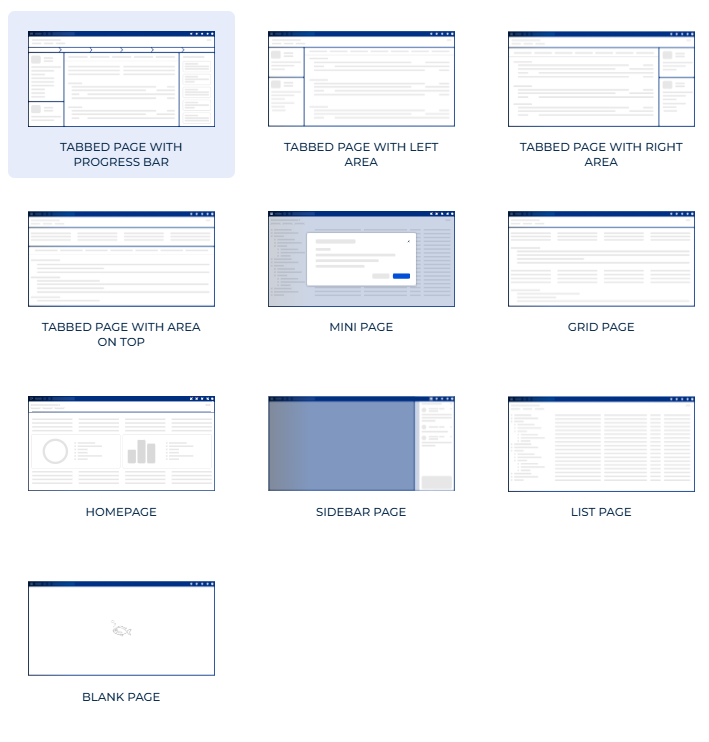
You can then apply the necessary customizations and business logic directly onto that template to meet your specific needs.
I hope this helps. Have a great day!
Rishav Kumar,
If you want to literally clone some page, you shoul perform the following steps:
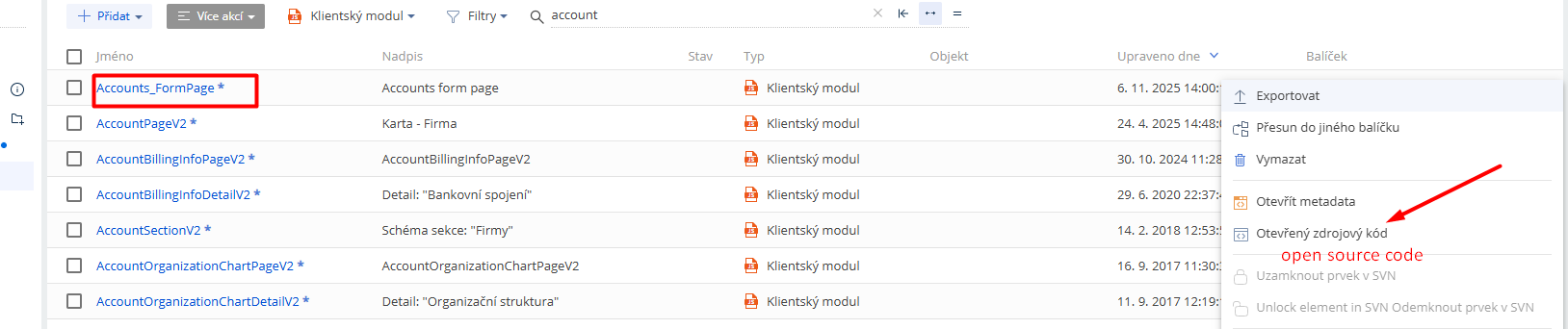
- Export source page (in your case Cases_FormPage) as .md file (ideally the last one in the hierarchy).
- Open exported file with some text editor. You'd see smth like this (I have Contacts_FormPage on the screenshot):
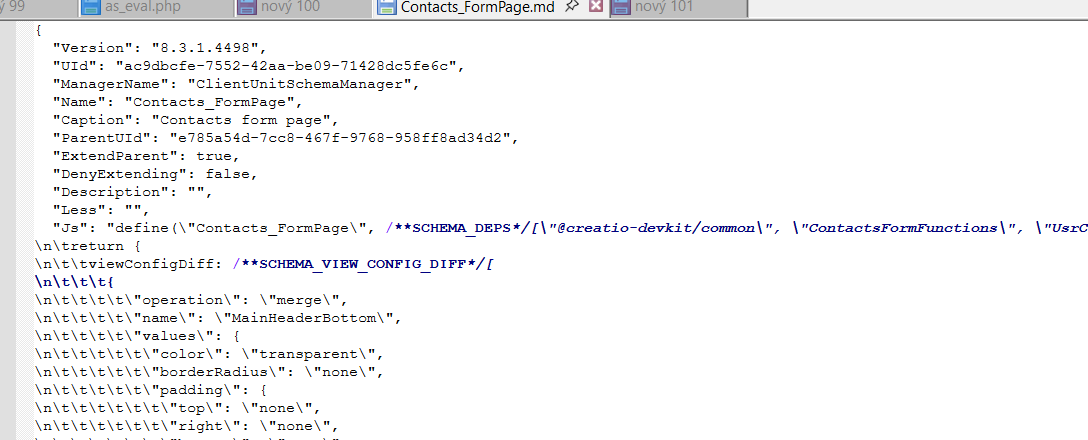
3. Locate the string "UId": "ac9dbcfe-7552-42aa-be09-71428dc5fe6c", then replace the its value with some other Guid in the whole file.
4. Locate the string with "Name": "Contacts_FormPage", in you case it will be Cases_FormPage. Replace it's value Cases_FormPage to something else, for example UsrCases1_FormPage in the whole file.
5. Locate the string "ExtendParent": true, and replace it to "ExtendParent": false
6. Locate "Caption": "Contacts form page", and change its value in the whole file.
7. Save the mofied file as a UsrCases1_FormPage.md, then upload it into Custom (or some other package).
8. Repeat this action for every page you want, the assign those cloned pages for different case types in the Case object settings.
In case you want inherit parent with possible updates, please use as a source page the one from Custom package (or some other package containing custom Cases_FormPage inherited directly from OOTB page). In that case all changes you will make in this page will be inherited to all other pages. You'd try this firstly on some test env indeed.
Please feel free to ask questions.
Dmitry S,
Thanks for the response, this feels like what I was looking for!
Will give it a shot and let you know.
Thanks again.
Rishav
Alina Yakovlieva,
Yes, As Freedom UI now allows multiple data sources, so I am thinking of Creating new Data Model for each case type and Link that to cases.
Where Cases data model being primary page source, then based on Case Type I would have different Form Pages open.
To keep things simple I might only use base templates and design for scratch.
Will try combining Dmitry's suggested approach with this.
Thanks for response.
Rishav