

How to Duplicate Files from one Form Page into another Form Page

Hi All, question please.
I want to "copy" or "duplicating" some attachment file(s) inside default feature from Creatio.
Based on document here :
https://academy.creatio.com/docs/user/bpm_tools/process_elements_reference/system_actions/process_file/process_file_element
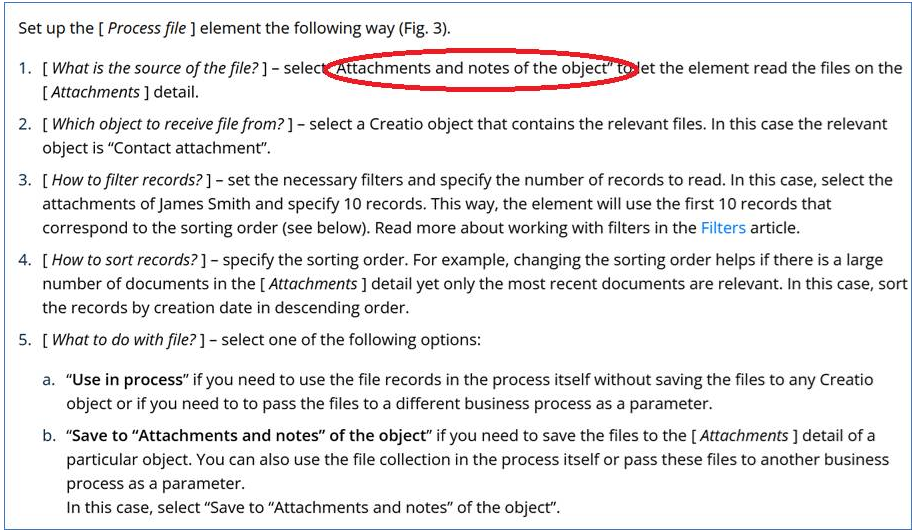
We need to find source file with “Attachments and notes of the object”, but I can not find "Attachments and notes of the object" in my environment (Business Process).
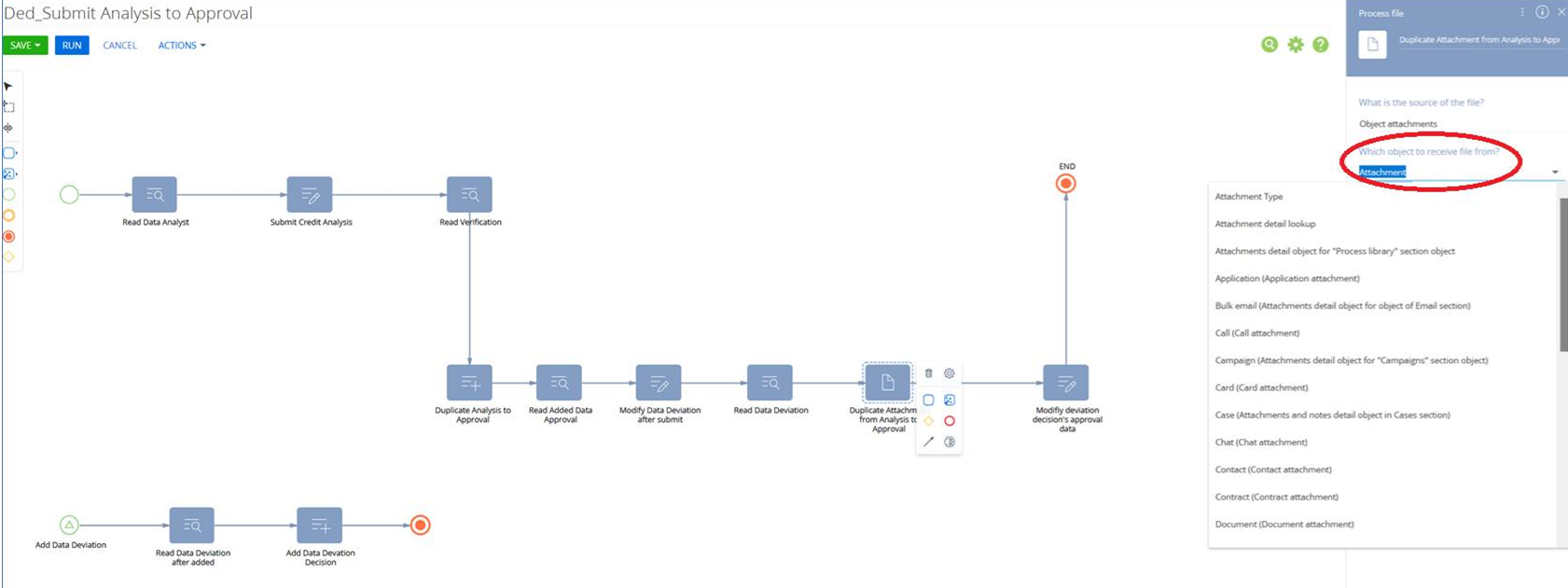
Need advice please, thank you.
Note : Studio Creatio version : 8.3.4.2753
Like
Hello.
In the following dropdown, you need to search not for "Attachments and notes" of the object exactly, but for the object that specifically stores the files bound to your object. You can also find this in the Configuration section by searching using the template "your object" + "File" object, for example AccountFile, ActivityFile, and so on.
Alternatively, you can create your own object and inherit it from the SysFile object, and then use it within the process.
Best regards,
Antonii
Hi Antonii, thank you for your feedback.
1. I open Configuration section, and I can not find template that you mention above. Capture :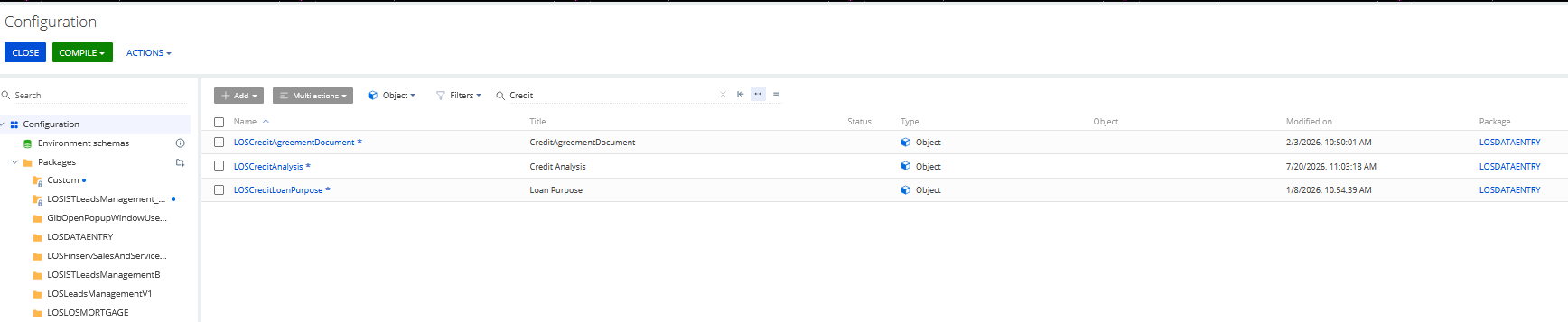
Actually this is my files :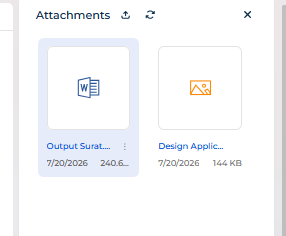
2. Do you have any link or documentation about : Create own object and inherit it from the SysFile object?
Thank you, appreciate it Antonii.
Dedi Sadikin,
Here's the correct logic for the Process File element regarding the source object:
If your object already has its own dedicated file object (for example, AccountFile, CaseFile, and so on), you should select that object as the source in the Process File element.
If your object doesn't have a separate file object — which is the case for custom objects created in Freedom UI — you should specify the main object itself (your custom object) as the source. The Process File element resolves this internally and pulls the file data from SysFile behind the scenes.
Thus, when you open the "How to filter records" step, the available filter fields belong to the "Uploaded file" object rather than your main object.
So for your case, you can go ahead and select your custom object directly as the source in the Process File element, and the filtering step will let you narrow it down by the relevant SysFile fields (such as the linked Record Id).
Let us know if you run into any issues setting this up.