Hi All,
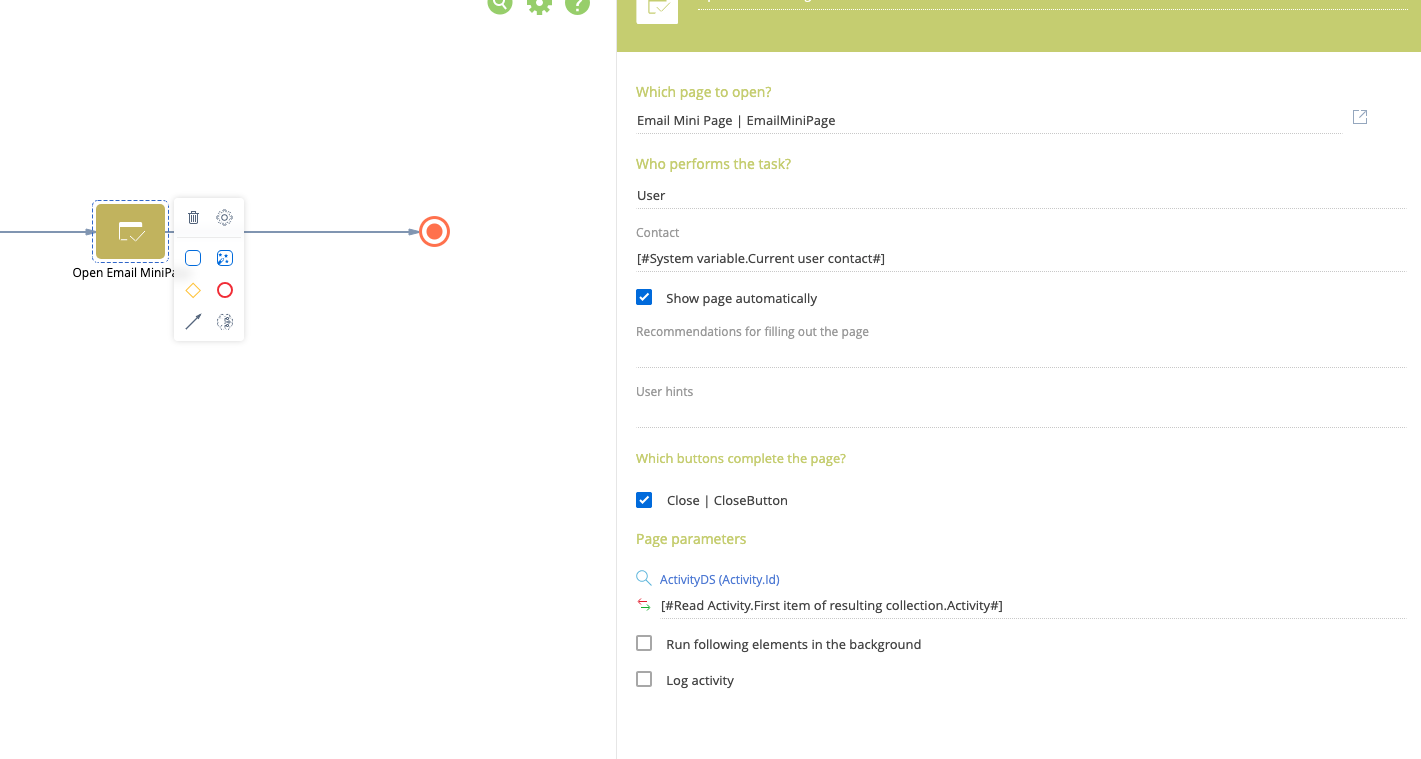
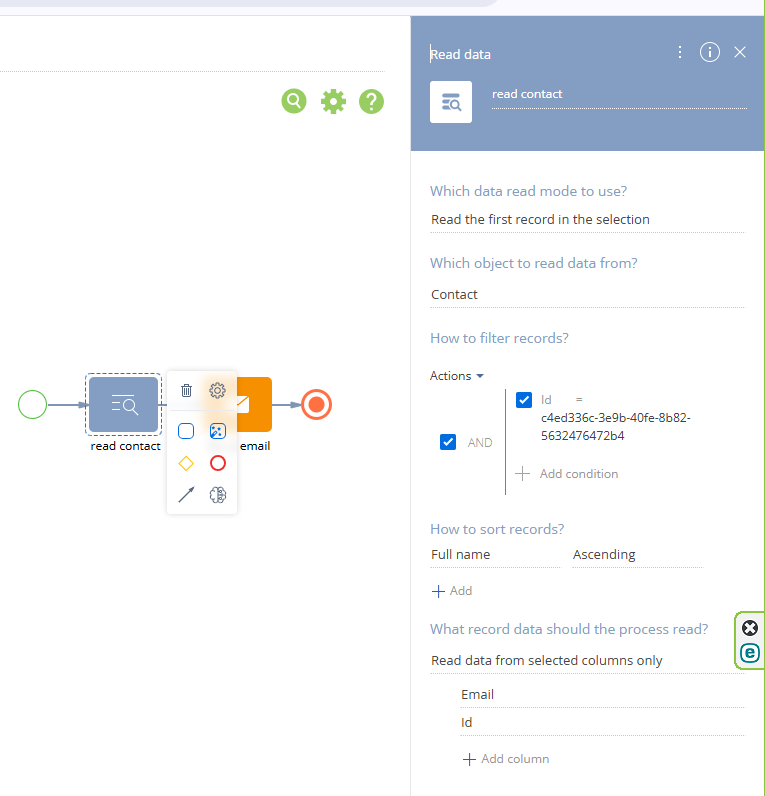
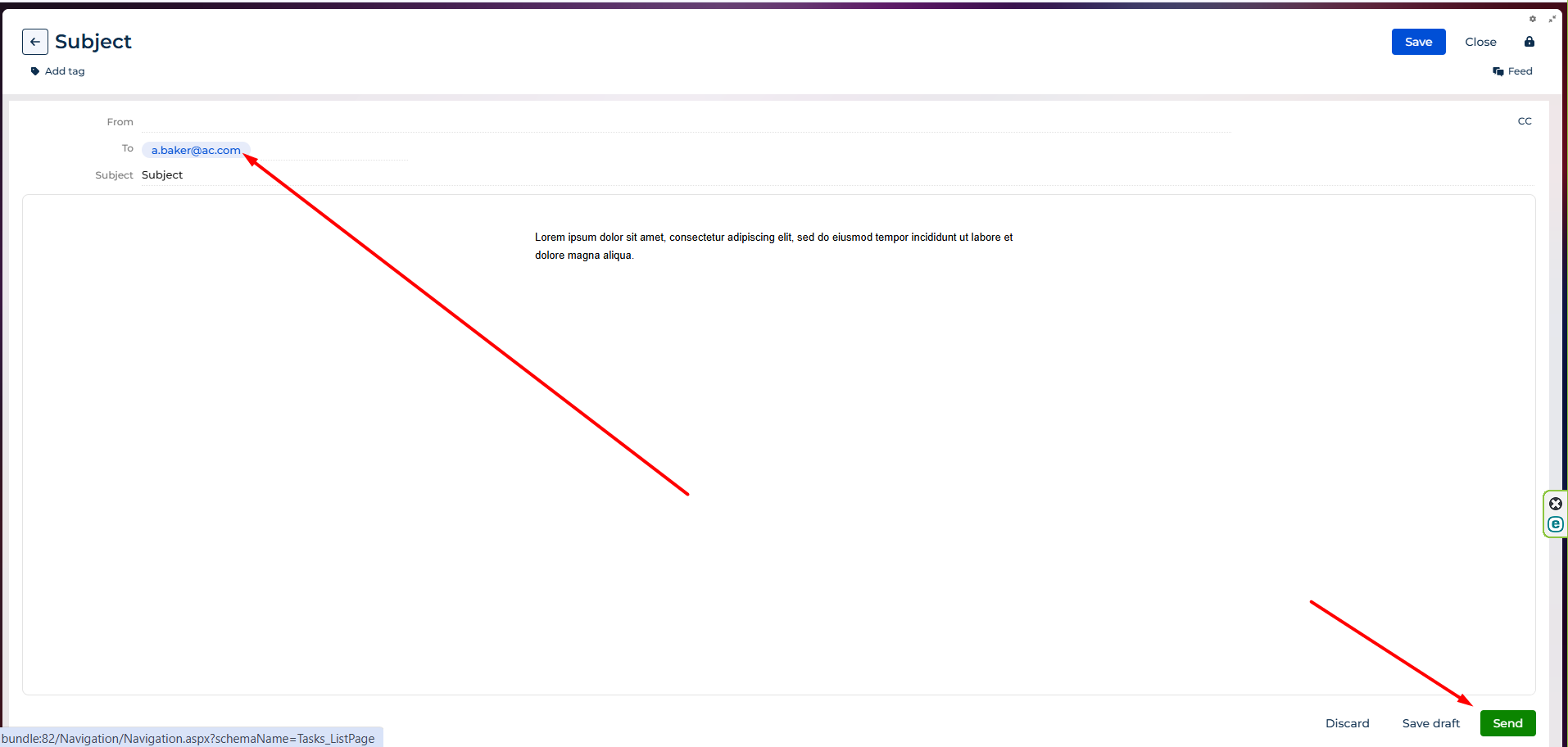
We are trying to autofill To and From in email from Creatio. We designed business process to read To and From email from contacts. We are using mini email template. How can we auto-populate to and from in the business process? Thanks
Like

Hello,
The easiest and most reliable way to implement this is by using the Send Email element in the business process.
You can configure it as follows:
1. "From" Field:
Add the Send Email element to your business process.
In the element setup, locate the From parameter.
Select a mailbox that is configured in the Mailbox synchronization settings,
or map this field to a process parameter that contains the mailbox information (this parameter should reference the Mailbox synchronization settings lookup).
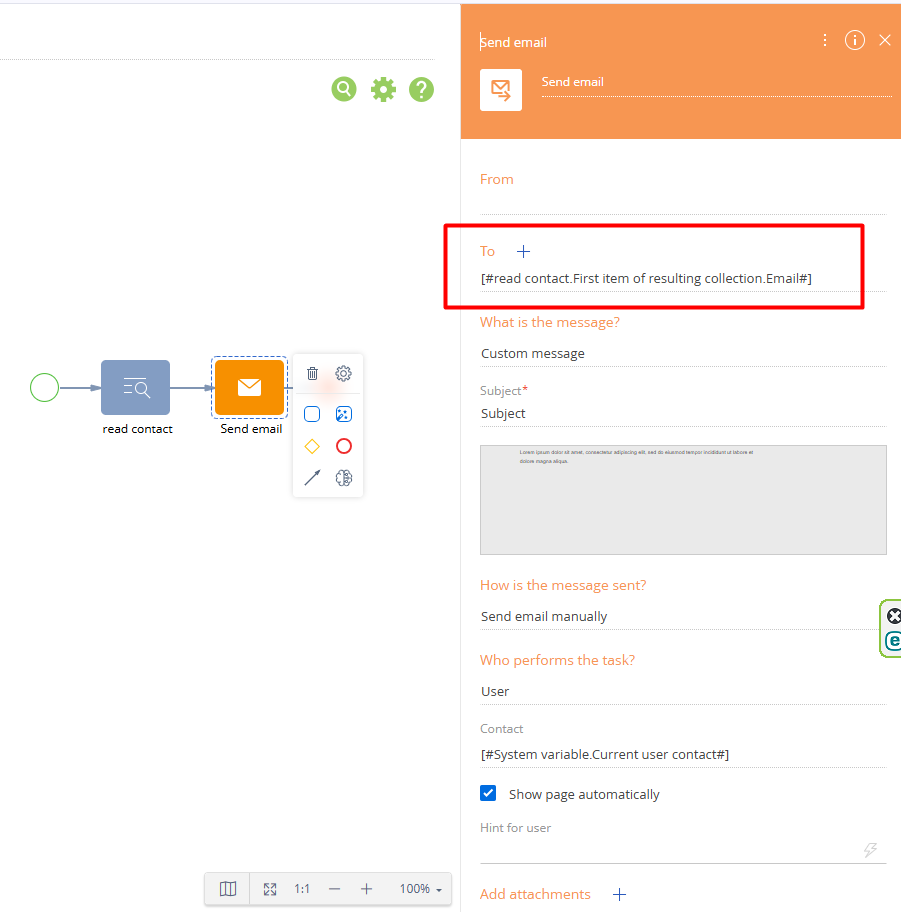
2. "To" Field:
In the same Send Email element, locate the To parameter.
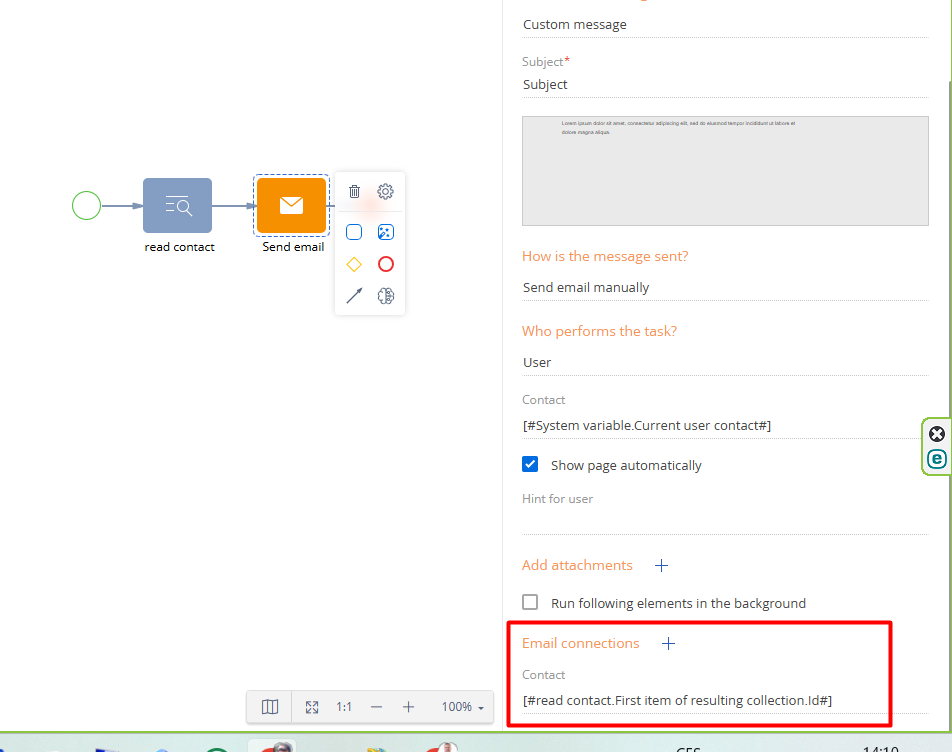
Map this field to a process parameter of type Contact or Account. In this case, the system will automatically use the primary email address specified in the Communication options of that Contact or Account.
Alternatively, you can manually specify the target email address or map the field to a parameter that contains the required email value.
Additionally, you can select the required email template within the Send Email element.
Anastasiia Zhmud,
Thanks Anastasiia - Just to clarify, we need to give a button on the UI for sending emails manually to the user. I want the email mini page to open with autofilled To and From. The user can then put subject and email body and send manually. To and From parameters are not visible on the email mini page. Am I missing anything here?