

Cases opened/closed widget — how to group by both "Assigned Team" and "Category"?

Hi Community,
I'm working on a Cases opened/closed by Assigned Team (monthly) dashboard widget and have run into a limitation I'm hoping someone can help with.
Requirement: Our Head of Department wants to view cases grouped by both Assigned Team and Category as columns in the same chart widget — for a quick breakdown at a glance.
Problem: Out of the box, the widget only allows a single "Group by" field. When I set it to "Assigned Team", I lose the Category breakdown — and vice versa. There's no built-in option to add a second grouping column.
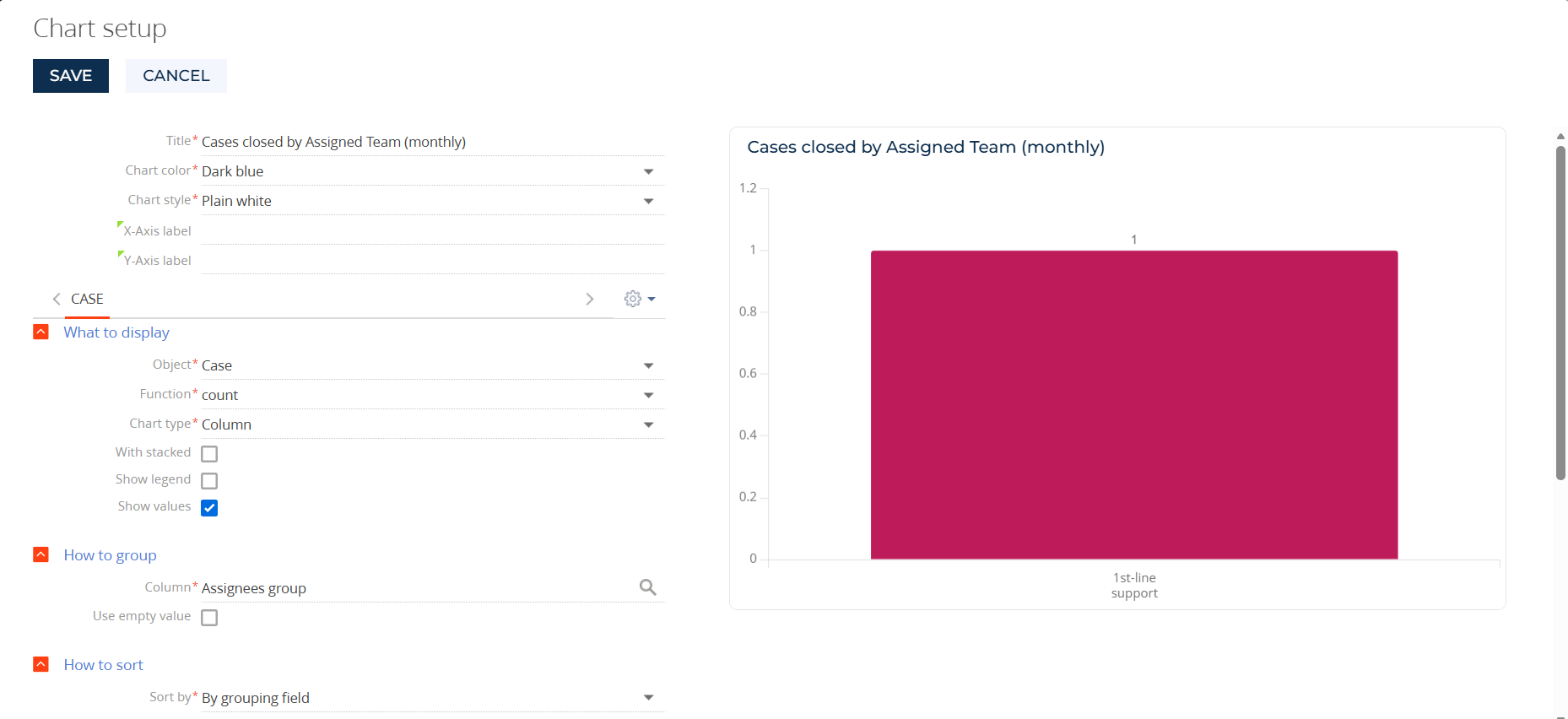
What I'm looking for: A way to group by both Assigned Team and Category in one widget — any workaround, configuration tip, or recommended approach would be greatly appreciated.
Like

You would probably need to add a new lookup object that is an intersection between Assigned Team and Category, populated with all combinations of both of those. You would then need to have a new lookup column on the Case object that references the intersection lookup object, populating it via BP/similar automatically for both historical records and new updates to Cases. Then you would be able to use that new lookup column as the grouping column.
Hello,
At the moment, the system does not support grouping by multiple columns simultaneously, and this is a current product limitation.
We have already created a task for the responsible R&D team to consider extending this functionality in future improvements.
In the meantime, Harvey’s workaround suggestion is indeed a very good approach.
Thank you as well for your idea and feedback.