

Seeking Clarification: Unexpected Package Dependencies and Circular Risks

Hello Everyone,
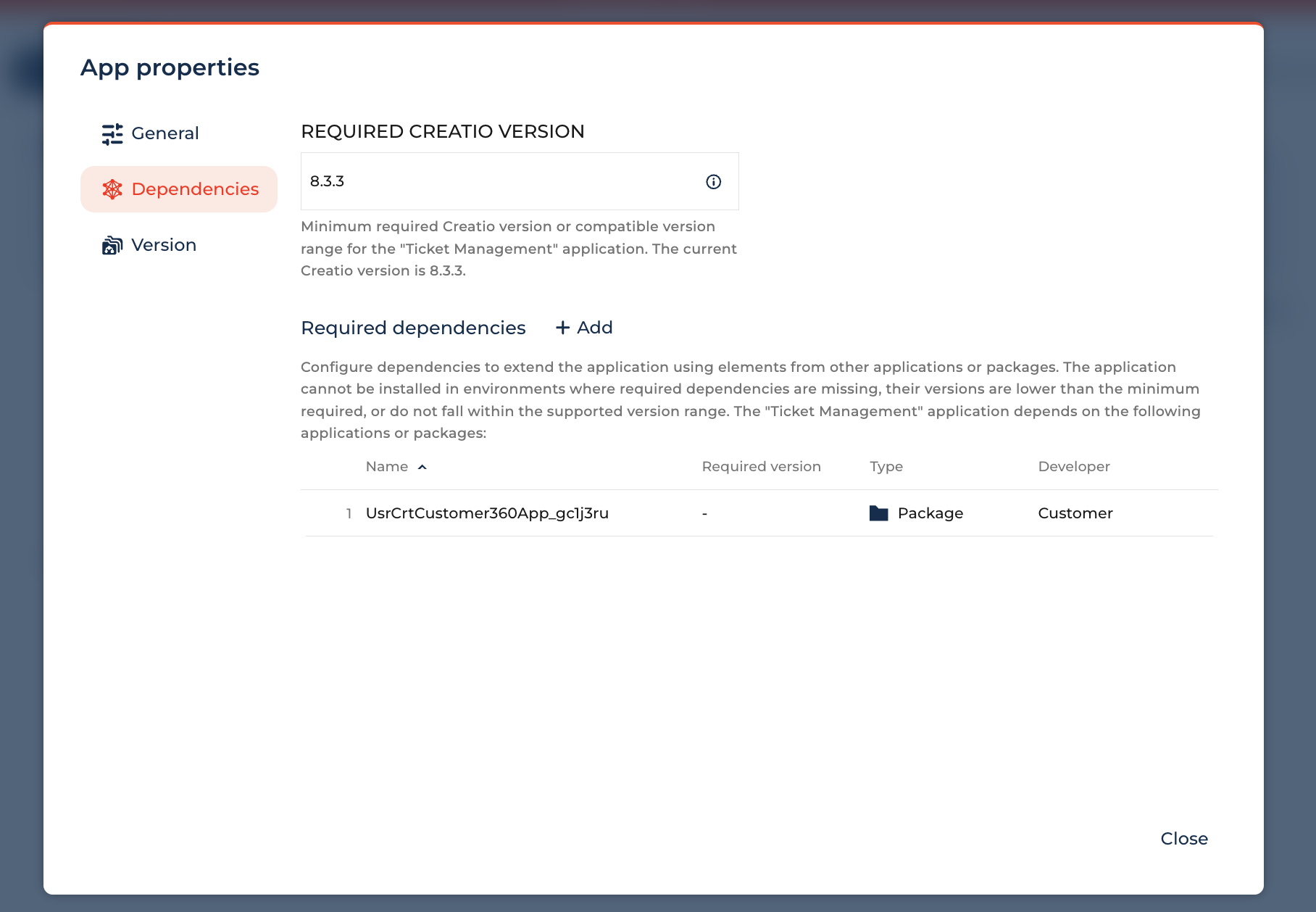
I am currently developing a new application called "Ticket Management" (mygTicketManagement). Ticket Management depend only on the Customer 360 package (UsrCrtCustomer360App) to access Account and Contact data.
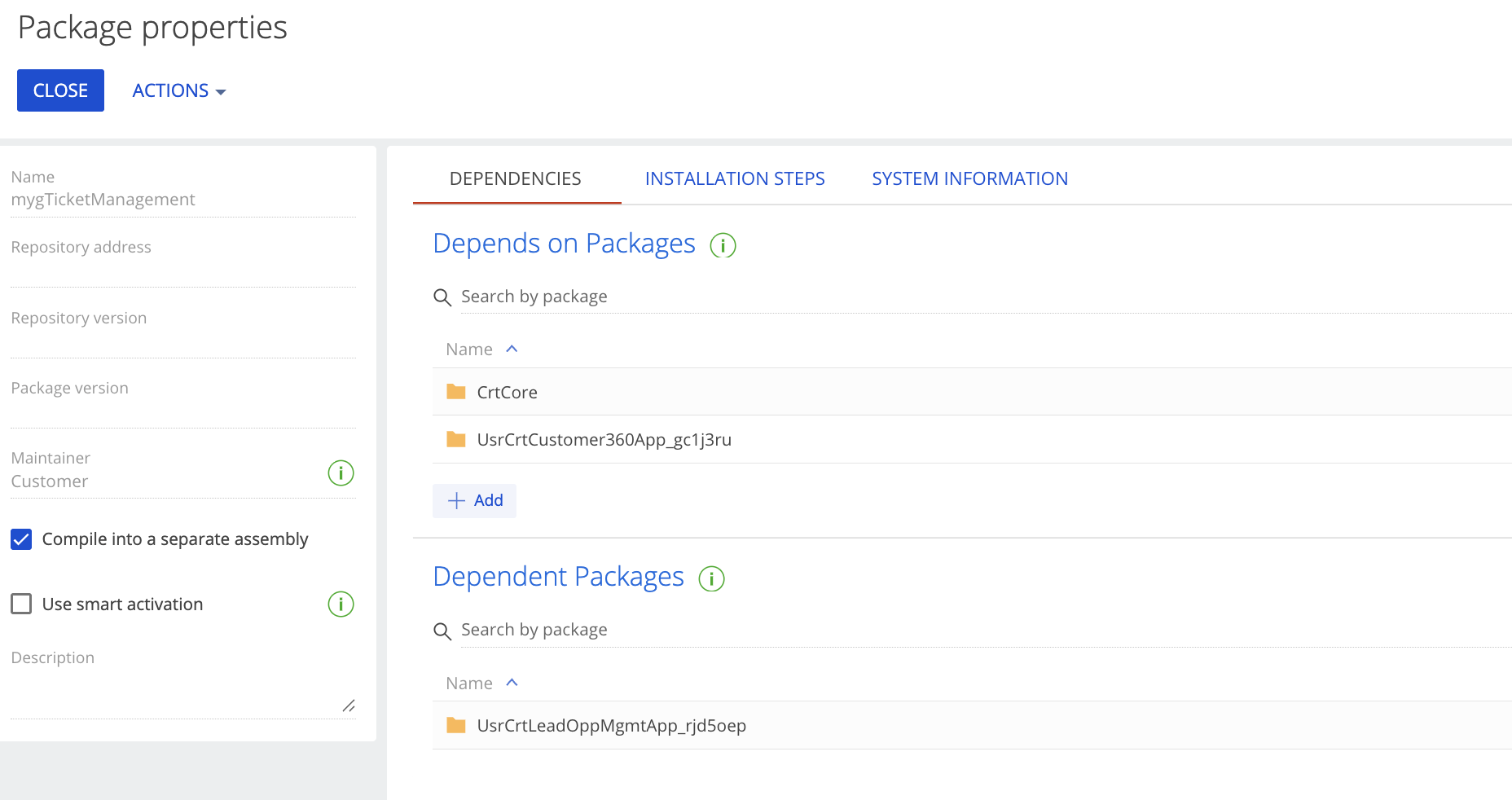
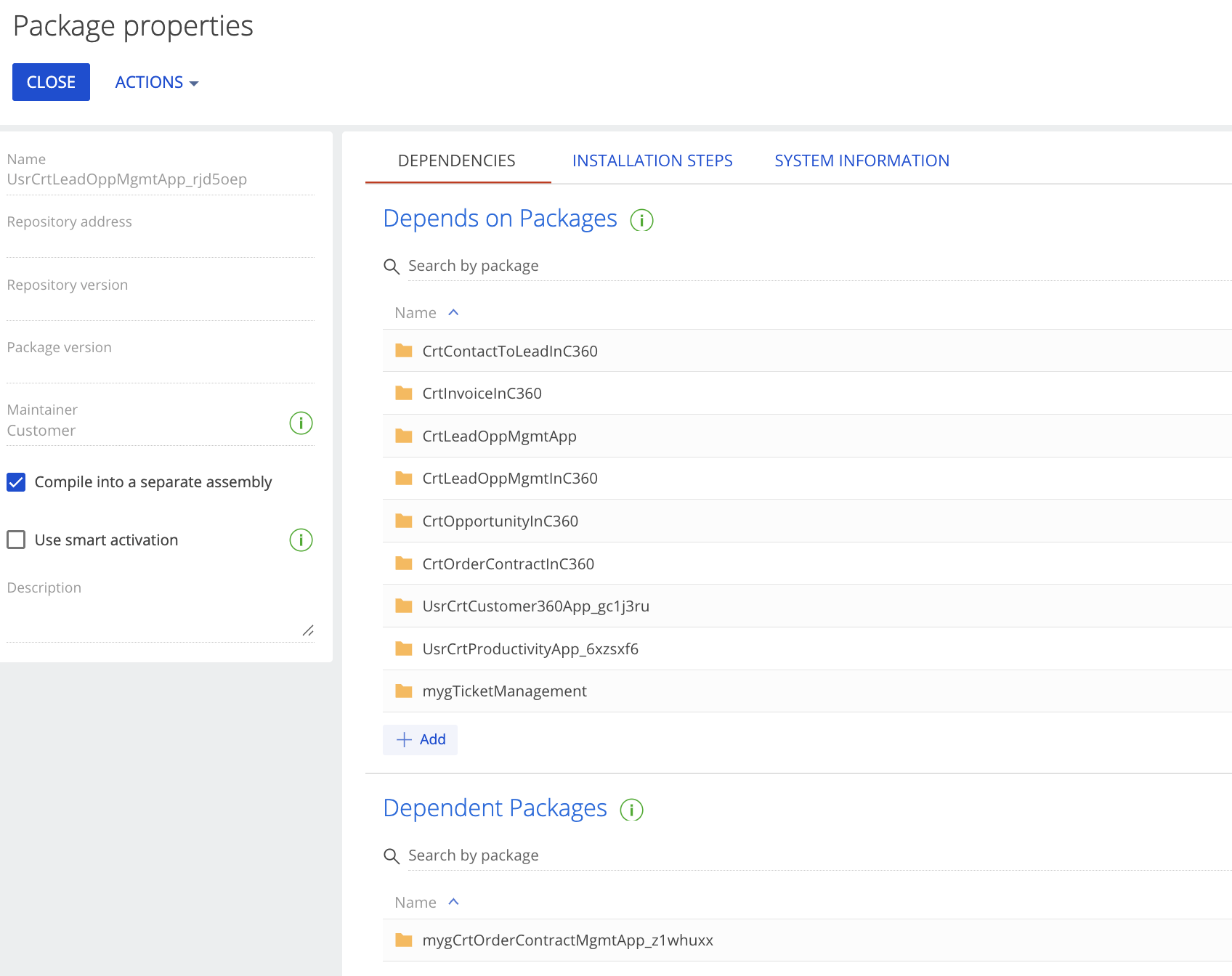
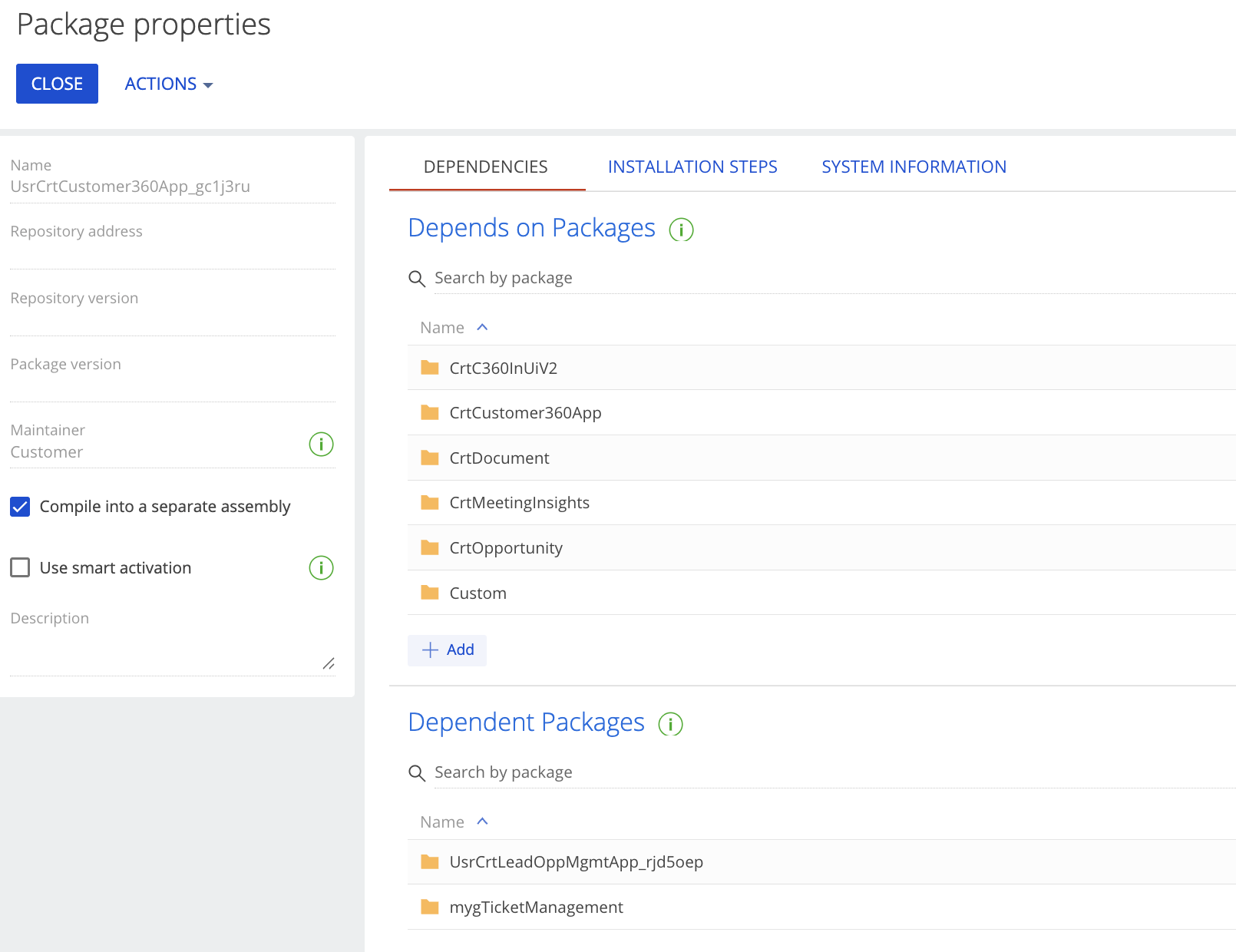
However, after checking the Package Dependencies, I found an unexpected hierarchy (as shown in the attached screenshots):
- The Issue: My
mygTicketManagementpackage is being depended on byUsrCrtLeadOppMgmtApp. - The Confusion: I am not sure how this relationship was established.
My specific questions are:
- Trigger: Does adding a Data Source (Object) from another package within the Freedom UI Designer automatically prompt or create these package dependencies?
- Validation: Is it a best practice to have a linear dependency (e.g., Customer360 -> LeadOpp -> Ticket)? I am concerned about accidentally creating a Circular Dependency which might block future deployments or compilations.
-
Cleanup: If I realized a dependency was added by mistake (e.g., Ticket depending on LeadOpp), what is the safest way to remove it without breaking the UI pages that might have "peeked" at those objects?
Current Environment: Creatio 8.3.3 (Freedom UI)
Any guidance on how to maintain a clean package structure and prevent "spaghetti dependencies" during UI configuration would be greatly appreciated!
Thank you!
Like
Hello,
Thank you for the detailed explanation and screenshots.
Based on the provided screenshots, I would like to clarify the dependency direction first.
In Creatio, the Depends on Packages section shows the packages that the current package requires. The Dependent Packages section shows the reverse relation — packages that currently depend on the selected package.
According to the screenshots:
mygTicketManagement depends on:
- CrtCore
- UsrCrtCustomer360App_gc1j3ru
UsrCrtLeadOppMgmtApp_rjd5oep depends on:
- several Lead/Opportunity/Customer 360 related packages
- UsrCrtCustomer360App_gc1j3ru
- UsrCrtProductivityApp_6xzsf6
- mygTicketManagement
Therefore, the current dependency chain appears to be:
UsrCrtLeadOppMgmtApp_rjd5oep → mygTicketManagement → UsrCrtCustomer360App_gc1j3ru
From the screenshots, there is no direct circular dependency between mygTicketManagement and UsrCrtLeadOppMgmtApp_rjd5oep, because mygTicketManagement does not depend on UsrCrtLeadOppMgmtApp_rjd5oep.
Regarding your questions:
Can Freedom UI Designer create package dependencies automatically?
Yes, dependencies can be added when configuration elements in one package reference elements from another package. For example, this may happen when a page, section, business process, object, lookup, data source, or other schema stored in one package uses an object or component from another package.
So if a page or configuration element from UsrCrtLeadOppMgmtApp_rjd5oep references an object, page, detail, lookup, or schema from mygTicketManagement, Creatio may require this package dependency to ensure the correct installation and compilation order.
Is a linear dependency structure a best practice?
A controlled layered structure is recommended, but feature packages should not depend on each other unless this is intentional.
A clean structure would usually look like this:
Base / Core packages → Shared application packages → Feature packages
For example: CrtCore → Customer360 → TicketManagement
This is acceptable if Ticket Management really uses Account and Contact data from Customer 360.
The recommended structure in your case would be: UsrCrtCustomer360App_gc1j3ru -> mygTicketManagement
And UsrCrtLeadOppMgmtApp_rjd5oep should depend on mygTicketManagement only if Lead/Opportunity functionality intentionally uses Ticket Management components.
At this stage, based on the screenshots, there is no confirmed circular dependency. The main recommendation is to investigate why UsrCrtLeadOppMgmtApp_rjd5oep has a dependency on mygTicketManagement and remove it only after confirming that no active configuration elements still reference Ticket Management components.

Phanumas Liawsakulaphichai,
By default, Creatio now determines which package to save a Freedom UI page into based on the object hierarchy. If you want to force Creatio to use your "Current Package" system setting instead, follow these steps:
1. Access Feature Toggling
Navigate to the feature management page by appending one of these to your Creatio URL:
/0/flags(Fastest)/0/Shell/#Section/AppFeature_ListPage(Freedom UI)
2. Disable the Logic
Locate the following feature code: if not create
Feature-UseSchemaDesignPackageUIdByHierarchy
- Action: Toggle OFF both "Is enabled" and "Is enabled for current user."
- Finalize: Click the Clear cache button.
3. Expected Behavior
Once disabled, the editor will respect your Current Package system setting.
Note: The system will still prioritize a specific package if you:
- Open the page directly from the Application Hub.
- Open the page from a specific package within Configuration.
Best,
Bala.