

Not able to delete default column in list when displaying QueueItem

Hello,
I have noticed that configuring a list to display Agent desktop queue element (QueueItem) always results in the default column displaying 'Column removed'. It is pointing to Caption of QueueItem.
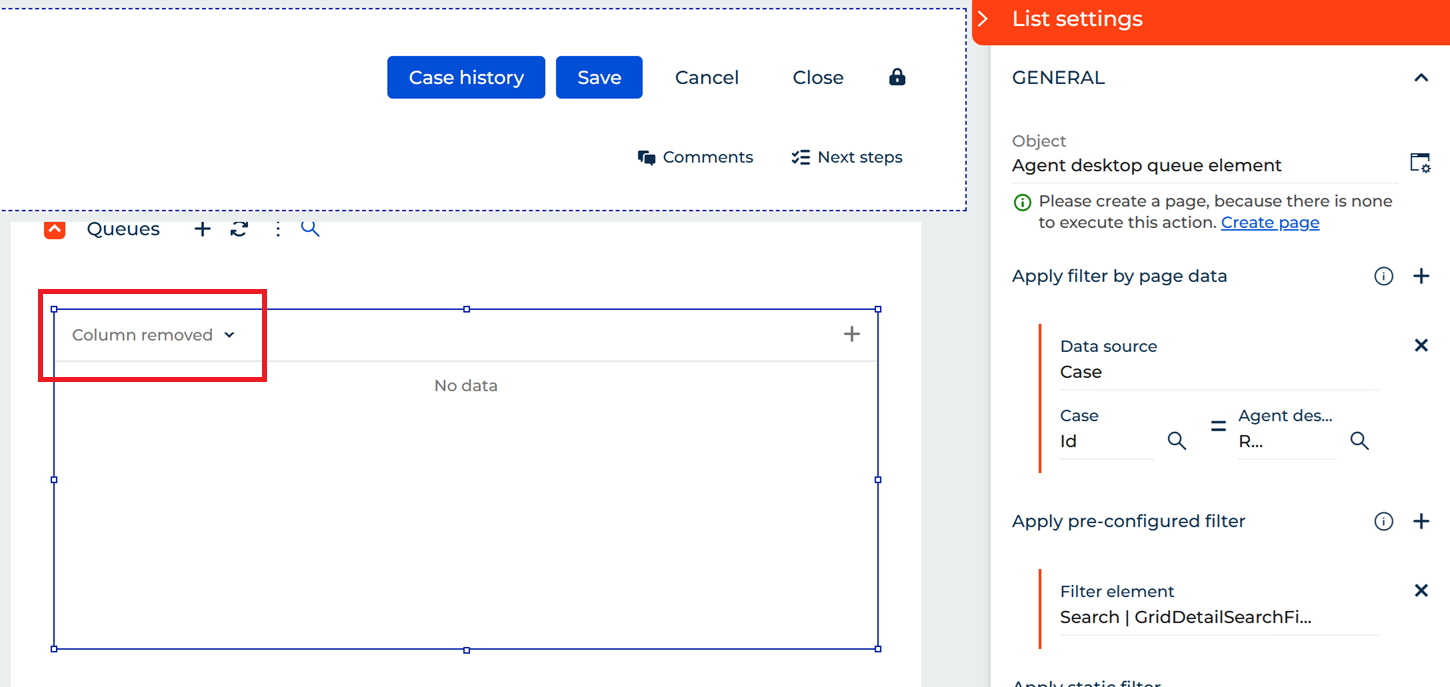
When you try to remove it (hide) and save you will be unable to open the page in no-code configuration. Console returns: Cannot read properties of null.
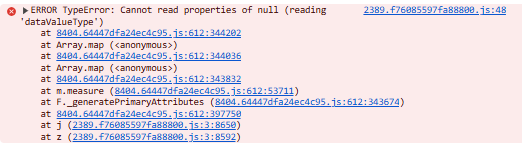
Essentially we have to display this default column or the page breaks in configuration. From UI perspective it opens regardless.
I have observed this in multiple environments with versions 8.2 and higher.
It is not a big issue but I am wondering if anyone has encountered this or has a solution for this.
Like

The thing is this happens when you add a new list for Agent desktop queue element. No previous configuration at all. I even tried this on demo environment and it is the same. This seems to be an issue with ootb functionality but maybe there is a known fix?
Greetings,
This type of issue usually occurs when columns configured in the user’s runtime settings are no longer available in the system. It appears that the columns previously configured for this user may have been deleted, which is why they can no longer be displayed.
In this case, we recommend either resetting the column configuration to the default settings or removing the affected columns and adding the required ones again.
If the issue still persists, please feel free to contact us at support@creatio.com, and we will be happy to assist further.