

Question
Case-insensitive text search in the Read Data business process element

08:17 Feb 19, 2026
Hello,
How can I make text search case-insensitive in the Read data element of a business process?
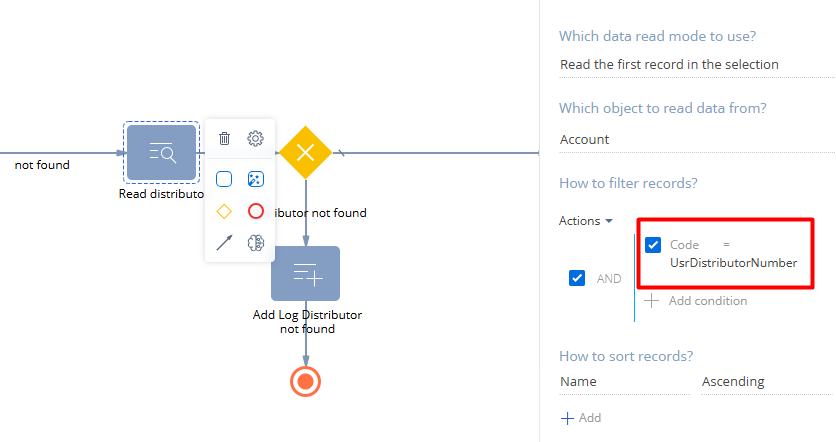
Different third-party systems write the same code using different letter cases, and because of this the business process doesn’t find an already existing record.
Like
1 comments

10:58 Feb 19, 2026
Hi Vladimir. The best way to solve this case without coding (using esq or smth) is to do the following:
- In Account schema add a column with no use in UI - UsrCodeLower.
- Create some event-based process to fill this value in case of saved new Account record with Code filled or changed Code field in existing account with the following parameter [#Read account.First record in the resulting collection.Code#].ToLower() then modify Account's UsrCodeLower with it's value:
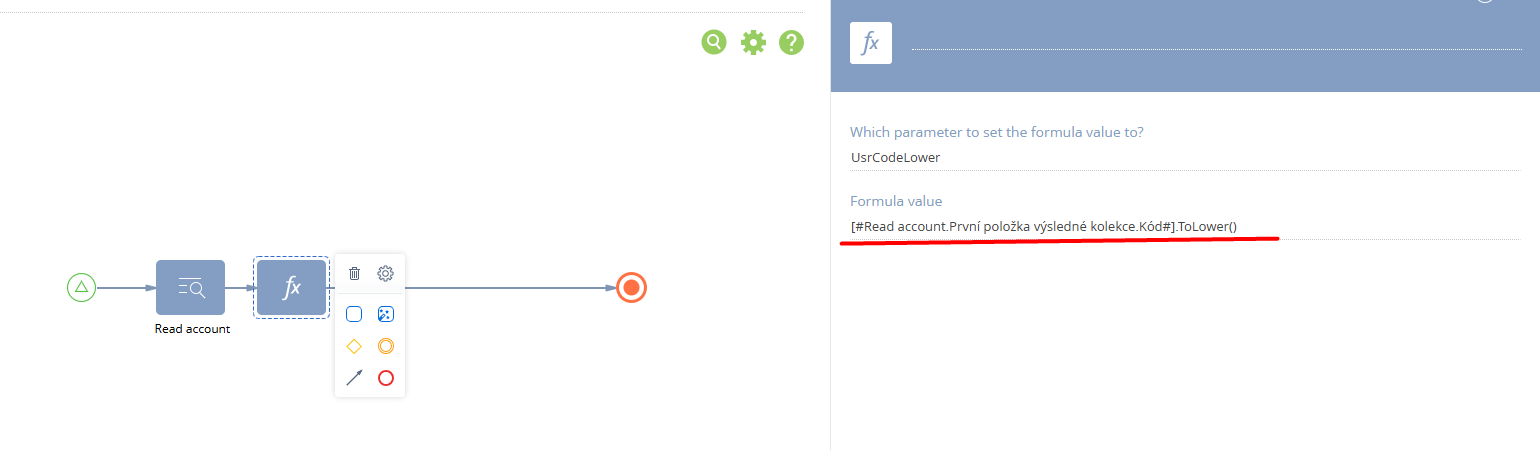
3. Add to your process for looking for an account by code (this one on the screen) some parameter for "lowered" code value: UsrDistributionNumberLower = UsrDistributionNumber.ToLower().
4. In the Read data element replace Code with UsrCodeLower and the parameter to UsrDistributionNumberLower.
As both values will be in lower case, this should do.
Show all comments