FreedomUI
Studio_Creatio
Development
Studio_Creatio_enterprise_edition
8.0

Hello,

Currently working on customizing our portal to have the exact colors for branding guidelines. I noticed that graphs only have a small set of specific colors to pick from, and it does not seem possible to override using MainHeaderSchema  replacing view since it is rendered via a Canvas element. I was wondering if it was possible to go in and actually replace the values of the enums for colors found in ModuleSectionEnums within the CrtWizard7x package. We are also on cloud.

Any information would be super helpful! Thank you!

Like 0

Like

0 comments
Show all comments
MultiSelectLookup
FreedomUI
Development
sorting
Studio_Creatio
8.0

Hello Community,

I'm struggling with the MultiSelect Lookup component in Freedom UI. I need to sort the available options in the dropdown by a specific Integer column (NcsOrden) instead of the default Name column.

I've already successfully implemented the Predefined Filter in the viewModelConfigDiff to filter the records, but I can't find a way to change the sort order.

What I've tried so far:

  • crt.LoadDataRequest Handler: Adding a type: "sorting" object to request.parameters. This triggers a TypeError regarding a 'type' property being undefined in the core JS.
  • viewModelConfigDiff: Adding sortingConfig to the attribute. This causes the page to crash with a TypeError in _loadStaticModel.

Has anyone successfully managed to sort a MultiSelect list by a column other than the Primary Display Column? If this is not currently supported via No-Code or standard Handlers, what would be the recommended approach?

Thanks in advance!


Julio Falcon

Like 1

Like

2 comments

Hello,
Thank you for pointing this out. As far as I know, there is no explained way to apply custom sorting rules to a multiselect lookup. The dedicated idie have already been registered to our R&D team. As a workaround, you can change the lookup select from dropdown to window, and there configure the needed sorting in the UI. 

+1 for selecting an order

Show all comments

Hi everyone,

I've set up Clio successfully before on other machines, but on this new Windows 11 setup I'm hitting a wall with cliogate installation and can't find a way through.

I'm currently traveling and don't have access to my other machine to compare, so any help to unblock this would be much appreciated.

Environment:

  • Creatio: 8.3.2.4199, .NET Framework, IIS, PostgreSQL
  • Clio: 8.0.2.67
  • OS: Windows 11, IIS 10
  • URL: local IIS instance on port 8020
  • IsNetCore: false

What works:

  • clio ping -e MyEnv → success
  • clio packages -f cliogate -e MyEnv → shows cliogate 2.0.0.31 pre-installed
  • Installing my own .zip packages via ApplicationManagement UI → works fine

What fails:

  • clio install-gate -e MyEnv → uploads then throws EnsureSuccessStatusCode
  • Manual upload of cliogate.gz via ApplicationManagement UI → 400 Bad Request
  • Manual upload of cliogate as .zip → 400 Bad Request
  • clio generate-pkg-zip + upload → 400 Bad Request

The IIS log shows no entry for the failed upload requests — the 400 happens before IIS logs it. InstallZipPackage.log shows no entries for the cliogate upload attempts either.

Current state: the instance has cliogate pre-installed at version 2.0.0.31. Clio 8.0.2.67 requires 2.0.0.32 or higher, so it reports: "To use this command, you need to install the cliogate package version 2.0.0.32 or higher".

Questions:

  1. Why does PackageInstallerService return 400 for cliogate specifically, while other packages upload fine?
  2. Is there a way to upgrade cliogate from 2.0.0.31 to 2.0.0.41 without the upload mechanism?
  3. Is there an alternative download for the cliogate package compatible with Creatio 8.3.2?

Thank you


Julio Falcon

Like 1

Like

1 comments

Hello.

Please try deleting the existing cliogate package and then try reinstalling it from the scratch.

If this won't help, please reach out to the Support team for assistance.

Show all comments
package
8.3.1
Development
merge
object
Sales_Creatio_enterprise_edition
8.0

How can I properly merge 2 replacing Object schemas that are in different packages so that we can just end up with a single replacing Object schema in the desired package?


Say for example we have a replacing schema for Contact in one package, and another replacing schema for Contact in another package. Each of these changes adds 1 column, let's say UsrColumn1 in Package A and UsrColumn2 in Package B. In order to clean up the package structure, we want to merge this all into Package A, so there will be only 1 replacing Object schema for Contact. How can we go about doing this in Creatio?


Recreating the column in the Package A replacing Object schema will not be ideal, as there are BPs and other areas that may use the Colum UId, which would be different if recreating the same column name in Package A, so this will lead to breakages that have to be fixed on a case by case basis. Not tenable if there are more changes than just this toy example.


Would it be possible to merge them manually using the metadata's "Modifications" editor? As this allows editing and saving, so perhaps this is the expected way? The Modifications metadata also appears to be what gets saved to the file system in FSD (fileDesignMode), so it seems the most likely answer. This isn't great for ensuring every change is merged, as there seems to be a lot of "noise" in terms of lines that don't actually appear to be specific changes made in that replacing schema, but might be ok for basic column moving.


Are there any other options I'm missing? It would be so useful to have this kind of merging built into the platform, but I'm guessing it's not available to us.

Like 6

Like

11 comments
Best reply

best way for me. on development/sandbox system

  1. export schema metadata from both packages (save it for backup)
  2. open both schema metadata in editor (Visual Studio or any other)
  3. move desired columns from source schema to target. target package in my cases is lower in hierarchy (higher - if you look on Package Hierarchy in )
  4. change values of PackageUId (A5) in every column metadata
  5. change values of SchemaUId (A3,A4) in every column metadata
  6. add UId of moved columns to ~ MetaData.Schema.D2 array
  7. move all localizable values for moved columns from source schema to target
  8. import source schema metadata
  9. import target schema metadata
  10. generate source code for both (may be better for all same schemas)
  11. update database structure (target schema - first, cause it contains moved columns, then source schema)
  12. if everything good - compile all
  13. if not - import backed up schema metadata

    check data in moved columns

    if everything good: install app, containing both packages to the pre-prod system, check data in DB tables, check localizable values for column title, business-processes, may be pages. install to the prod system

    if you have source package and target package in different apps or there are standalone packages, - install target package first to avoid data loss

+1

+1

+1

Quick update on what I found when attempting manually merging the Objects' metadata (using the "Modifications package" area):

  1. It seems to work for the most part with a very simple change (2 columns in my case)
  2. It is time-consuming checking through the cryptically-named values and trying to cross-reference against the "Metadata (Ready-Only)" area, and liable to mistakes
  3. Some parts I just ended up ignoring the differences on, e.g. on Contacts there was a lot of supposed changes to "SynchronizeAnniversary" items, that were under MetaData.Schema.EG1.BK15 in the modifications package (MetaData.Schema.EventsProcessSchema.Mappings array in "Metadata (Read-Only)" area) as I don't believe there were any changes made there. This seems like it could be a point where things fall down though.
  4. One thing that isn't stored in the "Modifications package" diff is Localizable strings, so field names can't be manually merged in this way. I fixed this ad-hoc by setting the field names for the moved columns, but it's obviously not ideal. An alternative approach worth considering is exporting the Object schemas (resulting in a .md file) and doing a manual merge there, before re-importing into the desired package, as the .md files do have the localizable strings in them
  5. Another pitfall of this method was that some of the data couldn't just be copied over from the to-be-removed Object to the surviving Object, it had to be modified. Namely the "A3" and "A4" properties (corresponding to CreatedInSchemaUId and ModifiedInSchemaUId) as not setting them to the target package's UId's would throw errors when publishing the surviving Object

I might update further on attempting a .md file merge of a slightly more complicated setup.

Overall, it definitely doesn't seem to be an ideal way to perform this for more substantial sets of changes. Really would benefit from information from Creatio about how they would advise this to be done.

best way for me. on development/sandbox system

  1. export schema metadata from both packages (save it for backup)
  2. open both schema metadata in editor (Visual Studio or any other)
  3. move desired columns from source schema to target. target package in my cases is lower in hierarchy (higher - if you look on Package Hierarchy in )
  4. change values of PackageUId (A5) in every column metadata
  5. change values of SchemaUId (A3,A4) in every column metadata
  6. add UId of moved columns to ~ MetaData.Schema.D2 array
  7. move all localizable values for moved columns from source schema to target
  8. import source schema metadata
  9. import target schema metadata
  10. generate source code for both (may be better for all same schemas)
  11. update database structure (target schema - first, cause it contains moved columns, then source schema)
  12. if everything good - compile all
  13. if not - import backed up schema metadata

    check data in moved columns

    if everything good: install app, containing both packages to the pre-prod system, check data in DB tables, check localizable values for column title, business-processes, may be pages. install to the prod system

    if you have source package and target package in different apps or there are standalone packages, - install target package first to avoid data loss

Thanks Oleksandr, that more or less matches the approach I just did with the .md file (the file you get when exporting an individual schema) so glad to hear you have gone down this route and it seems to work. Very manual process though, especially when you see changes you don't expect to see like I was seeing with the SynchronizeAnniversary object ProcessSchemaMapping elements. Would be very useful to have this functionality built into the system!

+1

Hello,

Thank you for your idea. At the moment, we do not have user tools available for merging schemas.

We have created a task for the development team to review this suggestion and consider implementing it in future updates.

Regards,
Orkhan

Orkhan,

Thanks Orkhan, it seems to be a relatively popular request - I expect due to the changes in how Creatio handles custom development by creating new packages automatically in many cases, which are then often wanted to be condensed into a proper package structure for bundling into an app for deployment. Hope all this context will be conveyed in the dev task for consideration.

Any news on whether this has been added to the roadmap?

+1, it can quickly become messy and complex to resolve those kind of issues, a native functionality to merge Schemas of any kind without having to manually merge code would be a great addition to the Platform Functionality. 

Especially, as the knowledge needed to perform some of these steps is not documented officially and goes beyond what can be expected of No-Code Developers.

Best,
David

Show all comments
FreedomUI
Development
Client-side
marketplace
Studio_Creatio
8.0

Hello guys, I'm fairly new to Creatio, but I've seen there are a couple of functionalities that are missing. Some have never existed in Creatio and some others were in Classic but not available anymore. 

Right now I'm interested in calculated metrics, but for freedomUI. And maybe something similar for DataGrids

From what I see, It's seems possible for developers to make their own add-ons to provide certain functionalities and probably later put in on the marketplace.


I guess the normal procedure is reading the source code of the base packages of Creatio and seeing how you could edit them by importing/exporting/extending classes. Probably would help to downloa other marketplace freedomUI products and trying to see how did they do it


But well, I was wondering if someone that has had any experience in it maybe has some tips available before embarking into that journey

Like 1

Like

1 comments

Hello,


At this time, we don’t have a Calculated Metrics add-on that supports the Freedom UI. However, this functionality is on our development roadmap and is anticipated for release in versions 8.3-8.4, as it relies on advanced calculation features currently in progress for 8.2-8.3.

You can also take a look at the Custom Freedom UI page components article that provides instructions on developing your own components:

https://academy.creatio.com/docs/8.x/dev/development-on-creatio-platfor…

Show all comments
Discussion
clio
Git
Development


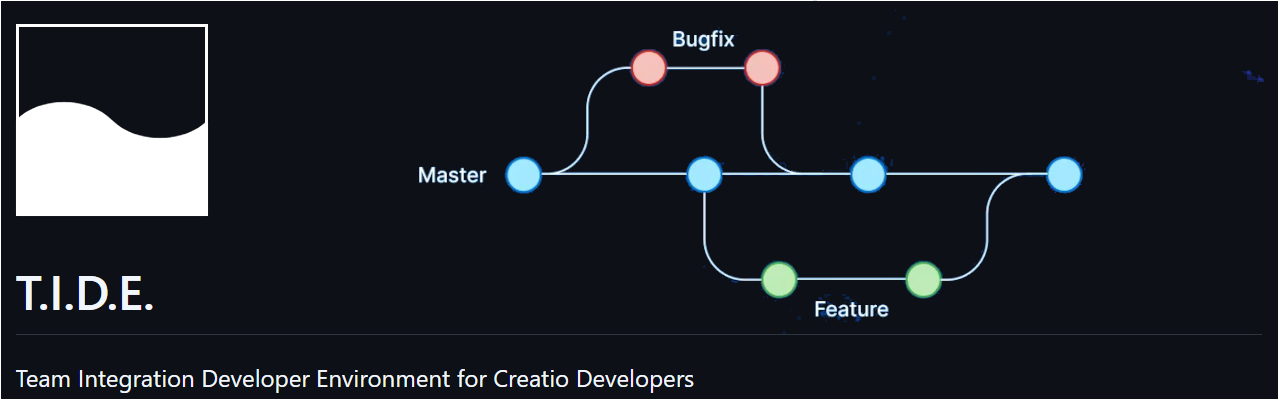
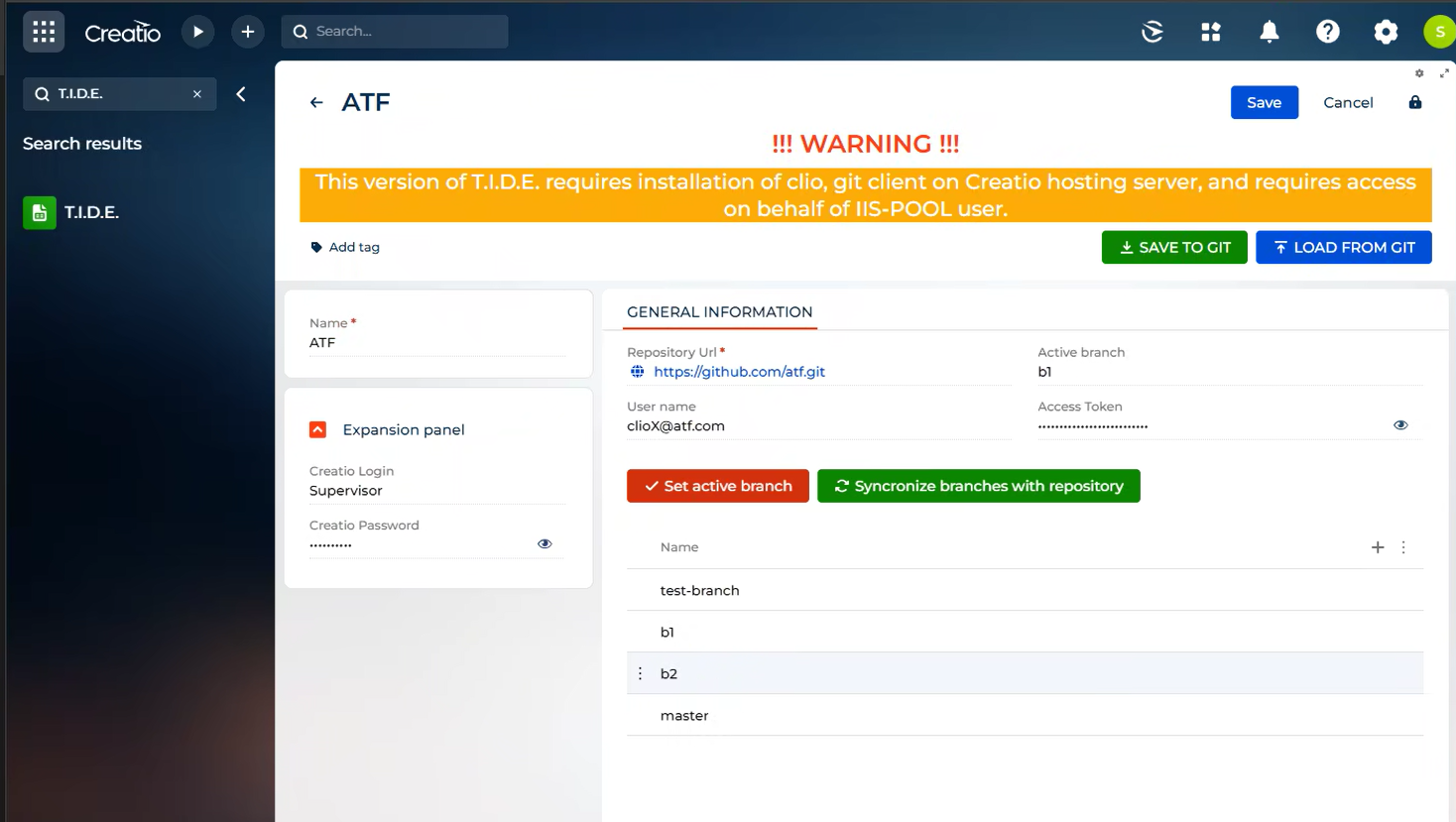
Hello, the new T.I.D.E. version 1.2.1 received support work with branches

Now you can load the list of branches from your git repository and load packages from branch to environment


P.S. The next release will include the ability to link your app to a new repository and create branches directly from Creatio.


2 comments

pr and conflict resolver editor to add :)  make creatio a git client

Dmytro Oliinyk,

Hi, thanks for your interest. Now, we plan more deep integration with GitHub, Bitbucket, and GitLab and their tools. But in the future, it can be included inside the T.I.D.E. or even as part of a Creatio platform. 

Show all comments
date
FreedomUI
tasks
Lead
Javascript
Activity
parameter
Development
Studio_Creatio_enterprise_edition
8.0

Hello Community,

We have created a button in Leads_FormPage that opens AddTaskMiniPage

Code in Leads_FormPage that opens the AddTaskMiniPage

  {
        request: "usr.OpenTaskModalPageRequest",
        handler: async (request, next) => {
            const handlerChain = sdk.HandlerChainService.instance;
            await handlerChain.process({
                type: 'crt.OpenPageRequest',
                schemaName: 'AddTaskMiniPage',
                $context: request.$context,
                scopes: [...request.scopes]
            });
            return next?.handle(request);
        }
    }		,


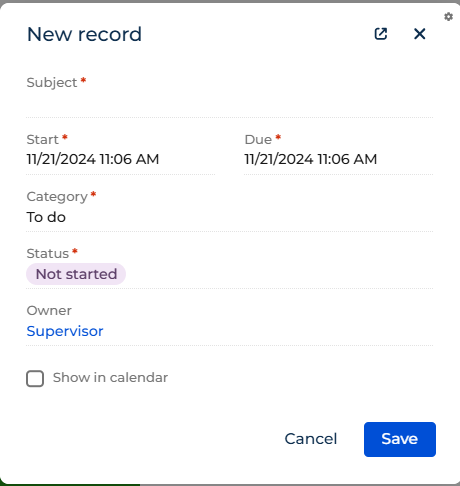
Our end goal: We want that upon the Activity is created (Save button clicked in AddTaskMiniPage) the value of 'Start' field in AddTaskMiniPage, is copied to another Date field in the Leads_FormPage.

How can this be acheived?

Regards

Sasor

Like 0

Like

3 comments

Hello Sasori,

You can try using BP for this case. For example, when you save a record in a mini page, you also run a business process that will update a value in your lead record. You pass date value to the BP and set (update) relevant field in the lead record. 
 

An easy way to accomplish this is to just use a process with a signal of Activity added with Type=Task, Category=To do, Lead is filled in. Then update the lead with the date. If you have live data updates enabled for the Lead object you'll even see the screen refresh with the value. 

Ryan

Ryan Farley,

Thank you for your input! However, the challenge with this approach is that there might be multiple activities associated with a single Lead that have this specific configuration (Type = Task, Category = To Do, Lead is filled in).

Would it be possible to handle this scenario directly via the Frontend instead?

Looking forward to your thoughts!

Show all comments
local
Development
VisualStudioOnline
debugging
client code debugging
debug
7.12

Hi everyone!


I'm a brand-new developer in Creatio. I've installed the app on my local IIS, and it works fine. Now, I'd like to start debugging/developing in Visual Studio, but I haven't been able to find any useful documentation. Could someone explain the steps in simple terms? Thanks!

Like 1

Like

2 comments

Development tools | Creatio Academy

External IDEs | Creatio Academy

Back-end debugging | Creatio Academy

I'd be interested to know what instructions you followed to install the app.

Gareth Osler,

Thanks for links! 

I followed this :
https://www.youtube.com/watch?v=lf-yWsJ4p0Q&list=PLnolcTT5TeE3v8WGd3Vql…

Show all comments
local instance
Development
Sales_Creatio
8.0

Hello everyone,

We’re currently using Creatio 8.XX as a SaaS solution. I’d now like to set up Creatio in my local environment for development purposes. Could anyone guide me on where I can download Creatio for local installation? I couldn’t find a download link for a zip file in the documentation.

Thanks!

Like 0

Like

1 comments

Contact support and they can provide the installation files.

Show all comments
Development
dependencies
8.1
8.1.3
npgsql
.net6.0
namespace

Problem Description
I'm trying to integrate an external .NET library (Npgsql) into my custom Creatio package to connect with a PostgreSQL database. However, I'm encountering version compatibility issues with System.Runtime.

 Current Setup
- Package Name: UsrWebServiceLog
- Target Library: Npgsql
- Current Error:


Assembly 'Npgsql' with identity 'Npgsql, Version=8.0.5.0, Culture=neutral, PublicKeyToken=5d8b90d52f46fda7' uses 'System.Runtime, Version=8.0.0.0, Culture=neutral, PublicKeyToken=b03f5f7f11d50a3a' which has a higher version than referenced assembly 'System.Runtime'

 What I've Tried
1. Adding the library reference directly to my package project
2. Attempting to use an older version of the library
3. Adding System.Runtime reference

 Questions
1. What is the correct approach to include external .NET libraries in a Creatio custom package?
2. Are there specific version requirements or limitations I should be aware of?
3. Should the library be installed at the workspace level or package level?
4. Is there a specific location where external DLLs should be placed?

 Code Context
I'm trying to implement a web service that connects to PostgreSQL:


namespace Terrasoft.Configuration.UsrPostgressConnection
{
   [ServiceContract]
   public class UsrPostgressConnection : BaseService
   {
       // Service implementation
   }
}

Any guidance on best practices for managing external .NET dependencies in Creatio would be greatly appreciated. Thank you in advance!

 Environment Details
- Creatio Version: 8.1.3
- Development Environment: On-site
- .NET Framework Version: 4.7.2

Like 1

Like

2 comments
Best reply

Kyrylo Atamanenko,

According to your suggestion, it might function if I use an older version of the Npgsql driver.

Hello!


Actually this issue occurs because Npgsql assembly (version 8.0.5) depends on System.Runtime version 8.0.0, which is a newer version than the System.Runtime the version currently referenced in your project.


.NET Framework 4.7.2 does not support System.Runtime version 8.0.0, as this version of System.Runtime is associated with .NET 8, which is part of the .NET (formerly .NET Core) family, not .NET Framework.

The highest System.Runtime version that .NET Framework 4.7.2 supports is within the 4.x series. .NET 8.0 and its libraries, including System.Runtime version 8.0.0, are compatible only with .NET Core 8 / .NET 8 or higher.

Kyrylo Atamanenko,

According to your suggestion, it might function if I use an older version of the Npgsql driver.

Show all comments