


How do I change:
- Height of menu items on the left-hand side menu?
- How to change the font size of those menu items?
- Will doing so change the height of the menu items?
Like
1 comments
Best reply
13:49 Apr 05, 2023
Hello,
In order to change the height and font-size of the left panel elements you need to write your own custom CSS for classes .ts-sidebar-item-image, .ts-sidebar-item-text, .ts-sidebar-list
UsrViewModuleCSS:
.ts-sidebar-item-image, .ts-sidebar-item-text, .ts-sidebar-list > li {
	height: 76px !important;
    font-size: 1.3em;
}
And then connect it in the replace model for BootstrapModulesV2:
 define("BootstrapModulesV2", ["css!UsrViewModuleCSS"],
function() {
	return {
		methods: {}

	};
});
Note, font-size doesn't change the height of the element.
Result:
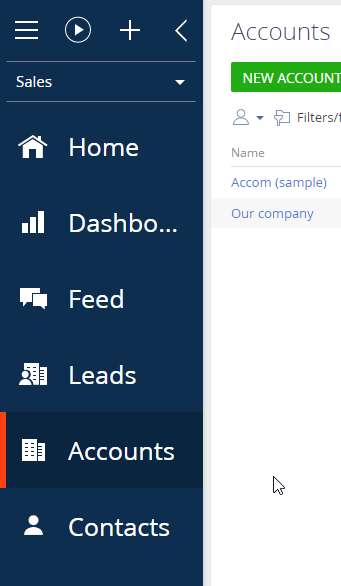
13:49 Apr 05, 2023
Hello,
In order to change the height and font-size of the left panel elements you need to write your own custom CSS for classes .ts-sidebar-item-image, .ts-sidebar-item-text, .ts-sidebar-list
UsrViewModuleCSS:
.ts-sidebar-item-image, .ts-sidebar-item-text, .ts-sidebar-list > li {
	height: 76px !important;
    font-size: 1.3em;
}
And then connect it in the replace model for BootstrapModulesV2:
 define("BootstrapModulesV2", ["css!UsrViewModuleCSS"],
function() {
	return {
		methods: {}

	};
});
Note, font-size doesn't change the height of the element.
Result:
Show all comments