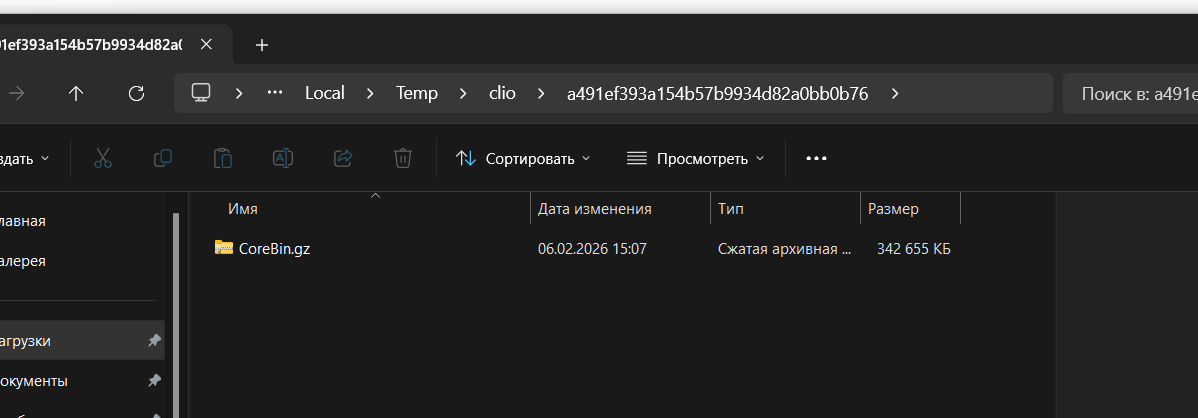
Hi everyone. I’ve run into an issue while trying to connect Clio as a plugin in VS Code.
I can successfully register the site, install clioAPI, create a Workspace, set the Environment, and then start downloading the configuration. At this stage, I get one of the following errors:
[ERR] - One or more errors occurred. (Stream was too long.)
or
[ERR] - One or more errors occurred. (The filename, directory name, or volume label syntax is incorrect:

'W:\clio\sitename\ws\.application\net-core\core-bin\Codes": []')
In appsettings.json, I have "IsNetCore": true.
Has anyone faced this issue before? Any ideas what might be causing it and how to properly connect the site to VS Code?
Like

Hello,
This issue in most cases it is related to Windows file system limitations during configuration download.
At the Download configuration stage, Clio pulls a large configuration package from the site and unpacks it locally inside the Workspace, creating a deep folder structure under .application\net-core\core-bin\.... If the Workspace is located on a mapped or network drive (like W:\...) or inside a long directory path, the full file paths can quickly exceed the Windows maximum path length limit (around 260 characters).
When this happens, Windows may fail to correctly create files or directories, and instead of a clear “path too long” message, Clio returns generic .NET errors such as “Stream was too long” or “The filename, directory name, or volume label syntax is incorrect”. The strange fragment like Codes": [] is usually not an actual filename, but a side effect of the path-length failure causing the exception message to appear corrupted or incomplete.
The most reliable solution is to move the Workspace to a very short local path, for example C:\ws\sitename, and avoid using mapped/network drives.
In most cases, shortening the Workspace path resolves both errors and allows the configuration download to complete successfully.
Anastasiia Zhmud, Hello
I’d like to add an observation: this issue occurs only with Creatio instances deployed on Linux. For Creatio sites running on Windows, the configuration is downloaded correctly without any issues.
Is there a way to enable more detailed logging in Clio to see where exactly and why the error occurs?
I found this
PS W:\clio\paymeVPN\ws> clio dconf -e siteVPN --debug
[DBG] - DownloadConfigurationCommand: Using environment mode
[INF] - Creating temporary directory...
[INF] - Created temporary directory C:\Users\Mant\AppData\Local\Temp\clio\2c882a91e5b946af80971b4b40303862
Run download ConfigurationBin
Run download Lib
Run download Autogenerated.Package1
Run download Autogenerated.Package2
Run download CoreBin
[INF] - Deleted temporary directory C:\Users\Mant\AppData\Local\Temp\clio\2c882a91e5b946af80971b4b40303862
[ERR] - One or more errors occurred. (Stream was too long.)
[ERR] - Stack trace:    at System.Threading.Tasks.TaskReplicator.Run[TState](ReplicatableUserAction`1 action, ParallelOptions options, Boolean stopOnFirstFailure)
  at System.Threading.Tasks.Parallel.PartitionerForEachWorker[TSource,TLocal](Partitioner`1 source, ParallelOptions parallelOptions, Action`1 simpleBody, Action`2 bodyWithState, Action`3 bodyWithStateAndIndex, Func`4 bodyWithStateAndLocal, Func`5 bodyWithEverything, Func`1 localInit, Action`1 localFinally)
--- End of stack trace from previous location ---
  at System.Threading.Tasks.Parallel.PartitionerForEachWorker[TSource,TLocal](Partitioner`1 source, ParallelOptions parallelOptions, Action`1 simpleBody, Action`2 bodyWithState, Action`3 bodyWithStateAndIndex, Func`4 bodyWithStateAndLocal, Func`5 bodyWithEverything, Func`1 localInit, Action`1 localFinally)
  at System.Threading.Tasks.Parallel.ForEachWorker[TSource,TLocal](IEnumerable`1 source, ParallelOptions parallelOptions, Action`1 body, Action`2 bodyWithState, Action`3 bodyWithStateAndIndex, Func`4 bodyWithStateAndLocal, Func`5 bodyWithEverything, Func`1 localInit, Action`1 localFinally)
  at System.Threading.Tasks.Parallel.ForEach[TSource](IEnumerable`1 source, Action`1 body)
  at Clio.WebApplication.Downloader.<>c__DisplayClass14_0.<Download>b__0(String tempDirectory)
  at Clio.Common.WorkingDirectoriesProvider.CreateTempDirectory(Action`1 onCreated)
  at Clio.WebApplication.Downloader.Download(IEnumerable`1 downloadInfos)
  at Clio.Workspaces.ApplicationDownloader.Download(IEnumerable`1 packagesNames)
  at Clio.Command.DownloadConfigurationCommand.Execute(DownloadConfigurationCommandOptions options)