i have compilation error on my on premises instance.
I performed the following steps:
- Generated the source code for all schemas.
- Performed a Compile All.
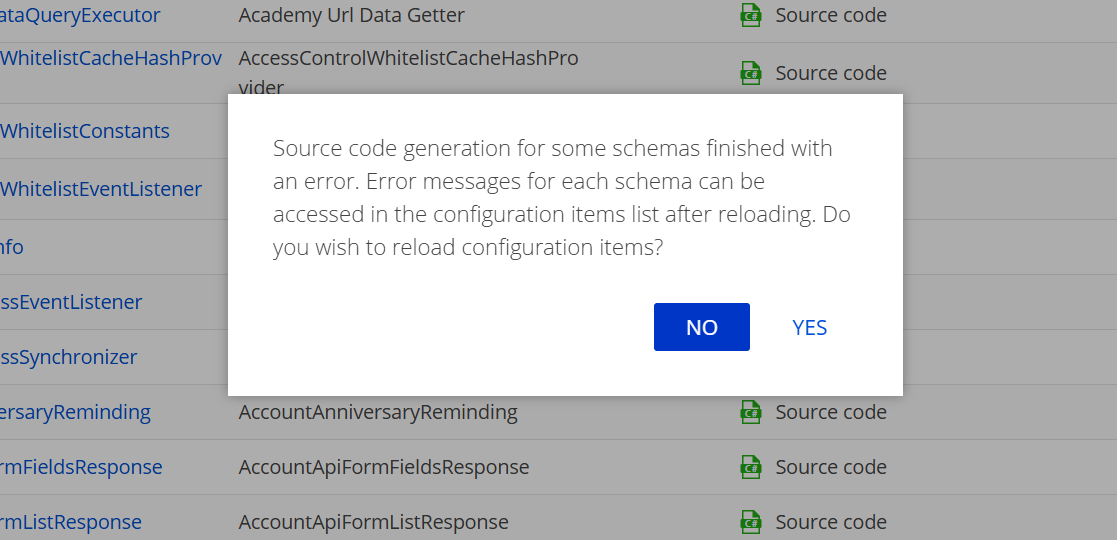
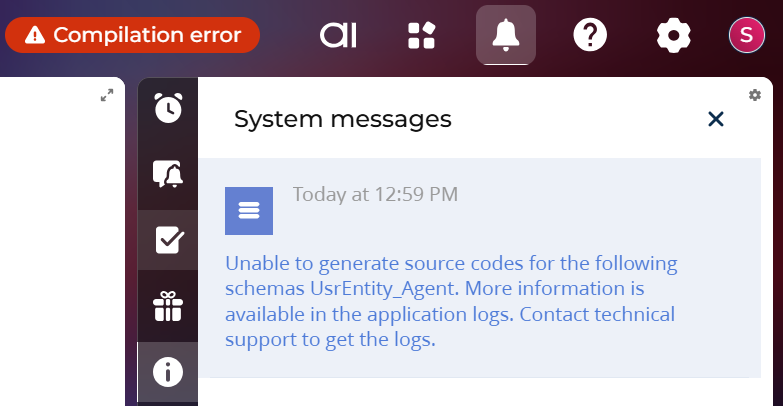
After generating the source code, the number of compilation errors decreased significantly. However, there are still some remaining errors, which I have attached. I have also attached a screenshot of the system message displayed after generating the source code for all schemas.
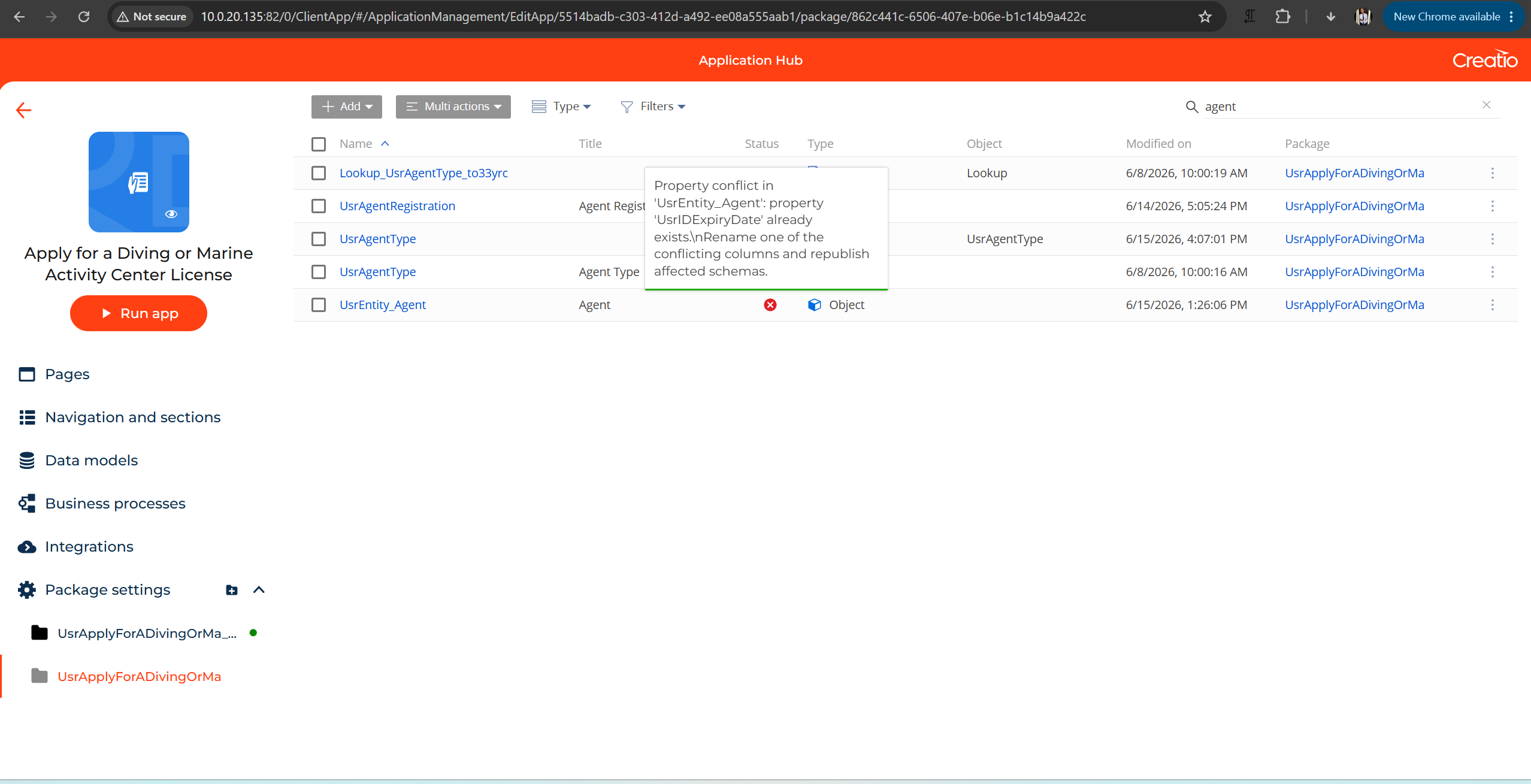
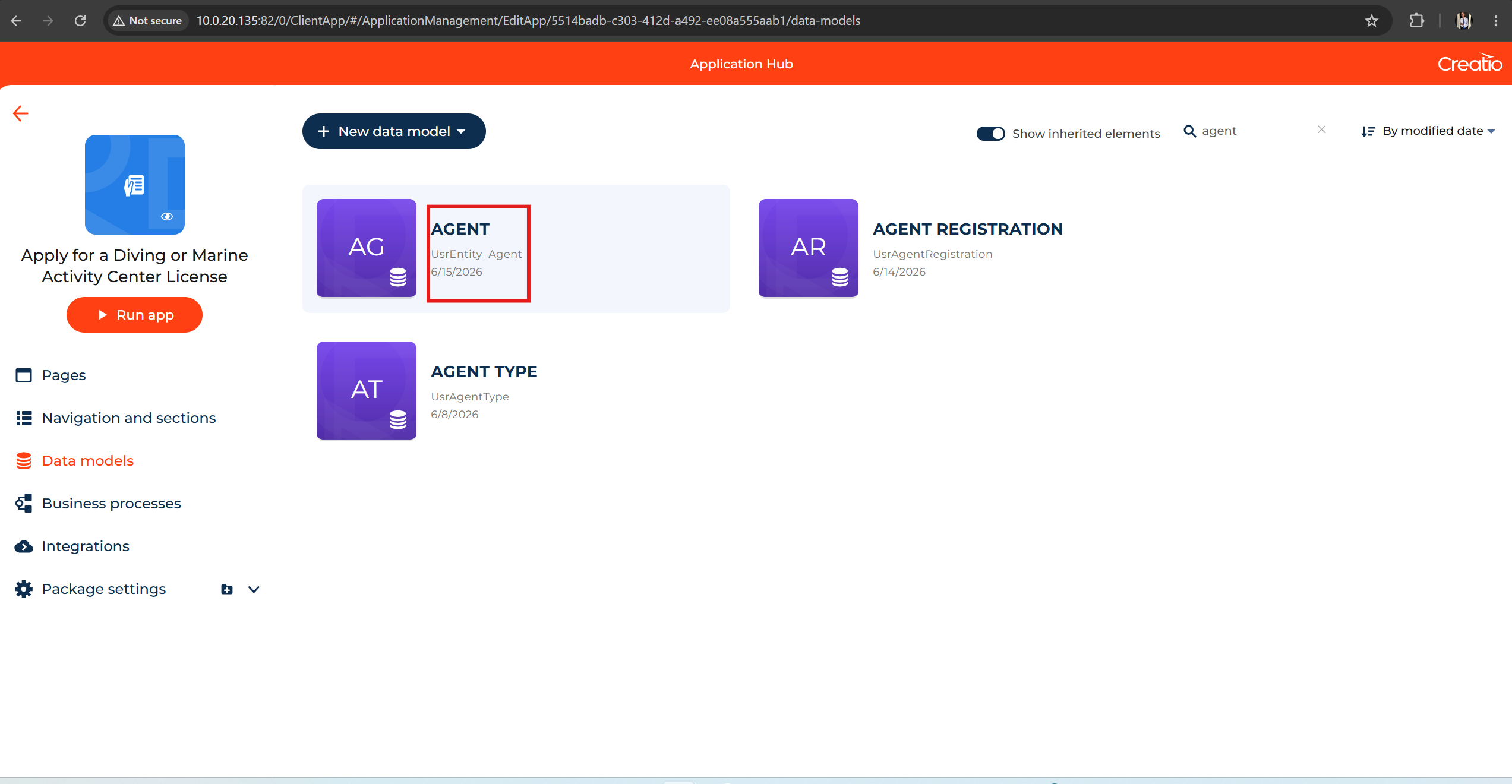
Additionally, based on the remaining compilation errors, they all appear to be related to the UsrEntity_Agent entity. I have attached a screenshot of this entity from the Application Hub for your reference.
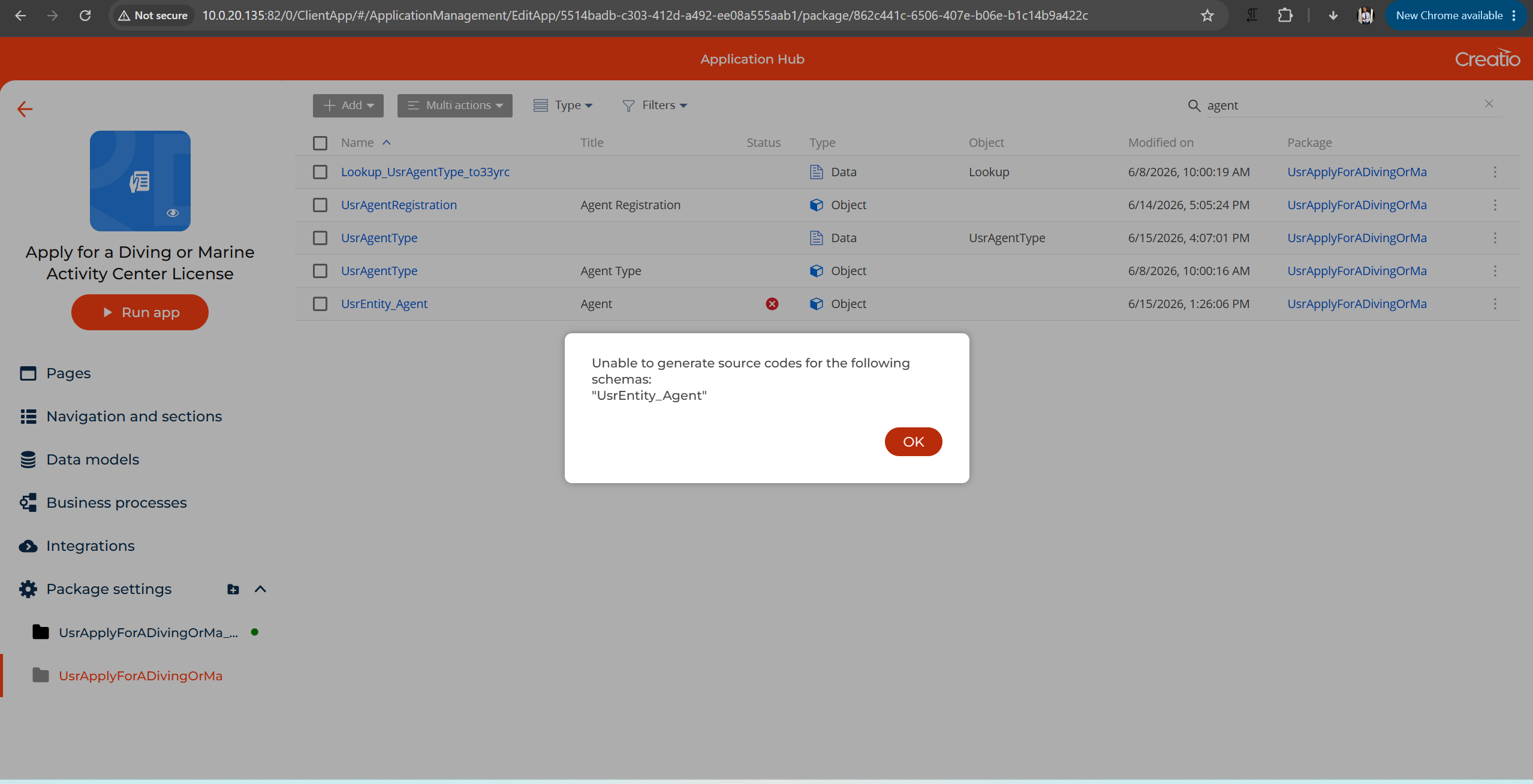
However, the source code generation fails with the following error:
Unable to generate source codes for the following schema: "UsrEntity_Agent".
Additionally, the object itself displays the following validation error:
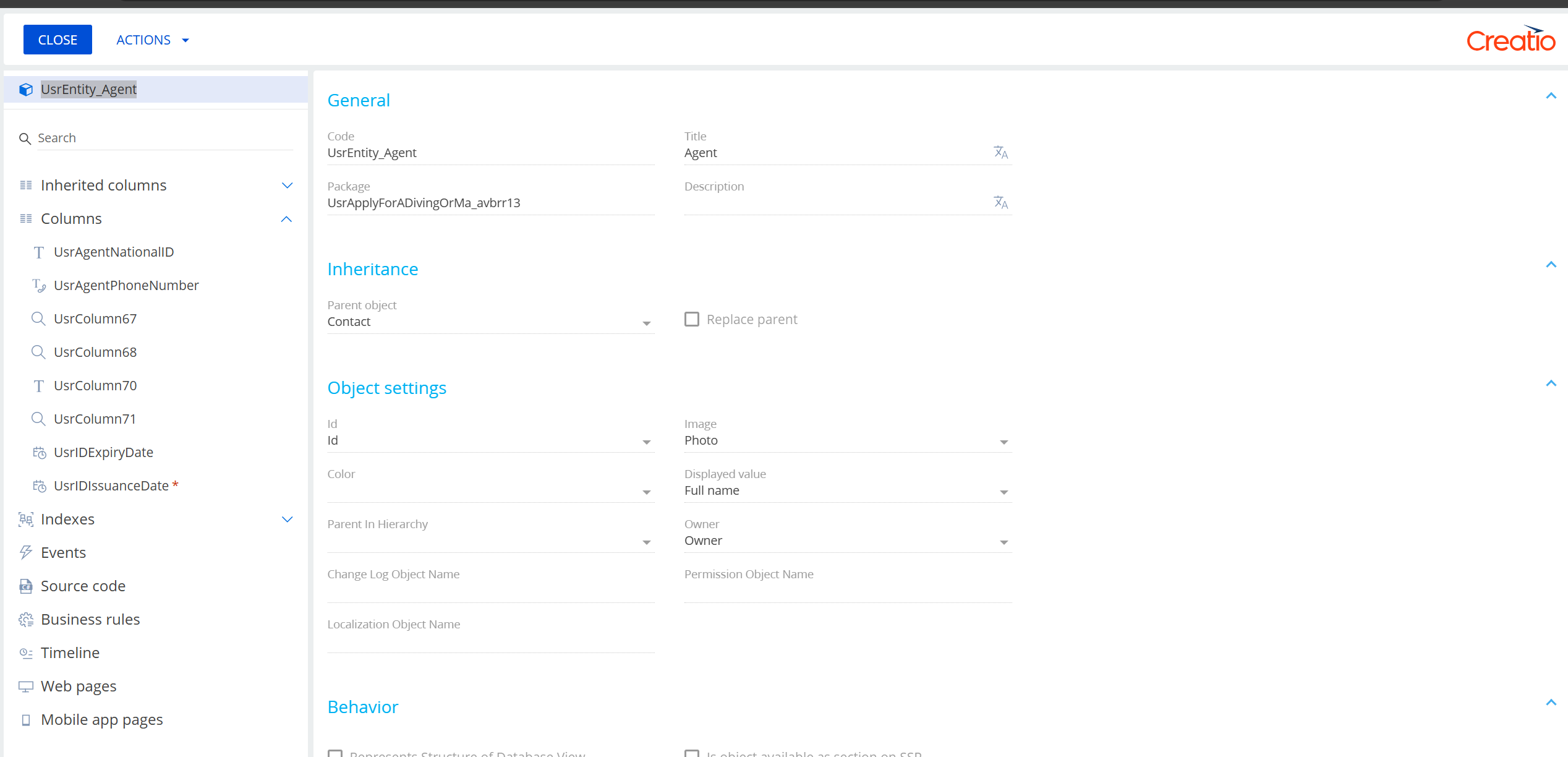
Property conflict in 'UsrEntity_Agent': property 'UsrIDExpiryDate' already exists. Please rename one of the conflicting columns and republish the affected schemas.
The problem is that I am unable to edit or rename the object's columns in any way, so I cannot resolve the conflict or proceed with generating the source code.
I have attached screenshots showing:
- The Column name conflict error on the UsrEntity_Agent object.
- The Unable to generate source code error that appears when attempting to generate the source code.
Could you please advise on how to resolve these remaining compilation errors? If the UsrEntity_Agent entity is corrupted or incomplete, is there a recommended way to repair or regenerate it?
Like
Hi Mohamed,
Thank you for the detailed description and the logs.
The blocking issue is a duplicate column in the inheritance chain. UsrEntity_Agent is a child object that inherits from Contact, and the columns UsrIDExpiryDate, UsrIDIssuanceDate, and UsrAgentNationalID are defined both on the parent and directly on UsrEntity_Agent. This is exactly what the validation message reports:
Property conflict in 'UsrEntity_Agent': property 'UsrIDExpiryDate' already exists.
This conflict is what stops source code generation. A duplicate property definition like this can happen because:
- the same column exists on both the parent object and the child object in the inheritance chain,
- a back-reference property generated from a lookup collides with an existing column,
- two different packages define the same column in different layers.
To resolve it, remove or rename the duplicated columns so that each is defined only once in the chain. Then run Generate source code for all schemas, followed by Compile All.
Hi Andrii
Thank you for your effort and for the detailed explanation of the root cause behind the compilation error. Your clarification helped us understand why the source code generation is failing.
At the moment, I am unable to edit or rename these columns from the Creatio configuration. Could you please provide the recommended steps to resolve this issue? Specifically, I would appreciate guidance on how to rename or remove the duplicated columns in the inheritance chain.
If there is a recommended approach or any additional tools or configurations required to perform this safely, please let me know.
Hello.
To resolve this issue, you will need to navigate to the Configuration section and locate the specific replacing object where the duplicated column was originally added. Within an inheritance chain, a column can typically only be renamed or removed directly at the level where it was originally introduced, rather than from a parent or a different replacing object further down the chain.
Once you have located the correct replacing object, please check whether the package containing it is currently locked. If it is locked, you will need to unlock it for a hotfix before you are able to make any changes. This is a standard safeguard within Creatio to prevent unintended modifications to packages that are not meant to be actively edited.
After unlocking the package, you can proceed to rename or remove the duplicated column directly on that object. Once the change has been made, we would also recommend regenerating the source code for the affected schemas and recompiling the application, to ensure that the change is properly reflected throughout the entire inheritance chain and that the compilation error no longer occurs.
Best regards,
Antonii.
Dear Antonii,
Thank you for your guidance.
I followed the recommended steps and unlocked the package for a hotfix. After that, I renamed the duplicated columns as follows:
UsrIDExpiryDate→UsrIDExpiryDate2UsrIDIssuanceDate→UsrIDIssuanceDate2UsrAgentNationalID→UsrAgentNationalID2
After applying these changes, I regenerated the source code for the schemas, and the generation completed successfully.
However, when I ran Compile All Packages, I encountered a new set of compilation errors related to the Change object. The errors indicate circular base type dependencies and generic type constraint issues. The reported errors are:
ChangeSchema.Change.cs
- Circular base type dependency involving 'Change' and 'Change_Change_Creatio' (CS0146)
- Circular base type dependency involving 'ChangeSchema' and 'Change_Change_CreatioSchema' (CS0146)
- The type 'TEntity' cannot be used as type parameter 'TEntity' in 'BaseEntity_LocalMessageEventsProcess<TEntity>' (CS0311)

ChangeSchema.Custom.cs
- Circular base type dependency involving 'Change_Change_Creatio' and 'Change_Custom_Customer' (CS0146)
- Circular base type dependency involving 'Change_Change_CreatioSchema' and 'Change_Custom_CustomerSchema' (CS0146)
- The type 'TEntity' cannot be used as type parameter 'TEntity' in 'Change_ChangeEventsProcess<TEntity>' (CS0311)

ChangeSchema.Release.cs
- The type 'TEntity' cannot be used as type parameter 'TEntity' in 'Change_CustomEventsProcess<TEntity>' (CS0311)
- Circular base type dependency involving 'Change_Custom_Customer' and 'Change' (CS0146)
- Circular base type dependency involving 'Change_Custom_CustomerSchema' and 'ChangeSchema' (CS0146)
It appears that the original duplicate column issue has been resolved, but another issue related to the inheritance hierarchy of the Change object is now preventing the compilation from completing.
Could you please advise on the next steps to resolve these new compilation errors?
Thank you for your support.
Antonii Viazovskyi,
Antonii Viazovskyi,
Antonii Viazovskyi,
Additional Update:
While investigating the issue further, I modified the Change object in the Customer package by changing its parent object to BaseEntity. After applying this change, I ran Compile All Packages again.
The number of compilation errors was reduced; however, the following errors still remain:
ChangeSchema.Change.cs– Circular base type dependency involvingChangeandChange_Change_Creatio(CS0146)ChangeSchema.Change.cs– Circular base type dependency involvingChangeSchemaandChange_Change_CreatioSchema(CS0146)ChangeSchema.Change.cs– The typeTEntitycannot be used as the type parameterTEntityinBaseEntity_CustomEventsProcess<TEntity>. There is no implicit reference conversion fromTEntitytoTerrasoft.Configuration.BaseEntity. (CS0311)ChangeSchema.Release.cs– The typeTEntitycannot be used as the type parameterTEntityinChange_ChangeEventsProcess<TEntity>. There is no implicit reference conversion fromTEntitytoTerrasoft.Configuration.Change_Change_Creatio. (CS0311)ChangeSchema.Release.cs– Circular base type dependency involvingChange_Change_CreatioandChange(CS0146)ChangeSchema.Release.cs– Circular base type dependency involvingChange_Change_CreatioSchemaandChangeSchema(CS0146)
It appears that changing the parent object reduced the number of errors, but there is still a circular dependency between Change and Change_Change_Creatio.
Could you please advise on the correct inheritance hierarchy for these objects and the recommended approach to resolve the remaining circular dependency?
Additional Update:
While investigating the issue further, I modified the parent object of the Change object in the Change package from Change to BaseEntity.
After making this change, I regenerated the source code and ran Compile All Packages again. The number of compilation errors was reduced; however, the remaining errors still indicate a circular dependency between Change and Change_Change_Creatio.
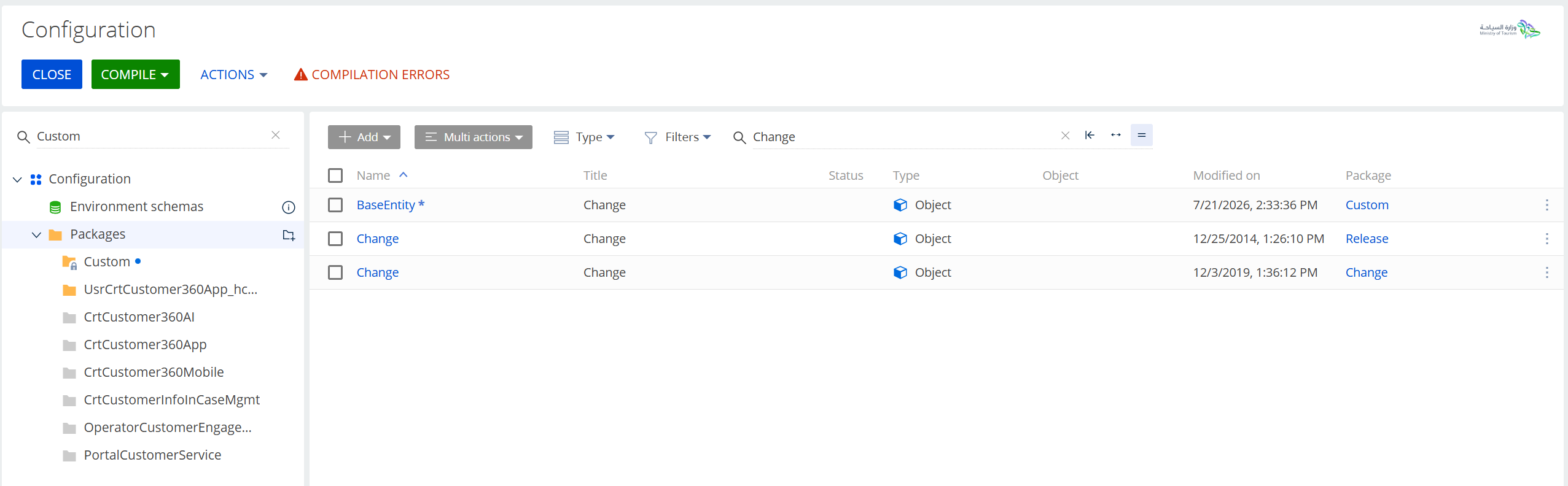
For clarification, the current inheritance configuration is as follows:
- Release package → Change object → Parent:
Change - Change package → Change object → Parent:
BaseEntity
I have also attached a screenshot of the current Configuration search results showing the updated object hierarchy.