


Stop Exporting to Excel. Analyze Data Right Inside Creatio.
Syntech Pivot is a native Freedom UI component that brings interactive pivot tables and chart visualization directly into your Creatio pages — no external tools, no exports, no coding.
Key Features
Native Freedom UI Component
A true Angular remote module, not an iframe or external widget. Drop it onto any section page or dashboard. It respects Creatio's design system and works with page context, folder filters, and quick filters out of the box.
Zero-Code Setup
Add the component, assign a code, and start building. The visual configuration panel lets you move fields between Rows, Columns, and Values with a click. Six aggregation methods: Sum, Count, Average, Min, Max, Unique Count. Schema and fields are auto-detected from the linked section.
Hierarchical Grouping
Multiple row fields create nested hierarchies with expand/collapse tree mode. Aggregations roll up correctly at every level.
10 Chart Types
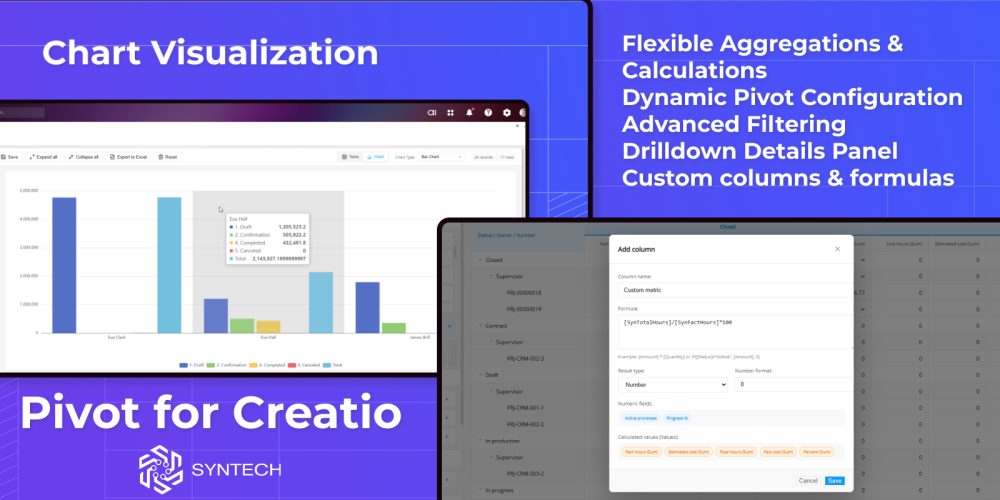
Switch between table and chart view instantly. Bar, Stacked Bar, Horizontal Bar, Line, Spline, Area, Pie, Donut, Heatmap, and Radar — powered by ECharts. Charts update automatically when data changes.
Custom Columns & Formulas
Define calculated fields with formulas like [Revenue] - [Cost] or IF([Status]="Active", [Amount], 0). Two-pass engine computes standard aggregations first, then evaluates formulas against aggregated results.
Drilldown to Records
Click any cell to see source records in a detail panel. Click a record to open its edit page via native Creatio navigation.
Smart Filtering
Two layers: automatic sync with page/folder filters, plus built-in multi-select filter dialogs with search. Both persist between sessions.
Persistent Configuration
Everything saves automatically — pivot structure, filters, sorting, virtual columns, chart type, view mode. Shared across users by configuration code.
Excel Export & Localization
One-click export with formatting preserved. Full UI localization in English, Ukrainian, and Russian — auto-detected from user settings.
Syntech Pivot for Creatio — analyze your data where it lives.
Available on the Creatio Marketplace.