


Hi --
We want to put a button on a page that will open a PDF. We decided one way to do this is to put a link in the page and post the PDF to a Google drive folder. (see image below)
However, we show the link as the full web address, which looks sloppy/unprofessional.
Is there a way to make a small button that might say "See PDF" and open the link, or put text on the page like "Click Here to see PDF" ?
Alternately, is here a way to pop-up a "modal" form or page, where we could paste the text from the PDF? (Users could click a button, see the pop-up form, then be forced to close that pop-up before continuing)
Any suggestions or alternative idea are appreciated.
Thanks
Rob
This is what we have now: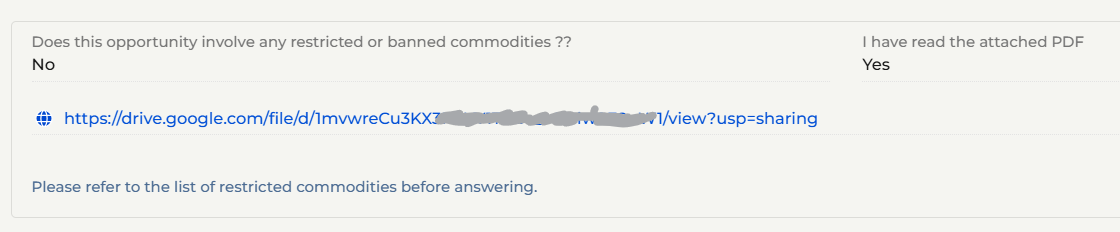
Like

You can add a button in the designer normally and then add your own request handler js code to handle the click event. See https://customerfx.com/article/adding-a-button-to-execute-custom-code-on-a-creatio-freedom-ui-page/
As for opening the PDF link, see https://customerfx.com/article/open-a-link-in-a-new-browser-tab-without-being-blocked-in-creatio/
Ryan