


Hi, The process for our team to create quotes is a labour intensive one; adding an individual product, updating the fields etc.
We have an excel quote calculator already, so I tested using this to generate an import file to use, as I saw this option. However, I cannot get this to work. My import file has these columns, which I map to the Creatio fields:
FILE CREATIO
Product Description - Product (lookup)
Start Date - Support Start Date
End Date - Support End Date
Quantity - Quantity
Unit List Price - Price
Discount - Discount %
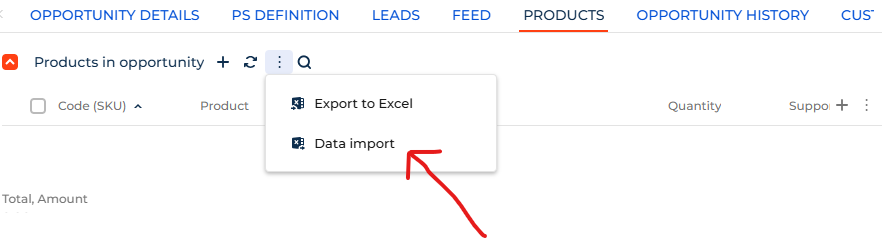
Can anyone give me guidance on what is required to use this capability, as I really need to make this a more efficient process for our team. If you have an alternative method of creating quotes more efficiently, especially if direct from Excel to Creatio, I would love to hear what you have done.
thanks
Mark
Like
Hello,
Please note that import issues can occur for a variety of reasons.
The most common and simple causes are related to licenses or user permissions. For example, the current user may not have the necessary rights to perform imports (Operation permission, CanImportFromExcel).
Other potential causes include column settings in the target object or issues with the data itself. From your description, it’s not clear at which step the problem occurs or whether any error messages appear in the browser.
We recommend the following steps:
- Verify that your user has the required permissions to perform imports.
- Review the import article carefully and make sure all guidelines are followed:
Excel data import | Creatio Academy - If the issue persists, please contact support@creatio.com — we’ll be happy to assist you further!