


Hello Community,
I want to hide the elements "Home", "Run process" and "New" on the top menu:
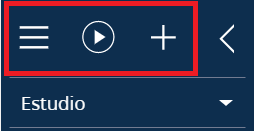
This elements should be hidden for all roles. Can you please help me?
Thank you very much!
Like
1 comments

14:40 May 17, 2023
Hello Javier,
To achieve this:
1) Create a module with no parent module in configurations called UsrLeftPanelTopMenuModule
2) Add the following content to the module:
define("UsrLeftPanelTopMenuModule", ["LeftPanelTopMenuModuleResources", "LeftPanelTopMenuModule"],
    function(resources) {
        Ext.define("Terrasoft.configuration.UsrLeftPanelTopMenuModuleViewModel", {
            alternateClassName: "Terrasoft.UsrLeftPanelTopMenuModuleViewModel",
            override: "Terrasoft.LeftPanelTopMenuModuleViewModel",
            getTopMenuConfig: function() {
                var menuConfig = [
					{
						id: "collapse-button",
						tag: "CollapseMenu",
						className: "Terrasoft.HoverMenuButton",
						style: Terrasoft.controls.ButtonEnums.style.TRANSPARENT,
						classes: {
							imageClass: ["button-image-size"],
							wrapperClass: ["collapse-button-wrapperEl"]
						},
						imageConfig: resources.localizableImages.collapseIconSvg,
						click: {
							bindTo: "collapseSideBar"
						},
						hint: this.getCollapseSideBarMenuItemCaptionConfig(),
						markerValue: this.getCollapseSideBarMenuItemCaptionConfig()
					}
				];
				return menuConfig;
			}
        });
    }
);
and save the schema.
3) Create the replacing BootstrapModulesV2 view module (or use existing one if you already have it) and add the following content (add created UsrLeftPanelTopMenuModule as a dependency):
define("BootstrapModulesV2", ["UsrLeftPanelTopMenuModule"], function() {
	return {};
});
and save the schema.
4) Reload the page
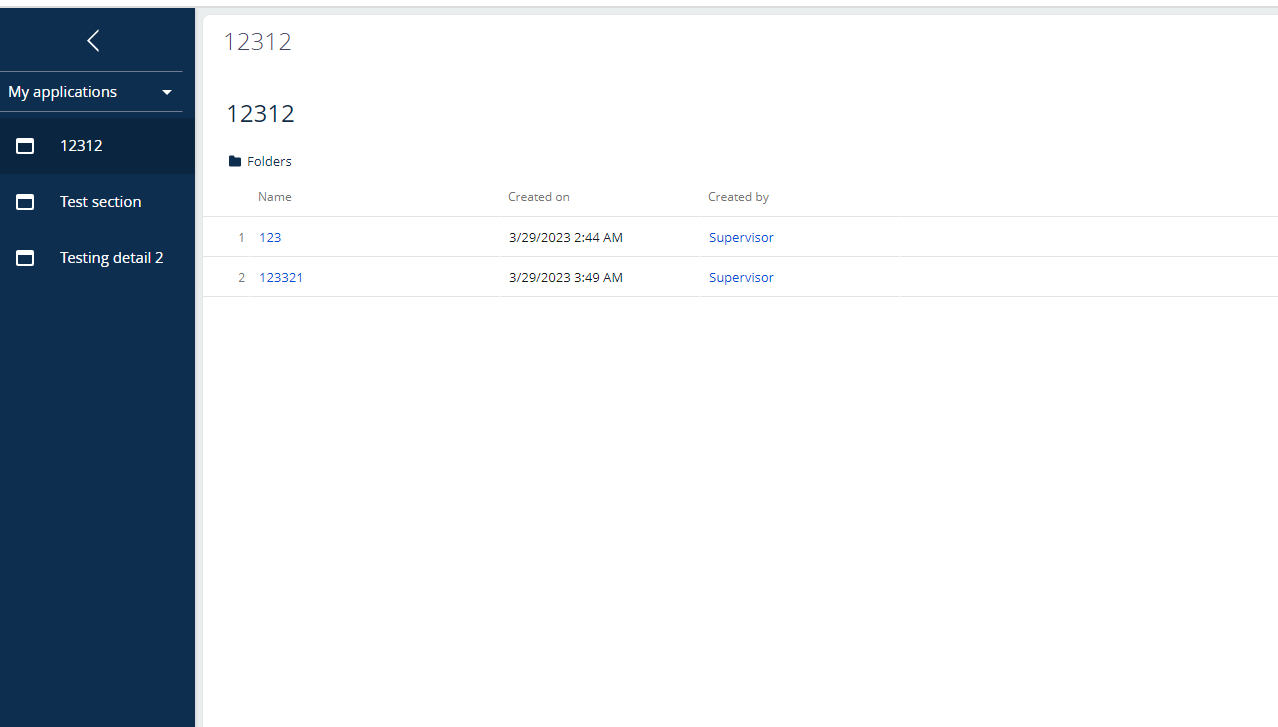
The result will be:
Show all comments