


Hi Everyone,
I'm trying to use the Contact Name in an email Message Template(email template) that's being sent through a Business Process using Custom Templates, but I'm unable to get the macro to populate.
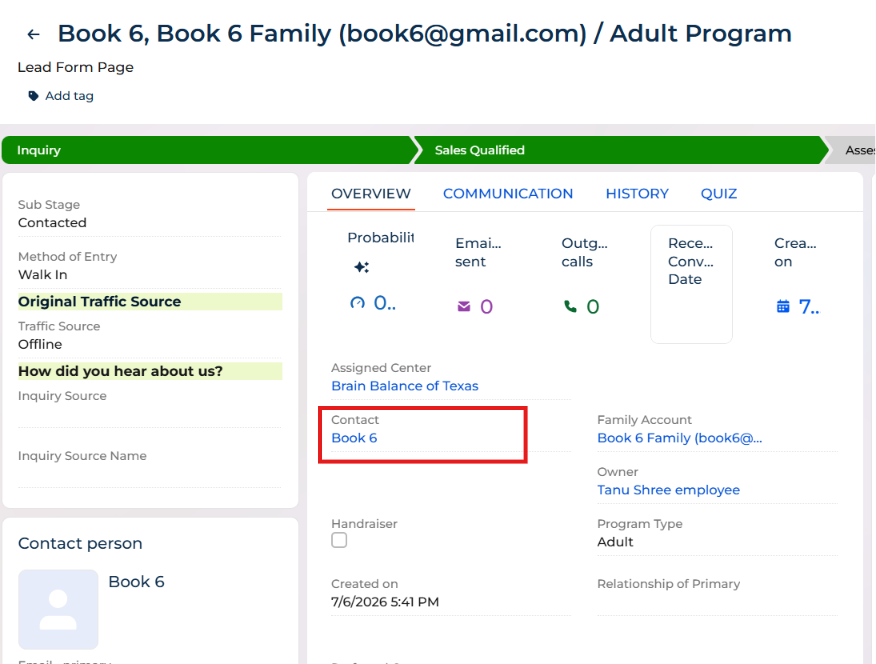
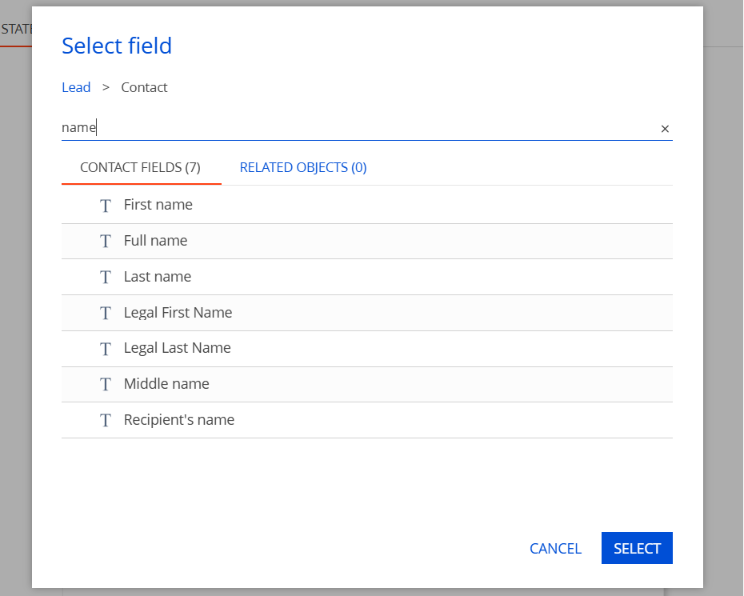
In my record, the Lead has a Contact associated with it (as shown in the first screenshot). While editing the message template, I selected Lead → Contact → Full name as the macro (second screenshot).
However, when the email is sent, the Contact Name is not populated in the email.
Has anyone successfully used the Lead's Contact Name in a custom message template triggered from a Business Process?
Is there a specific macro or configuration required to access the Contact name in this scenario?
I've attached screenshots for reference. Any guidance would be appreciated. Thanks!
Screenshot 1: Lead record showing the Contact field.
Screenshot 2: Macro selection using Lead → Contact → Full name.
Like
Hi there,
Thanks for reaching out!
So, the key point is that email template macros are resolved based on the template root record (the record you select in the process element that sends the email). If the template is rendered from a record that is not the Lead, the path Lead → Contact → Full name will not be available and the macro will stay empty.
Please verify the following in your Business Process:
- Open the process and the element that sends the email (e.g., Send email / Send email message).
- Check which record is used as the source/root for the template (often shown as “Record”, “Object”, or “Template object” depending on the element).
- Ensure the source/root record is Lead.
If it is something else (e.g., Email/Activity, Case, etc.), the macro path you chose won’t resolve.
Alternatively, in the the same “Send email” element, temporarily set the template to a very simple one and add a macro that outputs the Lead name (or any Lead field). If that also comes empty, it confirms the template is not being generated from the Lead context.
Please let me know if you find this helpful.