


Hi All,
Question please, how can I add data source in Mobile Page?
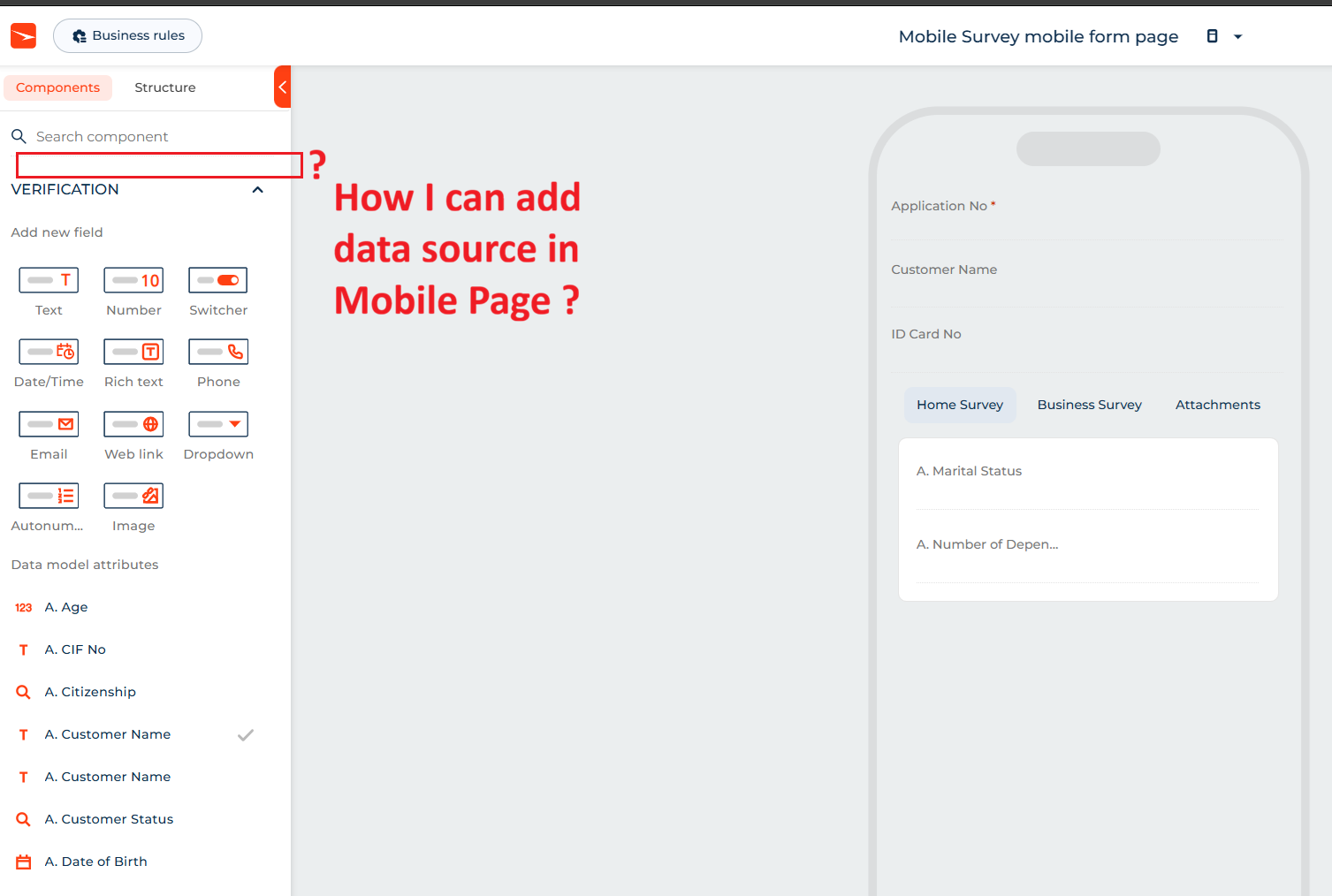
I googling, and Creatio said it should be in the left top corner, link :
https://academy.creatio.com/guides/mobile/mobile-app-setup/freedom-ui/freedom-ui-mobile-designer
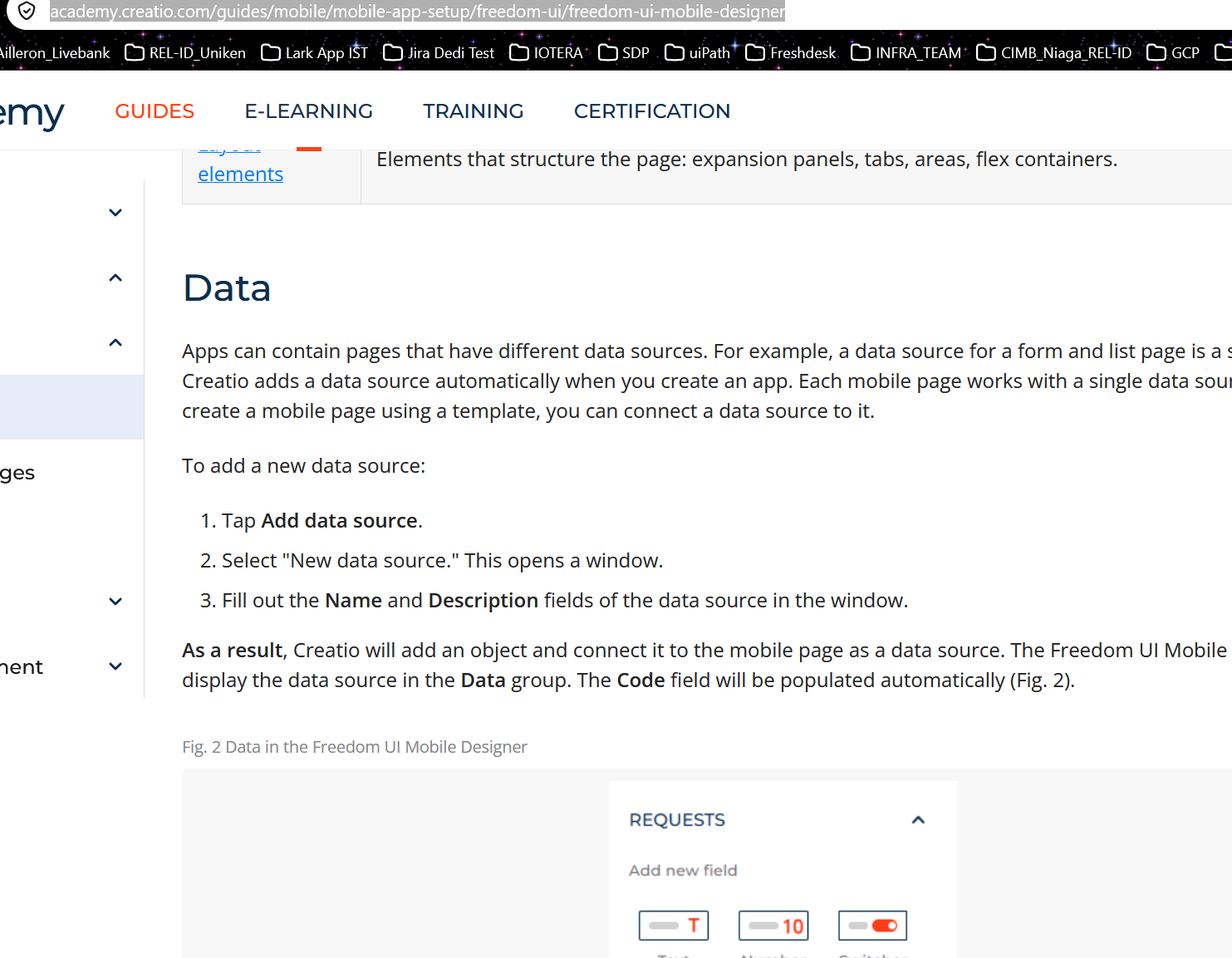
Need advice please, thank you.
Like
1 comments

16:15 Oct 07, 2026
Hi,
Why you don't see the button
- One data source per page. The guide says "Each mobile page works with a single data source." In your screenshot, the VERIFICATION group in the Components panel is that data source. Its fields appear under Data model attributes (A. Age, A. CIF No, and so on).
- The button is only for pages that don't have one yet. You get Add data source → New data source (then Name and Description) when you create a mobile page from a template that has no data source. Creatio then creates a new object and connects it to the page. Your form page was created from the existing app, so it was bound to the Verification object automatically.
- Version. This designer feature needs Creatio 8.3.2 or later. If you're on an older version, the button won't be there at all.
What you can do instead
- Add fields to the current data source. In the VERIFICATION group, use the Add new field tiles (Text, Number, Dropdown, …) or drag existing attributes from Data model attributes onto the page.
- Show data from another object. Mobile pages share data sources with their desktop Freedom UI pages: "data sources configured for a Freedom UI page are automatically available on the corresponding Freedom UI mobile page." Open the desktop Verification form page in the Freedom UI Designer, add the extra data source there (for example, a list or detail of related records), save it, then reopen the mobile designer.
- Use a separate object as the main source. Create a new mobile page from a template. That's where Add data source appears.
Also note that the Academy page recommends the Freedom UI Mobile Designer only for newly created apps, not for adding mobile pages to apps that already existed. If "Mobile Survey" is an older app, that may explain other limitations you run into.
Show all comments