JSON Viewer for Creatio: render your unlimited text fields as interactive JSON trees (free component)

Hi, Creatio community.
If you work with integrations in Creatio, you know what a REST log looks like stored in a long text field: one unbroken line, no indentation, keys and values blending together. You either copy it to a browser tab to read it, or you squint at the record and try to parse it mentally.
We ran into this constantly while building banking integrations, and at some point we decided to fix it properly.
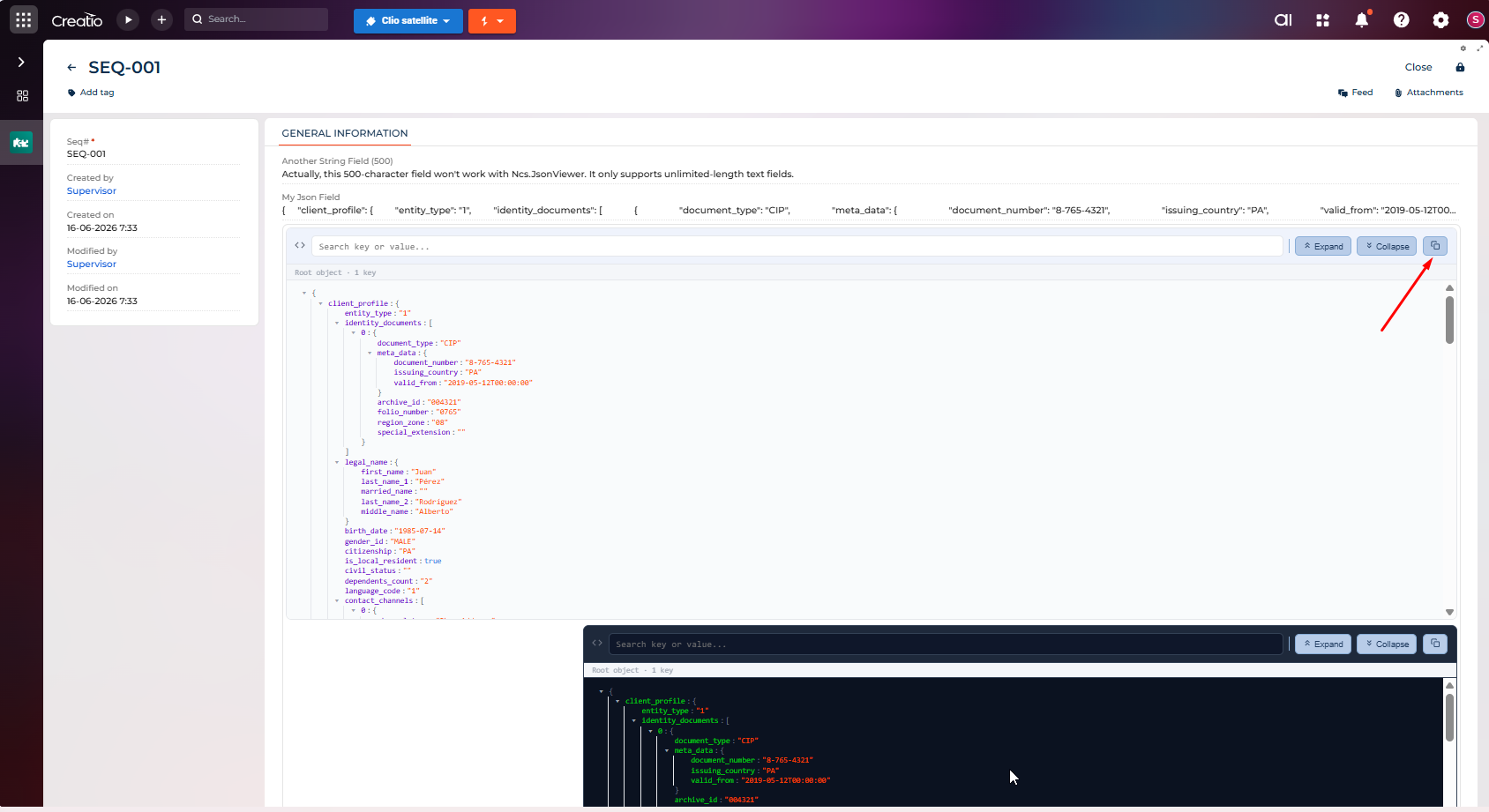
JSON Viewer for Creatio is a free custom component for Freedom UI that renders any unlimited-length text field containing JSON as an interactive tree: expandable and collapsible nodes, real-time search by key or value, copy to clipboard, and fully configurable colors per data type (keys, strings, numbers, booleans, nulls). Dark and light theme, both configurable from the setup panel in Freedom UI Designer. No code required to drop it on a page.
Where it helps in practice:
- REST API and webhook logs stored in records: instead of a wall of text, you get a navigable structure.
- Audit trails saved as JSON: your team can inspect them without leaving the record.
- External service responses (SAP, OnBase, validation services): readable at a glance, without copy-pasting.
- Any unlimited-length text field storing JSON, whatever the use case is.
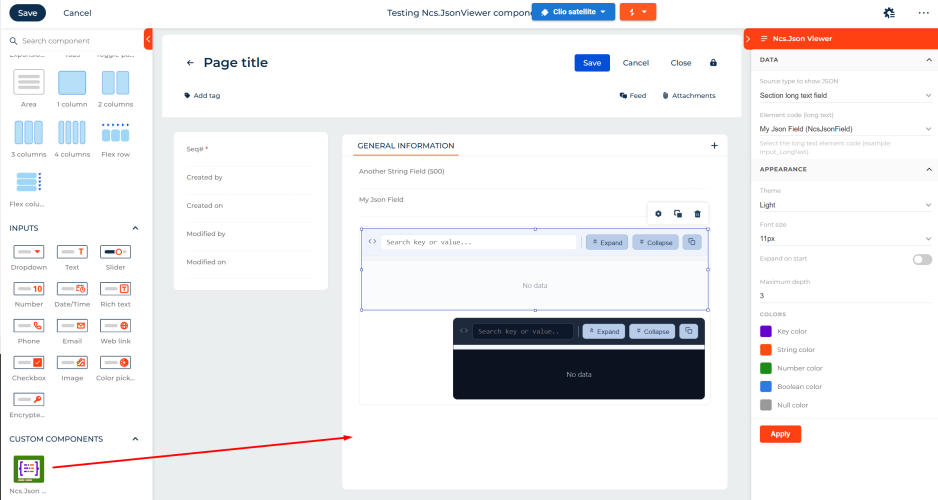
Setup takes a few minutes: install from the Marketplace, add NcsJsonViewer as a dependency in your package, drag the component from the Custom Components section in Freedom UI Designer, and point it at any unlimited-length text field that stores a JSON.
It's free and works on cloud and on-site.
Marketplace: https://marketplace.creatio.com/app/json-viewer-creatio
If you're using it and run into something, let us know here or at support@nocode-services.com. And if you find it useful, a review on the Marketplace goes a long way.
Light and dark theme, colors per data type (keys, strings, numbers, booleans, nulls), and viewer size, all configurable from the setup panel in Freedom UI Designer.