

Reply to customer email inside of business process keeping thread

Hi commnity,
we have a business process where we need to have an agent answer to an email from a customer.
I know how to get the email via id in activity with type email, but am struggling to then create a reply that keeps all of the email history and works as a "normal" threaded email.
Any ideas on how to achieve this?
Thanks,
Luis
Like

Hello,
In this scenario, the recipient information should be taken from the related email message records rather than only from the Activity record itself. The Activity with type “Email” can be used to identify the email, but to build a proper “reply all” scenario, the process would need to read the corresponding Email Message object data, including the sender, To, and CC recipients, and then determine the required recipient list for the outgoing message.
However, sending an email directly as a reply into the same existing email thread, so that it behaves exactly like a normal threaded email with the full conversation history and mail headers preserved, is not supported by out-of-the-box business process tools.
Using the standard “Send email” process element, it is possible to send a new email and, if needed, manually include the previous email content in the body/template. However, this does not create a true technical reply in the original email thread in the same way as replying from an email client would.
To achieve the expected behavior, additional development would be required in the business process, for example by using a Script task or a custom process element. The custom logic would need to read the original Email Message, prepare the outgoing message, populate the required recipients, include the previous email body if needed, and set the necessary email/threading parameters so that the message is processed as a reply rather than as a completely new email.
Therefore, the requirement is achievable, but not only by standard no-code business process configuration. It requires custom development.
Thanks for detailed, explanation Nick
I'll see what is the best approach to follow but there really should be an easy way for agents to reply to emails.

Nick Ovchynnik,
Hello, Nick,
Could you send us an example of what a script task would look like? How can we link the new email to the email thread and view the sender's message as part of a conversation?
Example: When we open a ticket with Creatio support, the response already comes in the form of a conversation.
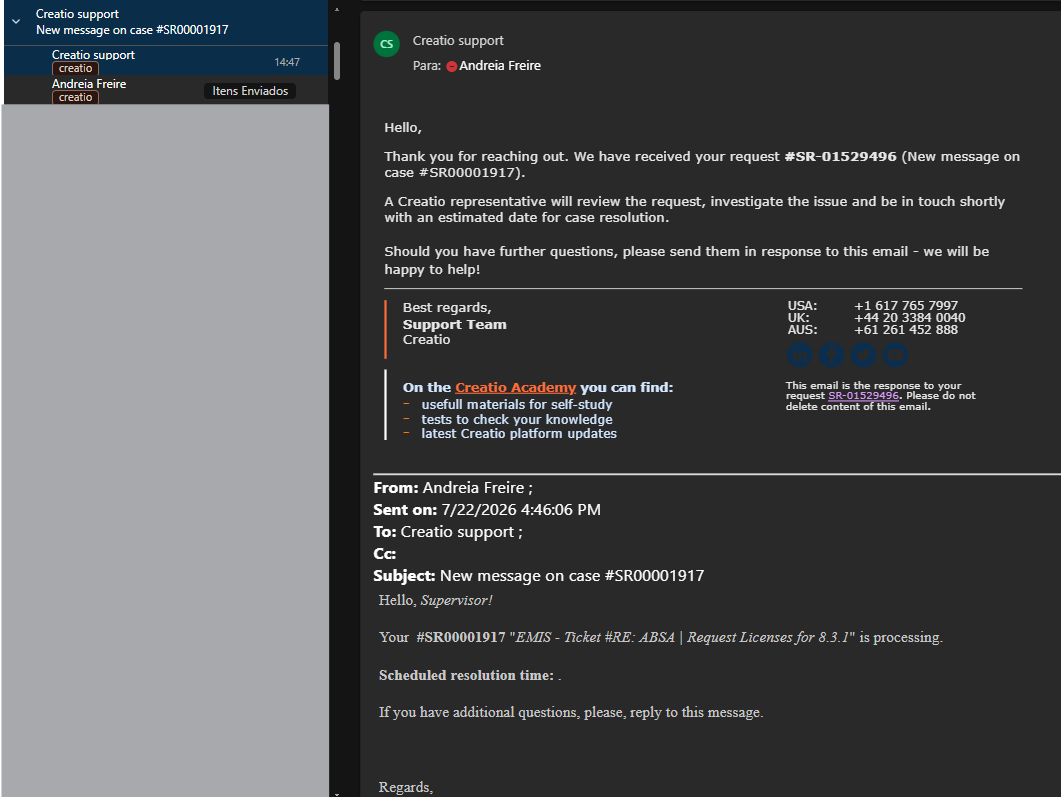
Thank you.
Andreia
Hello,
We cannot send the entire code for such a script task simply because we don't have any ready-made examples. However, we can share the structure of what you need to do in order to achieve it. Here is the breakdown:
1) Load the original Activity(Email) - Sender, Recepient, CopyRecepient, Title, Body, SendDate, and its parent links (Contact/Account/Case).
2) Determine reply recipients - To = original Sender; Cc = original Recepient + CopyRecepient minus the agent's own mailbox.
3) Build subject/body - prefix "Re:" if missing; body = agent's reply + quoted original ("On [date], [sender] wrote: > ...").
4) Threading - two separate things:
- Creatio-side "conversation" grouping: just copy the same Contact/Account/Case links onto the new Activity.
- Real mailbox threading (Outlook/Gmail): needs In-Reply-To/References MIME headers referencing the original Message-ID. Activity has no column storing that - this needs to be checked/captured first, separately from the script task itself.
5) Send via ClassFactory.Get<EmailSender>(...).
6) Save the reply as a new Activity(Email), copying the same Contact/Account/Case links as the original, so it appears in the same feed/conversation in Creatio's UI.
Before starting the work: check whether the original message's Message-ID is captured anywhere in your version - that determines whether real client-side threading is even feasible without additional changes.