

How to assign perform task to user manager in business process?

First of all, I've already set the Manager User using the Organization Roles Relation Manager, as shown in the image. In the Perform Task business process, it should be assigned to the Manager User. How can I do that?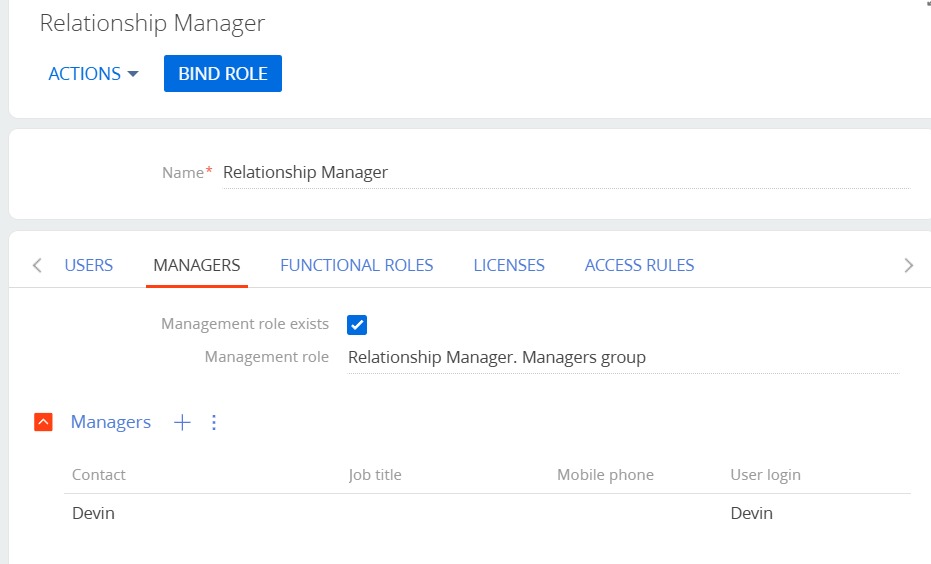
Like
Hello,
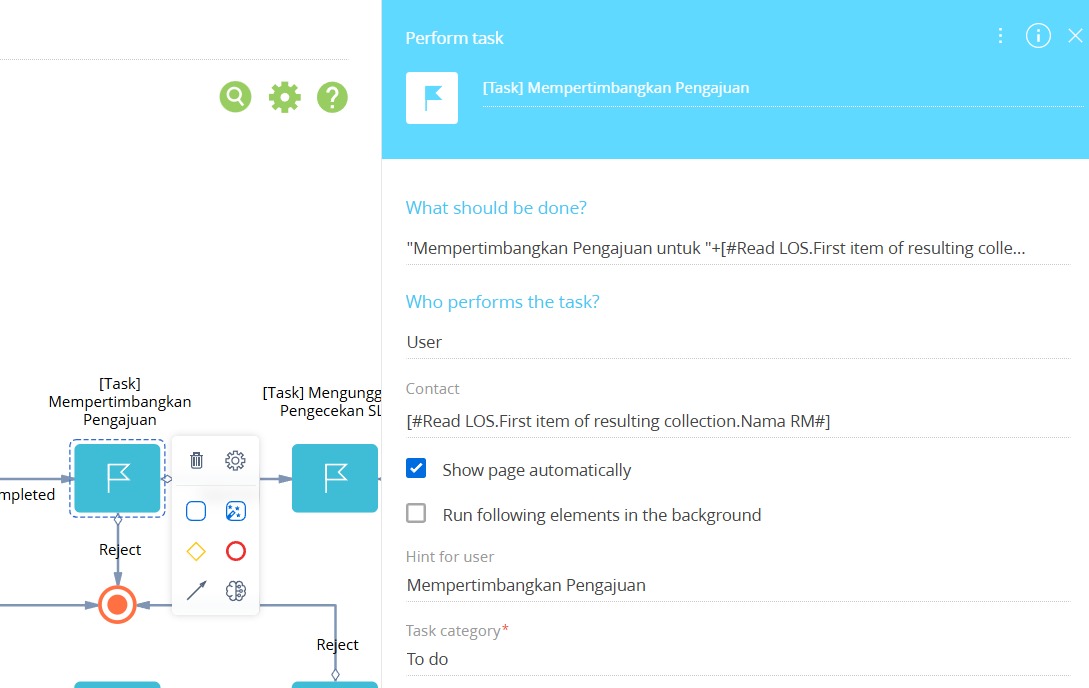
In Creatio, the “Perform task” process element does not provide an out-of-the-box option to set the assignee dynamically based on a parameter like “manager of the current user / manager of a role relation”. The Assignee field in that element expects either a fixed user/role or a value that is already available in a process parameter.
That said, it is technically possible to implement this logic in the process:
Read the user you are starting from (e.g., the record owner, the current user, or another user stored in a process parameter).
Identify that user’s manager by querying the system tables, then store the manager in a process parameter (e.g., a “Manager user” parameter of type Contact/User).
Use that parameter as the assignee for the “Perform task” element.
To determine the manager based on the “Organization Roles Relation Manager” setup, you’ll need to query the SysAdminUnitInRole table and apply the correct filter:
The manager assignment is stored as a record where Source = 32 (this value indicates the “manager of the role relation” type of linkage).
The query logic should filter by the relevant user/role relationship and then select the corresponding manager user.
Once the manager user is retrieved and stored in a process parameter, you can assign the task to that parameter in the Perform task → Assignee field.