


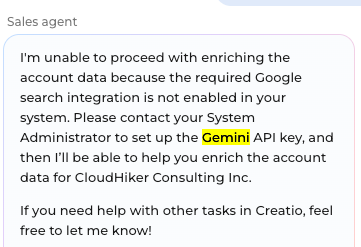
How do I enable this in my demo org
Like
1 comments
06:59 Nov 04, 2025
Hello Alekhya,
Please follow the steps below to set up your Gemini API key with Creatio:
- Make sure you are logged in to the Google account
- Access Google AI Studio:
Go to https://aistudio.google.com/ - Create API Key
- Copy and Store the Key Securely:
- Add the API Key to Creatio:
- Open Creatio and go to System Settings.
- Locate the setting named “Gemini API key.”
- Paste the key generated in Google AI Studio into this field and save your changes.
You can also follow instrucitons here for up-to-date instructions:
https://ai.google.dev/gemini-api/docs/api-key
I trust this clarifies how to enable the enrichment.
Show all comments