


Is there a way to add default values when inline adding rows to a grid detail?
I have a list page of contracts that maps to a form page for each one. This page contains a table of deliverables that are of course connected by contract ID of the parent contract (Lookup column).
I understand how to add default value through a mini page, but how can I set default values when inline adding a row to a table with the "+ new" button at the bottom of every list?
Like
Hello!
To resolve this question, you need to add logic to the Add record action. On the Add button you can configure filling in the values either dynamically (based on the page parameters) or statically.
Please do the following:
- Open the list (detail) setup.
- Click the “+ Add” button near the list title.
- In the right-hand panel, locate the block “Which column values to set?” → Add field
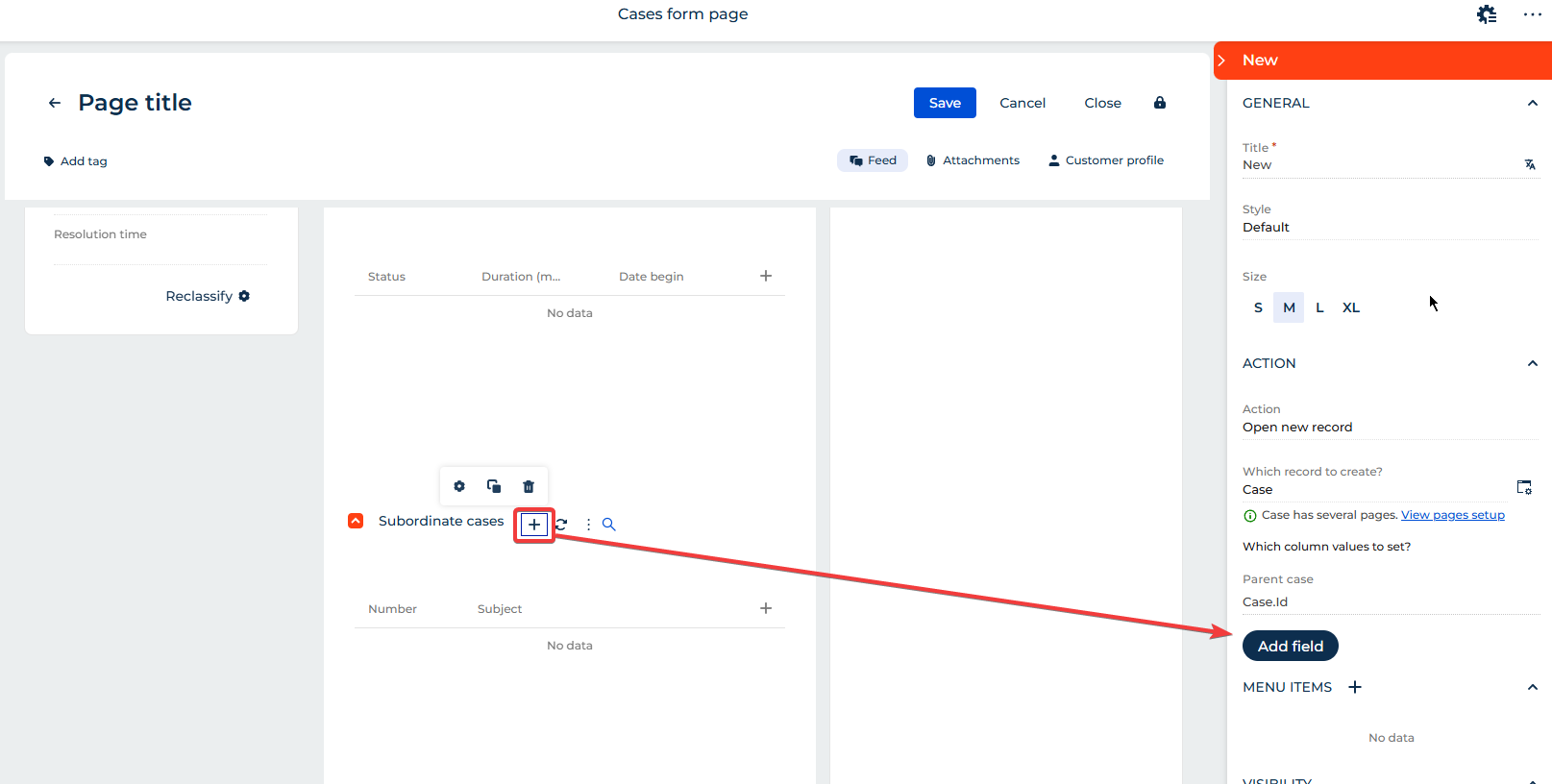
4. Add the required defaults, for example:
- Contract (lookup) = Id of the parent record (the Contract from the form page),
- Status = Planned,
- Quantity = 1, or any other values that must be prefilled.
This way, whenever a user clicks “+ new” to add a row inline, the necessary default values will be automatically populated.