


Hi,
Has anyone been able to use "custom" merge tags in the new email designer ?
There's the base list (mainly focused on the manager, which is not very useful for outbound marketing emails....) :
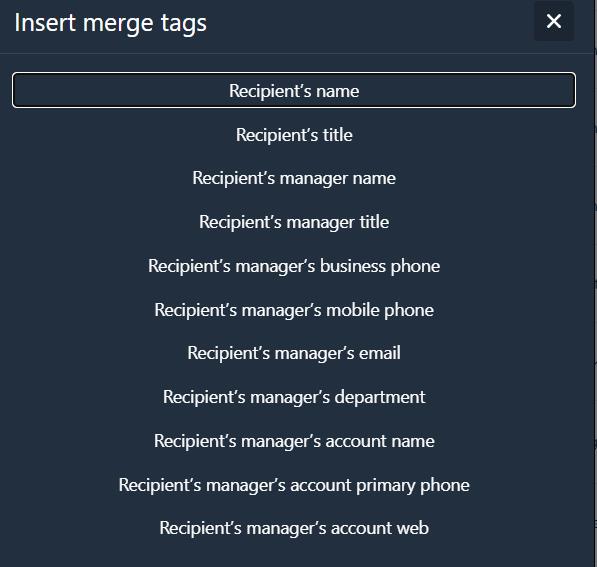
But when I try to add other types of merge tags, I only get a non-editable "sample merge tag": 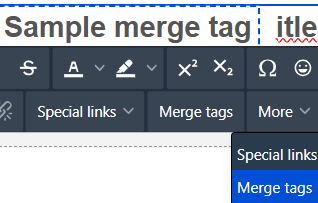
Anyone managed to make it work (tried both on 8.2.2 and 8.2.3 demo) ?
Like
Answer not given here, but apparently inserting "manually" the tags in the text in the same format as the custom macros in Classic UI should work. I will test and let everyone here know if it works as a workaround until it is natively added.

Hello!
The new designer does not yet have the ability to display information with advanced macros as it was in the old designer (first name, etc.).
We are still working on advanced macros implementation in the new email template builder, we believe that this option will be available in the near future.
Please note that the old designer is available for use and you can work with it.
Regards,
Anton

Damien Collot,
Hey Damien, just curious were you able to find a good workaround? Running into the same issue
Damien Collot, Anton Starikov,
Hi there,
I would like to know a good way to solve it, too.
We can't appeal to customers like this, and it's awkward—like saying, "You can send newsletters with Creatio, but the specs are half-baked."
If you have any good ideas, please let me know!
Hi Sui,
No other workaround yet, just tested in Creatio 8.3.2 . It's still in half-baked mode. Certainly does not pass well with prospects (or existing clients) indeed. Sounds silly, but when a simple but important feature like this, which exists for more then a decade, is not present, is makes them wonder on the rest...

Anybody know if it's possible to create merge tags based on C# code for the Freedom UI designer? For my use case, we're trying to store the client's website host URI in a system setting (which is different per-environment) and retrieve that for use in emails via some custom merge tag. But I can't see any info on doing this, and the Academy article I was initially hopeful for I believe only works with template emails - very annoying! https://academy.creatio.com/guides/dev/development-on-creatio-platform/platform-customization/freedom-ui/sending-emails/examples/add-the-macro-handler