


Two issues re. using pre-configured pages.
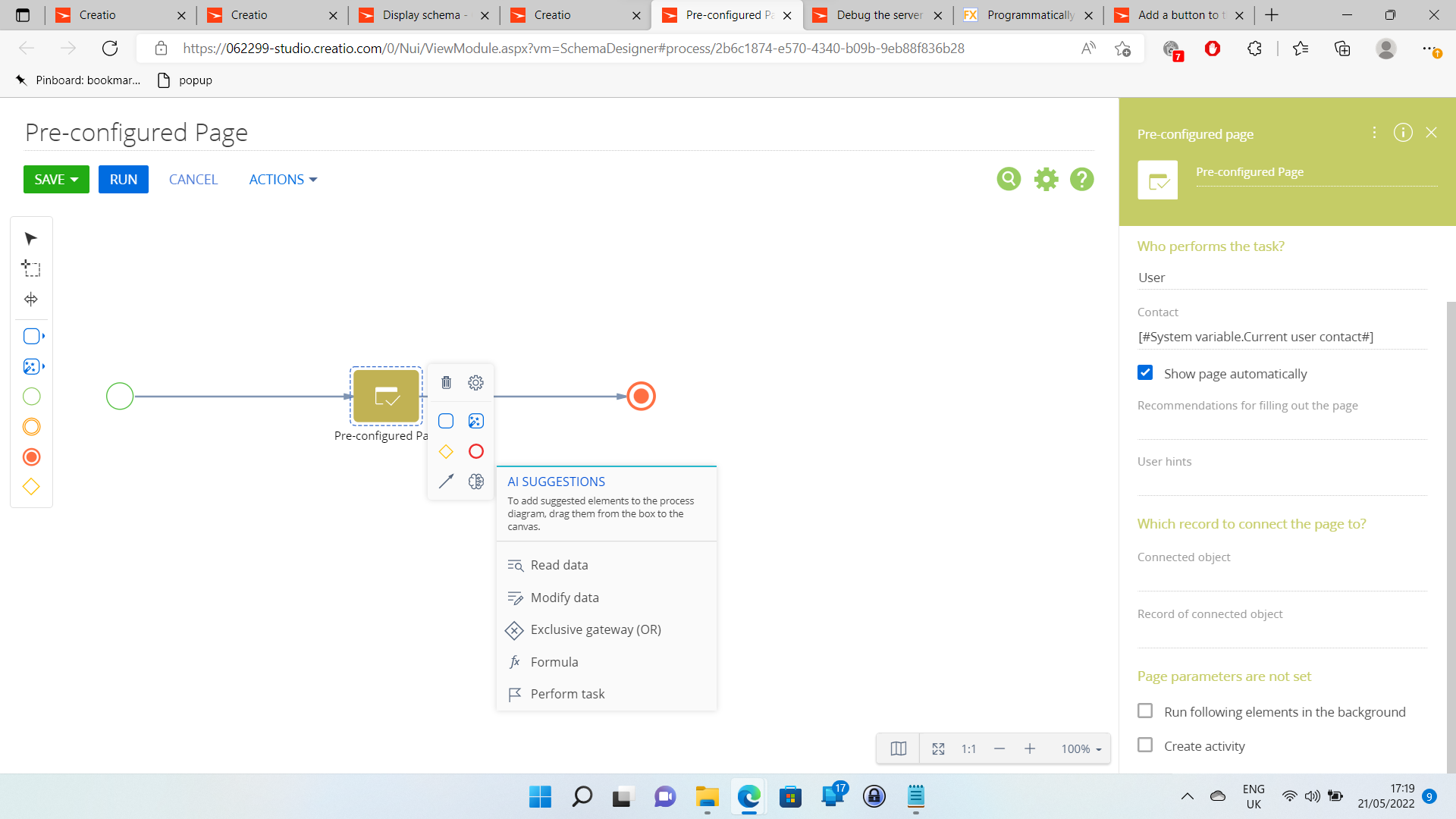
I enabled debug mode using the browser console. I then pressed Ctrl-F5 (cache reload) on an open process designer page, and tried to load the setup area of a pre-configured page element in the right hand panel. It wouldn't load, the cursor just hung loading. I then disabled debug mode and pressed Ctrl-F5 in the process designer window again. The setup area of the pre-configured page element then loaded fine.
More problematic was the following while adding a button to run a process that opened a pre-configured page. Using the debugger to step through a function that called the process with 'ProcessModuleUtilities', the configuration of the process call itself having a callback function for when the process had finished. The debugger reported that the callback function was being called before the process had run and pre-configured page closed, not after.
define("ContactPageV2", ["ProcessModuleUtilities", "MaskHelper"], function(ProcessModuleUtilities, MaskHelper) {
	return {
		entitySchemaName: "Contact",
		attributes: {},
		modules: /**SCHEMA_MODULES*/{}/**SCHEMA_MODULES*/,
		details: /**SCHEMA_DETAILS*/{}/**SCHEMA_DETAILS*/,
		businessRules: /**SCHEMA_BUSINESS_RULES*/{}/**SCHEMA_BUSINESS_RULES*/,
		methods: {
			onProcessCallbackTestButtonClick: function () {
				debugger;
				const config = {
				    sysProcessName: "UsrPreconfiguredPage",
				    callback: function() {
				    	debugger;
				        Terrasoft.showInformation("The process has completed.");
				        MaskHelper.HideBodyMask();
				    },
				    scope: this
				};
				ProcessModuleUtilities.executeProcess(config);
			}
		},
		dataModels: /**SCHEMA_DATA_MODELS*/{}/**SCHEMA_DATA_MODELS*/,
		diff: /**SCHEMA_DIFF*/[
			{
				"operation": "insert",
				"name": "ProcessCallbackTestButton",
				"values": {
					"itemType": 5,
					"caption": "Process Callback Test",
					"style": "blue",
					"click": {
						"bindTo": "onProcessCallbackTestButtonClick"
					}
				},
				"parentName": "LeftContainer",
				"propertyName": "items",
				"index": 7
			},
			{
				"operation": "merge",
				"name": "JobTabContainer",
				"values": {
					"order": 2
				}
			},
			{
				"operation": "merge",
				"name": "HistoryTab",
				"values": {
					"order": 5
				}
			},
			{
				"operation": "merge",
				"name": "NotesAndFilesTab",
				"values": {
					"order": 6
				}
			},
			{
				"operation": "merge",
				"name": "ESNTab",
				"values": {
					"order": 7
				}
			}
		]/**SCHEMA_DIFF*/
	};
});
Like
Text book technique to implement the second of these issues would probably be using messages as outlined How to Refresh a Page from a Process in Creatio (formerly bpm’online) | Customer FX.

Hello Gareth,
And have you received any error message when trying to open the pre-configured page in the "Debug" mode? This can point to the reason for the issue.
Best regards,
Oscar
Oscar Dylan,
I didn't think to look, apols...
core-base.js:711

       user: *********/5ef2a5b8-b3de-4790-90fa-d2ae501290bf
 file: https://**********.creatio.com/0/core/hash/ng-core/src/polyfills-es5.js?hash=0076eaccde25431d9d2d73f8f01c29c5
 line: 1
 column: 16730
 message: Uncaught Terrasoft.ItemNotFoundException: Property useBackgroundMode is not defined in class Terrasoft.manager.ClientUnitSchemaParameter
 date: Wed May 25 2022 16:10:27 GMT+0100 (British Summer Time)
 stack: undefined
This error appears when debug mode is both true and false.
The sequence to reproduce the (alleged) bug that I am using is, 1) Set debug mode true in the browser console with 'Terrasoft.SysSettings.postPersonalSysSettingsValue("IsDebug", true);', I am doing this pressing F12 in a Contacts section record, 2) Return to the process designer and press Ctrl-F5 to reload the cache, 3) click on the pre-configured page element.
I am using Edge browser and have tested this in an incognito window.