


Hello Everyone,
Is there a way to do dynamic content on landing pages? What I am specifically looking to do is:
- If a user checks an option on a form another field appears.
- Users can submit forms with attachments
Thanks!
Matt
Like

Hi Matt,
Creatio Version 8.3.3 will support dynamic/conditional content by No-Code means, however for uploading attachments, to my knowledge custom development is needed.
Dynamic conditional logic for landing page forms. You can now create more personalized, responsive, and precise landing page experiences by configuring runtime conditional logic for landing page forms in the Creatio Landing Page Designer. Conditional rules enable you to build "IF" conditions and "THEN" actions using "AND" or "OR" operators, validate whether fields are completed or match specific values, and automatically show or hide fields or set field values based on user input. Rules are applied dynamically at runtime and automatically updated when form settings change, ensuring flexible form behavior without additional manual configuration. This enhancement enables shorter and more relevant forms, improves completion rates, and helps teams collect cleaner and more accurate data while delivering a simpler and more intuitive experience for visitors.
See: 8.3.3 Twin release notes | Creatio Academy
Edit: I forgot to add 8.3.3 is already available for Dev and Pre environments, Prod Rollout should follow some time soon.
Best,
David
Hi Matt,
Creatio Version 8.3.3 will support dynamic/conditional content by No-Code means, however for uploading attachments, to my knowledge custom development is needed.
Dynamic conditional logic for landing page forms. You can now create more personalized, responsive, and precise landing page experiences by configuring runtime conditional logic for landing page forms in the Creatio Landing Page Designer. Conditional rules enable you to build "IF" conditions and "THEN" actions using "AND" or "OR" operators, validate whether fields are completed or match specific values, and automatically show or hide fields or set field values based on user input. Rules are applied dynamically at runtime and automatically updated when form settings change, ensuring flexible form behavior without additional manual configuration. This enhancement enables shorter and more relevant forms, improves completion rates, and helps teams collect cleaner and more accurate data while delivering a simpler and more intuitive experience for visitors.
See: 8.3.3 Twin release notes | Creatio Academy
Edit: I forgot to add 8.3.3 is already available for Dev and Pre environments, Prod Rollout should follow some time soon.
Best,
David
Great! Do you know where on the design page I can find these features?
Hi Matt Tilghman,
unfortunately the Academy Documentation is not always up to date.
If you open the Landing Page Designer and drag a Form Element (Content -> UI -> Form) onto the Page, then click on "Form Settings" - you will see the Tab "Rules".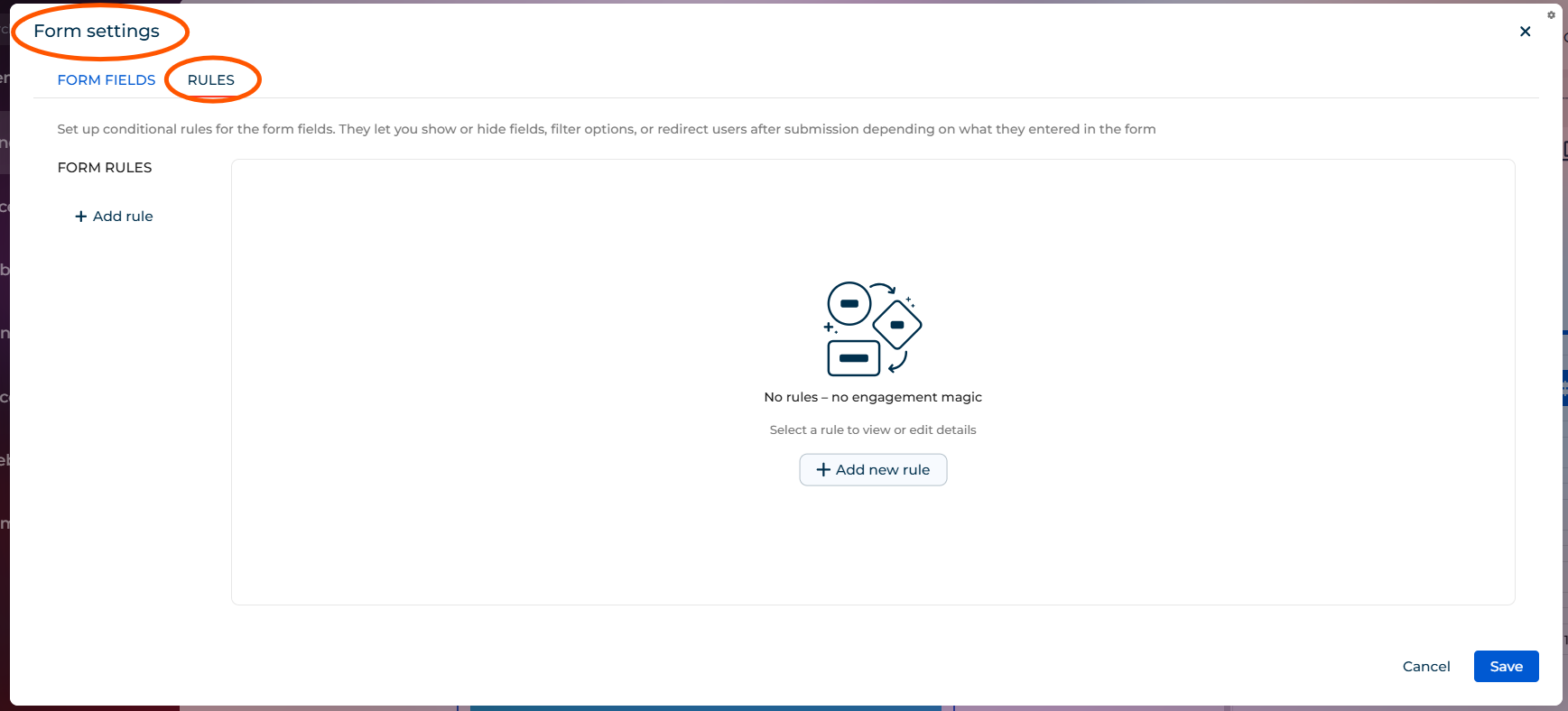
Best,
David
David Örnek,
Thanks! Are there ways to show text boxes if they select certain options? Or can some of the paragraph boxes be connected to how the form is filled out
Hi Matt,
I didn't play around with it yet, but if the "Form Rules" offer a similar set of functionality as "Business Rules" do on Freedom UI pages - then yes, should be possible
David