

Building "New" Cases custom screen. Attachments not working.

I am trying to add an attachment feature when employees are adding new cases. I am able to add it to the "New" cases screen with the web designer:
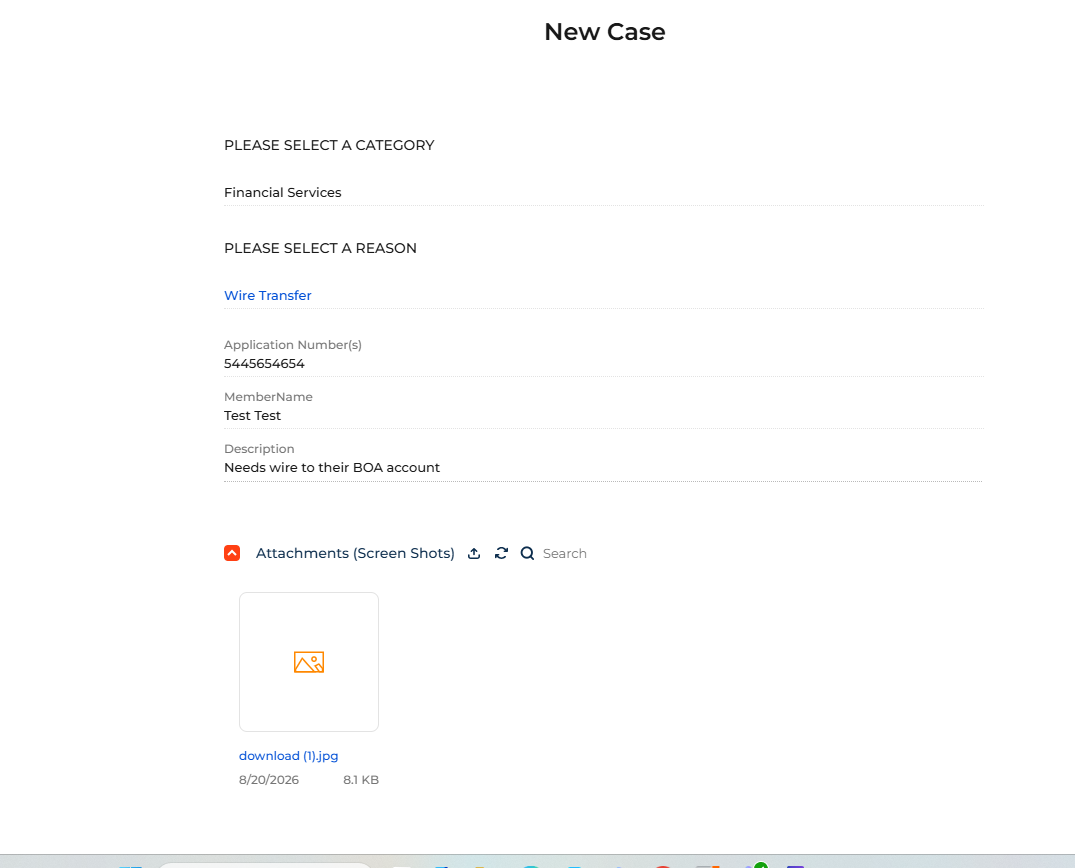
But when the cases come through, there is no attachment in the file.
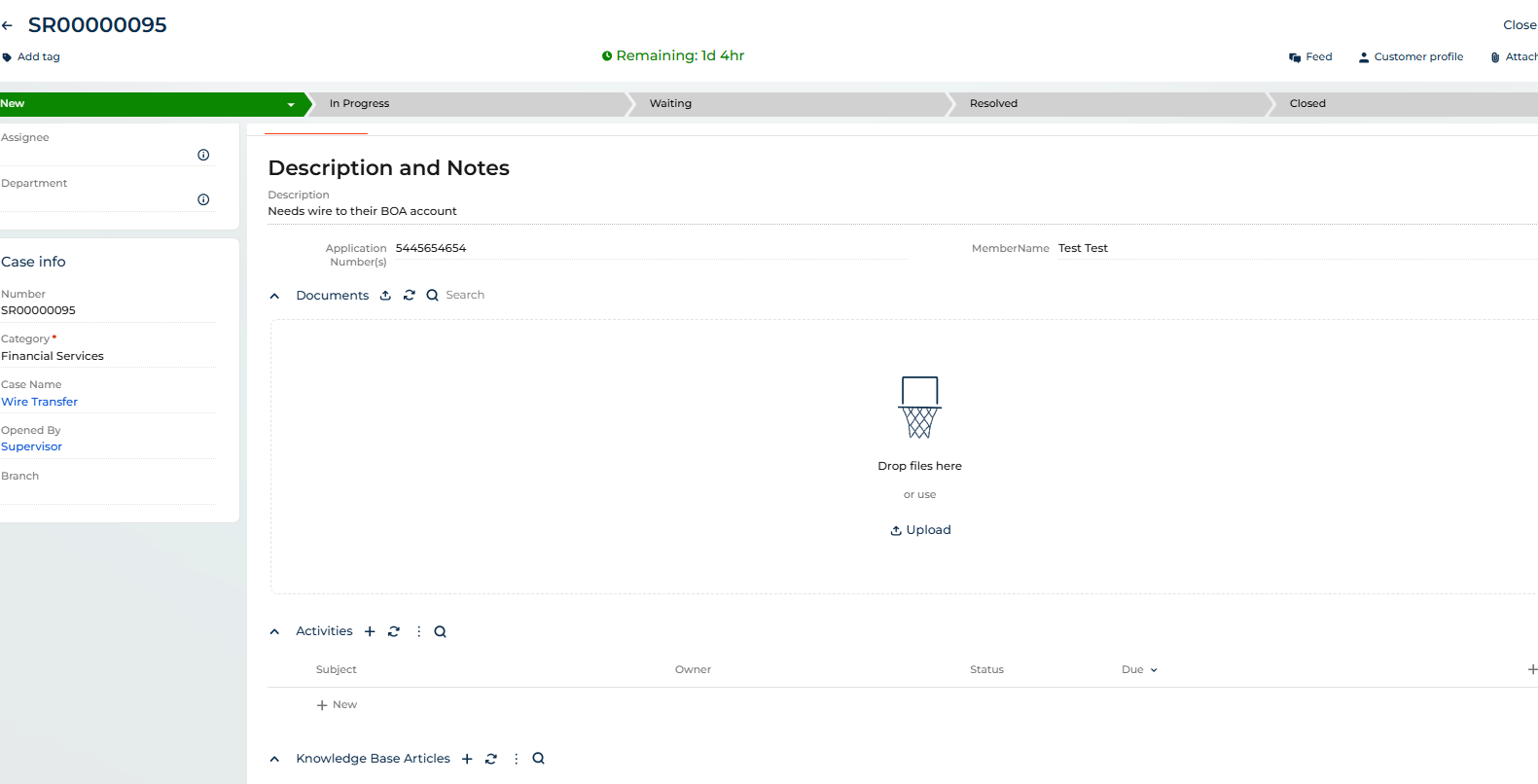
Any help would be appreciated.
Like

Hi Matt,
upon saving Creatio does two distinct things:
1 - Create the Case Record (-> Parent Record for the Attachment)
2 - Upload and Create the Attachment/File record and connect it to the Parent Record ID
I assume that during execution of Step (2) the Parent (Case) ID has not been defined yet as the Case record is about to be created just now, so the Attachment record is uploaded, but not connected.
In order to avoid this, the easiest solution seems to be to delay the possibility of uploading files until after the Case has been created/saved for the first time.
Otherwise to my knowledge there is no standard approach for this yet. You can also choose to do a more refined solution by Custom JS Code (Handler), Business Process etc. :
Alona Dolya
(...)
"Please note the following important points:
- The Attachments component works only in the context of a record (entity). Files cannot be uploaded without being associated with a record.
2. If you need to collect files before the main business object is created, you will need to implement a custom approach. A common solution is:create a temporary (technical) object/record, use the Attachments component to upload files there, then use a business process or server-side logic to transfer the files to the final object once it is created."
See: upload files | Community Creatio
If you want to verify, check was is actually saved in the CaseFile Table - if all previous records were uploaded successfully, but they don't point to the correct Parent Record, then that is most likely the culprit.
Best,
David