


Greetings,
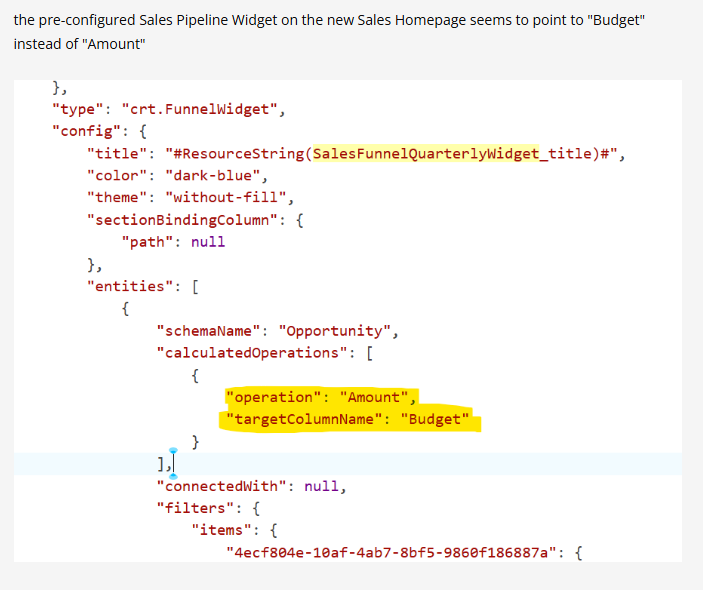
I am looking to make some edits to the Sales Pipeline. An earlier member posted this on another post I made, but I could not find the file. Does anyone know what the file is called, and maybe where to find it?
Like
Hello Matt,
The configuration in your screenshot is not stored in a separate file, it is part of a Freedom UI page schema (a "Client module" type schema) that defines the pre-configured Sales homepage. Specifically, the "crt.FunnelWidget" block you posted comes from the SalesHome schema in the SalesEnterprise package (verified on a clean 8.3.4 instance). That is why you cannot find it as a file anywhere.
There are two ways to make your edits:
1. No-code (recommended). Open the Sales homepage, click the pencil button in the top right → "Edit page" to open the Freedom UI Designer. Select the pipeline widget and open its settings. There you can adjust what the widget displays, including the column it aggregates (e.g., switching from "Budget" to "Amount" on the Opportunity object). Save the page. Creatio automatically stores your changes as a customization, so you never need to touch the base schema.
2. Source code. If you want to edit the JSON directly, open the same page in the Freedom UI Designer and go to the settings menu → "Source code". You can also find the SalesHome schema in the Configuration section (System Designer → "Advanced settings").
One important note: do not modify the SalesHome schema in the SalesEnterprise package directly, as product updates would overwrite your changes. Make the edits through the Freedom UI Designer or in a replacing schema within your own custom package.
Mikołaj Osiak,
This is a very dumb question but where is the sales homepage?
Hello, Matt,
Some workplaces have their dedicated "Home" sections set up.
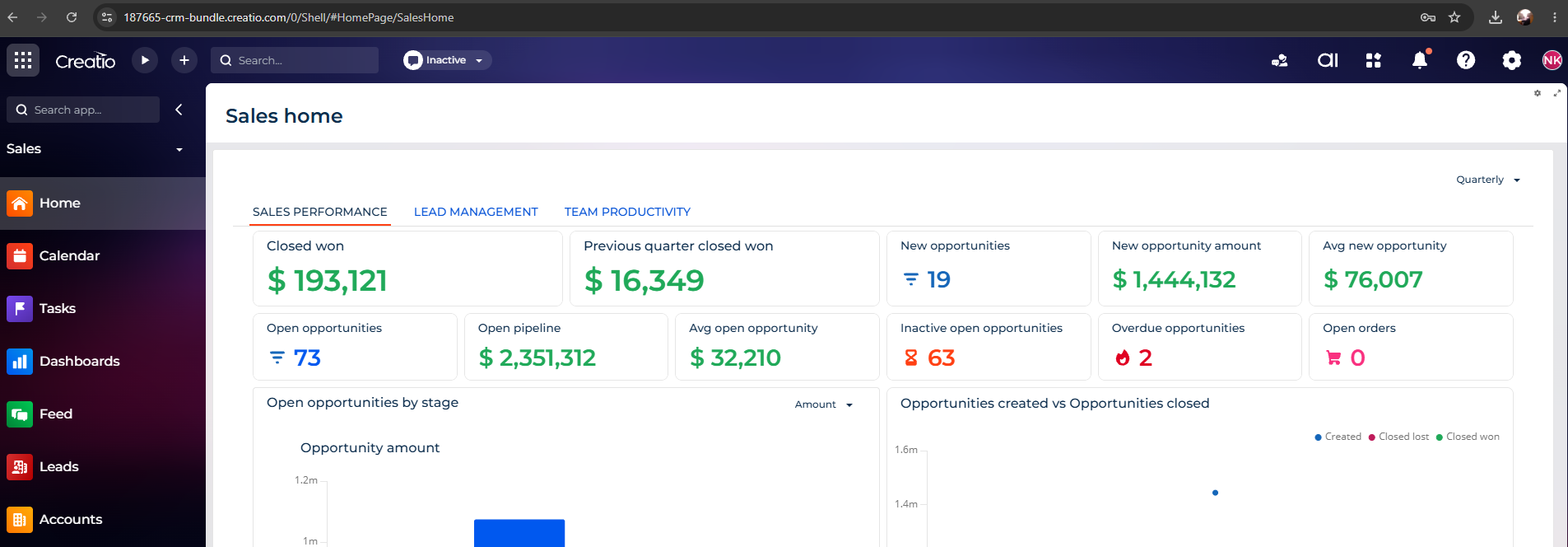
For Sales in Freedom UI, it would be this page
(using our testing environment for visualisation):
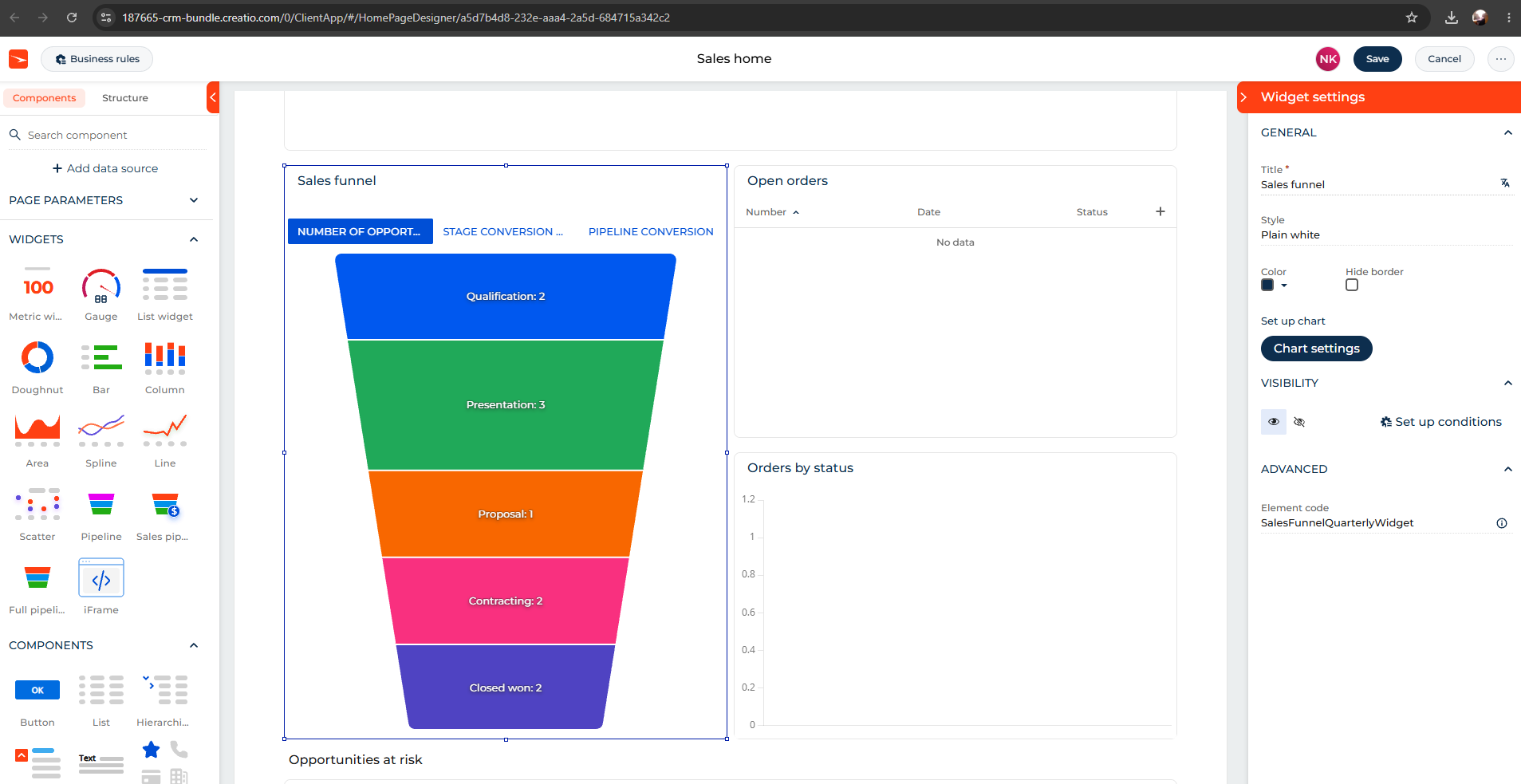
In the designer, the widget from your screenshot is "Sales funnel":
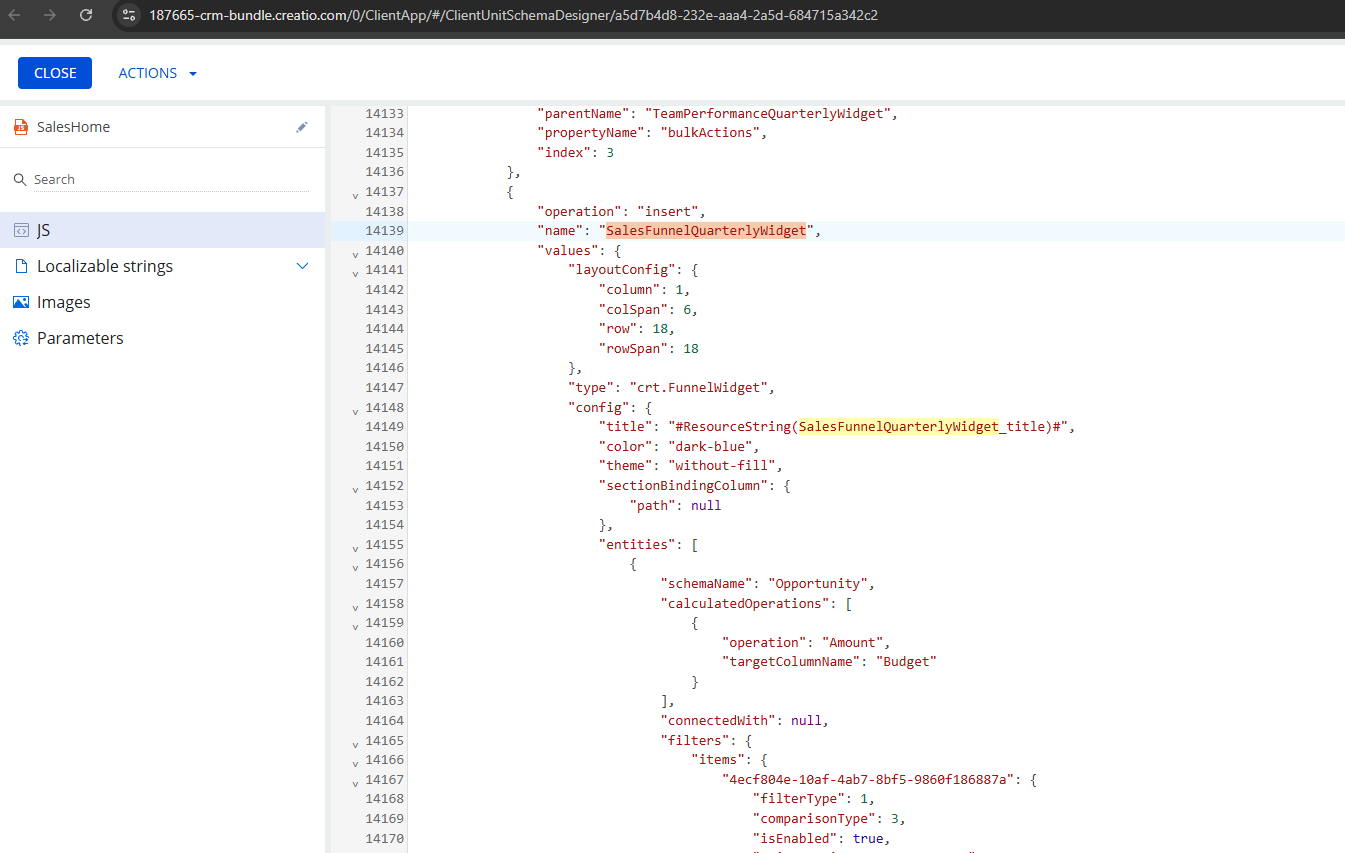
While, its source code representation is as follows:
We hope this helps!