

Article
Bring Your Data to Life on the Map with Syntech Map for Creatio

08:23 Jan 30, 2026
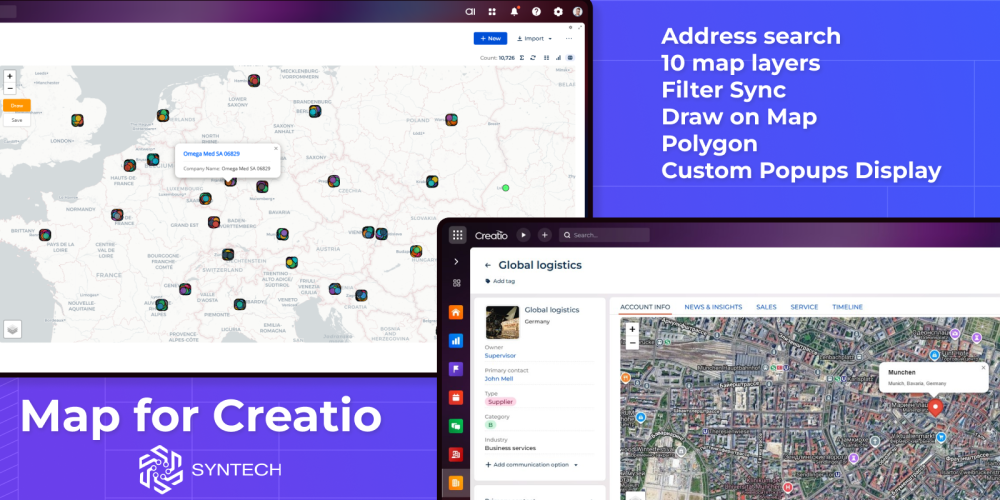
Every business has location data — customer addresses, service territories, field team routes. But seeing this data in spreadsheets doesn't tell the full story. Syntech Map brings geographic visualization directly into Creatio Freedom UI, no code required.
What It Does
Syntech Map is a native Freedom UI component that displays your Creatio records on an interactive map. Drop it onto any page, connect to your entity, and watch your data come alive.
Three ways to use it:
- Address Mode — Pass any address string, get a marker on the map. Ideal for account and contact pages.
- Schema Mode — Load records from any entity with coordinates or GeoJSON data. Filter, click, explore.
- Drawing Mode — Let users draw polygons directly on the map to define territories or service zones.
Key Features
- 12 base layers — Google Maps, OpenStreetMap, ESRI, CartoDB, Stamen styles
- Automatic geocoding — Convert addresses to coordinates using OpenStreetMap
- GeoJSON support — Display polygons, territories, and complex geometries
- Interactive popups — Show any record fields in marker cards
- Live filtering — Map updates automatically with Quick Filters and folders
- Process integration — Trigger business processes from selected feature
Syntech Map is available on Creatio Marketplace.