


Hi, everyone!
I am having trouble with editing Accounts form page in Custom 360. I decided to try moving our system from Classic UI to Freedom UI, so I'm testing all the features on Dev. When I`m saving the Freedom page after adding some elements that were inherited from the Classic UI I am experiencing the following:
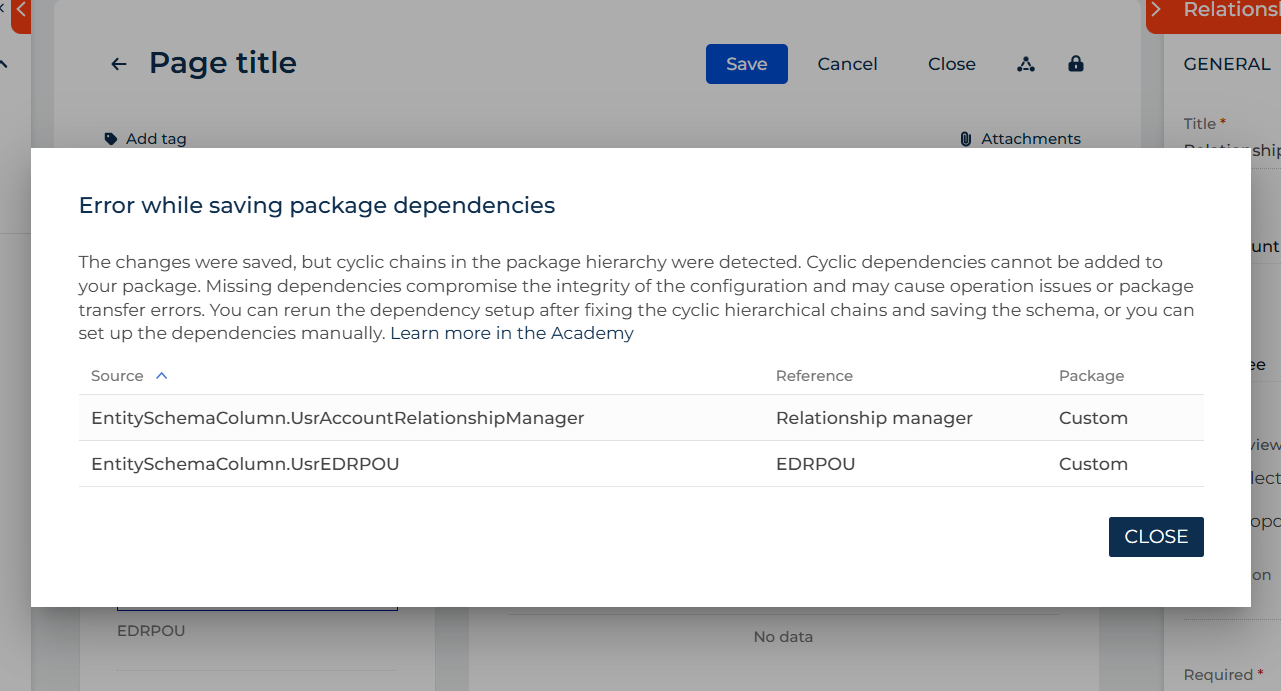
I've read the available article on the issue in Creatio Academy, but I still do not understand how to move packages and where.
More to it - the Custom package is at the end of the hierarchy as it should be - I cannot understand what the issue is here.
Can somebody explain what I should do in order to edit Freedom Accounts form page with all inherited elements from the Classic UI? I've never moved packages anywhere and never worked with dependencies.
Thanks in advance
Like

Hello Varvara,
The error you’re seeing occurs because the columns you added to the schema (“Relationship Manager” and “EDRPOU”) were introduced via an object replacement in the Custom package (typically the last package in the hierarchy). However, the schema you are working with resides in the package above Custom, so these columns do not exist in that package.
To resolve this issue, you have two options:
- Move the object replacement from Custom to the package where the schema currently resides. This is the recommended approach, especially if you plan to transfer the schema to another environment.
- Create a replacement schema directly in the Custom package.
Following the first approach generally ensures smoother migration and consistency across environments.
I hope this helps. Have a great day!
Alina Yakovlieva,
Thanks, that's a little bit confusing for me - never moved anything between packages. It's easier to stay with Classic UI for now.