


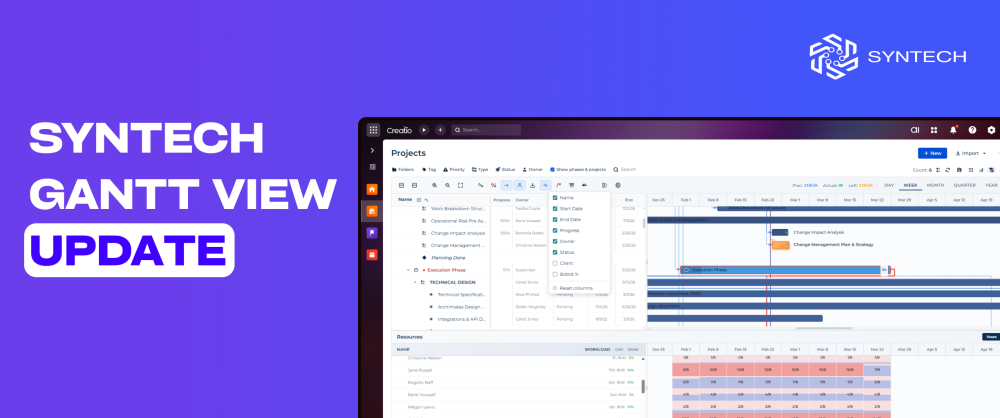
Syntech Gantt View Update
We've shipped an update to Syntech Gantt View for Creatio — an interactive Gantt chart Freedom UI component. Version 4.2 adds six new capabilities focused on three areas project teams ask about most: progress visibility, hierarchy control, and no-code configuration.
https://marketplace.creatio.com/app/syntech-gantt-view-creatio
If you're using Syntech Gantt View on a Freedom UI page — whether on Project, Activity, or a custom object — here's what changed.
Sort direction for each level
The chart now supports independent sort direction for every level of the task hierarchy. You can sort top-level projects by start date ascending, while sorting their child tasks descending by priority or alphabetically by name — all simultaneously, in the same view.
Useful when different levels of your project structure carry different organizing logic.
Burn down chart
A new burn down chart visualizes remaining work and forecast completion directly inside the Gantt component. Planned versus actual progress is plotted over time, giving project managers a quick read on whether the project is tracking on plan, ahead, or behind.
Especially useful for teams running iteration-based work — sprints, release cycles, or fixed-scope project phases.
Actual vs Planned overlay
Each task bar now supports an Actual vs Planned overlay. The originally scheduled timeline and the real execution timeline are displayed together on the same bar — no switching between baseline and current views, no manual comparison.
For PMO directors and project sponsors, this is the answer to "are we on track?" in a single glance.
Hiding child level records
Child-level records can now be hidden to display only the top level of the hierarchy. The result is a clean, high-level view suitable for executive dashboards, status meetings, and stakeholder reporting — without losing the underlying detail when you need to drill back down.
Adding custom columns without code
Until now, the Gantt component supported choosing which existing object fields to display as columns. With this update, you can also add and configure entirely new custom columns directly through Freedom UI settings — no code required.
For Creatio partners and admins, this removes a development step from most customization scenarios and lets business analysts configure Gantt views without engineering involvement.
Dragging in due date mode
Tasks displayed in due date mode can now be rescheduled by dragging them directly on the timeline. Drag-and-drop is now consistent across display modes, so the chart stays fully interactive whether you're viewing tasks by start/end dates or by due date.
Compatibility
Syntech Gantt View 4.2 is compatible with Creatio 8.3.0 and up. The component runs on any Freedom UI page and connects to any Creatio object — Projects, Activities, Tasks, or custom entities https://marketplace.creatio.com/app/syntech-gantt-view-creatio
Where to get the update
The update is available now on Creatio Marketplace. Existing installations can update from the Marketplace listing.
If you have questions about implementation or want to discuss a specific use case, the Syntech team is happy to help - reach out via the Marketplace listing.
https://marketplace.creatio.com/app/syntech-gantt-view-creatio