

Permission issue when business process inserts record into lookup object – CanManageLookups required

Hello Creatio Team,
I hope you are doing well.
I am reaching out regarding an issue we are experiencing in our environment when executing a business process that attempts to create a record in a lookup object.
Issue description:
When the process runs, it fails with the following error:
System.Security.SecurityException: The current user does not have sufficient permissions to execute "CanManageLookups"
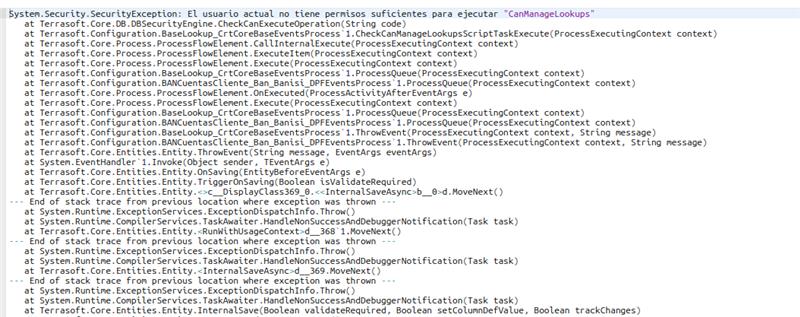
This occurs during the execution of an “Add Data” element that inserts a new record into a lookup object. The error is triggered in the lookup event (BaseLookup_CrtCoreBaseEventsProcess) during the saving stage.
Additional context:
- The process has “Use system security context” enabled.
- The user executing the process does not have the CanManageLookups permission.
- We also attempted to manage access rights within the process, but the error occurs before the record is created.
- This behavior suggests that lookup-level security validation is executed before process-level permissions are applied.
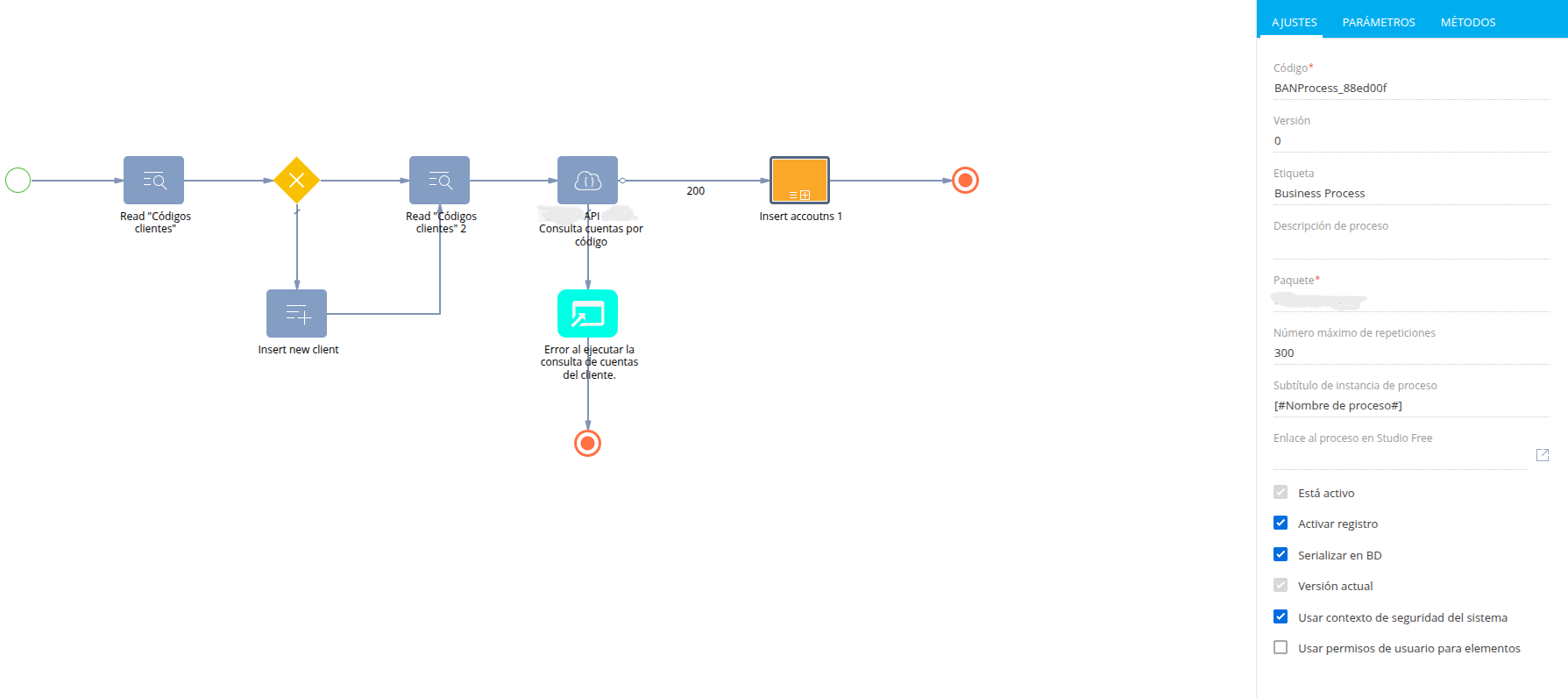
Business requirement:
We need to allow this process to create records in the lookup object without granting broad administrative permissions (such as CanManageLookups) to end users.
Questions:
- Is there a recommended way to allow a business process to insert records into a lookup object without requiring the user to have CanManageLookups?
- Does the “Use system security context” option apply to lookup events, or is there an alternative approach to execute this operation with elevated privileges?
We would appreciate your guidance on the best practice to handle this case, especially considering security constraints in our environment.
Thank you in advance for your support.
Like
Hello,
Thank you for your detailed description and questions.
The behavior you are seeing is expected due to how the platform handles security in this case.
The key point here is that Use system security context applies specifically to logic executed inside Script task elements. It does not globally elevate permissions for all operations within the process. When you use a standard Add Data element to insert a record into a lookup, the platform triggers the internal event process during the save operation. At this stage, a permission check for CanManageLookups is performed, and it is evaluated in the context of the current user, not the system user.
From an out-of-the-box perspective, there is no fully transparent way to bypass this behavior using standard elements like Add Data. This is intentional, as creating or modifying lookup values is considered a privileged operation in the platform.
If you need to achieve similar functionality, it typically requires adjusting the approach. For example, using a Script task (where system context truly applies) or redesigning the flow to avoid direct lookup modification and instead work through an intermediate object that is later processed with elevated privileges.
So in short, what you are trying to do conflicts with the standard security model: lookup record creation is protected by CanManageLookups, and Use system security context does not bypass this check for lookup events triggered by Add Data.
Hope this clarifies the behavior.