


Hi All.
Is there a way to pass a display value in odata rather then the GUID for the lookup values?
Like

Hello Yuriy,
Let's try to do this on the example of the Contact object using the OData protocol version 4.0.
For the Contact object, in our case, the displayed value is the Full Name column (Code of the column Name).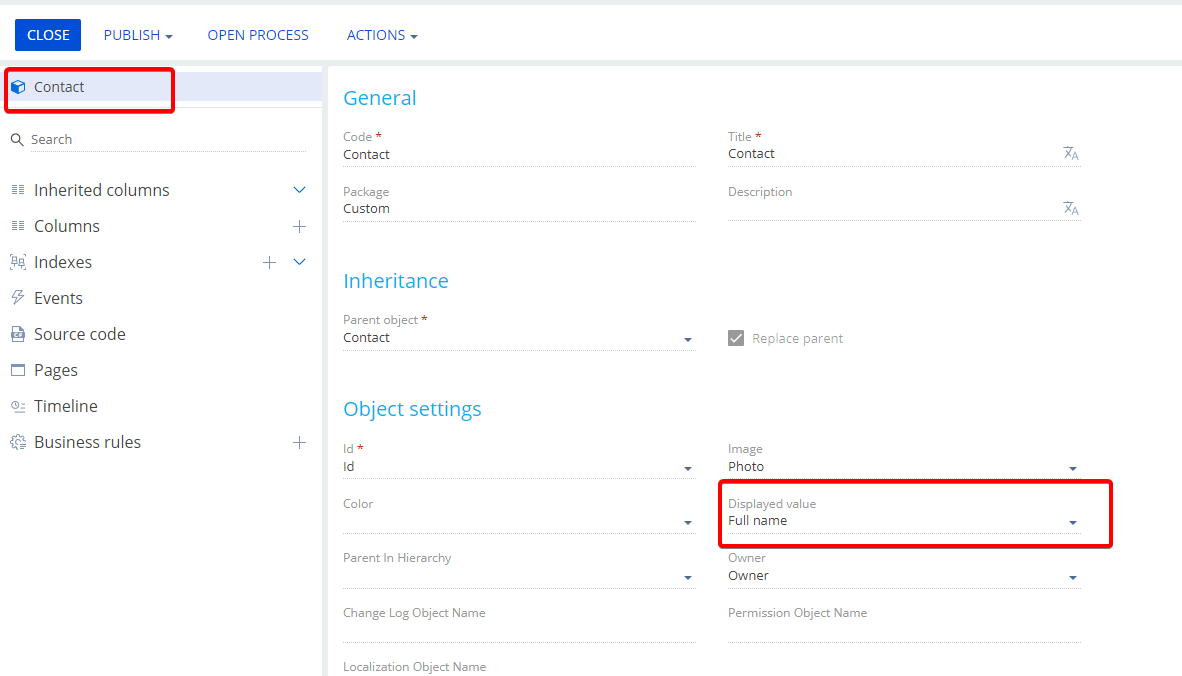
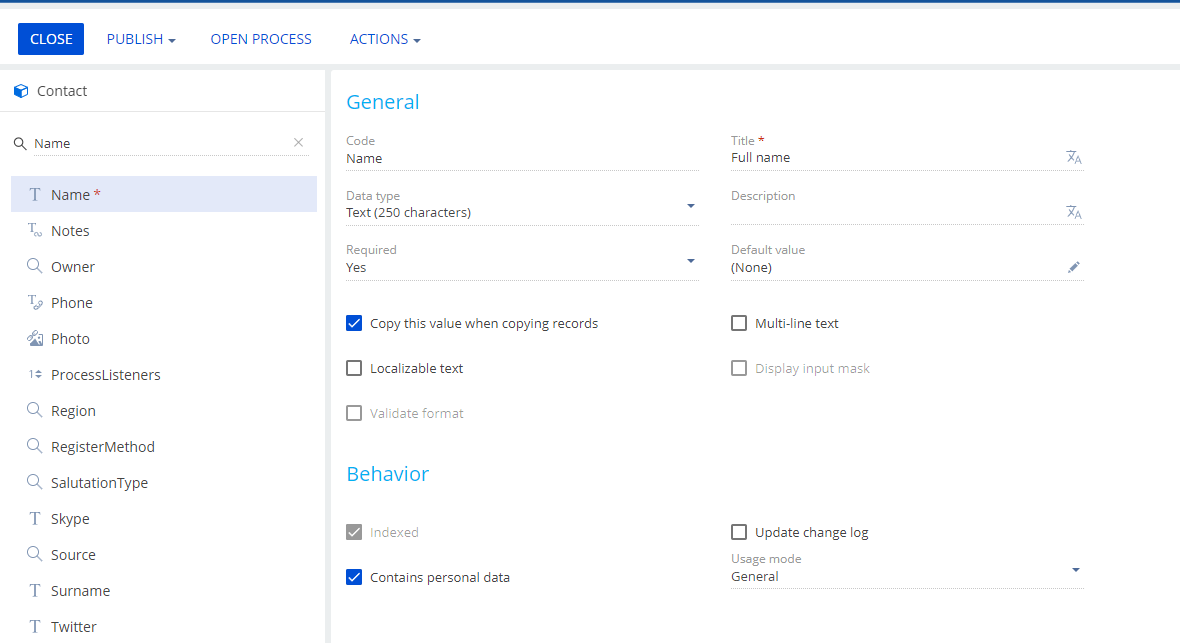
Let's take as an example the record of one contact by UId
https://1303997-demo.creatio.com/0/odata/Contact(51e3822e-0944-45bc-98b6-8a171802df84)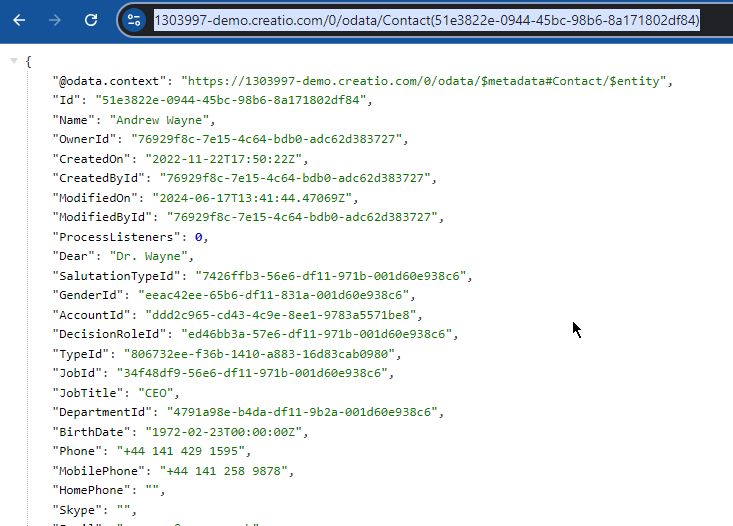
Our task is to get this contact record by searching the Name column with the value Andrew Wayne.
If you look at the official examples of requests to the Creatio app via OData, the query will best suit our needs
https://1303997-demo.creatio.com/0/odata/Contact?$filter=Name%20eq%20%27Andrew%20Wayne%27
This is the result we got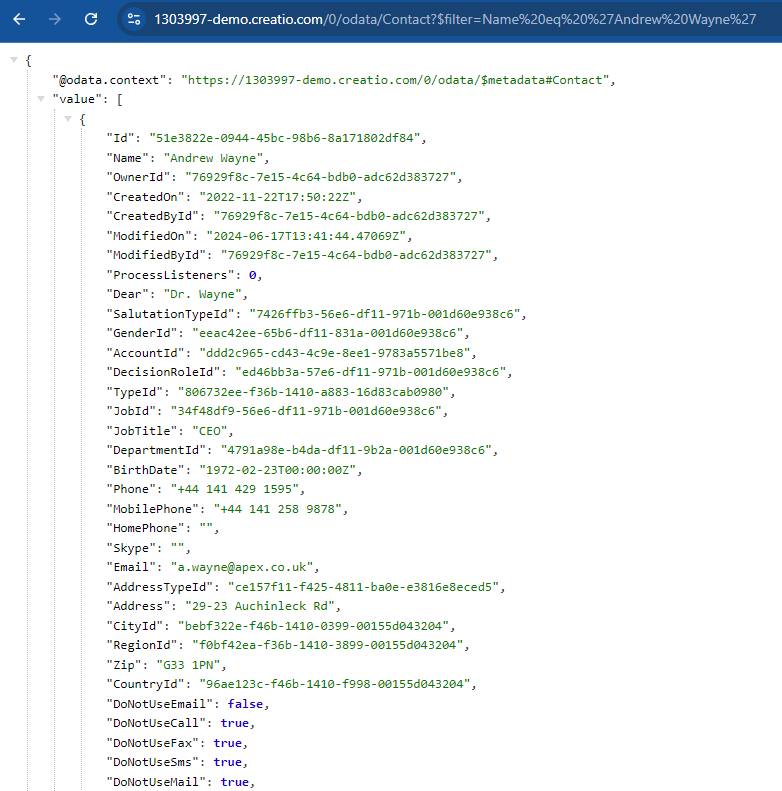
I hope I understood you correctly and was able to provide a comprehensive answer.
I wish you a good day!
.jpg)
Serhii Parfentiev, @yuriisokil
Maybe this could be helpful: i recommend doing two steps. The first one is if it returns an ID type value and the field is a lookup, such as owner, it will come with the suffix "id" as shown below in the lead object: "OwnerId"
https://your-site.com/0/odata/Lead?$top=1
Part of the JSON result:
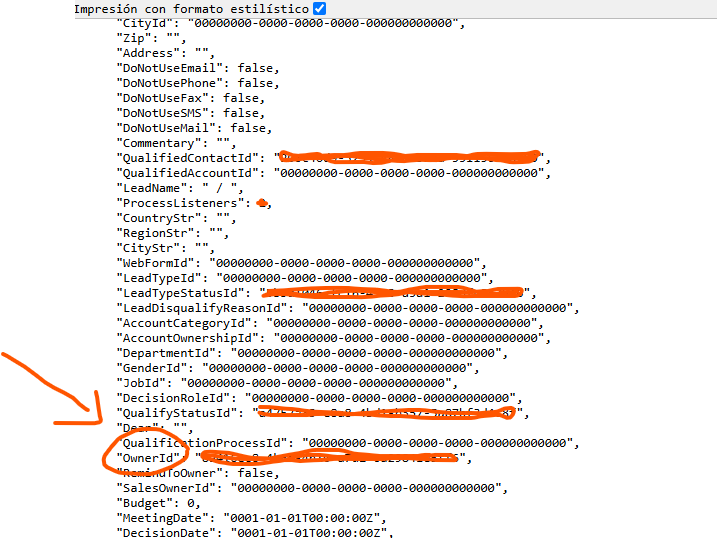
The first step is to consider the suffix "Ownerid" just to select the property (in the example i just select two properties "id","Ownerid")
https://your-site.com/0/odata/Lead?$Select=Ownerid,id&$top=1

Now, if we want to access the "ownerid" values from the lookup, we remove the suffix, and it becomes "owner". Additionally, we use expand function to retrieve the record in the owner subject with selected property "Name" (choose your interested property).
https://your-site.com/0/odata/Lead?$expand=Owner($select=Name)&$select=…
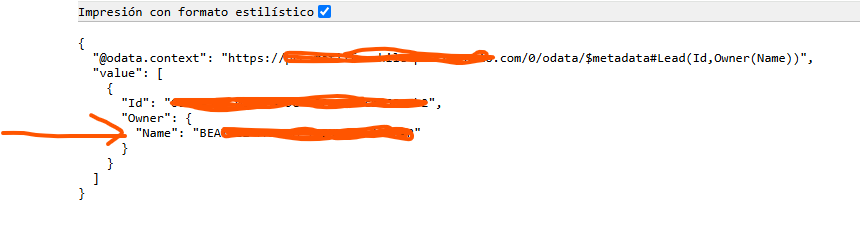
So finally you can access the values of the lookup.