


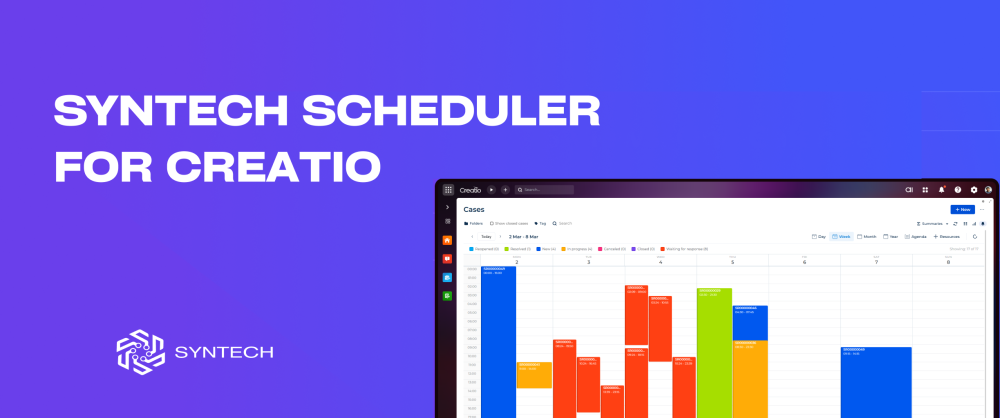
Syntech Scheduler for Creatio v1.2.0
Released: Settings Menu, 6 Calendar Views, and Enterprise Scheduling Inside Freedom UI
We're excited to announce the release of Syntech Scheduler v1.2.0 - our enterprise-grade calendar and scheduling component built natively for Creatio's Freedom UI platform.
What's new in v1.2.0: Added settings menu for faster configuration and user-level customization
What is Syntech Scheduler?
Syntech Scheduler transforms any time-based data in your Creatio system into interactive, visual schedules with multiple viewing perspectives. Whether you're managing appointments, service bookings, project timelines, or resource allocation - Scheduler provides the tools you need to visualize, manage, and optimize your time-based operations.
It works with OOTB sections and any custom object. No coding. No complex integrations. Deploy in minutes, not days.
Key Features:
Easy Setup Point to your Creatio entity, define a few columns - done. User-friendly menu configuration with smart defaults means you only set what matters. Status colors pull automatically from lookups.
6 Views. One Scheduler.
- Day for focus - Week for planning - Month for the big picture - Year for long-term vision - Agenda for what's next - Resource Timeline for team coordination
Switch instantly with one click. Same data, different perspectives - whatever your workflow demands.
Resource Timeline - See Your Team's Workload at a Glance Groups events by owner, department, or any lookup field. See who's overloaded and who has capacity. Spot scheduling conflicts before they happen. Drag tasks between team members to balance workloads. Week mode shows 7 days of team activity on one screen.
Never Miss a Meeting Agenda view lists all upcoming events in a clean, scrollable format. Date, time, status - everything visible without clicks. Color-coded by status so priorities stand out. Perfect for morning planning or quick daily reviews.
Drag. Drop. Done. Reschedule meetings by dragging to a new time or day. Resize events to adjust duration. Move tasks between team members in timeline view. Changes save instantly to Creatio. No forms, no confirmations, no friction.
Color-Coded Clarity Every status gets its own color - pulled from Creatio lookups or custom-defined. Red for overdue, green for complete, blue for in progress. Legend with counters shows task distribution at a glance. Filter by clicking any status.
See More. Scroll Less. Month view handles 100+ tasks without clutter. Compact event cards show titles and status colors. Visual density without visual chaos. One screen, full month, complete clarity.
Compatibility: Creatio 8.3.0 and up
Get started: → Install from Creatio Marketplace → Point to any entity with date fields → Configure columns and deploy → Your team has a visual scheduler in minutes
We'd love to hear your feedback. If you're using Syntech Scheduler - share your experience in the comments. If you haven't tried it yet - install it and let us know what you think.
Download: https://marketplace.creatio.com/app/syntech-scheduler-creatio