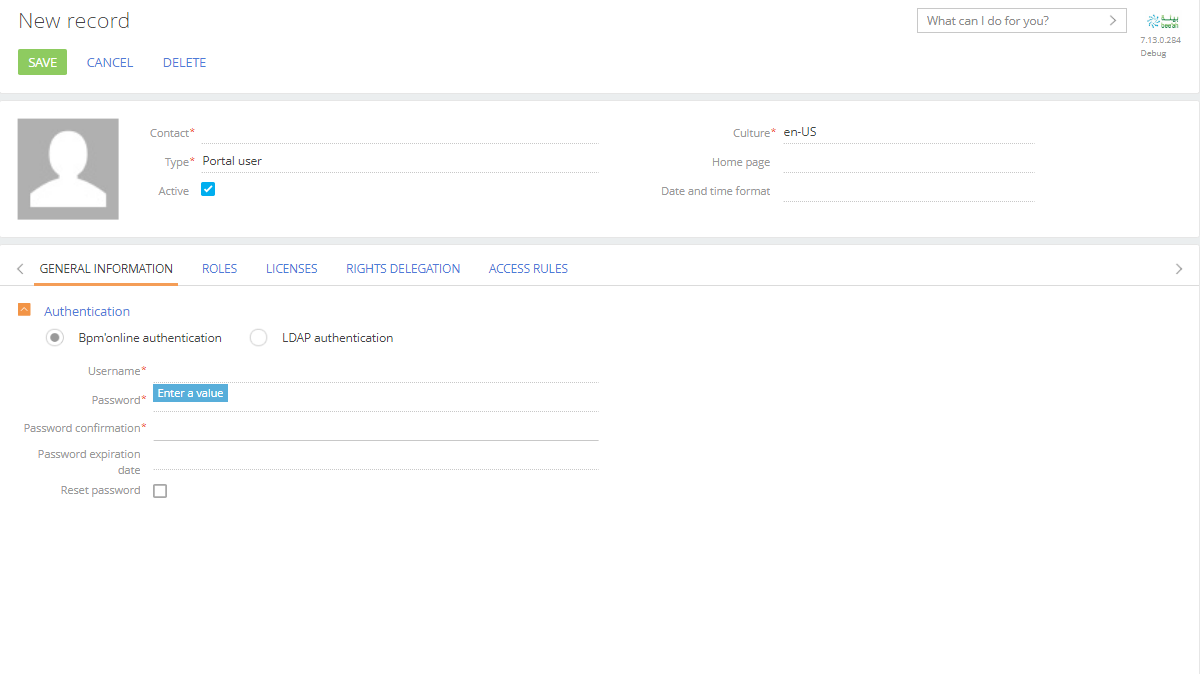
if we take a look at the table in DB where information on products is stored, you can see that the column which stores information on images is called "PictureId". This column takes information directly from "SysImage" table where all images are stored. The image itself is stored in "Data" column and it is stored as binary code there. Unfortunately there is no way to import data to SysImage table directly using data import tool. I will create a problem to our R&D team so to develop this functionality in future and I hope it will be implemented soon enough. As for now you need to update images manually via product page. Thank you for helping us to make our application better.
We will integrate SAP in BPM online, In standarad .net applications to start the development we need to install SAP .Net Connector. In BPM online how we can possibly do this?
Unfortunately as for now there is no marketplace or out-of-the-box solution for your task and I will create a problem regarding this issue. As for now you can try integrating using API and here is an Academy article that may be helpful https://academy.bpmonline.com/documents/technic-sdk/7-13/javascript-api….
Our R&D team has this problem I've created for them in "Accepted" status, but the logic of SAP entities integration is currently not implemented in the Creatio app. The only way to integrate with 3rd party entities like SAP now is to develop a custom service that will transfer data between your SAP entity and the Creatio app. Here is the link to the Creatio Academy article that describes using OData for 3rd party integrations.
I will also inform our R&D team about your question and ask them to increase the priority of the problem registered on their end.
Unfortunately, we do not have any available documentation for its development. However, if you have any specific development questions concerning application functionality you are welcome to contact the application developer via email bpmonlinelabs@bpmonline.com
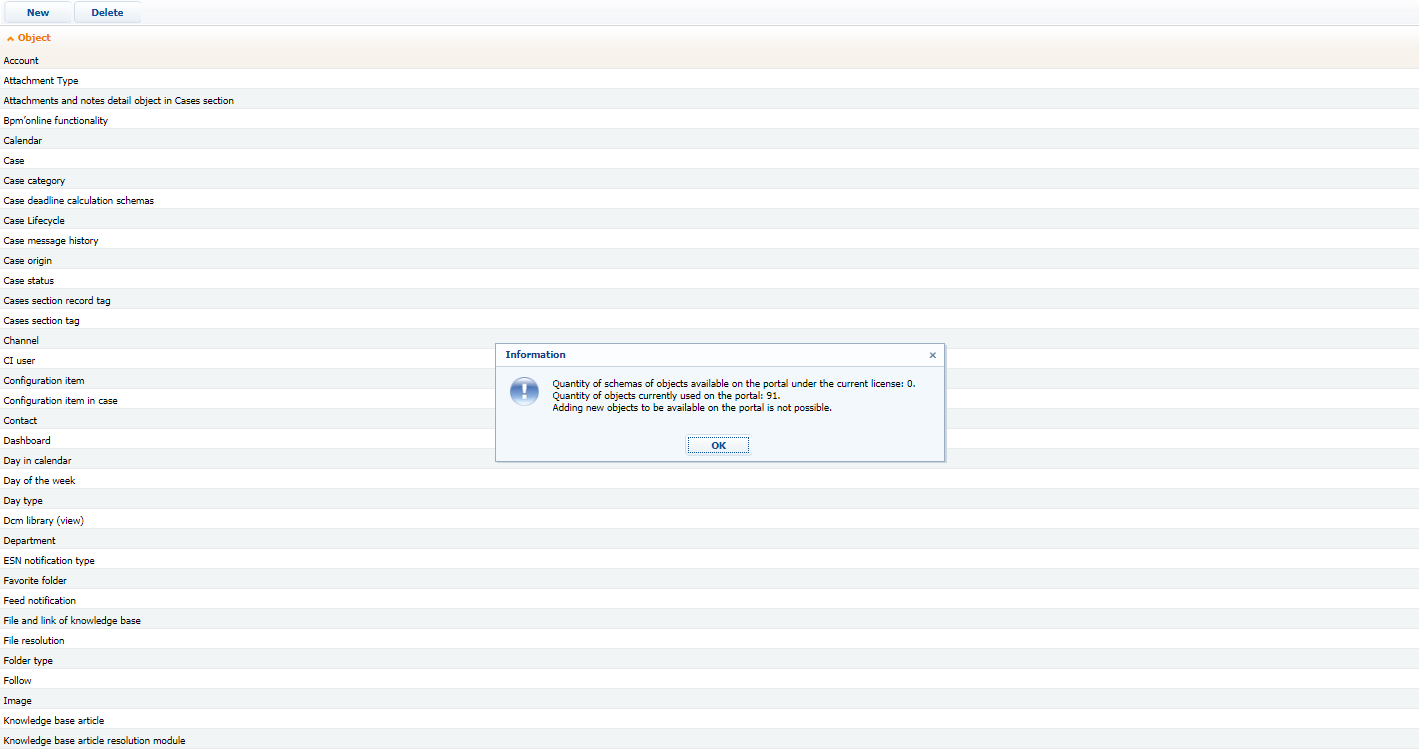
This error occurs because there is a built-in limitation on the amount of objects that can be available for the portal users. You can avoid this limitation only with development. You can examine script 'InsertPortalUserCanReadRightsOracle' in the configuration to understand how to add more objects with the help of development tools. As a workaround you may remove extra objects and replace them with the needed ones in the 'List of objects available for portal users'.
Also the portal set up will be reworked in 7.13.2 and you would be able to set this up in the section wizard.
Since templates are based on HTML you can use HTML coding to form the template as you want. Below you may find more information about tables and lists in HTML:
We can recommend you to setup a printable with the data from a detail and then send it with the help of a business process. The example of the implementation is described below:
You can implement you business task by the means of business process. The idea is to add read data elements, which would retrieve needed data from particular records. Afterwards, use “send email” business element to combine data into email and send it. You can add a button on the section, or action to trigger the process.
Please see the following article. You can use this example to select needed records and pass this info to business process to send email.
For example, I made this a while back to show a filtered list of products on an order; the HTML is very simple, as it was a demonstration, but that can easily be edited with CSS as necessary. You can see that 'arguments' is passed the record ID if you link the template to a record; the macro is then called by including [#@Invoke.UsrEmailProducts#] in your template.
namespace Terrasoft.Configuration
{
	using System;
	using Terrasoft;
	using Terrasoft.Common;
	using Terrasoft.Core;
	using Terrasoft.Core.Entities;
	using Terrasoft.Core.DB;
	using Newtonsoft.Json;

	public class UsrEmailProducts : IMacrosInvokable
    {
        public UserConnection UserConnection {
            get;
            set;
        }
        public string GetMacrosValue(object arguments) {
        	var sjson = JsonConvert.SerializeObject(arguments);
        	var templ = new {Key = String.Empty, Value = String.Empty};
        	var args = JsonConvert.DeserializeAnonymousType(sjson, templ);
        	var orderId = args.Value;
        	var esq = new EntitySchemaQuery(UserConnection.EntitySchemaManager, "OrderProduct");
            var colCode = esq.AddColumn("Product.Code");
            var colDescription = esq.AddColumn("Product.Name");
            var colQty = esq.AddColumn("Quantity");
            var colSpecs = esq.AddColumn("UsrSpecifications");
            var colColour = esq.AddColumn("UsrColour");
            var OrderFilter = esq.CreateFilterWithParameters(
			    FilterComparisonType.Equal, "Order", orderId);
			var ModifiedFilter = esq.CreateFilterWithParameters(
			    FilterComparisonType.Equal, "UsrModified", true);
            esq.Filters.LogicalOperation = LogicalOperationStrict.And;
            esq.Filters.Add(OrderFilter);
            esq.Filters.Add(ModifiedFilter);
            EntityCollection entities = esq.GetEntityCollection(UserConnection);
            var html = "<table><tr><td>Code</td><td>Description</td><td>Quantity</td><td>Specifications</td><td>Colour</td></tr>";
            foreach (Entity entity in entities) {
            	html += "<tr>";
            	html += "<td>" + entity.GetColumnValue(colCode.Name).ToString() + "</td>";
            	html += "<td>" + entity.GetColumnValue(colDescription.Name).ToString() + "</td>";
            	html += "<td>" + entity.GetColumnValue(colQty.Name).ToString() + "</td>";
            	html += "<td>" + entity.GetColumnValue(colSpecs.Name).ToString() + "</td>";
            	html += "<td>" + entity.GetColumnValue(colColour.Name).ToString() + "</td>";
            	html += "</tr>";
            }
            html += "</table>";
            return html;
        }
    }
}
Edit: All the </> should be proper lt/gt characters, that's just the forum software replacing them.
I'm working together with Luis Gonçalves, and we finally had some time to test your sugestion.
It is actually working perfectly, the table is created in the email in the context of the record ID and there isn't even any need to replace the "</>".
Thank you very much.
I've got one more question for you: this works fine if I start an email from the Case and the ID is passed perfectly.
But if I try to reply to an email that was sent by a costumer and the email is linked with that same Case. Then the conection does not work and the recordID is not retrieved. Any idea how I could make the conection between the macro and the case that is linked with the email that I'm replying to?
I'm afraid that's more of a back-end BPM thing; to the best of my knowledge, the 'arguments' argument ought to hold the current record, but as I'm not a BPM employee, I don't know what the mechanics behind it are. It may be that the 'current record' when you're replying to an email is the Activity object representing the email instead of the Case object, but that's just a guess. I don't know to what extent you're comfortable with the code, but have you tried temporarily returning the contents of the arguments variable (instead of the table) to see what's being passed in?



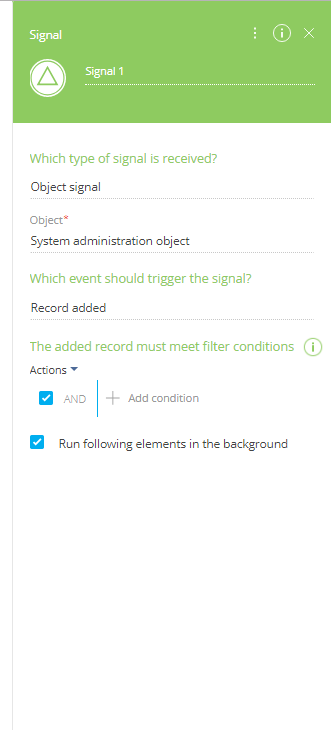



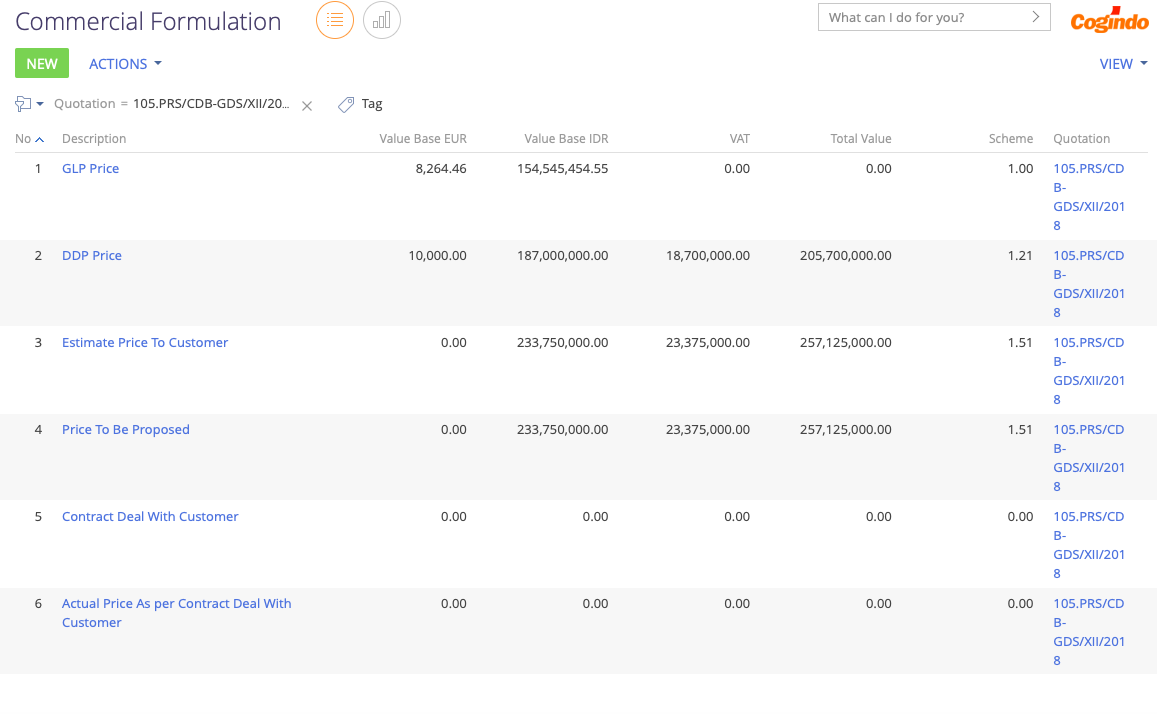 That section show 6 row data, and than i want to show that all data in email template.. and configuration email template :
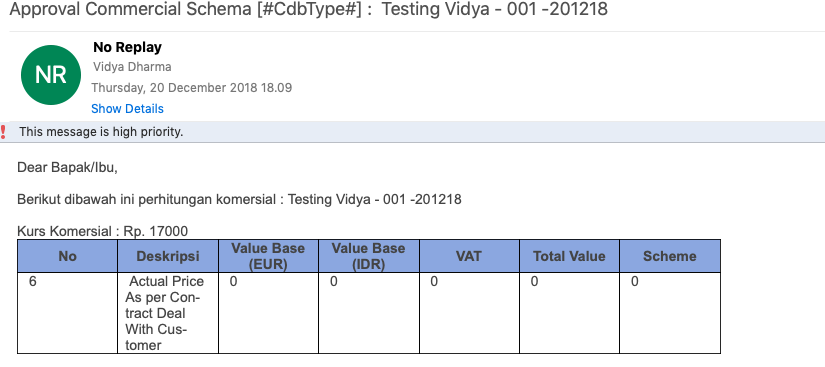
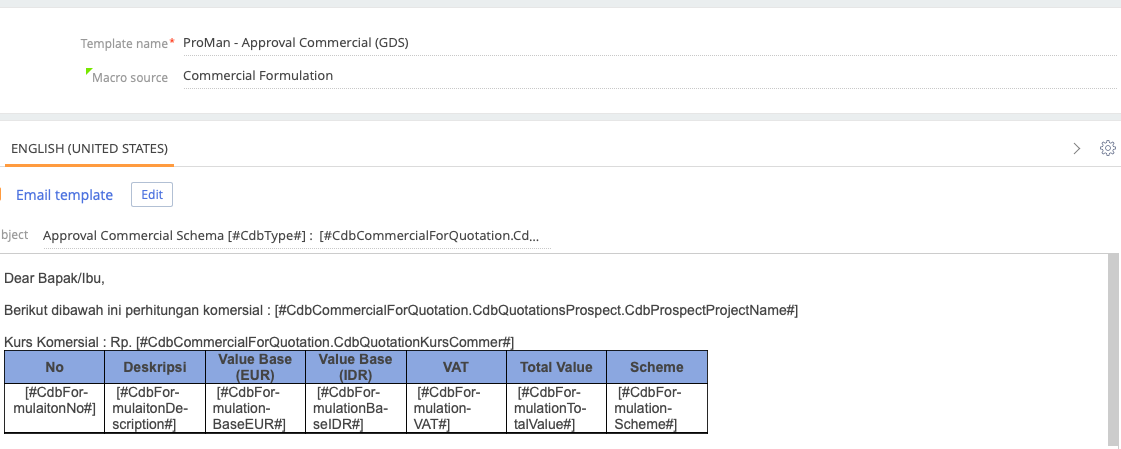 But the result is only last record showed in email. please advise...