


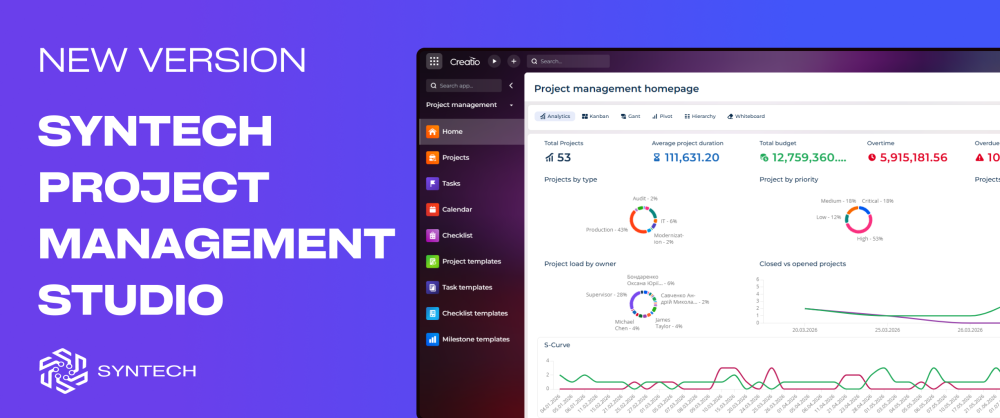
What’s New in Syntech Project Management Studio for Creatio 1.2: Templates, AI Agent, Hierarchy View, and To Do Workspace
Managing projects isn’t just about tracking deadlines anymore.
Teams today need to launch faster, reduce manual coordination, and keep execution visible across multiple workstreams - without adding more tools.
That’s why we released Syntech Project Management Studio for Creatio 1.2.
This update introduces new capabilities designed to reduce setup time, simplify project execution, and help teams move from planning to delivery with less manual effort.
New in Version 1.2
Compatible with: Creatio 8.3.1
Launch projects faster with Templates
Starting every project from scratch slows teams down.
Version 1.2 introduces reusable templates for:
- Projects
- Tasks
- Milestones
- Checklists
Teams can now standardize delivery processes and eliminate repetitive setup activities.
Whether you run implementation projects, internal initiatives, or customer delivery programs, templates help teams begin execution immediately while maintaining consistency across projects.
Business impact:
- Faster project initiation
- Standardized delivery processes
- Reduced manual setup effort
Meet the Project Management AI Agent
One of the biggest additions in this release is the new AI-powered Project Management Agent.
Instead of navigating multiple views and manually updating data, teams can interact using natural language to support daily project operations.
The AI Agent helps users:
- Create projects from templates
- Track project progress
- Detect execution risks
- Analyze resource workload
- Generate stakeholder reports
- Accelerate project coordination
The goal isn’t to replace project managers.
It’s to reduce operational overhead so teams can spend more time delivering and less time maintaining project data.
Understand complex structures with Hierarchy List View
Projects rarely exist in isolation.
Large initiatives include phases, tasks, dependencies, and related workstreams.
The new Hierarchy List View gives teams a structured way to navigate project relationships and view nested data directly inside Creatio.
Users can expand and manage connected records without losing context.
Business impact:
- Better project visibility
- Easier navigation of complex structures
- Improved cross-team alignment
Stay focused with the new To Do List View
Execution often breaks not because of planning - but because priorities become fragmented.
The new To Do List View provides a simplified workspace focused on immediate action.
Teams can quickly identify:
- current assignments
- pending activities
- next priorities
- execution progress
This creates a cleaner operational experience and helps reduce task switching.
Built for project execution inside Creatio
Syntech Project Management Studio continues to provide a unified environment for:
- Kanban project management
- Gantt planning
- budget and cost control
- workload monitoring
- centralized project coordination
- AI-assisted execution
With version 1.2, the platform becomes even more focused on helping teams execute faster while keeping planning, collaboration, and delivery connected inside Creatio.
Explore the latest update and see what changes when project management becomes part of your operational workspace.
Request a live demo → https://marketplace.creatio.com/app/syntech-project-management-studio-c…