


Hi Team,
I have to run a business process from C# script. I used below code, unfortunately not wokring
UserConnection userConnection = Get("UserConnection");
IProcessEngine processEngine = userConnection.ProcessEngine;
IProcessExecutor processExecutor = processEngine.ProcessExecutor;
processExecutor.Execute("UsrProcess2Custom1");
return true;
URL: Service that runs business processes | Creatio Academy
Help me with invoking Business Process from Server-Side (C#)
Like
Hello Souresh,
1. Do you have compilation errors?
2. Ensure that the name of the process you are attempting to start matches in your code and process settings: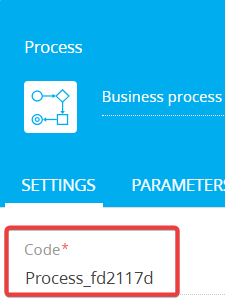
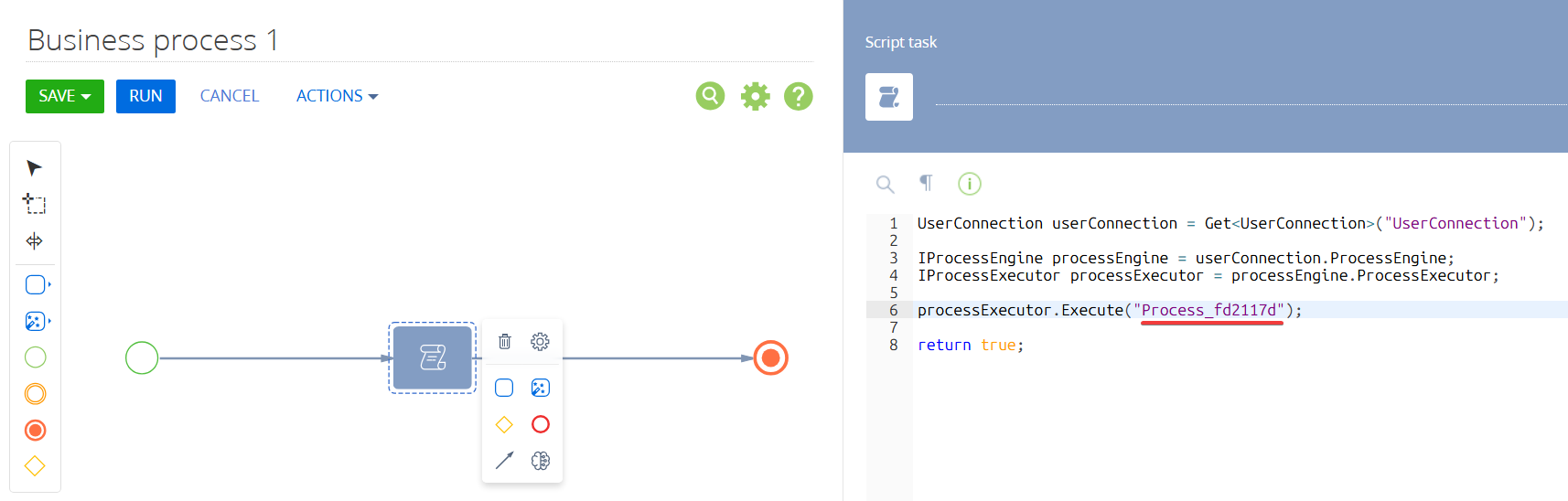
3. Try to debug your code, more on that here:
https://academy.creatio.com/docs/8.x/dev/development-on-creatio-platform/development-tools/debugging-tools/back-end-debugging/overview

Hi Artem & Eduard,
Thanks for the response,
I just want to be clear on the script you have provided, can we use that in custom web-services providing you the example of web-service below:
using Terrasoft.Web.Common;
using Terrasoft.Web.Common.ServiceRouting;
using System.Web;
using Terrasoft.Core.Factories;
using System;
using System.Data;
using System.Data.SqlClient;
using System.Collections.Generic;
using System.ServiceModel;
using System.ServiceModel.Web;
using System.ServiceModel.Activation;
using Newtonsoft.Json;
using Terrasoft.Core;
using Terrasoft.Core.DB;
using Terrasoft.Common;
using Terrasoft.Core.Entities;
using System.IO;
using System.Text;
using Terrasoft.Core.Process;
using Terrasoft.Configuration;
namespace Terrasoft.Configuration.UsrUserInfoService
{
[ServiceContract]
[AspNetCompatibilityRequirements(RequirementsMode = AspNetCompatibilityRequirementsMode.Required)]
[DefaultServiceRoute]
[SspServiceRoute] // <--- This enables access for Customer Portal users
public class UsrUserInfoService : BaseService
{
[OperationContract]
[WebInvoke(Method = "POST", UriTemplate = "RunBP", RequestFormat = WebMessageFormat.Json, ResponseFormat = WebMessageFormat.Json, BodyStyle = WebMessageBodyStyle.Bare)]
public string RunBP(UnsubscribeRequest request)
{
try
{
var processExecutor = UserConnection.ProcessEngine.ProcessExecutor;
var processSchema = UserConnection.ProcessSchemaManager
.GetInstanceByName("UsrAllManageUnsubscribeStatus");
var process = processSchema.CreateProcess(UserConnection);
process.SetPropertyValue("ContactId", request.ContactId);
process.SetPropertyValue("BulkemailId", request.BulkemailId);
process.SetPropertyValue("EndUserResult", request.EndUserResult);
process.Execute(UserConnection);
return "OK";
}
catch (Exception ex)
{
return "ERROR: " + ex.Message;
}
}
public class UnsubscribeRequest {
public Guid ContactId { get; set; }
public Guid BulkemailId { get; set; }
public string EndUserResult { get; set; }
}
}
}